


















BlogB2B Marketing Attribution
Programmatic Attribution: Track DSP Campaigns to Revenue
A DSP reports view-through conversions no other system can see, GA4 files its clicks as Unassigned or Paid Other, and the CRM records whatever the last form wrote. This guide covers why programmatic resists attribution, one UTM convention with templates for The Trade Desk, StackAdapt, DV360 and three more DSPs, and how to judge each DSP on CRM pipeline and revenue.

Contents
Summarise this article with AI
Opens the page with a ready prompt in:


Nothing is sent until you pick a service.
Here is one month of a B2B software company's programmatic budget, invented for this guide so the arithmetic can be checked: €12,000 on StackAdapt and €8,000 on The Trade Desk. The two DSPs report 84 conversions between them. GA4 shows 790 sessions from those campaigns and 6 demo requests, all of it filed under Unassigned. The CRM holds 9 leads whose journey started with a programmatic click, and 2 opportunities. Nobody in the company can say which of those numbers the budget should follow.
Programmatic attribution is the work of answering that question: following a click bought through a demand-side platform to the lead it produced and the deal that lead became, and deciding what to do with the far larger number of impressions nobody clicked. It is harder than search or social attribution for structural reasons, and most of the damage is done before any model runs, by a utm_medium value GA4 does not recognise.
This guide covers why programmatic resists attribution, which system to trust for which number, where GA4, HubSpot and Salesforce file DSP traffic by default, one UTM convention with templates for The Trade Desk, StackAdapt, DV360, Amazon DSP, AdRoll and Criteo, what to do about view-through and CTV, and what changes in a B2B cycle. The measurement side, which KPIs to read inside the DSP itself, is in programmatic measurement.
Quick Summary: Programmatic Attribution in One Paragraph
In short
Programmatic attribution is the practice of crediting leads, pipeline and revenue to campaigns bought through a DSP such as The Trade Desk, StackAdapt or DV360. It usually fails at the tagging, not the model. Programmatic is bought on impressions and rarely clicked, so the DSP reports view-through conversions no other system can see, GA4 files DSP clicks as Unassigned or Paid Other unless utm_medium is one of the five values on its Display list, and the CRM records whatever source the last form or integration wrote. The working setup is one UTM convention filled by each DSP's macros (utm_medium=display, the DSP as utm_source, its campaign, line item, creative and site ids in the rest), a first-party visitor id kept from the first click so a lead that converts weeks later through a brand search still carries the programmatic touch, and CRM outcomes per campaign and per site as the number the budget follows. View-through claims are tested with holdouts, not imported as a source.
It is written for demand generation, performance and RevOps teams who run a DSP beside Google, Meta and LinkedIn and have to defend the programmatic line with CRM numbers, and for the agencies that buy it for them. If your immediate problem is a GA4 report full of Unassigned or Paid Other, the section on where programmatic traffic lands and the UTM templates per DSP are the two to read first.
Why Programmatic Is Hard to Attribute
Search and paid social are bought on clicks, or at least judged on them, and the click carries the attribution: an id in the URL, a referrer, a session that starts on your site. Programmatic is bought on impressions, a thousand at a time, across thousands of sites the buyer never sees, and the click is the exception rather than the event. Four things follow, and each one removes a shortcut that works for the other channels.
Bought on impressions, rarely clicked
Display click-through rates sit around 0.05 to 0.07% in the figures Demandbase documents, so a million impressions produce a few hundred clicks. The click is a thin sample of the exposure.
The DSP credits views
A DSP counts a view-through conversion when someone who was served an ad converts inside its window without clicking. No analytics tool or CRM can see that impression, so the DSP's count is always the largest.
CTV has no click at all
A connected TV ad plays on a television. There is no link to follow, so whatever it achieves arrives later, as a brand search, a typed URL or a visit from another device.
The buyer converts later, elsewhere
A B2B buyer sees a display ad at work, searches the brand on a phone a week later and books a demo from a laptop. The click-based tools credit the search; the DSP credits itself.
A second problem hides inside the first. The people who click display ads are not a random sample of the people who saw them. A comScore and Starcom study in 2009 found that 8% of internet users accounted for 85% of display ad clicks, and whatever the share is today, the people who click banners are not reliably the people who buy software. So an attribution that counts only clicks under-credits programmatic, and one that counts every view-through over-credits it. Both errors are real, and the rest of this guide is about keeping them apart rather than averaging them.
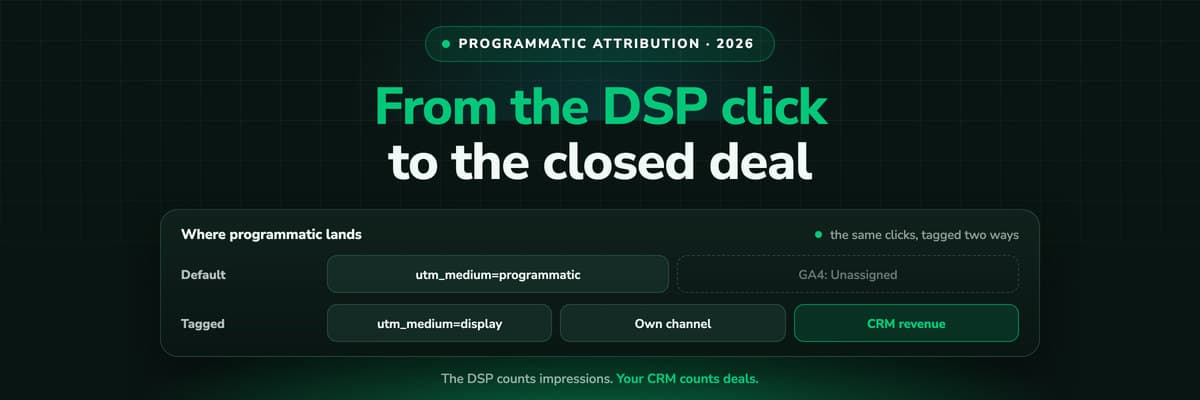
What makes it worse in practice is the plumbing, not the physics. A DSP click that arrives with a utm_medium GA4 does not recognise is filed under Unassigned; a DSP tagged cpc turns up in HubSpot as Paid search next to Google Ads; an untagged click becomes Referral or Direct. Most programmatic lines are judged on numbers that were misfiled before anybody looked at them, and that part is entirely fixable.
Three Numbers That Never Match: DSP, GA4 and CRM
Back to the month in the introduction. The company is invented and the figures are illustrative, but every total and ratio below computes, and the shape is the one programmatic buyers describe. €20,000 of spend, €12,000 on StackAdapt and €8,000 on The Trade Desk, bought 1,800,000 impressions and 1,200 clicks. The team tagged every click with utm_medium=programmatic, which matters in the section after next.
One illustrative month: the same campaigns as the DSPs, GA4 and the CRM see them
| Metric | StackAdapt | The Trade Desk | Total |
|---|---|---|---|
| Spend | €12,000 | €8,000 | €20,000 |
| Impressions | 1,000,000 | 800,000 | 1,800,000 |
| Clicks (DSP) | 800 | 400 | 1,200 |
| Click-through rate | 0.08% | 0.05% | 0.07% |
| Conversions the DSP claims | 46 | 38 | 84 |
| of which view-through | 37 | 33 | 70 |
| of which click-through | 9 | 5 | 14 |
| GA4 sessions | 530 | 260 | 790 |
| GA4 key events (demo requests) | 4 | 2 | 6 |
| CRM leads with a DSP click in the journey | 6 | 3 | 9 |
| Opportunities | 2 | 0 | 2 |
Three systems, three answers, and none of them is lying. The DSPs count 84 conversions because they count two kinds: 14 people who clicked and later converted, and 70 who were served an ad, did not click, and converted inside the platform's window. Each can also match across devices with its own identity graph, and neither deduplicates against the other, so a person who saw both campaigns is claimed twice. GA4 counts 790 sessions, not 1,200 clicks: the difference is clicks that never became a measured session, such as accidental taps that bounced before the tag loaded, invalid traffic the DSP did not filter and visitors who declined analytics cookies. Its 6 key events are demo requests made in sessions GA4 credited to the DSPs. A buyer who clicked a StackAdapt ad on Tuesday and came back through a brand search on Friday is, in GA4's traffic reports, a search conversion.
The CRM holds 9 leads whose journey started with a programmatic click, but only because this company records the first click first-party and writes it onto the lead. Without that, the same 9 people would sit in the CRM under Organic search, Paid search or Direct, whichever the form saw last. Two of them are opportunities, worth €38,000 of pipeline between them. That is the number the programmatic line has to be defended on, and it appears in neither the DSPs nor GA4.
Cost per result, the spend divided by the counts in the table above
| Metric | StackAdapt | The Trade Desk | Total |
|---|---|---|---|
| Cost per claimed conversion | €261 | €211 | €238 |
| Cost per CRM lead | €2,000 | €2,667 | €2,222 |
| Cost per opportunity | €6,000 | No opportunity | €10,000 |
Read the rows against each other. On the DSPs' own numbers The Trade Desk is the cheaper platform, €211 per conversion against €261. On the CRM's numbers StackAdapt is cheaper per lead and produced both opportunities. The ranking flipped between the first row and the second, and the only way to see it was to carry each click to a named lead. That is programmatic attribution in one table, and it is also why the next question matters: which number belongs to which decision.
Which System to Trust for Which Number
The instinct after a table like that is to pick a winner. The better move is to give each system the questions it can actually answer. The DSP is the only system that saw the impressions, so it owns delivery. GA4 saw the sessions, so it owns on-site behaviour. The CRM saw the people and the money, so it owns outcomes. The trouble starts when one system's number is used for another system's question, most often when the DSP's conversion count ends up in the budget meeting.
Which system answers which programmatic question
| Question | System of record | Metric | Not for |
|---|---|---|---|
| Did the ads run as bought? | DSP | Impressions, CPM, viewability, frequency, reach | Leads or revenue |
| Where did the money go? | DSP placement report | Spend and impressions per domain or app | Judging quality alone |
| Did the click land and engage? | GA4 or your analytics | Sessions, engagement, landing page | Setting budget |
| Which campaigns produced leads? | CRM, fed by first-party click data | Leads per campaign, line item and creative | Delivery questions |
| Which produced pipeline and revenue? | CRM | Opportunities, pipeline, closed revenue per campaign and site | Nothing: this is the budget number |
| Did the ads cause conversions? | An experiment | Lift in a holdout or geo test | Everyday reporting |
The last row is the one no dashboard answers. Whether programmatic caused conversions, as opposed to reaching people who were going to convert anyway, is a question for an experiment, and a later section covers the practical versions. Everything above it is a matter of getting the right number into the right report, which starts with where your programmatic clicks are being filed today. The companion guide on programmatic measurement goes through the delivery metrics in the first rows.
Where Programmatic Traffic Lands in GA4, HubSpot and Salesforce
Every tool that sorts traffic into channels does it with rules, and every one of those rule sets was written for search and social first. A DSP click is classified by whatever utm_medium it arrives with, and the defaults punish most of the values programmatic teams actually use.
GA4's default channel group
GA4 decides the channel from the session's source and medium, reading its rules in a fixed order. Two of them matter for programmatic. Display takes a session whose medium is exactly display, banner, expandable, interstitial or cpm. Paid Other takes a session whose medium matches the regular expression ^(.*cp.*|ppc|retargeting|paid.*)$ and whose source is not on Google's lists of search, social, video or shopping sites. A session that matches no rule at all is Unassigned. Traffic GA4 recognises as Display & Video 360 or Campaign Manager 360 through Google's own integrations is classified by creative format instead; every other DSP falls through to these manual rules.
What GA4 and HubSpot do with a DSP click, by utm_medium
| utm_medium | GA4 default channel | HubSpot source |
|---|---|---|
| display | Display | Other campaigns |
| cpm, banner, interstitial | Display | Other campaigns |
| cpc | Paid Other | Paid search |
| paid, paid_display, retargeting | Paid Other | Other campaigns |
| programmatic, native, ctv | Unassigned | Other campaigns |
| video | Organic Video | Other campaigns |
| No UTMs at all | Referral or Direct | Referrals or Direct traffic |
Three traps sit in that table. The first is Unassigned: programmatic, native and ctv are the words a team naturally reaches for, none of them is on any GA4 list, and so the whole programmatic line lands in the one channel every report treats as noise. The second is Organic Video: GA4 files any medium containing video as unpaid video unless it also matches the paid pattern, so a DSP video campaign tagged utm_medium=video is counted as organic YouTube-style traffic. The third is Paid Other, where cpc and paid send a DSP whose name GA4 does not know. It is at least counted as paid, but it is shared with every other unrecognised ad source, so programmatic cannot be read there on its own. Untagged clicks are the worst case, and Simpli.fi's own guidance on Google Analytics says it plainly: without UTMs, zero sessions will be attributed to the DSP.
Fixing the GA4 view: a custom channel group
The default channel group cannot be edited, but a custom one can sit beside it. In Admin, under Data display, Channel groups, GA4 starts you from a copy of the default group. Add a channel called Programmatic whose condition matches your DSP source names (stackadapt, thetradedesk, dv360 and the rest) and move it above Display and Paid Other, because GA4 assigns traffic to the first channel whose definition it matches. Google documents two custom channel groups per standard property (five on Analytics 360), up to 50 channels in each, applied to reports retroactively, and creating one needs the Editor role. It repairs the GA4 view only. HubSpot, Salesforce and every other tool still read the raw UTMs, which is why the tagging convention in the next section matters more.
HubSpot
HubSpot has no Display source at all. Its traffic analytics classify a visit by rules in a fixed order: a utm_source, utm_medium or utm_campaign containing adword, ppc or cpc makes it Paid search, any other UTM value makes it Other campaigns, and an untagged visit is a Referral or Direct traffic. So a DSP tagged cpc is reported as paid search, mixed in with Google Ads, which is how programmatic leads end up credited to Google in the CRM. HubSpot recognises only the gclid among click ids, and its ad tracking connects no DSP, so no programmatic spend or conversion appears there natively. HubSpot lead source tracking covers the original source properties in detail.
Salesforce
Salesforce classifies nothing. Lead Source is a picklist, and its value is whatever a web-to-lead form, a marketing automation sync or an integration writes into it, or what a rep picks by hand. A DSP appears there only if something upstream decided to write a value for it, and it disappears the moment a later form overwrites the field. The CRM lead source is the case for writing the source once, from the first click, into fields nobody overwrites.
Programmatic Campaign Tracking: One UTM Convention for Every DSP
The fix that repairs every tool at once is a convention: the same parameters, the same spellings, on every DSP, filled by the DSP's own macros so nobody types an id. It has two jobs. It must land in the right channel in the tools that classify by medium, and it must carry enough detail (campaign, line item, creative, site) to judge programmatic by CRM outcome at the level where the buying decisions are made.
A UTM convention for programmatic, one row per parameter
| Parameter | Value | Why |
|---|---|---|
| utm_source | The DSP, lower case, one spelling: stackadapt, thetradedesk, dv360, amazondsp, adroll, criteo | The channel every report groups by |
| utm_medium | display, on every DSP click, video and native included | GA4 files it as Display, HubSpot as Other campaigns, never Paid search |
| utm_campaign | Your campaign name, typed once per campaign | The row a person reads; not every DSP documents a name macro |
| utm_id | The DSP's campaign or insertion order id, from its macro | Joins your reports back to the DSP's own report |
| utm_content | Line item or ad group id and creative id, from macros, joined by an underscore | Which tactic and which creative produced the lead |
| utm_term | The site or domain macro | CRM outcome per placement, the quickest route to an exclusion list |
Three rules keep it working. One medium for everything. A separate medium for video or native is tempting, but ctv and native land in Unassigned and video in Organic Video, so the format goes into the campaign name instead. Google documents a utm_creative_format parameter for exactly this and also says it is not currently reported in GA4, so do not rely on it. Lower case, no spaces, one spelling. stackadapt and StackAdapt are two sources in GA4, and a space arrives as %20. Macros, not typing. A hand-typed creative id is wrong by the second week; a macro is filled by the DSP at click time from the same record it reports on, so the ids on your leads match the ids in the DSP's export. HubSpot and most CRMs keep the five classic UTMs, so utm_id is a convenience for GA4 and your own lookups, and nothing in the convention depends on it.
Put the parameters on the landing page URL the DSP sends the click to (or in the click-through field it provides), and click one live ad before launch to see the macros expand. A macro the DSP does not support arrives as literal text, braces and all, and a report full of %%TTD_SITE%% is the sign. The Google UTM builder checks the static part of the string, and UTM parameters and UTM parameters explained cover the parameters themselves.
UTM Templates for The Trade Desk, StackAdapt, DV360 and Other DSPs
Each template below is the convention above with that DSP's macros filled in. Replace the domain, the path and the campaign name with your own, and leave the macros exactly as written, brackets and percent signs included. Two of them come from third-party integration guides rather than the DSP's public documentation, because The Trade Desk and StackAdapt publish their macro lists inside the platform: check those against the current macro list in your account before launch.
The Trade Desk
The Trade Desk wraps its macros in double percent signs: %%TTD_CAMPAIGNID%% is the campaign, %%TTD_ADGROUPID%% the ad group, %%TTD_CREATIVEID%% the creative and %%TTD_SITE%% the site the ad ran on.
https://www.example.com/demo?utm_source=thetradedesk&utm_medium=display&utm_campaign=q4-finance-prospecting&utm_id=%%TTD_CAMPAIGNID%%&utm_content=%%TTD_ADGROUPID%%_%%TTD_CREATIVEID%%&utm_term=%%TTD_SITE%%StackAdapt
StackAdapt's macros sit in single curly braces: {SA_CAMPAIGN_ID}, {SA_LINE_ITEM_ID} and {SA_CREATIVE_ID}, plus {SA_REF_DOMAIN} for the referring domain, the site the ad ran on.
https://www.example.com/demo?utm_source=stackadapt&utm_medium=display&utm_campaign=q4-finance-prospecting&utm_id={SA_CAMPAIGN_ID}&utm_content={SA_LINE_ITEM_ID}_{SA_CREATIVE_ID}&utm_term={SA_REF_DOMAIN}Display & Video 360
DV360's macros are documented by Google, with one trap in the naming: ${CAMPAIGN_ID} returns the line item that served the impression, not the campaign. ${INSERTION_ORDER_ID} is the insertion order, ${CREATIVE_ID} the creative and ${SOURCE_URL_ENC} the encoded URL of the page from the bid request, where it is known. Google lists them as auction macros without saying where each one expands, so test a click. Some third-party guides use a ${LINE_ITEM_ID}; Google's own list documents ${CAMPAIGN_ID} for the line item instead.
https://www.example.com/demo?utm_source=dv360&utm_medium=display&utm_campaign=q4-finance-prospecting&utm_id=${INSERTION_ORDER_ID}&utm_content=${CAMPAIGN_ID}_${CREATIVE_ID}&utm_term=${SOURCE_URL_ENC}Campaign Manager 360
When the creatives are trafficked through Campaign Manager 360, the UTMs go into its landing page URL suffix, which can be set on the advertiser, the campaign or the ad, and CM360 adds the question mark itself. Its expansion macros take the form %e...!: %ebuy! is the campaign id, %epid! the placement, %esid! the site and %ecid! the creative, and Google documents them as working in click-through URLs. %esid! is a site id rather than a name, so keep CM360's site list to hand for the lookup, and keep utm_source as the platform that bought the media.
utm_source=dv360&utm_medium=display&utm_campaign=q4-finance-prospecting&utm_id=%ebuy!&utm_content=%epid!_%ecid!&utm_term=%esid!Amazon DSP
Amazon documents {%campaign_cfid} (the order id), {%ad_cfid} (the line item id), {%creative_cfid} and ${originUrlDomain!} (the page from the bid request) as macros for third-party creatives and click trackers. Whether each one expands in a landing page URL is not stated, so check the current macro list in your DSP and confirm with a test click.
https://www.example.com/demo?utm_source=amazondsp&utm_medium=display&utm_campaign=q4-finance-prospecting&utm_id={%campaign_cfid}&utm_content={%ad_cfid}_{%creative_cfid}&utm_term=${originUrlDomain!}AdRoll and RollWorks
AdRoll's macros sit in square brackets, and RollWorks, the B2B platform from the same company, documents the same syntax: [ADROLL:CAMPAIGN_EID], [ADROLL:AD_GROUP_EID], [ADROLL:AD_EID] and [ADROLL:DOMAIN]. On RollWorks, set utm_source=rollworks so the two stay apart.
https://www.example.com/demo?utm_source=adroll&utm_medium=display&utm_campaign=q4-finance-prospecting&utm_id=[ADROLL:CAMPAIGN_EID]&utm_content=[ADROLL:AD_GROUP_EID]_[ADROLL:AD_EID]&utm_term=[ADROLL:DOMAIN]Criteo
Criteo's macros take double curly braces and work in its click-tracking URLs: {{criteo_campaign_id}} is the marketing campaign, {{adsetid}} the ad set, {{adid}} the ad and {{domain}} the publisher's domain, which is empty on app inventory.
https://www.example.com/demo?utm_source=criteo&utm_medium=display&utm_campaign=q4-finance-prospecting&utm_id={{criteo_campaign_id}}&utm_content={{adsetid}}_{{adid}}&utm_term={{domain}}Other DSPs fit the same slots. Basis documents {campaignId}, {adId} and {domain}; Viant documents ${ADELPHIC_CAMPAIGNID}, ${ADELPHIC_CREATIVEID} and ${ADELPHIC_SITEID}. Platforms that document no landing page macros, which includes several B2B and ABM platforms, take the same parameters typed by hand per campaign, with the ids left out.
The Click IDs DSPs Append: dclid, aref and adct
Google Ads has the gclid, Meta the fbclid, Microsoft the msclkid: an id the platform appends to the landing page URL so its own tag can tie a later conversion to the click. Most DSPs append nothing of the kind, and on those the UTMs do all of the work. Three do append one, and each is there for the DSP's own measurement, not yours.
- dclid on DV360 and Campaign Manager 360With enhanced attribution, which Google documents as enabled by default for new advertisers, a dclid is appended to the landing page URL and read by the Google tag, so DV360 can connect a later conversion to the click.
- aref on Amazon DSPA 10 character measurement token on the click-through URL. Amazon's Ad Tag stores it in a first-party cookie for 30 days and sends it with later events, so Amazon can attribute them to the click.
- adct on AdRollAdRoll adds adct to every ad's landing page URL when the ad is served, as a preliminary step, in AdRoll's words, before it moves click-through attribution to first-party. It asks that redirects leave it unchanged.
The Trade Desk appends no click id of its own; its documentation describes capturing the impression id through the %%TTD_IMPRESSIONID%% macro where conversions have to be matched to an impression, and third-party guides describe a {SA_POSTBACK_ID} macro on StackAdapt for a similar purpose. Two practical consequences follow. First, leave these parameters intact: a redirect or a URL rewrite that strips unknown parameters breaks the DSP's own click attribution. Second, do not build your channel logic on them. They are the DSP's ids for the DSP's measurement, whether they appear depends on the account and its settings, and the UTM convention above is what every tool you run can read. The click id entry has the general definition.
From the Programmatic Click to the CRM Deal
A tagged click is only the start. Programmatic's attribution problem lives in the gap between the click and the conversion: the B2B buyer who clicks a StackAdapt ad rarely books a demo in that session. They leave, come back a week later through a brand search, read the pricing page on a phone and fill in the form from a laptop. The UTMs from the first click have to survive all of that to reach the CRM, and five things have to hold for them to do it.
- Keep the first click first-party. On the first visit, the UTMs, the referrer and the landing page are stored against a visitor id your own domain sets, and kept for weeks or months rather than for the session. A setup that loses the parameters at the second page view has already lost programmatic. UTM and click ID tracking is the mechanism.
- Append every later session to the same visitor. The brand search, the direct visit and the retargeting click are touches on one journey, not new visitors. This is what turns 'Google organic' in the last-click column into 'StackAdapt, then Google organic'.
- Join the visitor to a person at the form, the call or the booking. That is where the anonymous journey becomes a named lead, and where the programmatic touch is written onto the CRM record in fields nobody overwrites.
- Follow the CRM stages to the deal. Qualified, opportunity and closed-won are the conversions that matter, with the deal amount on each, so the programmatic line is judged on pipeline and revenue rather than on form fills.
- Credit the deal across its touches. A multi-touch model credits the DSP click alongside the search, social and email touches in the same journey. Switch the model and watch programmatic's share: first click shows the demand it opened, last click how rarely it closes, and linear sits between them.
In the example month this is exactly the gap between GA4's 6 key events and the CRM's 9 leads: three of the nine clicked a programmatic ad first and converted in a later session that GA4 credited to search or direct. Prospecting campaigns usually sit early in a journey, so a last-click view makes them look like a channel that produces nothing, and first click or linear is where their contribution shows. Multi-touch attribution shows the models as a switch on one report, and cross-channel attribution walks through the same idea across every channel.
View-Through and CTV: What to Do With the Impressions Nobody Clicked
The 70 view-through conversions in the example are the DSPs' to report and nobody else's to verify. Each one is a person who was served an ad, did not click, and converted inside the DSP's window. Some of them were influenced by the ad. Some would have converted anyway, because they were already talking to sales or because the retargeting segment was full of people who had just read the pricing page. The DSP cannot tell those two apart, and neither can any report built on its numbers. Click-through vs view-through conversions goes through which to count for which decision, and the view-through conversion entry has the definition and the default windows.
- Do not import view-throughs into the CRM as a sourceA view-through is a platform's claim, not a touch on a known person's journey. Writing it into Lead Source or a campaign field hands programmatic the credit for deals other channels produced, and nobody can audit it later.
- Test incrementality with a holdoutThe honest answer to whether the impressions worked is an experiment: a group that is not served, or matched regions where the campaign is switched off, compared on CRM leads and pipeline. If your DSP offers a lift study, ask how its control group is built.
- Watch branded search and directDisplay and CTV that work tend to show up as more people searching the brand or typing the URL. A rise in branded search and direct leads during a flight, and a fall after it, is a signal worth charting, though not proof.
Why experiments rather than better modelling: a 2019 study in Marketing Science compared common observational methods with large randomised advertising experiments at Facebook and found that the observational estimates often failed to recover the experimental result, even with rich data on the users. A view-through count is a far cruder observational method than any of those. For CTV the argument is stronger still, because a television has no click. CTV is measured by holdouts, geo tests or the search and direct lift it produces, and a click-based tool, LeadJourney included, sees it only when that lift arrives as a visit.
B2B Programmatic: Long Cycles, Short Windows and Account Reach
B2B adds three problems of its own. The first is time. A DSP's attribution window is measured in days: Floodlight, which DV360 uses, defaults to 30 days after a click and 30 after a view, with 90 as the maximum; AdRoll's retargeting defaults are 30 days after a click and 7 after a view; Criteo counts 30 days after a click; StackAdapt describes 30 days as its default. A B2B deal closes months after the first touch, so the DSP's own report never sees it.
What each DSP credits by default, and how recent an uploaded conversion must be
| DSP | Default attribution window | Offline conversion upload |
|---|---|---|
| DV360 and CM360 (Floodlight) | 30 days after a click, 30 after a view, up to 90 | Timestamp at most 28 days old |
| The Trade Desk | Check your account | Conversion time within the last 29 days |
| Amazon DSP | Check your account | Event time at most 21 days before sending |
| StackAdapt | 30 days, per StackAdapt | Not covered here |
| AdRoll | 30 days after a click, 7 after a view (retargeting) | Not covered here |
| Criteo | 30 days after a click | Not covered here |
The right-hand column is why posting closed deals back to a DSP rarely works for B2B, whoever does the posting. Two clocks have to agree: the conversion must be recent when you send it, and it must fall inside the DSP's window from the click or the impression. A deal that closes five months after the first click fails the second clock however quickly it is uploaded. If your team sends conversions to a DSP at all, the early stage (the demo request, the qualified lead) is the one that fits, and the closed deal belongs in your own reporting. LeadJourney sends CRM stages and closed deals back to Meta, Google, LinkedIn and Microsoft, and to no DSP.
The second problem is the unit. B2B DSPs and ABM platforms, StackAdapt's account-based features, Demandbase, RollWorks, Madison Logic and Terminus among them, report on accounts: which target companies were served, which visited, how their engagement moved. That is a real measure of reach into a named list, and it is the right report for an ABM programme. It is not a deal credited to a campaign. An account that was reached and later opened an opportunity was influenced in the platform's sense, which is correlation inside a window, not a click on the record of the person who converted. Read it as reach, and read the CRM for outcome. The B2B marketing attribution guide sets lead-level and account-level attribution side by side.
The third problem is the inventory. The ANA's 2023 programmatic transparency study found that made-for-advertising sites took 21% of the impressions and 15% of the spend it examined, and that the average campaign ran on 44,000 domains. A B2B buyer is unlikely to be on most of them. With the site in utm_term, every lead and opportunity carries the domain its programmatic click came from, so placements can be ranked by qualified leads and pipeline rather than by CTR, and sites that deliver clicks and no qualified leads go on the exclusion list. The DSP's placement report says where the money went; the CRM, grouped by domain, says where it came back from.
How LeadJourney Tracks Programmatic Campaigns Today

LeadJourney is an all-in-one attribution platform for lead generation, B2B SaaS, e-commerce and agencies, and it does not connect to The Trade Desk, StackAdapt or DV360 today: the clicks arrive through UTMs and the spend is entered as a channel cost. That route is the custom traffic channel. A DSP becomes a channel of its own, say StackAdapt or The Trade Desk, identified by the UTMs its macros fill. Its spend goes in as a custom channel cost, once or per month, and the channel reports leads, pipeline and closed revenue in the traffic channel report next to Meta, Google, LinkedIn and Microsoft, measured on the same journeys. Custom channels and their costs are included from the Starter plan at €249 a month, not on Launch.
Everything else in this guide applies unchanged. Tracking runs server-side on your own domain at 95%+ accuracy, and the UTMs, the referrer and the landing page of the first visit are kept on the LeadJourney Click ID, an identifier of our own set on that visit and kept for weeks or months, with every later session appended to it. At the form, the call or the booking the visitor becomes a lead, and the record follows your CRM stages to the closed deal: natively on HubSpot, Salesforce, Pipedrive, Close, Attio, GoHighLevel, ActiveCampaign, Odoo, Zoho and Dynamics, and by webhook, Zapier, Make, n8n or the API elsewhere. First click, last click, linear, position-based and time decay switch on the report without re-tracking, on every plan. Every recorded click can be inspected in the logs, and the per-lead journey view shows the programmatic click in its place among the other touches.
The limits, in the same place as the claims. LeadJourney imports no spend, impressions or conversions from any DSP and posts no conversions back to one. It does not record view-through conversions, give credit to an impression nobody clicked, or see a CTV exposure unless it later arrives as a visit. It does not identify accounts or report account-level influence, and it runs no incrementality tests or lift studies. Its numbers will not match the DSP's, and are not meant to: the DSP counts exposures inside its own window, LeadJourney counts clicks, named leads and CRM deals. A StackAdapt integration is planned, without a date. If you need DSP spend and impression data joined in today, Rockerbox connects The Trade Desk, DV360 and Criteo natively and HockeyStack lists StackAdapt among its sources; the Rockerbox comparison says where it is the better fit.
For the setup in this guide that is enough: a UTM convention filled by macros, a custom channel per DSP with its spend entered, and CRM outcomes per campaign and per site. Setup takes about 21 minutes, with a 14-day free trial and no credit card, and the reports are clickable on demo data in the live demo before anyone talks to sales.
A Programmatic Attribution Setup Checklist
In the order the data depends on itself. Steps one to four decide what is recorded, and the clicks bought before they were in place cannot be fixed later; the rest can change in an afternoon.
- Agree the convention. One spelling per DSP for utm_source, utm_medium=display on every DSP click, the campaign name typed once, the ids and the site from macros. Write it down where the people building campaigns will find it.
- Build the template per DSP from the section above and put it on the landing page URL, or in the Campaign Manager 360 landing page URL suffix.
- Click one live ad per DSP before launch and read the landing URL: every macro expanded, nothing left in braces or percent signs, and the dclid, aref or adct still attached where the DSP adds one.
- Capture the first click first-party and keep it, server-side on your own domain, so the UTMs survive the brand search and the second device.
- Fix the GA4 view with a custom channel group that puts your DSPs in a Programmatic channel above Display and Paid Other, if GA4 is where the team looks.
- Write the source onto the CRM record at the form, the call or the booking, in fields a later form cannot overwrite.
- Set up each DSP as a channel with its cost, so cost per lead, per opportunity and per closed deal compute beside the other channels.
- Report on CRM outcomes per campaign, line item and site, and read the DSP's own dashboard for delivery only.
- Test the view-through claim with a holdout or a geo test before it earns budget, and chart branded search and direct during and after each flight.
The DSPs will keep reporting more conversions than the CRM holds leads. That stops being a problem the day everyone knows which number answers which question.
Further Reading
The rest of this cluster: programmatic measurement for the DSP's own KPIs, click-through vs view-through conversions for which to count when, and the view-through conversion and attribution window entries. Why the numbers disagree between systems: why GA4, Meta and Google conversions don't match your CRM, the pixel and CRM mismatch and GA4 revenue attribution.
Tagging: UTM and click ID tracking, UTM parameters, UTM parameters explained, lost UTM parameters and the Google UTM builder. Crediting the deal: multi-touch attribution, cross-channel attribution, B2B marketing attribution and lead quality by channel. On the product side, custom traffic channels and the traffic channel report.
FAQ
Frequently Asked Questions
What performance and RevOps teams ask when the programmatic line has to be defended with CRM numbers.
What is programmatic attribution?
Programmatic attribution is the practice of crediting leads, pipeline and revenue to advertising bought through demand-side platforms such as The Trade Desk, StackAdapt, DV360 or Amazon DSP. It is harder than search or social attribution because programmatic is bought on impressions and rarely clicked, so the DSP credits view-through conversions no other system can see, while analytics tools and CRMs see only the clicks, often misfiled. A working setup tags every DSP click with one UTM convention filled by the DSP's macros, keeps the first click first-party so a lead that converts weeks later still carries it, follows the lead through the CRM to the deal, and uses holdout tests rather than view-through counts to judge the impressions nobody clicked.
How do I track programmatic campaigns in GA4?
Tag every DSP click so GA4 can classify it. Use utm_source for the DSP (stackadapt, thetradedesk, dv360) and utm_medium=display, because display, banner, expandable, interstitial and cpm are the only mediums GA4's Display channel accepts. Fill utm_campaign, utm_content and utm_term with the campaign, the line item and creative, and the site, using the DSP's macros where they exist. To see programmatic as a channel of its own, create a custom channel group in Admin, under Data display, Channel groups, with a Programmatic channel matched on your DSP source names and placed above Display and Paid Other. Google allows two custom groups on a standard property and applies them retroactively. GA4 still credits a key event to the session it happened in, so a programmatic click followed by a brand search counts as search.
Why does GA4 show my programmatic traffic as Unassigned or Paid Other?
Because of the utm_medium. GA4 assigns a session to a channel by rules, and programmatic, native and ctv match none of them, so those sessions are Unassigned. A medium containing cp (cpc, cpv), starting with paid, or reading retargeting matches the Paid Other pattern whenever the source is not on Google's search, social, video or shopping lists, and a DSP's name is not. utm_medium=video is filed as Organic Video. The fix going forward is utm_medium=display on every DSP click. For the history, a custom channel group can reclassify past sessions, because GA4 applies custom groups retroactively. Clicks that carried no UTMs at all landed in Referral or Direct and cannot be recovered.
Which UTM macros do The Trade Desk, StackAdapt and DV360 use?
The Trade Desk wraps macros in double percent signs: %%TTD_CAMPAIGNID%%, %%TTD_ADGROUPID%%, %%TTD_CREATIVEID%% and %%TTD_SITE%%. StackAdapt uses single curly braces: {SA_CAMPAIGN_ID}, {SA_LINE_ITEM_ID}, {SA_CREATIVE_ID} and {SA_REF_DOMAIN}. Both lists come from third-party integration guides, so check them against the macro list in your account. DV360's are documented by Google: ${INSERTION_ORDER_ID}, ${CREATIVE_ID}, ${SOURCE_URL_ENC} for the page, and ${CAMPAIGN_ID}, which returns the line item rather than the campaign. On Campaign Manager 360 the equivalents are %ebuy!, %epid!, %esid! and %ecid! in the landing page URL suffix. Whatever the DSP, click a live ad before launch: a macro it does not support arrives as literal text.
Can I attribute CTV campaigns?
Not with clicks, because a connected TV ad has no link to follow. The DSP may still report CTV conversions, typically by matching the households or devices it served to later conversions inside its window, which is a view-through count you cannot verify from your own data. The honest measures are experimental: a holdout, or matched regions with the campaign on and off, compared on CRM leads and pipeline. Between tests, chart branded search and direct visits during and after each flight, because CTV that works tends to arrive as people searching the brand. A click-based attribution tool, LeadJourney included, sees CTV only when that later visit happens, and credits the visit's own source rather than the TV ad.
Why does my DSP report more conversions than my CRM?
Because it counts things the CRM cannot. A DSP counts view-through conversions, people who were served an ad, did not click and converted inside its window, and these can outnumber the click-through ones many times over, as they do in this guide's illustrative month (70 of 84). It can also match across devices with its own identity graph, it counts inside its own window, and it does not deduplicate against other platforms, so two DSPs can claim the same person. The CRM counts named leads once, and only knows a DSP was involved if the first click was recorded and written onto the record. Neither number is wrong. Use the DSP's for delivery and the CRM's for budget.
Keep reading
More from the blog
 B2B Marketing Attribution
Click-Through vs View-Through Conversions: What to Count
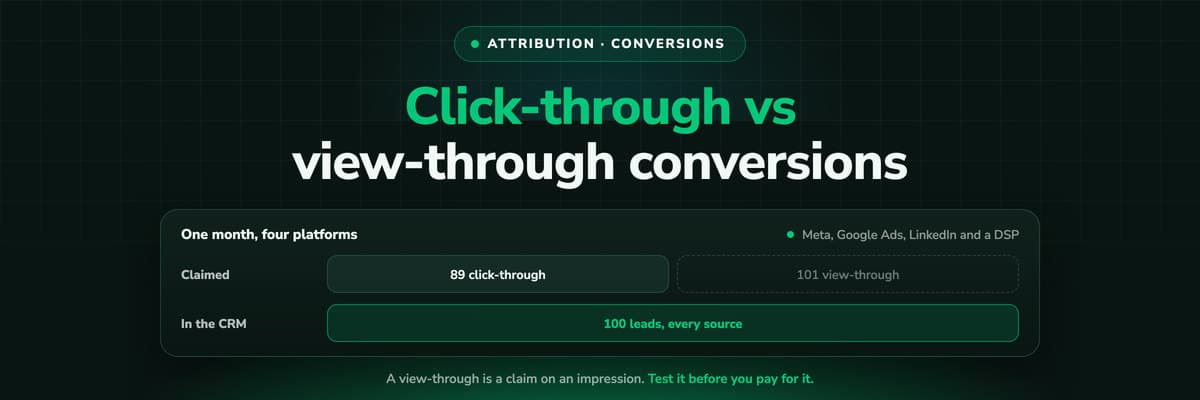
Every ad platform counts view-through conversions its own way, with its own window, and none of them deduplicates against the others, which is how 100 leads become 190 conversions. This guide covers how each platform counts them, the honest case for and against, which number to use for bidding, budget and reporting, and how to test a view-through claim.Read the article21 min read B2B Marketing Attribution
Reddit Ads Attribution: Windows, View-Through and the CRM
Reddit Ads Manager, GA4 and the CRM give you three different numbers for the same campaign, and none of them is broken. The reporting windows and the separate optimisation window, why Reddit dates a conversion to the click, what view-through and modeled conversions add, and how to read a channel whose clicks come back as branded search, AI search and Direct.Read the article20 min read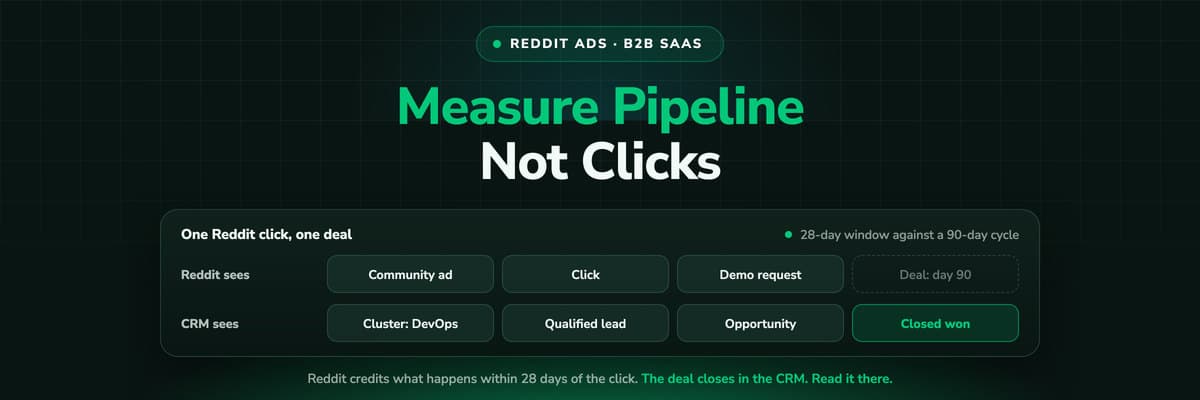 B2B Marketing Attribution
Reddit Ads for B2B SaaS: How to Measure Pipeline, Not Clicks
B2B buyers research on Reddit long before they talk to sales, which makes it a good channel and a hard one to measure. How to target a business buyer, why Reddit's reporting undercounts a SaaS deal, which numbers replace cost per lead, the account structure that makes pipeline per community readable, and what to send back to Reddit.Read the article16 min read
From the DSP click to the closed deal
Judge programmatic on pipeline, not on the DSP's own count
LeadJourney keeps every programmatic click's UTMs first-party from the first visit, follows the lead through your CRM stages to the closed deal, and reports each DSP as a channel with its cost beside Meta and Google. Live in 21 minutes.


