





Skip to content

Free tool: Google UTM builder

Google UTM builder with the GA4 parameters the official one leaves out

Google's Campaign URL Builder stops at five parameters. GA4 reads nine, and this builder has all of them plus the ValueTrack macros.

Build a Google campaign URL

Pick the Google surface, paste the destination and fill in the parameters. GA4's four extra fields are under Advanced.

What are you tagging

Keep auto-tagging on: the gclid is added by Google and must never be typed into a URL. UTMs here are for GA4's session source, not for attribution inside Google Ads.

The page the click lands on.

The referrer: google, youtube, newsletter.

The channel type GA4 groups by: cpc, organic, referral, video, email.

The campaign name. Use the same convention everywhere.

The keyword, for paid search.

Which ad or link, for A/B tests and multiple links in one place.

Advanced: the four GA4-only parameters

A campaign id, needed for GA4 cost data import.

The platform that manages the buying: Google Ads, Meta, DV360.

The ad format: display, video, search, native.

The targeting: remarketing, prospecting, brand.

Naming rules

Case

Spaces become

Runs in your browser. Nothing you type is sent or stored.

The nine parameters GA4 reads

The five classic UTMs still do the work: utm_source, utm_medium and utm_campaign build GA4's session source, medium and campaign dimensions and its default channel grouping; utm_term and utm_content are available as session manual term and content. GA4 added four more that the official builder does not expose. utm_id is a campaign id, and it is required for GA4's cost data import to join spend to sessions. utm_source_platform names the buying platform (Google Ads, Meta, DV360) and feeds the Paid channel groupings. utm_creative_format (display, video, search) and utm_marketing_tactic (prospecting, remarketing) are free-text dimensions for the reports you build yourself.

None of them is mandatory for tracking to work. utm_id is the one to adopt: without it, GA4 cannot match imported cost to the sessions the campaign produced, and the ROAS reports stay empty.

Google Ads: auto-tagging, UTMs and ValueTrack

Google Ads has its own tracking: auto-tagging appends a gclid to every click, and GA4 uses it to pull campaign, ad group and keyword directly from the Google Ads account. Keep it on, and never type a gclid into a URL by hand. UTMs on Google Ads clicks exist for the other readers: third-party attribution tools, your CRM, and GA4 views where the Google Ads link is missing or the property is not linked.

Google Ads also substitutes ValueTrack macros at click time: {campaignid}, {adgroupid}, {keyword}, {creative}, {matchtype}, {device} and more. Put them in the UTMs and you tag the whole account once. The builder's ValueTrack toggle fills empty campaign, term, content and id fields with the right macros, and with the destination URL left blank it outputs the string for the account-level Final URL suffix, which is where a tag for every ad belongs.

The other Google surfaces

Three cases that GA4 otherwise lumps into "google / organic" or "referral" and that a tag separates.

  • Google Business Profile. Clicks from Maps and the profile card arrive as organic search. Tag the website link in the profile with source google, medium organic and a campaign such as business_profile, and they get their own line.
  • YouTube. Links in descriptions, cards and pinned comments are referral traffic from youtube.com. Tag them with source youtube, medium video, and the video or series as the campaign.
  • Third-party mentions. A guest post or directory listing that links to you is a referral; tag it with a campaign to measure the placement. Never tag links on your own site, which resets the session source.

FAQ

Google and GA4 tagging, answered

The questions that come up when a team moves its tagging to GA4.

What is the difference between this and Google's Campaign URL Builder?

Google's builder exposes the five classic parameters. GA4 reads nine, and this builder has all of them: utm_id for cost import, utm_source_platform for channel grouping, utm_creative_format and utm_marketing_tactic for custom reports. It also fills Google Ads macros and scores the result.

Do I need UTMs on Google Ads if auto-tagging is on?

For GA4 with the Google Ads link, no: the gclid carries everything. For third-party tools, your CRM, an unlinked property or a Google Ads account that sends traffic to a domain GA4 does not cover, yes. Both can be on at once; keep auto-tagging on and never type a gclid manually.

What is utm_id for?

A campaign identifier GA4 uses to join imported cost data to sessions. Without utm_id on the URL and in the cost CSV, the cost, clicks and ROAS columns in GA4's advertising reports stay empty for non-Google campaigns.

What are ValueTrack parameters?

Placeholders Google Ads replaces at click time: {campaignid}, {adgroupid}, {keyword}, {creative}, {matchtype}, {device}, {network} and others. Put them in your UTMs or a Final URL suffix and every ad in the account is tagged with its own values, with no per-ad work.

Where do I put the Final URL suffix?

Google Ads, account settings, Tracking, Final URL suffix, without the leading question mark. Campaigns and ads inherit it unless they set their own. The builder outputs the suffix when you switch on ValueTrack and leave the destination URL empty.

What utm_medium should I use for Google Business Profile?

organic, with utm_source google and a utm_campaign such as business_profile. That keeps the sessions in Organic Search, where they belong, and still lets you separate them from search results in a campaign report. Some teams use organic_business as the medium; GA4 accepts it but files it under Unassigned.

gclid to closed deal

Send closed deals back to Google Ads, not just sessions to GA4

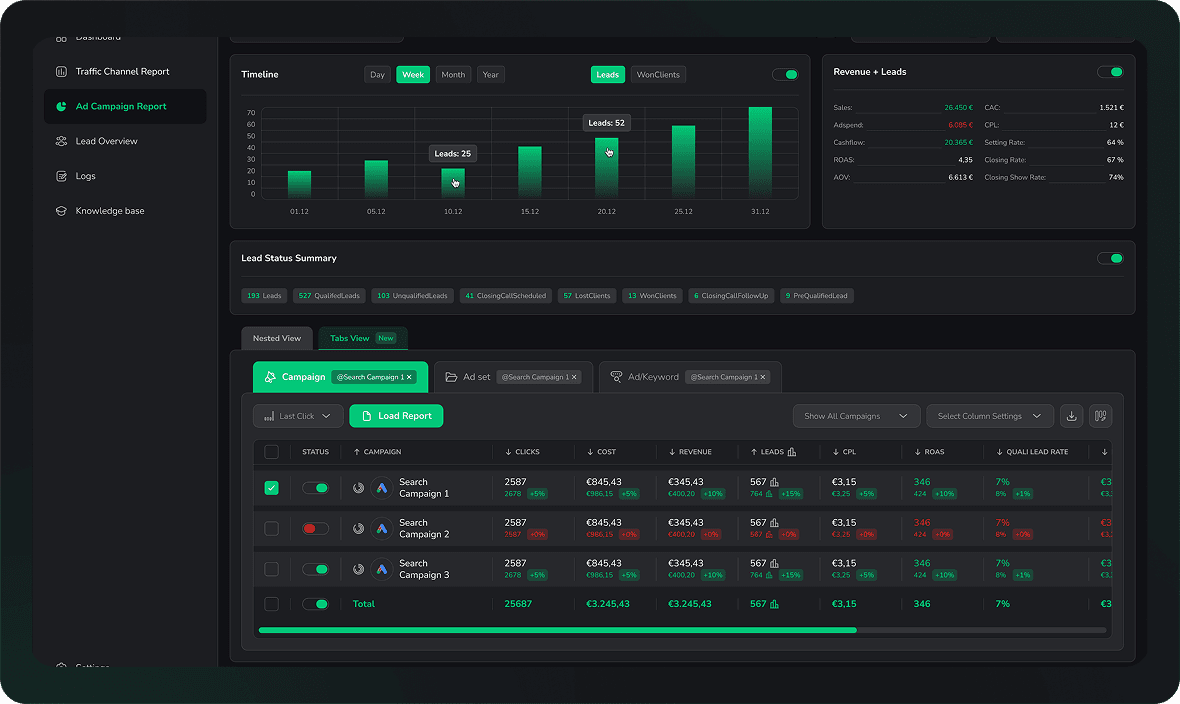
LeadJourney keeps the gclid and these parameters with every lead, and imports qualified leads and closed deals into Google Ads as offline conversions. Book a demo on your own account.

LeadJourney dashboard showing lead sources, campaign performance and attributed revenue side by side