














Tax and accounting
54% better lead quality after using LeadJourney for marketing
Karsten Guhr
Managing Director
Read the storyWebinar tracking software
Every registration is matched to the click, email or post that produced it, attendance comes from your webinar platform, and the deal comes from your CRM.
Rated by the teams that fill webinars with paid traffic
Webinar attribution at






One quarter, three webinars, per channel
 LinkedIn Ads11871€96.4k
 Google Ads9644€48.2k
 Meta Ads18240€9.0k
Meta filled 30% of the seats and produced 4% of the revenue. Attended comes from the webinar platform, Revenue from the CRM.
The definition
In short
Webinar tracking software connects every registration, attendee and no-show to the ad, email or post that produced it, and to the revenue it becomes afterwards. It records the click before the registration page, reads the events from the webinar platform, and follows the registrant through the CRM, so each seat has a source and a value instead of a headcount.
Store the click ID and the UTMs on the first visit, before the registration page, and keep them for months, so a replay registration in week six still credits the ad that started it.
A registration, an attendee and a no-show are three different conversions on the same person. A tool that reports only registrations cannot tell the channel that fills seats from the channel that fills the room.
The call booked after the webinar and the deal that closes weeks later come from the CRM through the CRM integration, so webinar ROI is the closed amount and not an estimate.
Attendees and closed deals go back to Meta, Google, LinkedIn and Microsoft Ads as conversions, so the bidding learns from the people who showed up rather than the cheapest email address on the list.
Why webinar funnels go dark
A webinar funnel crosses three systems in six weeks: the ad account, the webinar platform and the CRM. Each one sees a third and reports its third as the whole.
So the budget follows the cheapest seats. The channel that filled the room with buyers usually looked like the expensive one.
Watch it
Which channels bring the attendees, the booked calls and the revenue, across ad platforms, webinar software and the CRM.
Case studies
One measured result per customer, with the person, the role and the company behind it.
Tax and accounting
54% better lead quality after using LeadJourney for marketing
Karsten Guhr
Managing Director
Read the story

SEO agency
€500k MRR reached profitably, scaling an SEO agency on performance marketing
Nikita Yatsun
Managing Director
Read the story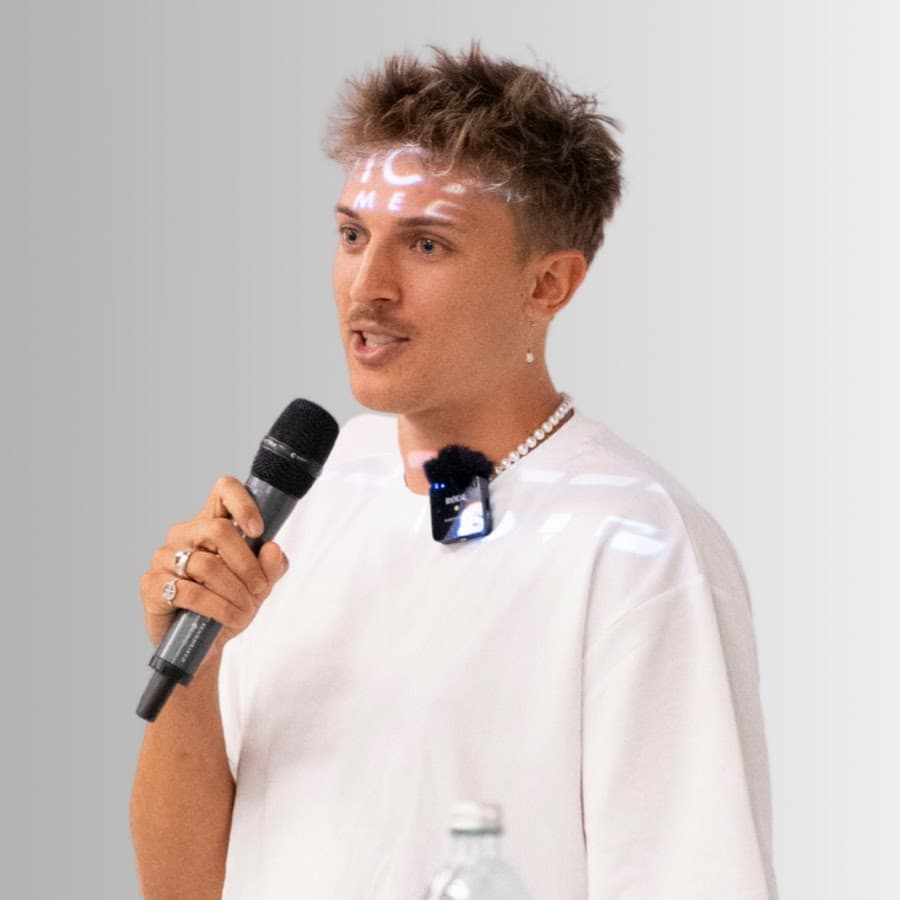
Klickkraft GmbH
Business coaching
€10-20k in monthly Meta spend, tied to qualified leads and revenue per ad
Florian Buck
Managing Director
Read the story

LinkedIn growth agency
2x customer retention, once every LinkedIn touchpoint was tracked to revenue
Marc Richard
CEO
Read the story

Digital publishing
Which article produced the lead and the revenue, across AI and organic search
Andreas Malkow
CEO & Head of PR
Read the story

SEO and GEO agency
Proven ROI on every retainer, from organic and AI search leads through to revenue
Philipp Nessmann
Managing Director
Read the story
Getreach
Backlinks marketplace (SaaS)
How the data moves
Registrations from paid, email and organic land on your own domain with their click IDs, stitched into one journey per person. The webinar platform adds the attendance, the CRM the closed amount, and both go back to the ad platforms.
Where the registrations come from
LinkedIn AdsGoogle AdsMeta Ads Microsoft Ads
LeadJourney
One journey per registrant
The events that get credited
Read from your webinar platform and your CRM


 and 100+ more by webhook
Integrations
The channels a registration can come from and the systems the deal is recorded in. WebinarJam and WebinarGeek connect natively, every other platform by webhook, Zapier, Make or n8n.
Spend, campaign structure and click IDs come in. Closed deals go back out as offline conversions.
Meta AdsGoogle AdsLinkedIn AdsMicrosoft Bing Ads TikTok AdsSoon
 Pinterest AdsSoon
 Reddit Ads
 X Ads
X Ads Taboola Ads
 Outbrain Ads
 ChatGPT Ads
The traffic your analytics still files under direct. No setup, the tracking script separates it.
Lead stage and deal value flow in. Every campaign sees the revenue it actually produced.
HubSpot Salesforce
 Microsoft Dynamics 365Pipedrive
 Zoho CRM
 AttioClose
 GoHighLevel
 ActiveCampaign
 Odoo
Odoo Patch Retention
 Podium
 monday.comSoon
What the software does
Every gclid, fbclid, li_fat_id, msclkid and UTM set is stored server-side on the first visit, before the registration page. A replay registration in week six and a deal in month four still credit the ad that started it.
WebinarJam and WebinarGeek connect in a few clicks and their events arrive as stages on the lead. Any other platform posts the same events in by webhook, Zapier, Make or n8n.


The ad, the registration page, the live session, the follow-up email, the booked call and every CRM stage sit on one timeline per person. Not four conversions in four tools.
Spend is pulled from every ad account, so one table prices each channel, campaign, ad and keyword by what it cost, who registered, who showed up and what the CRM closed, with the named registrants behind every figure.
Show-rate, watch time and the share of attendees that booked a call, per channel, so a campaign that fills the list with no-shows stops looking like the winner. See lead quality by channel.
Attendance and CRM stage changes go back to the ad platforms as they happen, with the deal value attached, so the bidding optimises on people who show up and buy. No-shows are excluded.
Why the registration is the wrong number
Registration is the cheapest thing in a webinar funnel to buy, which is why the channel with the lowest cost per registrant so often fills the emptiest room. Price attendance and the closed deal per channel and the ranking changes, and so does the bidding.
The reports
LinkedIn Ads€7.2k71€96.4kGoogle Ads€6.4k44€48.2kMeta Ads€5.0k40€9.0kMeta had the cheapest registrations of the paid channels (€27) and the dearest attendees (€125). LinkedIn: €61 and €101.
Webinar report
The channel report prices every source of a seat in the units that matter: cost, registrations, attendees, closed revenue. Meta's cheap seats and LinkedIn's expensive ones in one row.
LinkedIn AdsClicked the sponsored post, "cut procurement cost without headcount"Day 1WebinarJamRegistered for the live session from the landing pageDay 2WebinarJamAttended live, stayed 52 minutes, clicked the offerDay 9 CalendlyBooked a call from the replay follow-up emailDay 11HubSpotDeal moved to Closed won, €36,000Day 63
Every ad platform window had closed weeks before the deal did. The click ID had not.
Registrant journey
Open any registrant and read the path: the LinkedIn ad that sold the seat, the registration, the 52 minutes in the room, the call booked from the follow-up, and the closed amount.
Which channel filled last quarter's webinars with people who showed up?
You
Show-rate and closed revenue per channel, last quarter
LinkedIn AdsGoogle AdsMeta AdsFrom 612 registrations across three webinars. Meta filled 30% of the seats and produced 4% of the revenue.
Ask Atlas
Atlas is the AI analyst on your journeys, your webinar events and your CRM. Ask in plain language, in Slack or in the app, and the answer comes with the registrants listed behind it.
Live in 21 minutes
No developer, no data warehouse, and nothing changes about how you run the webinars.
Add one script to your site on your own tracking subdomain, registration and landing pages included. From that moment every visit is recorded first-party with its channel, campaign and click ID, and joined to the person the moment they register.
Connect WebinarJam or WebinarGeek in a few clicks, or post your platform's events in by webhook, Zapier, Make or n8n. Then the CRM where attendees become deals, and LinkedIn, Google, Meta and Microsoft Ads for spend and the conversion APIs.
Choose what a registration, an attendee and a closed deal count as, which go back to the ad platforms, and the default model. The report fills the same day.
How it compares
| What you need |   Webinar platform analytics Webinar platform analytics |  GA4 and a spreadsheet GA4 and a spreadsheet | LeadJourney |
|---|---|---|---|
| What counts as the conversion | Partly: Registrants and attendees, per session | Partly: A form fill, if the registration page is yours | Yes: Registration, attendance, no-show and the closed deal |
| Which ad filled the seat | No: Not recorded. The click happened elsewhere | Partly: The last UTM that survived the redirects | Yes: Click ID and campaign stored server-side before the signup |
| Registrations and attendees priced separately | Partly: Attendance rate per session, not per campaign | Partly: Both events if you built them, without the spend | Yes: Cost per registrant and per attendee, per campaign and ad |
| Replay and evergreen registrations weeks later | Partly: Counted as replay views | No: Outside the reporting window, credited to direct | Yes: No window. Credited to the click that started it |
| Revenue read from the CRM | No: The report ends when the room closes | Partly: Only what was pushed back into it by hand | Yes: Closed amount from HubSpot, Pipedrive, Close, Attio or Salesforce |
| Sends attendance and deals back to the ad platforms | No: Nothing goes back | Partly: Manual offline conversion uploads | Yes: Through the conversion APIs, no-shows excluded |
What changes
The channel with the cheapest registrations is rarely the one behind the most customers. With show-rate and closed revenue per campaign, the spend moves to the channels that fill the room with buyers.
When the platforms optimise on attendance and closed deals instead of registrations, the price of a seat that actually turns up falls.
Once show-rate is visible per campaign and creative, the ads and the reminder sequence can be aimed at attendance rather than at the size of the list.
The click ID outlives every cookie and every platform window, so an evergreen funnel attributes the same as a live session.
The first touch, the campaign, the session and the watch time are on the CRM record, so the follow-up call starts from what the person already saw.
Ad spend against closed revenue for each session, from one system that matches the CRM. The debrief stops being a discussion about the registration count.
The buyer's checklist
Original reviews
4.9 out of 5 across 11 public reviews. Quoted as they were left, shortened only by dropping whole sentences.
“Before LeadJourney, we had no reliable tracking concept for our five-figure ad spend. We were manually building spreadsheet and CRM reports, inaccurate and time-consuming. Within two days, everything was set up. For the first time, I know exactly what I pay per lead and which campaigns actually bring in the best-qualified prospects.”
 Florian BuckCEO, Klickkraft GmbH
“With LeadJourney we are able to track all our leads and connect them with sales and attribution data to make better decisions. In the first month of using it we scaled from 0 to 100k revenue from paid ads only.”
 GetreachBacklinks Marketplace (SaaS)
“LeadJourney finally fixed my Marketing Analytics. It goes way beyond basic Ad Tracking Software. The Customer Journey Report saves hours of digging, and capturing everything from Offline Conversions to AI Search Tracking makes it the Best B2B Attribution Platform available.”
“Connected LeadJourney for 2 clients, setup took literally 20 minutes each. The data became more accurate, the reports actually make sense. Now clients look at the dashboard and the 'why don't the numbers match?' questions are gone.”
 Alexander SamarPerformance Marketing Agency
“With LeadJourney, we have finally found a tool that provides us with the data we need to scale our performance marketing campaigns. The most important KPI is no longer lead price but cost per qualified lead.”
 Steffen SiesingCEO, Bilanzmanufaktur GmbH
“The ability to track both online and offline conversions in one unified dashboard has given us insights we never had before. Our ROI has improved dramatically since we started integrating LeadJourney with our CRM. We're finally able to see the full customer journey, and it's been a game changer for our strategy.”
 Andre WitzelFounder, Trading.de
“The ability to seamlessly integrate data from multiple channels and see real-time insights has significantly improved our campaign results. We now focus on metrics that truly matter, like ROI and qualified leads.”
 Nikita YatsunCEO, RLV Media GmbH
Read the reviews where they were left
Common questions
What teams running paid traffic to webinars want settled before they choose a tool.
Webinar analytics is what your hosting platform gives you: registrants, attendees, attendance rate, time in the room, poll answers and offer clicks. It answers how the room behaved. A webinar tracking tool answers where the room came from and what it was worth: which ad, email or post filled each seat, which of those people attended, and how much revenue the CRM closed from them afterwards. The two are complementary, and LeadJourney reads the events your platform already produces rather than replacing it.
WebinarJam and WebinarGeek connect natively, each in a few clicks. Any other platform, Zoom, Demio, Livestorm, GoTo Webinar, eWebinar and the rest, posts its registration and attendance events in by webhook, Zapier, Make or n8n, and each one is attributed exactly like a native registration. A registration page on your own site also reports through the tracking script whatever runs the session. See all webinar integrations.
Both, as separate events on the same person, plus the no-show. A registration is a lead and attendance is a second conversion, so the report shows cost per registrant next to cost per attendee, and a campaign that fills the list with people who never turn up stops looking like a winner. Which of the events go back to the ad platforms is a setting, and most accounts send attendance rather than registration.
Yes. The journey has no attribution window, so a replay or evergreen registration is credited to the click that started it, however long ago that was. This is where webinar funnels lose the most credit in the ad platforms: their own windows have closed, so the registration lands as direct or organic even though a campaign paid for it. The report that matches the seat to the ad lives in LeadJourney; sending the event onward mainly improves optimisation.
The registrant is matched to the click that produced them and followed into your CRM as the same person. When the deal moves to closed won, the amount on it is credited across the recorded journey under the model you choose, so webinar ROI is the closed amount from HubSpot, Pipedrive, Close, Attio or Salesforce rather than a value the ad platform guessed.
Yes. Attendance and CRM stage changes go back to Meta, Google, LinkedIn and Microsoft Ads through their conversion APIs, with the deal value attached, and no-shows are excluded. The bidding then learns from the people who showed up and bought instead of from the cheapest email address on the list. See offline conversion tracking for how that works.
Yes. A registration page on your own site or landing page builder reports through the tracking script, which is where most paid funnels send the traffic. When the page is hosted by the webinar platform, the registration arrives through the integration and is matched to the visitor's journey, so the seat still carries its source. Either way your registration pages, reminders and replay settings stay exactly as they are.
Tracking is first-party and consent-aware, and it works with your consent management platform. What arrives from the webinar platform is the registration and the attendance, not the chat, the polls or the questions asked in the room. LeadJourney is hosted in the EU, in Frankfurt, and a signed data processing agreement is part of every plan.
See it on your own webinars
Book a demo and we trace last quarter's registrations back to the ads that sold the seats, live in your own account.
Attended liveWebinarJam · Acme SupplySent to LinkedIn CAPIMatchedAttended live, 48 minWebinarJam · Mira SchulzSent to Google AdsOffline conversionClosed won, €36,000HubSpot · Acme Supply, day 63Sent to LinkedIn CAPIMatchedAttendance and closed deals go back. The no-show does not, so the bidding stops chasing it.


