


















BlogHow To Guides
X Ads Conversion Tracking: Pixel, CAPI and CRM Events
X reports what the X Pixel and the Conversions API tell it, credited after any engagement inside windows you set per event. What to count for lead generation and for a store, how the two sources deduplicate on one conversion ID, why X's count and the CRM disagree by design, how to verify it, and which number deserves the budget.

Contents
Summarise this article with AI
Opens the page with a ready prompt in:


Nothing is sent until you pick a service.
X Ads (formerly Twitter Ads) will show you conversions the day the X Pixel fires. What it will not tell you on its own is which of those leads sales qualified, which one became a deal in week seven, and how many of the conversions it counts followed a like or a repost rather than a click. X reports what the Pixel and the Conversions API send it, credited after any engagement with your ad inside windows you set per event. Everything else has to be sent, or it does not exist for X.
This is the whole system at working depth: what to count for a lead generation business and for a store, how the X Pixel and the Conversions API fit together, why X's conversion count and your CRM will never match and why that is not a bug, how CRM stages get back to X, how to check all of it, and which number deserves the budget decision. The install mechanics have their own guide, and so does the server side.
Quick Summary: X Ads Conversion Tracking
In short
X Ads conversion tracking runs on two sources: the X Pixel, a base code on every page plus event code for Lead, Purchase and the other event types, and the Conversions API, which sends the same events server to server and can carry conversions that finish offline. Run both, give each event the same conversion_id in the two copies, and X counts it once. By default X credits a conversion that happens up to 30 days after any engagement with an ad, a like, repost, follow or reply as well as a click, and up to one day after a view. So X's count and your CRM disagree by design. Measure clicks to revenue yourself, and send X the qualified leads and won deals so it optimises on revenue rather than on form fills.
The sections below take it in order: decide what counts, understand the windows, install the Pixel, add the Conversions API, deduplicate, send CRM events, verify, then read the numbers with the settings behind them in mind.
What to Count: Lead Generation Versus E-commerce
Decide which events exist and what each one means before anybody touches code. When you create an event in X's Events Manager today, the types on offer are Page view, Add to cart, Lead, Added payment info, Purchase and Custom. Two more appear by themselves: once the base code runs, X creates a Site Visit and a Landing Page View event. Older accounts may still carry legacy types; X says they can still be optimised on and advises re-creating them with the new types if reporting shows no metrics for them.
One rule from X shapes the plan: "In almost all cases, a particular conversion type ... should only be used once on your website." A Lead that means a demo request on one page and a newsletter sign-up on another is two meanings under one name, and the count stops meaning anything.
What a lead generation business and a store count on X
| Lead generation | E-commerce | |
|---|---|---|
| The site event that counts | Lead on the form's success state, one meaning only | Purchase on the order confirmation, with value and currency |
| Events worth adding | Site Visit and Landing Page View (created for you), a Custom event for a step such as a booked call | Page view, Add to cart and Added payment info; dynamic product ads need Page View, Content View, Add to Cart and Purchase |
| The value to send | An assigned value per lead, or none until the CRM knows | The order total, with the currency as an ISO 4217 code |
| Where the real outcome lives | In the CRM, as a qualified lead, an opportunity and a won deal, often weeks later | In the shop, usually minutes after the click, with refunds later |
| What to send X later | The qualified lead and the won deal with its value, through the Conversions API | Usually nothing more: the Purchase already carries the value |
If you run X's Lead Gen Ads
X has native lead forms again: Lead Gen Ads collect contact details in a form on X itself, pre-filled after the first submission, and the leads are exported as JSON, CSV or XLSX by an account administrator. Those leads never touch your website, so there is no Pixel event and no twclid to keep. They reach your CRM by export or sync, and their quality has to be judged there. What that changes is in our guide to X lead generation ads.
How X Sees a Conversion: Pixel, CAPI and twclid
Four pieces carry every website conversion X counts, and they depend on each other more than the setup screens suggest.
The X Pixel
A base code on every page, loading X's uwt.js script, plus event code for each conversion: twq('event', ...) with the event's ID from Events Manager. It reads the click ID from the URL or a first-party cookie by itself.
The Conversions API
Your server, a server-side GTM container or a partner posts events to X's measurement endpoint. Nothing in the browser can block it, and X says it also covers conversions that start online and finish offline.
twclid, X's click ID
Appended to the landing page URL automatically on a click from an X ad. The Pixel passes it on its own. For the Conversions API you parse it from the query string and store it with the lead.
Identifiers
twclid, hashed email, hashed phone number, IP address and user agent. The API needs at least one of the first three, and takes IP and user agent only together with another identifier.
The dependency to notice: the Conversions API matches only as well as the identifiers you kept. X's own guide says it is recommended to always include the click ID in the conversion request, and a server that never stored the twclid from the landing page is left matching on whatever the form collected. X also warns not to use redirects in ad URLs, because they strip the twclid off the URL. See click IDs and the Conversions API in the glossary if the terms are new.
Why X Counts Conversions Your CRM Never Will
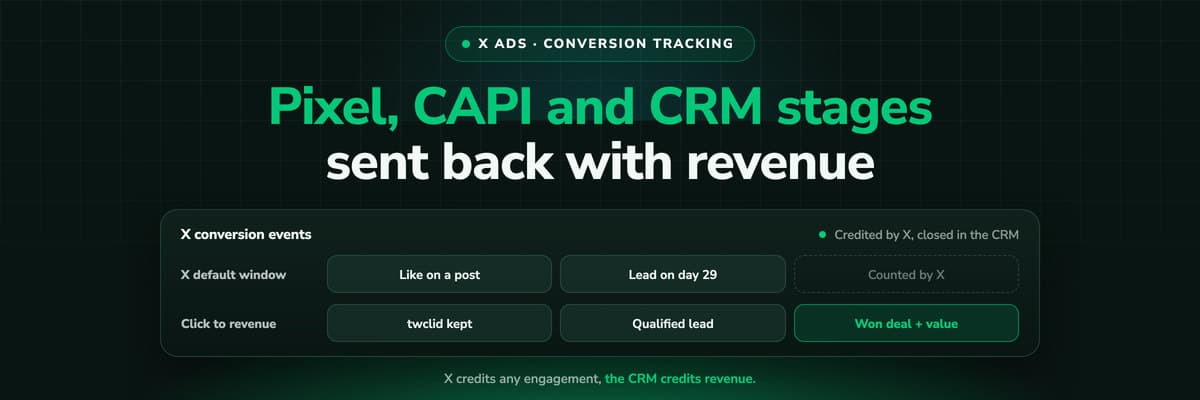
This is the part of X Ads that surprises most teams, and it explains more of the gap between Ads Manager and the CRM than any tracking bug. X attributes website conversions on two windows, and the first one is not a click window.
X's attribution windows for website conversions
| Window | What starts it | Options | Default |
|---|---|---|---|
| Post-engagement | Any engagement with the ad: likes, reposts, follows, replies or URL clicks | 1, 2, 3, 5, 7, 14 or 30 days | 30 days |
| Post-view | Seeing the ad | Off, 1, 2, 3, 5, 7, 14 or 30 days | 1 day |
Read the first row again. On the default settings, somebody who liked your post and bought from you 29 days later, through a Google search and a typed URL, is a conversion for X. So is a follow followed by a sign-up three weeks on. The windows are set per event when you create it in Events Manager, and X says changing them updates conversion data retroactively, so last month's numbers can move after somebody edits a setting.
None of that makes X wrong. It answers a different question from your CRM: which people who interacted with an ad later converted, not which click brought in a deal. The mistake is reading the X number as if it were the CRM's, or the other way round. Two things follow. Measure clicks to revenue independently, in a system that sees every channel. And send X the outcomes that matter, the qualified lead and the won deal, so whatever X credits, its optimisation learns from revenue rather than from form fills. In the export, "Website conversions by tag" splits post-view from post-engagement conversions, which is the quickest way to see how much of the count was never a click.
Shorten the windows if you want X to look like a click report
If you want Ads Manager closer to what a click-based report shows, set a shorter post-engagement window and switch post-view off on the events you report on. You will see fewer conversions, which is the point: the ones left are closer to the clicks. For the concepts themselves, see attribution window and click-through versus view-through conversions.
Step 1: Install the X Pixel
The Pixel is created in Ads Manager under Tools, Events Manager, Add event source; the event source ID is your Pixel ID. If there is no Tools tab, X says the account usually has no credit card on file yet. X then documents these routes: the base code pasted before the closing head tag of every page, Google Tag Manager through Events Manager's partner integration (client side, server side or both), Ensighten and Tealium iQ through their "Twitter Pixel" app and tag, and on Shopify X's own app, which promises a "1-click X Pixel installation". Events come next, as event code on the page or as tags in GTM.
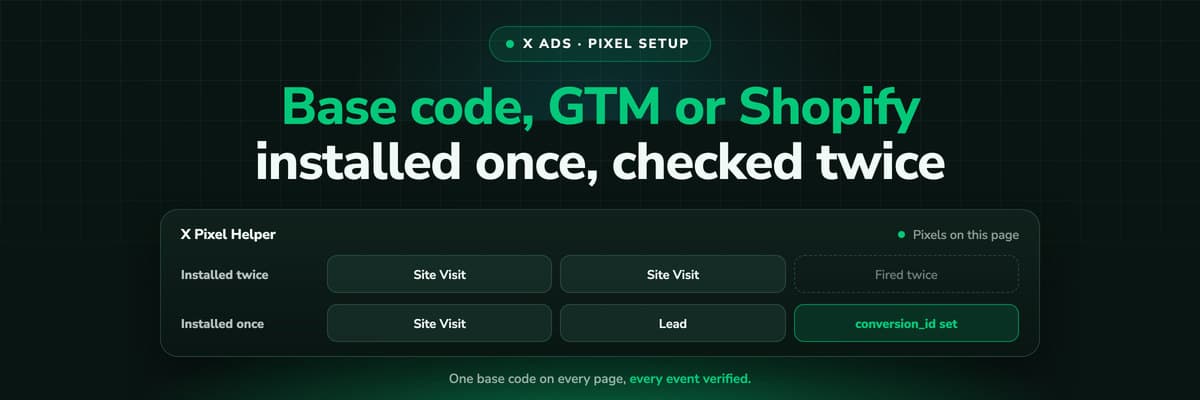
For lead generation the minimum is the base code everywhere plus a Lead event on the form's success state; for a store, Purchase on the confirmation with its value and currency. Whichever route you take, install it once per page, keep it out of iframes (X warns it may then fire from another domain and lose its first-party cookies), and if your site sends a Content Security Policy, allow X's hosts. Every route, with the code and the GTM steps, is in our X Pixel setup guide.
Step 2: Add the Conversions API Next to the Pixel
The Pixel is a browser script, so ad blockers, tracking protection and privacy settings take a share of its events, and it only sees what happens on a page. The Conversions API sends from a server, and X documents it for conversions that start online and finish offline, which is exactly where a CRM stage lives.
- A custom integrationYour backend posts to X's measurement endpoint (version 12 of the Ads API). It needs a developer account with Ads API access and OAuth 1.0a user tokens of a handle with the AD_MANAGER or ACCOUNT_ADMIN role.
- Google Tag Manager, server-sideX's official "X Ads Conversion API (Official)" template runs in a server container and maps GA4 events. It uses a Conversion API access token generated in Events Manager, and X says no OAuth is needed on this route.
- A partnerX lists Conversions API partners: Adobe, Tealium, MetaRouter, Datahash and RudderStack.
A few rules hold whichever route you pick. One request carries up to 500 events. Each needs a conversion_time, the event_id of the event in Events Manager and at least one identifier. Email and phone are hashed with SHA-256 first (email trimmed and lowercased, phone in E.164), while the twclid, IP address and user agent go unhashed. X's two pages on rate limits disagree (60,000 events per account per 15 minutes in the guide, 100,000 requests in the reference), and we found no X page saying how old a conversion may be when it arrives, so send as the event happens. Payloads, tokens and errors are in the X Conversions API guide.
Step 3: Deduplicate on One Conversion ID
Sending the same Lead from the browser and from the server is the point, and it doubles your count unless X can pair the two copies. X pairs them on two things together: the same event (the Event ID from Events Manager) and the same conversion_id on both copies. X is careful to say the Event ID is the conversion type, not the key for one occurrence; the conversion_id is that key. A lead ID or an order number works.
// Browser: the X Pixel, on the form's success state
twq('event', 'tw-<PIXEL_ID>-<EVENT_ID>', {
  conversion_id: '<LEAD_ID>',
  email_address: '<EMAIL>'
});

// Server: the Conversions API, the same event and the same ID
// POST https://ads-api.x.com/12/measurement/conversions/<PIXEL_ID>
{
  "conversions": [
    {
      "conversion_time": "<ISO_8601_TIME>",
      "event_id": "tw-<PIXEL_ID>-<EVENT_ID>",
      "identifiers": [
        { "twclid": "<TWCLID>" },
        { "hashed_email": "<SHA256_OF_EMAIL>" }
      ],
      "conversion_id": "<LEAD_ID>"
    }
  ]
}
Note the difference between the two halves: the Pixel takes the plain email in email_address and hashes it with SHA-256 itself, so no unhashed data reaches X, while the API expects it hashed already. Without a conversion_id there is one more trap. X's FAQ says Page View events, Site Visit and Landing Page View included, are deduplicated within 30 minutes, and other event types such as Purchase and Lead are not. A thank-you page reloaded, or a Pixel installed twice, counts the same Lead twice.
Step 4: Send CRM Events, and Know Where X Stops
Everything so far measures what happens on the site. For a lead generation business the outcome happens later, in the CRM: the lead is qualified, becomes an opportunity, closes or does not. The Conversions API is the way to tell X, and X documents it for conversions that finish offline. What X does not document is a CRM stage as such, so the stage goes out as one of your events, under a few constraints that decide what is worth sending.
- 30 days of credit at mostThe longest post-engagement window is 30 days. Our reading: a deal won 60 days after the last engagement cannot be credited in X's website conversion reporting, however and whenever you send it.
- No documented deadline, so send it nowWe found no X page saying how old a conversion_time may be. Do not rely on a monthly batch: send the stage as it changes, with the time it changed.
- The click ID makes the matchX recommends always including the twclid. A stage change in the CRM can only carry it if something kept it from the landing page and wrote it onto the record.
- One meaning per eventIf the qualified lead is to be the event a campaign optimises on, give it its own event in Events Manager and keep the raw form fill on another, since X wants each conversion type used once.
Put together, the honest setup for a lead generation account looks like this:
- Count the form on the site. The Pixel and the Conversions API send it with one conversion_id.
- Send the stage that predicts revenue as its own event. Usually the qualified lead: it tends to happen within days of the form, inside X's windows, and it separates the leads sales wants from the ones it does not. X's Sales objective optimises on a conversion event you pick, and X's help pages do not say whether a Custom event can be that event, so check it in your account before you build the campaign around it.
- Send the won deal as a Purchase with its value and currency, for the deals that close inside the window. Those are the ones X can put revenue against.
- Read the long tail somewhere else. A deal that closes in month four is real revenue from an X click, and X will not show it. That is what your own attribution is for.
Which stage becomes which X event
| Stage | X event | Sent by | What it is good for |
|---|---|---|---|
| Form submitted | Lead | The Pixel and the Conversions API, one conversion_id | Volume, and the goal when nothing later is fast enough |
| Qualified lead | An event of its own (Lead with a separate event, or Custom) | The Conversions API, as the stage changes | The signal to optimise on, once you have checked it can be picked |
| Opportunity or proposal | Custom | The Conversions API | Reporting |
| Won deal or paid order | Purchase with value and currency | The Conversions API (a store's order also from the Pixel) | Revenue against spend, for the conversions inside the window |
Why the qualified lead and not the form fill
A campaign optimised on form fills learns to find people who fill in forms. One optimised on qualified leads and won deals learns to find people your sales team wants. On X, where a like can start a 30-day window, feeding it outcomes from the CRM is also what keeps its optimisation tied to revenue rather than to engagement. The reasoning in full is in sending CRM data back to the ad platforms.
Step 5: Verify It Before You Spend
A setup nobody tested is a guess. X gives you three instruments, and each catches a different class of mistake.
- The X Pixel HelperA free Chrome extension that detects X Pixels sending data on the page you are on, shows a count badge, lets you inspect the parameter values and warns about problems such as a pixel firing more than once.
- Events ManagerEvery event carries a status: Active (activity in the last 24 hours), Inactive or No recent activity. The Recent Activity Log shows sample hits with their parameters and the host name they came from.
- The API's own answerA Conversions API request returns conversions_processed and a debug_id. X recommends retrying failed requests and logging the responses, which is how you find out a batch was refused.
Then click your own ad. The landing page should open with twclid in the URL; if it does not, a redirect is stripping it. Give the numbers time: X finalises reporting within 24 to 48 hours in a batch process that removes duplicate tag fires, adjusts attributions and merges identities across devices, so a conversion count can still move after you first see it. The Pixel Helper and the statuses are walked through in the Pixel setup guide.
Which Number to Trust: Ads Manager, GA4 or the CRM
Once tracking works you will have three numbers for the same month, and they will not agree. They are not supposed to. Each answers a different question.
What each source counts for an X campaign, and what it cannot see
| Source | What it counts | What it cannot see |
|---|---|---|
| X Ads Manager | Conversions the Pixel and the Conversions API reported, credited after a click, a like, a repost, a follow, a reply or a view inside each event's windows | Anything past the window, anything never sent, and what the other channels did for the same buyer |
| GA4 | Sessions and its own conversions under its own attribution, filed by the UTM parameters on the ad's URL | Engagements and views on X, clicks whose page never loaded, and the CRM outcome. X does not document a link to GA4 |
| The CRM | The lead, the stage and the money: the record of what actually happened | The X click, unless something captured it at the visit and wrote it onto the record |
X lists some of the reasons for the first gap itself: a link click is logged on the click, whether or not the page then loads, so third-party sessions run lower by design. Add the engagement windows above, Ads Manager opening on the last seven days, and identity merging across devices, and Ads Manager will run ahead of GA4 most months. None of those is a bug. Tag every ad with UTM parameters so GA4 files the visits correctly; X documents no URL macros, so the tags are typed per ad (how to set them up for X). Treat Ads Manager as the view X optimises on, and make the budget decision on CRM revenue joined back to the X click. Why the platforms never match the CRM goes through the same gap for Meta and Google.
That join is the part nobody gets by default. HubSpot's ads tool connects Meta, Google, LinkedIn, Microsoft and TikTok ad accounts, and X is not on its list. What none of the three sources does alone is follow one person from an X click through a Google search and an AI answer to a won deal and send the result back to X. That matters on X, where a post read today often turns into a branded search or a typed URL weeks later, and last click hands the deal to that. Whether the channel pays off on that basis is the subject of X Ads ROI.
Eight Mistakes That Break X Conversion Tracking
In rough order of how often they explain an account that says X does not convert, or one that says it converts too well.
- Reading engagement conversions as click conversions. On the default 30-day post-engagement window, a like counts. Split post-view and post-engagement in the export, or shorten the windows, before comparing X with anything else.
- A redirect in the ad URL. X says redirects strip the twclid off the URL, and the UTM parameters usually go with it. Stripped UTMs have the same cause everywhere.
- The Pixel inside an iframe or inside another tag. X warns it may then fire from another domain and lose its first-party cookies.
- One conversion type for two things. X asks for each conversion type to be used once on the site. A Lead on the demo form and a Lead on the newsletter box is one number for two questions.
- No conversion_id on events both sources send. Without the same conversion_id and the same event, the Pixel copy and the server copy are two conversions.
- A thank-you page that fires on every reload. X deduplicates Page View within 30 minutes and does not deduplicate Lead or Purchase, so a reloaded confirmation page is a second conversion.
- Legacy event types nobody re-created. X says to re-create them with the new types if reporting shows no metrics for them.
- A Content Security Policy that blocks X. X asks for ads-twitter.com, ads-api.twitter.com and analytics.twitter.com in img-src and connect-src.
How LeadJourney Connects the X Click to the Deal
LeadJourney is one script on your site or in your GTM container, live in about 21 minutes without a developer, running server-side and first-party on your own domain at 95%+ tracking accuracy. On the first visit it issues the LeadJourney Click ID, our own visitor identifier, kept in the browser in local storage and a first-party cookie for months, and every later session is stored under it. The ad platforms' click IDs are properties of those sessions: gclid, gbraid and wbraid, fbclid, msclkid, li_fat_id, rdt_cid, and now X's twclid, captured server-side on every X click.
The X Ads integration connects your X Ads account by signing in, with no developer, and imports campaigns, ad groups, ads and daily spend, with history on connect. When the visitor becomes a lead, LeadJourney follows the lead through your CRM (HubSpot, Salesforce, Microsoft Dynamics 365, Zoho CRM, Pipedrive, Attio, Close, GoHighLevel, ActiveCampaign and Odoo natively, anything else by webhook, Zapier or the API) or through a Shopify or Stripe order. The CRM stages you map, for example a qualified lead and a won deal with its value, go back through X's Conversions API as the stage changes, with the value, the currency, the twclid, hashed email and phone, and a conversion_id that deduplicates against an X Pixel you keep running. Shopify orders and Stripe payments go as a Purchase with the value.
LeadJourney's own reports carry no attribution window and count no likes. The journey runs from the first click to closed won however long it takes, under first click, last click, linear, position based, time decay and other models, so the month-four deal X cannot credit still shows the X click that started it. ChatGPT, Gemini, Claude, Copilot, Perplexity, Grok and DeepSeek are reported as sources of their own, so the buyer who saw you on X and asked an AI engine about you later is not filed under Direct. What LeadJourney does not do is worth saying too: no view-through or engagement attribution, no incrementality tests and no media mix modelling. Consent choices are respected, and processing runs in Frankfurt under a GDPR data processing agreement.
Read verified reviews on Trustpilot, G2 and leadjourney.io/testimonials.
Further Reading
- X Pixel setup: the base code, event code, Google Tag Manager, Shopify, parameters and the X Pixel Helper.
- The X Conversions API: payload, authentication, deduplication, identifiers and CRM events.
- X Ads UTM parameters: tagging ads by hand when X has no macros, and twclid next to the UTMs.
- X lead generation ads: native lead forms, and getting those leads into the CRM.
- X Ads ROI and X Ads versus Meta Ads: measuring pipeline and revenue rather than engagement.
- On the product side: the X Ads integration, server-side tracking, offline conversion tracking and optimising ad platforms on revenue.
- In the glossary: conversion tracking, view-through conversion and qualified lead.
In the glossary
FAQ
Frequently Asked Questions
What marketers ask when they set up X Ads conversion tracking for the first time, or stop trusting the one they have.
How do I track conversions from X Ads?
Create an X Pixel in Events Manager (Tools, Events Manager, Add event source), install its base code on every page, and add event code for the conversions that matter, Lead for a form and Purchase with its value for an order. Then add the Conversions API so the same events also go server to server, with the same event and the same conversion_id in both copies so X counts each conversion once. Check it with the X Pixel Helper and the event statuses in Events Manager before you spend.
What is the X Pixel?
The X Pixel (formerly the Twitter pixel) is X's website tag. Its base code loads X's uwt.js script on every page and sends site visits; event code, twq('event', ...) with the event's ID from Events Manager, sends conversions such as Lead, Purchase, Add to cart or a Custom event. It can carry a value, a currency, a conversion_id and the visitor's email and phone number, which it hashes with SHA-256 before anything is sent to X.
Do I need the X Conversions API if I already have the Pixel?
For anything that happens after the website, yes. The Pixel runs in the browser, so ad blockers and privacy settings take some of its events, and it never sees a qualified lead or a won deal in your CRM. The Conversions API sends from your server and X documents it for conversions that finish offline. When both send the same event, give them the same conversion_id so X deduplicates them.
Can I send CRM conversions to X Ads?
Yes, through the Conversions API, as an event you created in Events Manager, for example a Purchase with the deal's value and currency. Include the twclid you kept from the landing page and the hashed email. X credits it only inside the event's windows, at most 30 days after an engagement, so a deal that closes months after the click will not appear in X's reporting. We found no X page saying how old a conversion may be when sent, so send it as the stage changes.
What is X's default attribution window?
For website conversions, 30 days after an engagement and one day after a view. Engagement means likes, reposts, follows and replies as well as clicks. The post-engagement window can be 1, 2, 3, 5, 7, 14 or 30 days and the post-view window Off or the same options. Both are set per event in Events Manager, and X says changing them updates the conversion data retroactively.
Why does X report more conversions than GA4 or my CRM?
Mostly because it counts different things. X credits conversions after any engagement with an ad, a like or a repost included, and after views, inside windows of up to 30 days, and it merges identities across devices. GA4 counts sessions from clicks under its own model and cannot see an engagement or a view. Your CRM sees only the leads and deals. Neither is wrong; they answer different questions.
Does X still have lead gen forms?
Yes. X's Ads API documentation describes Lead Gen Ads that collect contact details in a native form on X, pre-filled after the first submission, with leads exported as JSON, CSV or XLSX by an account administrator. Those leads never visit your website, so the Pixel and the twclid play no part. They have to be exported or synced into your CRM, and their quality judged there.
Keep reading
More from the blog
 How To Guides
X Pixel Setup: Base Code, GTM, Shopify and Events
Every way to install the X Pixel, with X's own steps and code: creating it in Events Manager, the base code, event code, Google Tag Manager through the partner integration, Shopify, Ensighten and Tealium. Then the event types and parameters, cookies and consent, and how to check it all with the X Pixel Helper and the event statuses.Read the article18 min read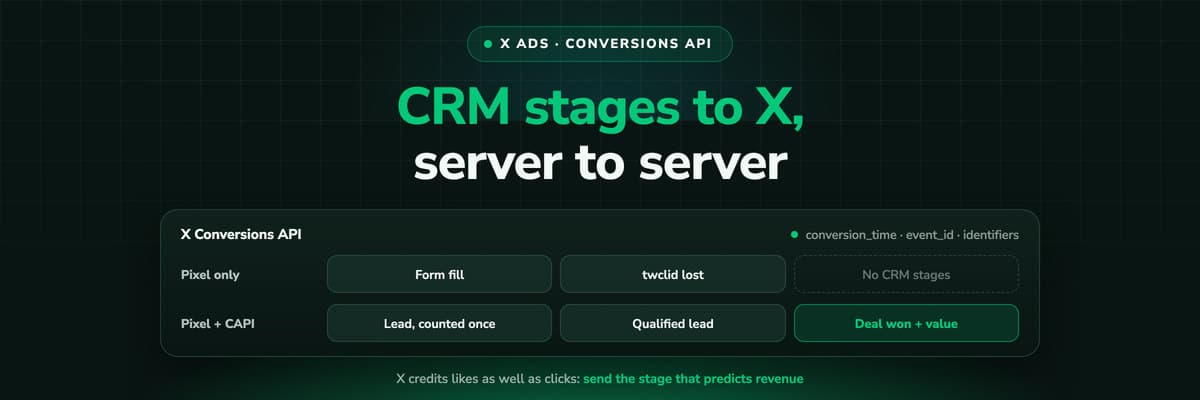 How To Guides
X Conversions API: Setup, Deduplication and CRM Events
The X Pixel reports what a browser lets it see. The Conversions API reports what your server tells it, including stages that happen in the CRM after the form. The endpoint and body, the access token against OAuth, identifiers and hashing, deduplication against the Pixel, the twclid you have to keep yourself, the limits, and what X will credit from a CRM.Read the article16 min read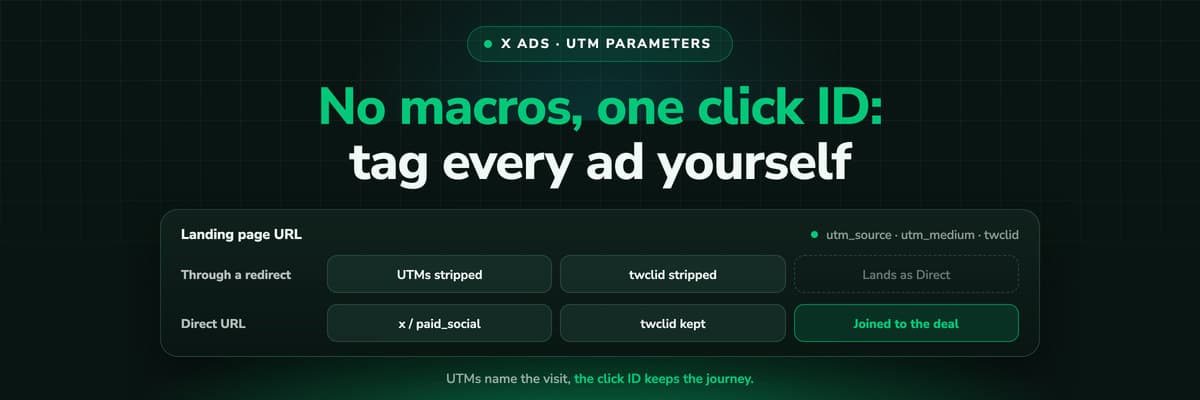 How To Guides
X Ads UTM Parameters: twclid, Naming and the GA4 Setup
X appends one parameter to your landing page by itself, the twclid click ID. Everything else you type, because X documents no URL macros. What twclid is and where it goes, how to tag a website card or a link in a post, a naming convention GA4 reads correctly, why X's conversion count and your UTM report never agree, and why UTMs on their own lose the X click long before the deal closes.Read the article13 min read
X revenue
Ready to see which X campaigns close deals?
LeadJourney captures the X click ID server-side on every visit, follows each lead through your CRM or your shop, and sends the stages you map back to X's Conversions API with the value. Live in 21 minutes, 14-day free trial without a credit card.


