


















BlogHow To Guides
X Conversions API: Setup, Deduplication and CRM Events
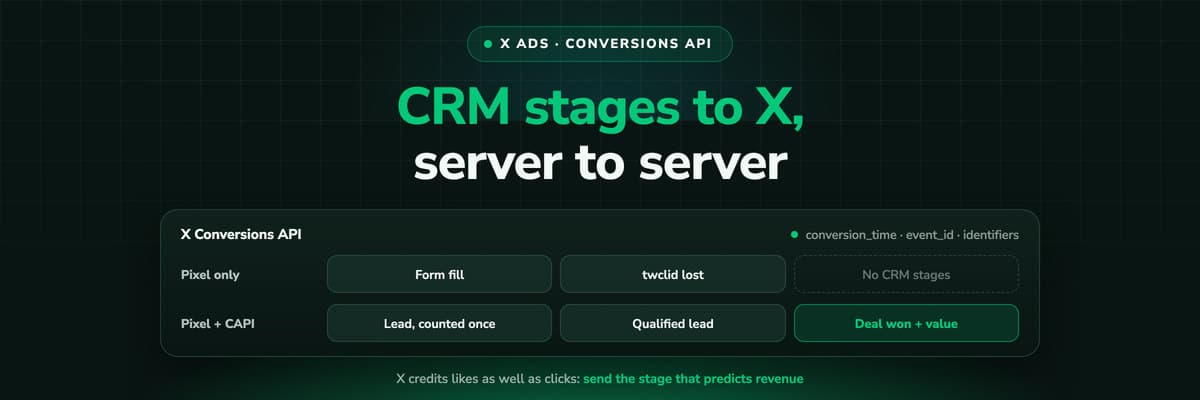
The X Pixel reports what a browser lets it see. The Conversions API reports what your server tells it, including stages that happen in the CRM after the form. The endpoint and body, the access token against OAuth, identifiers and hashing, deduplication against the Pixel, the twclid you have to keep yourself, the limits, and what X will credit from a CRM.

Contents
Summarise this article with AI
Opens the page with a ready prompt in:


Nothing is sent until you pick a service.
The X Pixel sees what happens in a browser that lets it run. Ad blockers, a redirect that strips the click ID and a thank-you page that never finishes loading all take events out of it, and it cannot see anything that happens after the visitor leaves your site: the lead your sales team qualified on Tuesday, the deal that closed in the CRM three weeks after the click.
The Conversions API is the server to server path of X Ads (formerly Twitter Ads) for those events. This is the reference for building it: the endpoint and the body it expects, the two ways to authenticate, the fields that are required and the identifiers that decide whether X can match an event, deduplication against the Pixel, the twclid you have to keep yourself, the limits, and what X will and will not credit when the event comes from your CRM.
Quick Summary: The X Conversions API
In short
The X Conversions API is one endpoint, POST https://ads-api.x.com/12/measurement/conversions/{pixel_id}, called from your server either through X's official server-side Google Tag Manager template with an access token from Events Manager, or from your own code with OAuth 1.0a and Ads API access. Every event needs a conversion_time, the event_id of an event you created in Events Manager and at least one identifier: the twclid click ID, a hashed email or a hashed phone number. Send the same conversion_id from the Pixel and the server and X counts the conversion once. X credits a conversion after any engagement with an ad, a like or a repost as much as a link click, inside a window that defaults to 30 days, so its count will never equal the deals in your CRM, however well the events are sent.
So the Conversions API is the right pipe for everything after the form, and the wrong place to look for a revenue number you can reconcile. The sections below follow the build in the order you would do it, then deal with CRM events and what they can and cannot achieve.
What the Conversions API Adds to the X Pixel
The X Pixel is JavaScript loaded from static.ads-twitter.com on every page. It passes the twclid "from URL or first-party cookie", hashes an email address or phone number you hand it, and sends each event from the visitor's browser. Whatever stops the script stops the event. With the Conversions API your backend, your CRM or a tracking platform posts the event instead, and X says it also covers conversions that "start online, but finish offline".
X Pixel
Browser JavaScript. Site visits, on-site events, audiences. Picks up the twclid by itself and hashes the user parameters. Loses whatever the browser blocks.
Conversions API
Server to server events from your backend or CRM. Nothing runs in the browser, and the event can describe something that happened weeks later.
Both together
Possible for the same event as long as both copies carry the same event ID and conversion_id. Without them, X counts the conversion twice.
Deduplication only matters for events that travel both ways. If the Pixel sends Page View and Add to cart and the server sends Purchase alone, there is nothing to deduplicate. The browser side is its own job: the X Pixel setup guide covers the base code, Google Tag Manager and Shopify, and X Ads conversion tracking shows how the two fit into one system.
Four Ways to Send Events to the X Conversions API
The API underneath is the same in every case. What differs is who maintains the connection, which credentials it needs and what it knows when the event is built.
- A custom integrationYour server posts to the endpoint. X requires a developer account, Ads API access requested through its Ads API Access Form, and OAuth 1.0a user tokens of a handle with the AD_MANAGER or ACCOUNT_ADMIN role. You own the signing, retries, hashing and the twclid storage.
- X's official server GTM template"X Ads Conversion API (Official)" in the Community Template Gallery, for server containers only. It authenticates with an access token from Events Manager, maps GA4 events, hashes plain email and phone, and can keep the twclid in a first-party _twclid cookie for about 390 days.
- The Events Manager GTM flowInstall Pixel > Partner Integrations > Google Tag Manager signs into Google and lets you pick client side (the Pixel), server side (the Conversions API) or both, and the container to install them in.
- A listed partnerAdobe, Tealium, MetaRouter, Datahash and RudderStack are the Conversions API partners X names on its conversion tracking page.
One detail decides more projects than the choice of route. X's Shopify app advertises a "1-click X Pixel installation", and X does not document that it sends Conversions API events. For server events from a Shopify store, plan on one of the four routes above or a platform that sends them for you.
Step 1: The Pixel ID, the Event ID and Your Credentials
Three values before any code. The Pixel ID is the ID of your event source in Events Manager (Tools > Events Manager), the base36 base tag ID that goes into the URL. The event ID names one event you created there, a Lead or a Purchase, and X writes it either as the short ID or as tw-<pixel_id>-<event_id>. And the credentials, which depend on the route.
Credentials for the X Conversions API by route
| Route | Credential | Where it comes from |
|---|---|---|
| Official server GTM template | Conversion API access token, sent as X-Pixel-Token | Events Manager > Install Pixel > Manual > Conversion API > Generate access token |
| Custom integration | OAuth 1.0a user tokens | A developer account with Ads API access, signed in as a handle with AD_MANAGER or ACCOUNT_ADMIN |
X's GTM guide is explicit that the token route needs no Ads API application: "You do not need to implement OAuth 1.0a ... OAuth credentials are only required for custom Conversion API integrations." That makes the template the short path for a team without developers, and the custom integration the one for a team that wants to send CRM events from its own systems. Either way the secret belongs in an environment variable or a secret store, never in page code.
No Tools tab?
X's help center says a missing Tools menu in Ads Manager usually means the account has no credit card on file yet. Add one first, then Events Manager appears.
Step 2: The Request, Field by Field
One endpoint per Pixel, the events in a conversions array, up to 500 events per call. Version 12 is the current Ads API version, introduced in October 2022 with no deprecation date. Here is a single qualified lead carrying every identifier a web form can supply. Values in angle brackets are placeholders.
POST https://ads-api.x.com/12/measurement/conversions/<PIXEL_ID>
Authorization: <OAUTH_1.0A_HEADER, OR X-Pixel-Token ON THE GTM ROUTE>
Content-Type: application/json

{
  "conversions": [
    {
      "conversion_time": "2026-10-07T14:30:00.000Z",
      "event_id": "tw-<PIXEL_ID>-<EVENT_ID>",
      "identifiers": [
        { "twclid": "<TWCLID_FROM_THE_LANDING_PAGE_URL>" },
        { "hashed_email": "<SHA256_OF_TRIMMED_LOWERCASE_EMAIL>" },
        { "hashed_phone_number": "<SHA256_OF_E164_PHONE>" },
        {
          "ip_address": "<VISITOR_IP>",
          "user_agent": "<VISITOR_BROWSER_USER_AGENT>"
        }
      ],
      "value": "<DEAL_OR_LEAD_VALUE>",
      "price_currency": "EUR",
      "conversion_id": "<SAME_ID_AS_THE_PIXEL_CONVERSION_ID>",
      "description": "Qualified lead"
    }
  ]
}
Required on every event
- conversion_time: when the conversion happened, in ISO 8601. The time of the stage change, not the time your job ran.
- event_id: the event you created in Events Manager. It names the conversion type, not the occurrence: every Lead you send carries the same one.
- identifiers: at least one of twclid, hashed_email or hashed_phone_number. An IP address or a user agent only counts together with one of those.
Optional, and what each one is for
Optional fields on an X Conversions API event
| Field | What it carries | Worth knowing |
|---|---|---|
| value | The conversion's value | What value based reporting and bidding read |
| price_currency | An ISO 4217 code | Defaults to USD when left out, so set it on every event in another currency |
| conversion_id | Your unique ID for this conversion | What deduplication against the Pixel runs on |
| number_items | The item count | For orders |
| contents | The products: ID, name, price, count, group | Product detail for orders and catalogues |
| description | Free text about the event | Useful in your own logs, not for matching |
A successful call answers with conversions_processed and a debug_id. X recommends retries and logging on your side, so keep the debug_id with the event: it is what you quote when a batch went missing.
Identifiers and Hashing
X has to find the account behind every server event, and the identifiers are how. There are five, and X's minimum is one of the first three. Send everything you legitimately have.
- The click ID (twclid)The identifier of the ad click itself, sent as it arrived, unhashed. X says "It's recommended to always include Click ID in the conversion request". On the server you have to have kept it, see the next section.
- hashed_emailSHA-256 without salt, after trimming whitespace and lowercasing. [email protected] and [email protected] then hash to the same value.
- hashed_phone_numberSHA-256 of the number in E.164, with the country code and a leading plus, so +1 (555) 444-1234 becomes +15554441234 before hashing.
- ip_address and user_agentThe visitor's, unhashed. They never stand alone: an event carrying only these two is missing its required identifier.
Two of the routes hash for you, and they do it differently. The browser Pixel hashes email_address and phone_number itself, and X says no unhashed data is shared. The official GTM template hashes a plain email after trimming and lowercasing it, but hashes a phone number as it finds it, without reformatting. So on that route the phone has to be E.164 before it reaches the tag, or the hash will never match. A value that is already 64 hex characters is passed on as it is.
Consent is part of the build
X's guide tells advertisers to filter out the events of users who opted out, and its cookie article asks for consent under the ePrivacy Directive before non-essential cookies are set. Decide which events your consent state allows before the first one is sent, not after.
Keeping the twclid Until the Event Is Sent
X appends twclid to the landing page URL on every website click-through from an ad. The Pixel reads it from the URL or its first-party cookie and sends it by itself. The Conversions API cannot read a URL: X's guide says to parse the twclid from the query string and store it with the form or conversion data. And it warns: "Do not use redirects in your URLs as these will strip the twclid off the URL."
- A first-party cookie written at the landing page. X's server GTM template does exactly this with "Set first-party cookies" on, the default, and keeps _twclid for about 390 days.
- A hidden form field, so the twclid reaches your server with the submission.
- A CRM property on the lead, so a stage change weeks later still has it.
For a web event sent seconds after the form, the cookie or the hidden field is enough. For a CRM event only one works: the twclid has to be on the lead record, because the event is built from the CRM weeks later and no browser is involved any more. A hidden field fails for the visitor who clicked the ad on Monday and filled in the form on Thursday from a bookmark: the URL no longer carries the parameter. A first-party value set at the first visit and read by the form closes that gap for as long as it lives. X does not document how long after the click it still accepts a twclid; its attribution windows, below, are the practical limit.
The URL side of this, including why a redirect or a link shortener can drop the click ID, is in X Ads UTM parameters.
Deduplication: One Event ID, One Conversion ID
When the Pixel and the server both report the same lead, X has to count it once. Its rule is short: both copies carry the same Events Manager event ID and the same conversion_id. The event ID is the conversion type; the conversion_id is the occurrence, one per lead or order.
// In the browser, when the form is submitted
twq('event', 'tw-<PIXEL_ID>-<EVENT_ID>', {
  conversion_id: '<LEAD_ID>',
  email_address: '<EMAIL>'
});

// On the server, in the same conversion's event
"event_id": "tw-<PIXEL_ID>-<EVENT_ID>",
"conversion_id": "<LEAD_ID>"
What X deduplicates
Pixel and server copies with matching event ID and conversion_id. Page View, Site Visit and Landing Page View are also deduplicated within 30 minutes.
What it does not
Per X's FAQ, other event types such as Purchase and Lead are not deduplicated on their own. A Lead tag that fires twice on one page is two Leads.
The second card is the one that catches people. A thank-you page reloaded, a single page app firing on every route change, or the same tag installed in the code and in GTM, and every conversion counts double with nothing to merge it. Give each Lead and Purchase a conversion_id even when the Pixel is your only source, and check the page with the X Pixel Helper, which warns when a pixel fires more than once.
Step 3: Limits, Checks and Waiting for the Numbers
- Batch sizeUp to 500 events per request. Batch CRM events by the minute rather than one call per stage change when volume grows.
- Rate limits, stated twiceX's two pages disagree: the guide says 60,000 events per account per 15 minutes, the API reference 100,000 requests per 15 minutes per account. Plan for the lower figure.
- Events ManagerEach event shows Active (activity in the last 24 hours), Inactive or No recent activity, and the Recent Activity Log shows sample hits with their parameters and host name.
- 24 to 48 hoursX finalises reporting in a batch that removes duplicate fires, adjusts attributions and merges identities across devices. Yesterday's numbers can still move.
The X Pixel Helper, X's free Chrome extension, only sees the browser side. For the server, the response and its debug_id are the record: log every batch, and alert when conversions_processed stops matching what you sent.
Sending CRM Events: What X Will and Will Not Credit
This is where the Conversions API earns its place, and where most expectations break. Three documented facts decide what an event built from your CRM can do inside X.
Engagement counts, not only clicks
The post-engagement window credits a conversion after "likes, reposts, follows, replies, or URL clicks". Somebody who liked an ad and bought later counts for X.
Up to 30 days, set per event
Post-engagement 1, 2, 3, 5, 7, 14 or 30 days, default 30. Post-view off or up to 30 days, default 1. A deal won after the window is sent and never credited.
Changes are retroactive
Change an event's window and X recalculates the conversion data already reported. A report from last week is not a fixed record.
Read together: X's count for a campaign includes people whose only contact with it was an engagement, and excludes deals that closed after the window. Your CRM counts neither way round. The two numbers disagree by design, and neither is wrong. X answers "what did these ads touch", the CRM answers "what did we sell". X's pages do not state how old a conversion_time may be, so send each event as the stage changes rather than in a monthly backfill.
The honest plan follows. Send an early stage that predicts revenue, usually the qualified lead, as the event your campaigns optimise on. Send the won deal as a Purchase with its value for the deals that close inside the window. Read the long tail and the click-to-revenue path in your own attribution tool. For the Sales objective, X needs the Pixel or the Conversions API and at least one conversion event; in the API a line item with the WEBSITE_CONVERSIONS goal names it as its primary_web_event_tag. Attribution for a long sales cycle shows the reporting shape that holds up.
Nobody can promise a month four deal in X Ads Manager
Not an agency, not a connector, not us. The event reaches X, the engagement is outside every window X offers, and the campaign gets no credit. The deal is still real, and it still belongs to the X click that started it: that answer lives in a system without a window.
Which CRM Stage Becomes Which X Event
X publishes no article on CRM stages. What exists are the event types you can create in Events Manager (Page view, Add to cart, Lead, Added payment info, Purchase and Custom) and X's own advice that "a particular conversion type ... should only be used once on your website." So the mapping is your decision. One shape that respects both:
- The form fillLead, sent by the Pixel and the server with one shared conversion_id. The volume number, useful to diagnose, weak as a goal.
- The qualified leadA Custom event created for it, sent from the server only. The best optimisation event when it happens inside the window, often enough.
- The won deal or paid orderPurchase, with value and price_currency. The value travels with every deal that closes inside the window.
- Every other stageMeeting booked, proposal sent: further Custom events for reporting, or nothing at all. More events is not more signal.
The trap is the obvious mapping. Send the form fill as Lead and the qualified stage as Lead too, and every qualified lead counts twice: the two events carry different conversion IDs, so X sees two Leads from one person and your cost per lead drops on paper. Give each event one meaning.
How LeadJourney Sends CRM Stages to the X Conversions API
The hard part of all this is not the POST request. It is holding an X click ID from an anonymous first visit until a CRM stage changes weeks later, in a system that also knows the stage. That is LeadJourney's normal job. One script on your site or in your GTM container, live in about 21 minutes without a developer, tracks server-side and first-party at 95%+ accuracy, and respects the visitor's consent. On the first visit it issues the LeadJourney Click ID, its own visitor identifier, kept in the browser for months, and stores every session under it. The platforms' click IDs, gclid, gbraid, wbraid, fbclid, li_fat_id, msclkid, rdt_cid and now twclid, are stored on that record as properties of the session they arrived with.
The X Ads integration signs into your X Ads account with OAuth, no developer involved, imports campaigns, ad groups, ads and daily spend with their history, keeps spend in sync every two hours, captures the twclid on every X click server-side on your own domain and follows the lead through your CRM. HubSpot, Salesforce, Microsoft Dynamics 365, Zoho CRM, Pipedrive, Attio, Close, GoHighLevel, ActiveCampaign and Odoo connect natively, anything else by webhook, Zapier or the open API. It then sends the CRM stages you map, a qualified lead or a won deal, back through the X Conversions API as the stage changes, with the value, the currency, the twclid, hashed email and phone, and a conversion_id that deduplicates against a running X Pixel. Shopify orders and Stripe payments go back as Purchase with their value.
It does not change X's windows. A deal that closes after X's 30 days still does not appear in Ads Manager. It does appear in LeadJourney, whose journey carries no attribution window: from the first click to closed won however long that takes, under first click, last click, linear, position based and time decay, switched without re-tracking.
Read verified reviews on Trustpilot, G2 and leadjourney.io/testimonials.
Further Reading
- X Ads conversion tracking: the Pixel, the Conversions API and CRM events as one system
- X Pixel setup with Google Tag Manager, Shopify or the base code
- X Ads UTM parameters and the twclid
- X Lead Generation Ads and the CRM and are X Ads worth it?
- The Reddit Conversions API, the LinkedIn Conversions API for CRM deals and the Meta Conversions API for lead generation
- Conversions API, click ID and attribution window in the glossary
- The X Ads integration, offline conversion tracking and optimising on revenue
In the glossary
FAQ
Frequently Asked Questions
What teams ask before they point a server at X.
What is the X Conversions API?
X's server to server endpoint for conversion events. Instead of a script in the visitor's browser, your server, CRM or tracking platform posts each event to https://ads-api.x.com/12/measurement/conversions/{pixel_id}. Each event carries a conversion time, the event ID from Events Manager and at least one identifier, and it can describe something that happened after the visit, such as a qualified lead or a paid order.
Is the Twitter Conversions API the same as the X Conversions API?
Yes. Twitter Ads became X Ads, and the Conversions API is the same product under the new name. The endpoint now sits on ads-api.x.com, the browser Pixel still loads from static.ads-twitter.com, and the click ID is still twclid, so guides written for the Twitter Conversions API mostly still describe the fields correctly.
Do I need a developer account to use the X Conversions API?
Only for a custom integration, which needs Ads API access and OAuth 1.0a tokens of a handle with the AD_MANAGER or ACCOUNT_ADMIN role. X's official server-side Google Tag Manager template uses a Conversion API access token generated in Events Manager instead, and X says that route needs no OAuth.
Do I still need the X Pixel if I use the Conversions API?
Not for the events the server sends, but most setups keep it for site visits, on-site events and audiences, and because it picks up the twclid by itself. When both send the same conversion, give it the same event ID and the same conversion_id on both sides so X counts it once.
Do I have to hash email addresses before sending them?
On a custom integration, yes: send hashed_email and hashed_phone_number as SHA-256 without salt, the email trimmed and lowercased first and the phone in E.164 with a leading plus. The browser Pixel hashes email_address and phone_number itself, and X's GTM template hashes plain values, though it does not reformat phone numbers. The twclid, IP address and user agent are sent unhashed.
How do I stop X counting a conversion twice?
Send the same Events Manager event ID and the same conversion_id from the Pixel and the server. X deduplicates Page View events within 30 minutes by itself, but says other event types such as Lead and Purchase are not deduplicated, so a tag that fires twice counts twice unless a conversion_id merges the copies.
Why does X report more conversions than my CRM?
Because X credits a conversion after any engagement with an ad, likes, reposts, follows and replies as well as link clicks, inside a post-engagement window that defaults to 30 days, plus a one day post-view window. Your CRM only knows who filled in a form. Both numbers are correct for the question they answer; for clicks to revenue, measure outside X.
Keep reading
More from the blog
 How To Guides
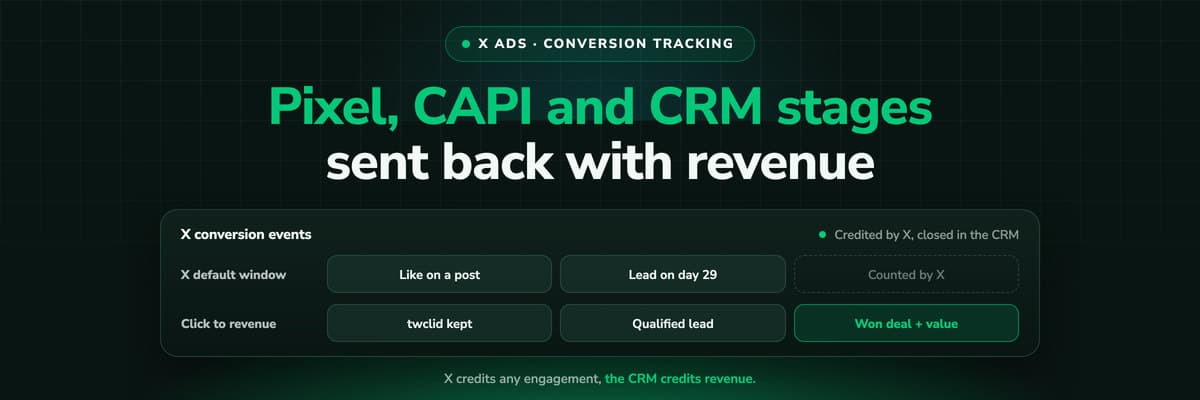
X Ads Conversion Tracking: Pixel, CAPI and CRM Events
X reports what the X Pixel and the Conversions API tell it, credited after any engagement inside windows you set per event. What to count for lead generation and for a store, how the two sources deduplicate on one conversion ID, why X's count and the CRM disagree by design, how to verify it, and which number deserves the budget.Read the article19 min read How To Guides
X Pixel Setup: Base Code, GTM, Shopify and Events
Every way to install the X Pixel, with X's own steps and code: creating it in Events Manager, the base code, event code, Google Tag Manager through the partner integration, Shopify, Ensighten and Tealium. Then the event types and parameters, cookies and consent, and how to check it all with the X Pixel Helper and the event statuses.Read the article18 min read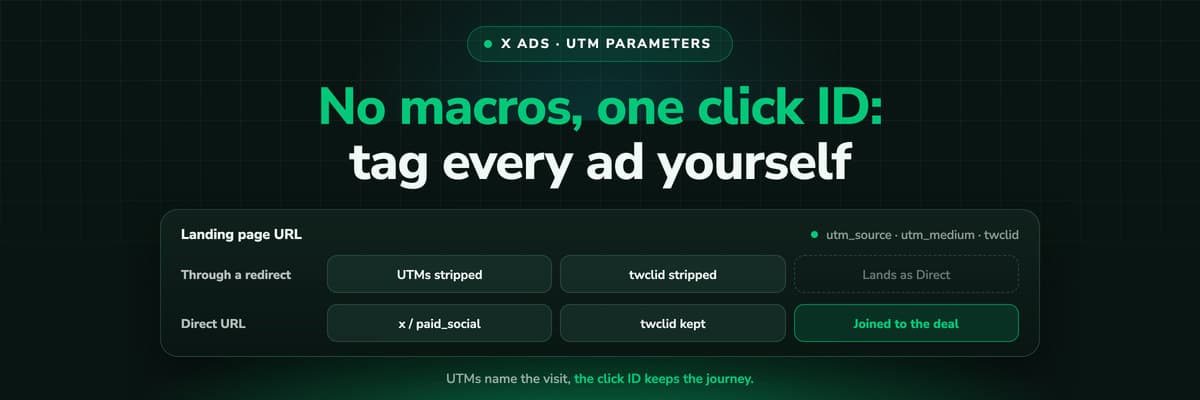 How To Guides
X Ads UTM Parameters: twclid, Naming and the GA4 Setup
X appends one parameter to your landing page by itself, the twclid click ID. Everything else you type, because X documents no URL macros. What twclid is and where it goes, how to tag a website card or a link in a post, a naming convention GA4 reads correctly, why X's conversion count and your UTM report never agree, and why UTMs on their own lose the X click long before the deal closes.Read the article13 min read
X pipeline
Ready to send X the deals, not just the form fills?
LeadJourney keeps the X click ID from the first visit, follows every lead through your CRM and sends the stages you map back through the X Conversions API, deduplicated against your Pixel. Live in 21 minutes, with a 14-day free trial.


