BlogHow To Guides
X Lead Generation Ads: Native Forms or Your Own Site (2026)
X Lead Gen Ads collect contact details in a native form on X again, and X's own documentation describes them. That gives an X lead two ways in: the native form, or a form on your own site counted by the X Pixel. What X has and has not documented, how each route reaches your CRM, and how to make X optimise on leads your sales team would call back.

Contents
Summarise this article with AI
Opens the page with a ready prompt in:


Nothing is sent until you pick a service.
For years the honest answer to "can I run lead gen ads on X" was: only by sending people to your own website. X Ads (formerly Twitter Ads) has changed that. X's Ads API documentation now describes Lead Gen Ads that collect contact information in a native form on X, pre-filled for people who have submitted one before.
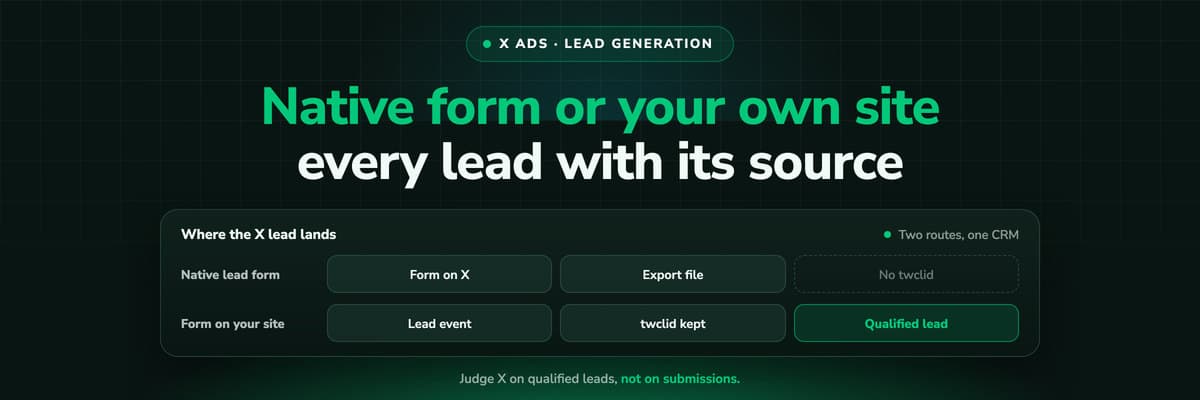
So an X lead can arrive two ways, and they behave very differently. A native form is quick for the person filling it in and leaves you a file to import. A form on your own site is more work and puts the lead, the ad that produced it and your CRM on one record. Here is what X has actually documented, how to set up each route, and how to get X to look for leads that turn into deals rather than leads that are easy to collect.
Quick Summary: X Lead Generation Ads in 2026
In short
X Lead Gen Ads collect contact information in a native form on X, and X's Ads API documentation describes how they work: forms attached to cards, leads exported as JSON, CSV or XLSX, exports limited to account administrators. The lead never touches your website, so there is no X Pixel event and no twclid, and the lead only reaches your CRM through an export or something you build on top of it. The other route is a form on your own site behind a Sales or Website traffic campaign, where the X Pixel fires a Lead event on a successful submission, twclid travels with the visitor, and your form writes the lead to the CRM directly. Whichever you pick, judge X on qualified leads in the CRM, not on X's own conversion count, which by default includes engagements up to 30 days earlier.
The rest of this guide is the detail: what X has and has not documented about the native form, how the two routes compare, the website form with the Pixel and the click ID, the route into the CRM for each, and how to make X optimise on the stage your sales team cares about.
How X's Native Lead Forms Work
X's description is short: "Lead Gen Ads collect contact information in a native form on X." The person taps the ad, a form opens without leaving X, and after their first submission later forms can be pre-filled. What sits behind that, according to the Ads API documentation:
- Forms attach to cardsA lead form is a destination of its own, LEAD_FORM, attached to a card in the ad, in place of a link to your website.
- Fields from a fixed listEmail, phone, full name or first and last name, company, job title, work email, work phone, address fields, date of birth, gender and the person's X handle, among others.
- Leads come out as exportsLeads are exported as JSON, CSV or XLSX through export jobs that run in the background, and only account administrators can run them.
- Pre-filled after the first formLess typing for the person, which is the reason native forms exist. It also means less friction between a passing interest and a submitted lead.
The return was reported by Social Media Today on 26 August 2026. Twitter once had lead generation cards; what X documents now is part of the current Ads API. Press coverage also describes ad formats, an objective and a leads center that we could not confirm on an X page, so they are left out here until X documents them.
What X Has Documented About Lead Gen Ads, and What It Has Not
New ad products attract confident guides written before the documentation exists. Here is the line between what X's own pages say and what they do not, as of 7 October 2026. Plan on the documented column and ask your X contact about the rest.
X Lead Gen Ads: documented and undocumented
| Question | Documented? | What X's pages say |
|---|---|---|
| Do native lead forms exist on X? | Yes | Lead Gen Ads collect contact information in a native form on X |
| Can forms be pre-filled? | Yes | After the first submission, later forms can be pre-filled |
| How do I get the leads? | Yes | Export jobs, as JSON, CSV or XLSX, run by account administrators |
| Is there a lead objective? | Not in the API reference | The documented objective list has no lead objective |
| Is there a native sync to HubSpot or Salesforce? | No | The documentation describes exports, not a CRM connection |
| How long are leads kept? | No | We found no retention period on an X page |
| Does a native form lead count as a website conversion? | No | It never loads your site, so the X Pixel has nothing to report |
| Can I send a qualified stage back for a native form lead? | No | The Conversions API is documented for web conversions; a lead form match is not described |
Export before you need it
Because X documents no retention period and no CRM sync, treat the export as the only copy until the lead is in your CRM. Run it on a schedule from the first day, not when sales asks where last month's leads went.
Native Form or a Form on Your Own Site
The choice decides what you can measure later, so it is worth making on purpose rather than by default.
The two ways to collect a lead from an X ad
| What | Native lead form | Form on your site |
|---|---|---|
| Where the form lives | Inside X | On your landing page |
| Friction for the person | Low, pre-filled after the first form | Higher, a page load and typing |
| How the lead reaches you | An export file | Your form writes it to the CRM |
| twclid on the lead | No, there is no website visit | Yes, if you keep it through the form |
| What X counts | Not documented beyond the export | The Lead event your Pixel or Conversions API reports, inside X's windows |
| Later visits joined to the lead | Only by email, after import | Yes, the same browser carries the history |
| What you control | The fields X offers | Every field, the qualification logic, the thank-you page |
A sensible default for a B2B offer: start with the form on your site, because it gives you the source on every record from day one, and test the native form in a separate campaign once you can compare both on qualified leads in the CRM. A native form that produces twice the leads at half the qualification rate has not won anything.
Running Lead Generation to Your Own Site
For a form on your site, X offers two campaign objectives that can optimise on what happens there.
Sales
Formerly website conversions. Needs the X Pixel or the Conversions API and at least one conversion event. X recommends Autobid and paying by impressions.
Website traffic
Formerly website clicks. Paid by impression or click, optimising for link clicks or site visits, with a website tag picked as the key conversion.
The Lead event
One of the event types X offers when you create an event in Events Manager, next to Page view, Add to cart, Added payment info, Purchase and Custom.
The order matters: create the Lead event and see it arrive in Events Manager before you build the campaign, because a Sales campaign can only optimise on an event X is already receiving. X also says that in almost all cases one conversion type should be used once on a site, so define one Lead event for the form rather than one per page.
Setting Up the Form So X Counts the Lead
The form is yours, and so is every way it can fail to be counted. Six steps, in the order that avoids rework.
- Install the X Pixel base code on every page, before the closing head tag, including the landing page and the confirmation page. Do not put it in an iframe or inside another tag: X warns it may then fire from another domain and lose its first-party cookies. The X Pixel setup guide covers the base code, Google Tag Manager and Shopify.
- Fire the Lead event on a successful submission, not on the button click. A click on a form that then fails validation is not a lead.
- Fire it once. X deduplicates Page View within 30 minutes, but says plainly that other event types, Lead and Purchase among them, are not deduplicated. Two firings are two leads.
- Give it a value and a currency you can defend, for example your average first deal times the share of leads that close. A made-up figure teaches the bidding a made-up figure.
- Add a conversion_id if you will also send the lead server-side, unique per lead: the lead's id from your form backend or CRM is ideal.
- Pass the email and phone the form just collected. The Pixel hashes email_address and phone_number with SHA-256 itself, phone numbers in the +11234567890 format.
// After the X Pixel base code has run on the page.
// Fire once, when the form submission has succeeded.
twq('event', 'tw-<PIXEL_ID>-<EVENT_ID>', {
  value: 150.00,                     // the expected value you assign to a lead
  currency: 'USD',
  conversion_id: '<LEAD_ID>',        // unique per lead, reused by the server copy
  email_address: '<EMAIL_FROM_THE_FORM>',
  phone_number: '<PHONE_E164>'       // for example +11234567890
});
Check it before you spend
The X Pixel Helper, a free Chrome extension, shows each pixel that sends data, the parameter values, and warns when a pixel fires more than once. Events Manager marks an event Active once it has seen activity in the last 24 hours, and its Recent Activity Log shows sample hits with their parameters.
Keeping twclid Through the Form
When somebody clicks an X ad, X appends its click ID, twclid, to your landing page URL automatically. The X Pixel passes it with its events, from the URL or a first-party cookie. Everything outside the Pixel is your job: X's Conversions API guide recommends always including the click ID, and tells you to parse it from the query string and store it with the form data. Your CRM will never see it unless the form hands it over.
- RedirectsX says it directly: do not use redirects in your URLs, as they strip twclid. A vanity URL, a link shortener or a language redirect that drops the query string takes the click ID with it.
- The form on another pageThe visitor lands on an article and converts on the pricing page. The form page's URL no longer carries twclid, so a field filled from the URL stays empty.
- Embedded formsA form embedded from another domain reads its own address, not your page's, and starts without your storage.
The pattern that works is storage on landing and a hidden field on submit. X does not publish a snippet for this, so here is a minimal one of our own:
<form action="/submit" method="post">
  <input type="hidden" name="twclid" id="twclid_field" value="">
  <!-- other form fields -->
  <button type="submit">Submit</button>
</form>
<script>
  // On every page: save twclid when the URL carries it.
  const fromUrl = new URLSearchParams(location.search).get('twclid');
  try { if (fromUrl) sessionStorage.setItem('twclid', fromUrl); } catch (e) {}
  // On the form page: fill the hidden field from storage.
  let stored = null;
  try { stored = sessionStorage.getItem('twclid'); } catch (e) {}
  const field = document.getElementById('twclid_field');
  if (field && (fromUrl || stored)) field.value = fromUrl || stored;
</script>
Map the field to a property of its own on the CRM lead. sessionStorage ends with the tab, so a visitor who comes back tomorrow arrives without it; a first-party cookie lasts longer, and X's server-side Google Tag Manager tag, for example, writes a _twclid cookie for about 390 days. Keep whichever you use inside what your consent banner covers.
Pixel Plus Conversions API for the Same Lead
The browser loses events to blockers and closed tabs. The X Conversions API sends the same lead from your server, and X deduplicates the pair when both copies carry the same Event ID from Events Manager and the same conversion_id. The X Conversions API guide has the payload and the authentication.
- The browser copyThe Pixel's Lead event from the snippet above, with conversion_id, value, currency, email and phone.
- The server copyThe same Event ID and conversion_id, the twclid from the hidden field, the email and phone hashed with SHA-256, and the visitor's IP address and user agent.
- The CRM stagesStages only your CRM knows, sent server-side only. X's own page describes the Conversions API for conversions that "start online, but finish offline".
One difference from Meta and Reddit, which both reject events older than seven days: we found no X page that states how old a conversion_time may be. That does not mean anything goes. A stage that arrives long after the click still has to fall inside the event's attribution window to be credited.
Getting X Leads Into the CRM With Their Source
The two routes need two different pipes, and neither is built for you by X or by most CRMs.
Native form leads
The export is the pipe. Run it on a schedule, import the file into the CRM, and set the source on import: X as the channel, plus the campaign and ad if your export carries them. Deduplicate on email, since a person who fills a native form and later your website form is one lead. HubSpot's ads tool, for example, connects Meta, Google, LinkedIn, Microsoft and TikTok ad accounts, and X is not on that list, so nothing inside HubSpot will set the source for you.
Website form leads
- twclid, from the hidden field. It is what a server event to X matches on, weeks after the form.
- The UTM parameters from the landing URL. X documents no URL macros, so the values are typed per ad; see X Ads UTM parameters.
- The landing page and the form page, so you can tell the article from the pricing page.
- The conversion_id you sent to X, so a later stage can reference the same lead.
X also notes that its link clicks and your analytics sessions differ by design: a click is logged when it happens, and the page may never load. A lead record with the click ID and UTMs on it does not depend on either count.
Optimising on Qualified Leads Inside X's Windows
A form fill is the event X sees first and the one that says least about revenue. Sending a later CRM stage back is how you get X to look for people who become customers, and the windows decide what counts.
Post-engagement window
1, 2, 3, 5, 7, 14 or 30 days, 30 by default. An engagement is a like, repost, follow, reply or link click, not only a click to your site.
Post-view window
Off, or 1 to 30 days, 1 by default. A conversion after seeing the ad without engaging.
Set per event
Chosen when you create the event in Events Manager, and a change rewrites the reported conversions retroactively.
Two consequences for lead generation. X's Lead count includes people who liked a post and filled your form weeks later after a search, which is generous to X. And a stage that happens inside the window can be credited, while a deal that closes in month three cannot, however you send it. X documents its event types, not a CRM stage ladder, so the table below is our recommendation built from them.
Two event ladders for an X lead generation account
| Step | Setup A: count the form fill | Setup B: count the qualified lead |
|---|---|---|
| Form fill | Lead, Pixel plus server copy | A Custom event, Pixel plus server copy |
| Qualified lead | Stays in the CRM | Lead, sent server-side when sales qualifies it |
| Won deal | Stays in the CRM | Purchase with the deal value, server-side |
| Key conversion | Lead | Lead |
| Works when | You are starting out, or qualification takes weeks | Sales qualifies within days and volume is high enough to learn from |
| The risk | X finds more people who fill forms | Too few events, and delivery learns slowly |
Setup B only works if the qualification is fast and honest. If "qualified" means somebody picked up the phone, you have taught X to find people who pick up phones. Change the key conversion in a new campaign rather than redefining Lead under a running one, or the reports before and after measure different things under the same name.
How LeadJourney Follows an X Lead to the Deal
The hard part of the website route is not the event call. It is keeping the click ID from an anonymous landing until the CRM stage changes, on every form and through every redirect, then sending the right stage back. That is LeadJourney's normal job, and the X Ads integration is the newest ad platform on it.
One script on your site or in your GTM container, live in about 21 minutes, tracks server-side and first-party at 95%+ accuracy. On the first visit it issues the LeadJourney Click ID, its own visitor identifier kept for months in first-party storage, and every session is stored under it. The platforms' click IDs are properties of those sessions: gclid, gbraid and wbraid, fbclid, li_fat_id, msclkid, rdt_cid and now twclid, captured server-side on your own domain on every X click. When the visitor fills a form, on another page or a week later in the same browser, the lead is joined to that history.
LeadJourney signs in to the X Ads account with OAuth, no developer needed, imports campaigns, ad groups, ads and daily spend with their history, and follows the lead through HubSpot, Salesforce, Microsoft Dynamics 365, Zoho CRM, Pipedrive, Attio, Close, GoHighLevel, ActiveCampaign or Odoo natively, other CRMs by webhook, Zapier or the API. The stages you map, a qualified lead or a won deal, go back through the X Conversions API as the stage changes, with value, currency, twclid, hashed email and phone, and a conversion_id that deduplicates against a running X Pixel.
The limits, plainly: a lead from X's native form never visited your site, so there is no visit for us to record and its source comes from your import. On the reporting side there is no attribution window, so a deal in month four still carries the X click that started it, under five attribution models switched without re-tracking. Tracking respects consent. Every plan starts with a 14-day free trial. Read verified reviews on Trustpilot, G2 and leadjourney.io/testimonials.
Further Reading
- X Ads conversion tracking: the whole system, from the Pixel to CRM events.
- X Pixel setup: the base code, Google Tag Manager, Shopify and the Pixel Helper.
- X Conversions API: the payload, deduplication, identifiers and access.
- X Ads UTM parameters: tagging without macros, and twclid.
- Are X Ads worth it and X Ads vs Meta Ads.
- Product: the X Ads integration, the HubSpot integration and lead quality by channel.
- Definitions: qualified lead, conversions API and click ID.
In the glossary
FAQ
Frequently Asked Questions
What advertisers ask about lead generation on X Ads.
Does X have lead generation ads?
Yes. X's Ads API documentation describes Lead Gen Ads that collect contact information in a native form on X, pre-filled after a person's first submission. Leads are exported as JSON, CSV or XLSX by account administrators. You can also run a Sales or Website traffic campaign to a form on your own site, counted by the X Pixel's Lead event.
Are X lead forms better than a form on my website?
They are easier to fill in, which usually means more leads. They also leave you without a website visit, without twclid and with a file to import. Compare the two in separate campaigns on qualified leads in your CRM, not on the number of submissions.
How do I get X lead form leads into HubSpot or Salesforce?
X's documentation describes exports, not a CRM connection, and HubSpot's ads tool lists Meta, Google, LinkedIn, Microsoft and TikTok but not X. Run the export on a schedule, import it with X set as the source, and deduplicate on email. A tool built on X's export jobs can automate that.
Which event should I use for X lead generation?
Lead, one of the event types X offers in Events Manager, fired once on a successful submission with a value, a currency and a conversion_id. If you later want X to optimise on qualified leads, send the form fill as a Custom event and reserve Lead for the qualified stage sent from your CRM.
What is twclid?
X's click ID. X appends it to your landing page URL automatically on an ad click, and the X Pixel passes it with its events. For the Conversions API and your CRM you keep it yourself, from the URL through storage and a hidden form field. Redirects strip it, so link to the landing page directly.
Why does X show more leads than my CRM?
X counts a conversion after any engagement with the ad inside the window, a like, repost, follow or reply as well as a click, 30 days by default, plus 1 day after a view. Your CRM counts records. Add blocked pixels and leads that arrive through another channel later, and the two will rarely agree.
Can I send qualified leads back to X?
Yes, for website leads: send the stage through the X Conversions API with the twclid you kept, the hashed email and phone, and a value. X's documentation describes the Conversions API for conversions that start online and finish offline. For native form leads X does not describe a way to match a later stage to the form.
Keep reading
More from the blog
 How To Guides
X Ads Conversion Tracking: Pixel, CAPI and CRM Events
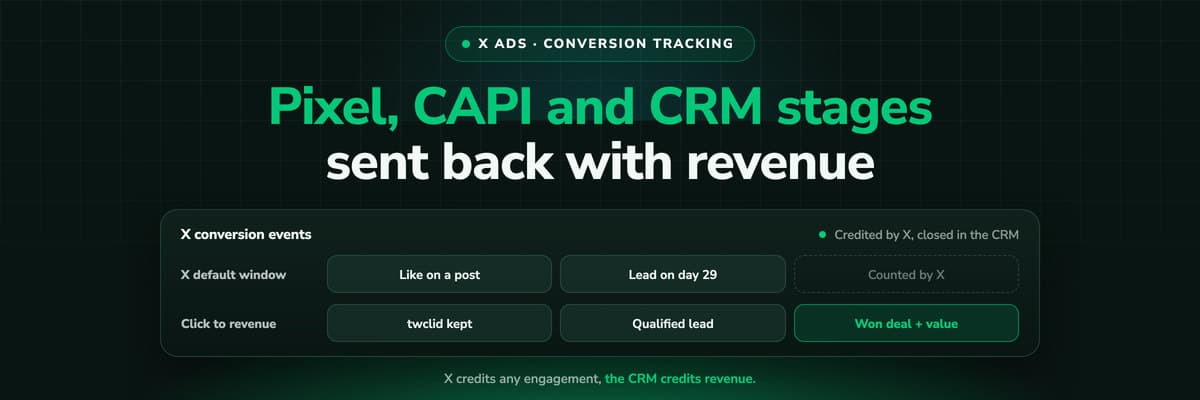
X reports what the X Pixel and the Conversions API tell it, credited after any engagement inside windows you set per event. What to count for lead generation and for a store, how the two sources deduplicate on one conversion ID, why X's count and the CRM disagree by design, how to verify it, and which number deserves the budget.Read the article19 min read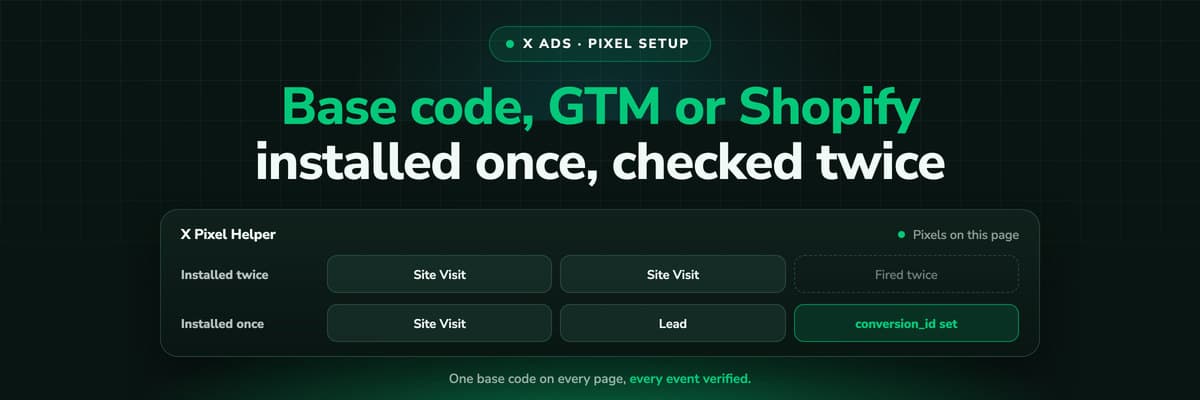 How To Guides
X Pixel Setup: Base Code, GTM, Shopify and Events
Every way to install the X Pixel, with X's own steps and code: creating it in Events Manager, the base code, event code, Google Tag Manager through the partner integration, Shopify, Ensighten and Tealium. Then the event types and parameters, cookies and consent, and how to check it all with the X Pixel Helper and the event statuses.Read the article18 min read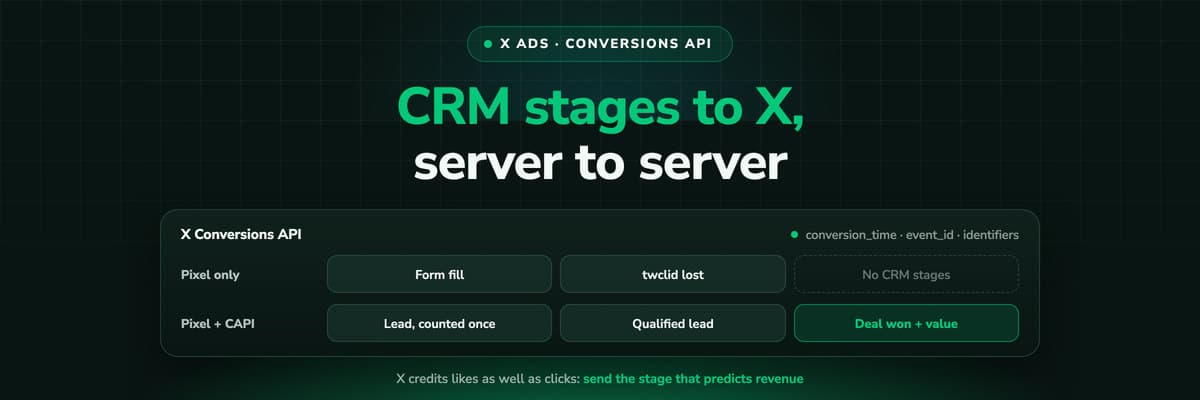 How To Guides
X Conversions API: Setup, Deduplication and CRM Events
The X Pixel reports what a browser lets it see. The Conversions API reports what your server tells it, including stages that happen in the CRM after the form. The endpoint and body, the access token against OAuth, identifiers and hashing, deduplication against the Pixel, the twclid you have to keep yourself, the limits, and what X will credit from a CRM.Read the article16 min read
X lead tracking
Ready to see which X ads produce qualified leads?
LeadJourney captures twclid server-side on every X click, follows each lead through your CRM and sends the stages you map back through X's Conversions API with the value attached. Live in about 21 minutes, 14-day free trial.