BlogHow To Guides
Google Ads MCP: The Official Server, Its Limits, Options
Google publishes an open source MCP server for the Google Ads API. It is read-only, has three tools and no public URL. What it does, how to run it locally or on Cloud Run, how Claude and Claude Code connect to it, what it cannot do, and the third-party servers that fill the gaps.

Contents
Summarise this article with AI
Opens the page with a ready prompt in:


Nothing is sent until you pick a service.
Search for a Google Ads MCP server and you find a dozen of them: Google's own, open source on GitHub, and a crowd of hosted connectors that promise to let Claude or ChatGPT run your campaigns. They are not the same kind of thing. Google's server reads your account and changes nothing. Several of the others can write, and they charge for it.
This guide covers the official server in detail, as it stands in October 2026: its three tools, how it runs, what changed with the developer token, how to connect Claude and Claude Code, where it stops, and which alternatives to look at when you need more than reading. It ends on the gap that no Google Ads server closes, because Google Ads does not know which of its leads became customers.
Quick Summary: The Google Ads MCP Server
In short
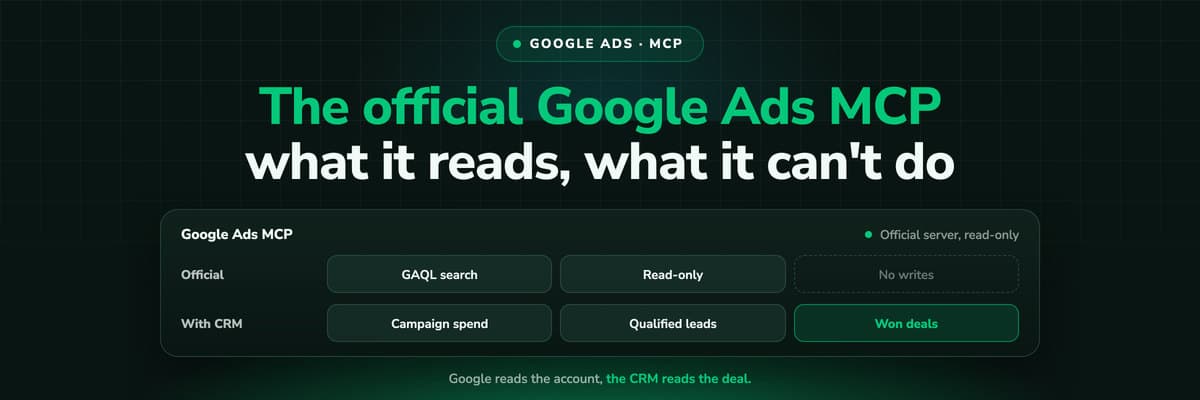
Google's official Google Ads MCP server is the open source project googleads/google-ads-mcp (Apache-2.0). It is read-only: it cannot change bids, pause campaigns or create assets. It has three tools, the main one a GAQL search, and it runs either locally over stdio or on your own Cloud Run service at your URL plus /mcp. There is no public Google-hosted URL, only a pilot for allowlisted participants. Claude and ChatGPT connect to a self-hosted deployment as custom connectors over OAuth; Claude Code connects to either. For writing, look at third-party servers such as Zapier MCP or Markifact, and for revenue, at a source that knows your CRM.
The official Google Ads MCP server at a glance, as of October 2026
| Question | Answer |
|---|---|
| Who publishes it | Google, open source at github.com/googleads/google-ads-mcp |
| Licence | Apache-2.0 |
| Read or write | Read-only in the current release |
| Tools | list_accessible_customers, search (GAQL), get_resource_metadata |
| Where it runs | Locally over stdio, or self-hosted on Cloud Run over streamable HTTP |
| Public URL | None. A hosted endpoint pilot exists for allowlisted participants |
| Auth | OAuth 2.0 or a service account, scope adwords, Google Cloud project required |
| Price | Free open source; normal Google Ads API quotas apply |
What the Official Google Ads MCP Server Is
MCP, the Model Context Protocol, is the standard an AI assistant uses to call tools outside itself. An MCP server wraps an API in tools the assistant can discover and call. Google's server wraps the Google Ads API: an assistant connected to it can list the accounts you have access to and run queries against them, then answer in plain language.
The Google Ads API team explored the idea in July 2025 and released the server on GitHub in October 2025, according to trade press coverage. Google's documentation page for it sits in the API's developer toolkit and was last updated on 16 October 2026. It is a developer tool, not a product inside Google Ads: nothing in the Google Ads interface turns it on, and Claude's connector directory lists no ads connector published by Google. You install it, or deploy it, yourself.
- list_accessible_customersReturns the Google Ads accounts the signed-in user or service account can reach. The first call in almost every conversation.
- searchRuns a Google Ads Query Language (GAQL) query: metrics, budgets, statuses, segments. Everything the assistant reports comes through this one tool.
- get_resource_metadataDescribes a resource's fields, so the assistant can write a valid query instead of guessing field names.
The repo also ships resources the assistant can read: the API's discovery document, lists of metrics and segments, and the release notes. In practice that means a good assistant writes correct GAQL on the first or second attempt, because it can look the field up.
Read-Only: What It Can and Cannot Do
Google's documentation is direct about it: the current release is read-only. The assistant can see everything a GAQL query can see and change nothing. For an audit, a weekly report or a question about last month, that is a feature, not a limit. Nobody has to worry that a loosely worded prompt paused the brand campaign.
Pros
- Campaign, ad group, keyword and search term performance over any date range GAQL allows
- Budgets, bid strategies, statuses and settings, read in one query
- Segments such as device, network, day and conversion action
- Manager accounts, with the login customer ID set
- No risk of an unintended change: there is no write tool
Cons
- Cannot change bids or budgets
- Cannot pause or enable campaigns, ad groups or ads
- Cannot create campaigns, ads or assets
- No keyword ideas or search volumes (see below)
- No public hosted URL to paste into a connector
The keyword ideas limit, as we read it
This one is our reading of the documentation, not a sentence Google wrote. The only data tool is the GAQL search. Keyword ideas and search volumes come from the API's KeywordPlanIdeaService, which is a separate call rather than a resource GAQL can query, and neither the documentation page nor the README mentions it. So, as far as we can tell, the official server cannot return keyword ideas. If keyword research is the job, use the Keyword Planner in Google Ads, or a third-party server that documents it.
Local stdio or Cloud Run: Where the Server Runs
There are two ways to run the server, and the choice decides which assistants can reach it. A lot of the "google ads mcp server url" searches end here: there is no URL until you deploy one.
Locally, over stdio
Started on your machine with pipx and spoken to through standard input and output. Right for Claude Code, Codex, Cursor or Gemini CLI on the same computer. Nothing is exposed to the internet.
On your Cloud Run, over HTTP
Deployed to Google Cloud Run with streamable HTTP. The endpoint is your Cloud Run URL plus /mcp. Right for Claude on the web and ChatGPT, which connect to a remote server over OAuth.
Google-hosted pilot
The documentation mentions a hosted endpoint pilot for allowlisted participants. It is not public, and Google does not say on the page how to join.
Clients that do not speak OAuth get an HTTP 401 from the Cloud Run deployment, and Google's advice for them is the local stdio setup. Rate limits for the server itself are not stated; it calls the Google Ads API, so the normal API quotas apply to every query the assistant runs.
Authentication, and the Developer Token Question
The server authenticates the way other Google Cloud tools do, through Application Default Credentials: either OAuth 2.0 as a user, or a service account. The scope is https://www.googleapis.com/auth/adwords. Two environment variables matter.
- GOOGLE_PROJECT_ID is required: the Google Cloud project the server runs under.
- GOOGLE_ADS_LOGIN_CUSTOMER_ID is needed when you reach client accounts through a manager account, as most agencies do. It is the manager's customer ID.
The docs and the README disagree about the developer token
As of October 2026 the two official sources say different things. Google's documentation page says that GOOGLE_ADS_DEVELOPER_TOKEN "was sunset on September 9, 2026", and that the latest version ties the API access level (Explorer, Basic or Standard) to the Google Cloud project instead. The GitHub README still says developer tokens need at least Explorer access. The documentation page is the more recently updated of the two, so start from it, and if a setup fails on a token error, check which version of the server you installed.
Who should own the credentials
A service account in a project your team controls survives the person who set it up leaving. An OAuth login as yourself is quicker to test with. For an agency, decide this before ten client accounts depend on one person's Google login.
Connecting Claude, Claude Code and ChatGPT
Which route you take follows from where the server runs. Google documents Claude and ChatGPT as custom connectors over OAuth on a self-hosted /mcp endpoint, and lists their redirect URIs (claude.ai and chatgpt.com) for that setup. The repo adds Claude Code, Codex, Cursor and VS Code Copilot.
Claude Code, against a Cloud Run deployment
Claude Code adds a remote server with one command. Replace the URL with your own Cloud Run service, then sign in with /mcp inside Claude Code.
claude mcp add --transport http google-ads https://<your-cloud-run-url>/mcpClaude Code, against a local server
For stdio, Claude Code takes the command that starts the server after a double dash. Use the exact pipx command and environment variables from the repo's README, since they change between versions.
claude mcp add google-ads -- <command that starts the server, from the README>Claude Code's scopes decide who sees the server: local (the default, only you in this project), project (written to .mcp.json and shared with the repo) or user (you, in every project). For an agency team, project scope keeps one definition in version control.
Claude on the web and Claude Desktop
- Deploy the server to Cloud Run and note the URL plus /mcp.
- In Claude, open Settings, then Connectors, and add a custom connector with that URL. On Team and Enterprise an Owner adds it in the organisation settings and members connect individually.
- If your deployment needs its own OAuth client, enter the client ID and secret under the connector's advanced settings.
- Connect, sign in with Google, and enable the connector in a chat.
Custom connectors are available on every Claude plan, with Free limited to one. Anthropic notes that it has not verified third-party servers, and to Claude a server you deploy yourself is one of those. ChatGPT works the same way in developer mode: add the server URL as a custom app with OAuth. The setup and the prompts worth asking once it is connected are in Claude for Google Ads.
Google's Ads Skills and the Developer Assistant Plugin
Next to the server, Google publishes agent skills for the Google Ads API: instructions an assistant loads when a task needs them. They install with one command, and the documentation names three of them: an MCP setup skill, an account diagnostics skill and an API quickstart.
npx skills add google/skills/skills/adsGoogle also lists a "Google Ads API Developer Assistant" plugin for Antigravity and Claude Code. The difference matters when you read about a "Claude Google Ads skill": a skill teaches the assistant a procedure, the MCP server gives it the data. You need the server for the skill to have anything to work on.
Third-Party Google Ads MCP Servers That Can Write
If you need an assistant that can act on Google Ads, the official server is not it today. Hosted third-party services fill that gap. They are run by companies other than Google, they hold your Google Ads access on their side, and their prices and features move, so treat the table as a starting list as of October 2026, not a verdict.
Third-party Google Ads MCP options, as their own pages describe them (October 2026)
| Service | Hosted | Read or write | Price as stated |
|---|---|---|---|
| Zapier MCP | Yes | Find campaign, set campaign status, create report, send offline conversion, customer list actions | Two Zapier tasks per successful tool call |
| Pipedream | Yes | Four Google Ads actions as tools | Not checked |
| Markifact | Yes | Read and write, nothing goes live without approval | From $79 a month (Pro), $249 (Team) |
| Adzviser | Yes | Not stated | $48.99 a month (3 sources), $148.99 (7) |
| Pipeboard | Yes | Also hosts a Google Ads server; its Meta server reads and writes | Free tier, paid tiers |
| Adspirer Search Ads | Yes, in Claude's directory | Google and Microsoft search ads | Not checked |
Three questions to ask any of them before you connect a client account: which OAuth scopes it requests and where the token is stored, whether a write needs your confirmation in the chat or happens on the first instruction, and whether there is a log of what the assistant changed. A read-only server needs none of those answers, which is the official one's quiet advantage. The wider comparison, including Meta, Microsoft and TikTok, is in Ads MCP servers compared, and the trade-offs between an MCP server, a direct API script and Zapier in MCP vs API vs Zapier for ad reporting.
The Gap No Google Ads MCP Server Closes
Every Google Ads server, official or not, reads Google Ads. And Google Ads knows what Google Ads measured: clicks, costs, and the conversions its tags and imports recorded inside their conversion windows. For a lead business that conversion is usually a form fill. Whether the lead was qualified, whether it booked a call, whether it closed and for how much: that lives in your CRM, which Google Ads only knows about if you send it back.
So the question an assistant answers best through a Google Ads server is "what does Google Ads say", not "which campaign made us money". Ask Claude for the cheapest campaign per lead and it will find one correctly by Google's numbers, and it may be the one whose leads never close. The worked example is in Why your ad platform's MCP gives Claude the wrong CPL.
- Send the outcome back to GoogleImport qualified leads and won deals as offline conversions or enhanced conversions for leads, so Google's own columns include them. See offline conversion tracking.
- Give the assistant the CRM side directlyConnect a second MCP server that holds the closed revenue per campaign, joined to the click, and ask both in one chat.
How LeadJourney Fits Next to the Google Ads MCP Server

LeadJourney tracks every click, form fill and call server-side and first-party, at 95%+ accuracy, and keeps the gclid on the visitor. The lead is followed into the CRM (HubSpot, Salesforce, Pipedrive, Close, Attio, GoHighLevel, ActiveCampaign, Odoo, Zoho CRM and Microsoft Dynamics 365 are native), so each Google Ads campaign, ad group and ad carries its qualified leads, booked demos and won revenue next to the spend the Google Ads integration imports. The CRM stages you map go back to Google Ads as conversions.
Its MCP server is one endpoint, https://api.leadjourney.io/mcp, with OAuth per application, and works with Claude, ChatGPT, Gemini, Copilot and Perplexity. It reads journeys, spend by platform and campaign, and CRM outcomes. What it changes stays inside LeadJourney: reports and dashboards it builds and saves, the attribution model and lookback window. It cannot pause a campaign, move budget or create an ad, and it acts only when you send a message.
That makes the two servers complementary rather than competing. Google's server answers what Google Ads saw; LeadJourney's answers what the CRM says came of it. Where a change follows, you make it in Google Ads, or through a write-capable server you trust. The MCP connection is included from the Growth plan, and below it is an add-on at €49 a month for advertisers or €99 a month flat for agencies. Setup for Claude is on LeadJourney for Claude.
Further Reading
- Ads MCP servers compared: Meta, Google, LinkedIn, TikTok and more
- Claude for Google Ads: connect it, then ask better questions
- Why your ad platform's MCP gives Claude the wrong CPL
- MCP vs API vs Zapier for ad reporting
- Automated budget rules on cost per qualified lead
- Meta Ads MCP: setting up Meta's official server
- Google Ads enhanced conversions for leads
- The LeadJourney MCP server
- The Google Ads integration
FAQ
Frequently Asked Questions
What people ask about Google's MCP server before they install it, and right after.
Is there an official Google Ads MCP server?
Yes. Google publishes it as open source at github.com/googleads/google-ads-mcp under the Apache-2.0 licence, with a documentation page in the Google Ads API developer toolkit. The current release is read-only and has three tools: list_accessible_customers, search (GAQL) and get_resource_metadata.
What is the Google Ads MCP server URL?
There is no public one. You run the server locally over stdio, or deploy it to your own Cloud Run service, in which case the endpoint is your Cloud Run URL plus /mcp. Google mentions a hosted endpoint pilot for allowlisted participants only.
Can the Google Ads MCP server change my campaigns?
No. Google's documentation says the current release is read-only: it cannot change bids, pause campaigns or create assets. Third-party hosted servers such as Zapier MCP or Markifact offer write actions, with their own pricing and permissions.
How do I use the Google Ads MCP server with Claude Code?
For a Cloud Run deployment, run claude mcp add --transport http with a name and your URL plus /mcp, then sign in with /mcp. For a local server, run claude mcp add with a name, a double dash and the start command from the README.
Do I still need a Google Ads developer token?
As of October 2026 the sources disagree. Google's documentation says the developer token variable was sunset on 9 September 2026 and the access level now belongs to the Google Cloud project. The GitHub README still asks for a token with at least Explorer access. Follow the documentation and check your installed version.
Can ChatGPT connect to Google Ads through MCP?
Yes, as a custom app in developer mode against a self-hosted deployment over OAuth. Google lists the chatgpt.com redirect URI for that setup. Like Claude, ChatGPT then sees what Google Ads measured, not what your CRM says happened next.
Keep reading
More from the blog
 How To Guides
Meta Ads MCP: Setting Up Meta's Official Server
Meta runs its own MCP server for ads at mcp.facebook.com/ads. What it does, which permissions it needs, how agencies get access, how to add it to Claude and ChatGPT, what the third-party servers offer instead, and how to use the write tools without spending money by accident.Read the article12 min read How To Guides
LinkedIn Ads MCP: Your Options Without an Official Server
LinkedIn has no official MCP server as of October 2026, unlike Meta, Google, Microsoft, TikTok and X. What the third-party LinkedIn Ads MCP options are, why there are so few, what to check before you connect one to an account with spend on it, and how to ask Claude about LinkedIn campaigns on pipeline rather than form fills.Read the article11 min read How To Guides
Claude for Meta Ads: Connector, Skills and 25 Prompts
Claude can read and draft Meta campaigns through Meta's own MCP server. What a connector, a skill and a plugin each are, how to set it up, 25 prompts that work for reporting, audits, creative review and paused launches, and the one thing none of them can answer from Meta's data alone.Read the article13 min read
Google Ads MCP
Ready to give Claude the revenue behind every campaign?
LeadJourney keeps the gclid server-side, follows each lead to the closed deal in your CRM, and makes spend and revenue per campaign readable from Claude or ChatGPT through one MCP endpoint. Live in about 21 minutes, 14-day free trial.