BlogHow To Guides
AI Ad Creative Analysis: Hook, Body and Close on Revenue
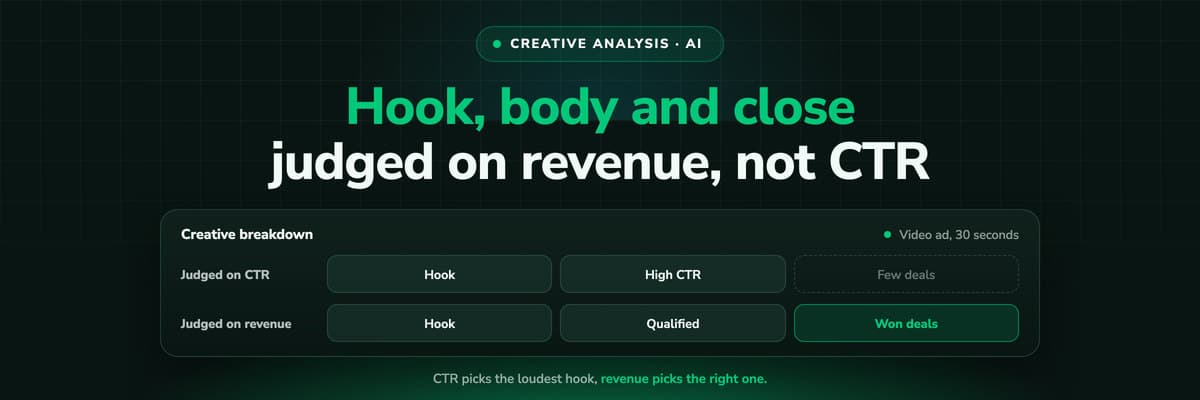
Most creative analysis ranks ads by click-through rate, which rewards the hook that gets attention, not the one that gets customers. The method for judging hook, body and close on revenue: get the words out of the platform, transcribe video yourself, tag with a fixed template, and join every ad to the deals it produced.

Contents
Summarise this article with AI
Opens the page with a ready prompt in:


Nothing is sent until you pick a service.
Ask an AI assistant which of your ads is best and it will rank them by the numbers it can see: click-through rate, cost per click, cost per result. That ranking rewards whatever stops the scroll. A hook that promises something outrageous wins on CTR and fills the CRM with people who were never going to buy.
This guide is the method for judging creatives on what they earn. Get the words of every ad out of the platform, transcribe the video, split each ad into hook, body and close, tag them with one fixed template, and join each ad to the leads, qualified leads and revenue in your CRM. AI does the tedious middle; the verdict comes from the revenue.
Quick Summary: Creative Analysis on Revenue
In short
Judge creatives on customers, not clicks. Meta's Marketing API gives you each ad's text fields and, for video, a URL to the raw file and a captions edge, but no transcript, so transcribing is your job. Split every ad into hook (the first line or first seconds), body and close, tag each part with a fixed set of labels, then join the ads to spend from the platform and to qualified leads and closed revenue from your CRM. Compare groups of ads that share a tag, never single ads, and treat a handful of deals as a direction rather than a result.
Below: why CTR misleads, what the API returns, transcription, the tagging template, the join to revenue, a worked example, and how to run it with Claude.
Why Ranking Creatives on CTR Picks the Wrong Winner
Click-through rate measures one thing: how many people who saw the ad were curious enough to tap it. Curiosity is cheap to produce. A free offer, a shocking number, a vague promise to "10x your leads" all raise it. None of them says anything about whether the person who tapped has the problem you solve and the budget to pay for it.
- CTR rewards attentionThe hook does almost all the work. A broad hook reaches more people and more of them click, qualified or not.
- Cost per lead rewards easy formsAn ad that sets low expectations converts more visitors into leads. Whether sales can use them is invisible to the platform.
- Revenue rewards the right promiseThe ad that names the buyer's real problem and asks for a real commitment often has a higher CPL and the lowest cost per customer.
The platform's bidding makes this worse: optimise on leads and it finds more people who click and fill forms, which is the same signal the CTR ranking already over-weights. The fix on the delivery side is to send CRM stages back to Meta and Google. The fix on the analysis side is this post.
What Meta's API Gives You for Each Ad
Before anything can be tagged, you need the words. Meta's Marketing API describes each ad's creative with these fields (as of October 2026).
Ad creative fields useful for analysis, from Meta's Marketing API reference
| Field | What it holds | Note |
|---|---|---|
| body | The primary text | Not supported for video post creatives |
| title | The headline | |
| call_to_action_type | The button, for example Learn More or Sign Up | Part of the close |
| object_story_spec | The post behind the ad: link, photo or video data | Where the copy of many ads actually lives |
| asset_feed_spec | Dynamic Creative variants, as a JSON string | One ad, several hooks and bodies |
| video_id | The video used | Leads to the Video node below |
| image_url, image_hash, thumbnail_url | The image or the video's thumbnail | For a visual tag, not for words |
For video: the file and the captions, not the words
The Graph API's Video node carries source, which Meta describes as "a URL to the raw, playable video file", plus picture, description, name and a captions edge. There is no transcript field. Whether you can read source depends on the access token you use. So the spoken words of a video ad come either from captions you uploaded or from transcribing the file yourself.
Meta's ads MCP server has tools for this layer too: ads_get_creatives, ads_get_ad_videos, ads_get_ad_images and ads_get_ad_preview, with ads_get_ad_entities for spend, impressions, CTR and conversions. Whether its video tool returns the source URL is not documented, so check what yours returns before you build on it. On Microsoft Advertising, the read only MCP server's GetAssets returns text, image and video assets with performance per association, and GetAssetGroups returns Performance Max headlines and descriptions. More in Meta Ads MCP and the ads MCP servers comparison.
Transcribe the Video Yourself
Any speech-to-text tool will do, from a desktop app to a transcription API. What matters is what you keep from it.
- Keep timestamps. The hook is defined by time (the first few seconds), so a transcript without times cannot be split reliably.
- Add the on-screen text. Many ads carry the hook as a caption over silent footage. Note it with its timestamp, from the captions file or by watching.
- Store one transcript per video id, not per ad. The same video runs in many ads; transcribe once and reuse.
- Write down what the first frame shows. A face talking, a product screen, a chart. It is part of the hook even when no word is said.
Rights and access
Download only videos your token is allowed to read, and keep the files where your data policy allows. A competitor's ads in the public Ad Library are for reading, not for building a dataset of their files.
Split Every Ad Into Hook, Body and Close
Hook
The first line of text or the first seconds of video. Who it calls out and what it promises. It decides who stops.
Body
The middle: the problem, the mechanism, the proof. It decides who keeps reading and what they believe when they click.
Close
The ask and the button. What the person is asked to do and what it costs them: a download, a trial, a call.
The split is a judgement call, and that is fine as long as it is the same judgement every time. Write a one paragraph definition of where the hook ends for your formats (for example: the first sentence of text ads, the first spoken sentence or first caption of video ads) and apply it to every ad.
A Tagging Template You Can Copy
Free text cannot be grouped. Tags can. Fix a short list of values per column before you start, and let a value be "other" rather than inventing a new one per ad.
Creative tagging template: one row per ad (values are suggestions to adapt)
| Column | Part | Example values |
|---|---|---|
| Ad id, video id | From the platform, the join key | |
| Format | Static, video under 30s, video over 30s, carousel | |
| Who it calls out | Hook | Role named, industry named, problem named, nobody |
| Hook type | Hook | Pain question, result claim, contrarian statement, product demo, customer story |
| First frame | Hook | Face, product screen, chart, text card |
| Promise | Body | Save time, more leads, better leads, lower cost, revenue proof |
| Proof type | Body | Customer name, number, screenshot, none |
| Specificity | Body | Concrete figure, vague claim |
| Ask | Close | Download, webinar, trial, demo, call |
| Commitment | Close | Low, medium, high |
| Qualifier in copy | Close | Price mentioned, minimum size mentioned, none |
This is where an AI model saves hours. Give Claude the transcript and text fields of each ad plus the template with its fixed values, and ask it to fill one row per ad and quote the sentence behind each tag. Check a sample by hand; if more than a few rows are wrong, tighten the definitions rather than the prompt. A Claude Skill (a folder of instructions Claude loads for a task) is a good place to keep the template so every run uses the same one.
Join Every Ad to What It Produced
The tags are half the dataset. The other half is, per ad: spend from the platform, and leads, qualified leads, won deals and revenue from the CRM. The join needs the ad on every lead, which means one of two things.
- The ad id in the URLA UTM parameter (often utm_content) filled with the ad id or a name that maps to it, carried into a hidden form field and stored on the lead. Breaks on redirects and when people come back later without the parameters.
- The click id joined to the dealfbclid, gclid and the others kept with the visitor and resolved to the ad, then followed through the CRM. Survives a return visit days later. See click ids.
Then decide the revenue rules once: closed-won value or paid orders, never pipeline; which attribution model credits the ad; and a cut-off that leaves time for deals to close. A creative that ran last week has not had a chance to produce revenue yet.
A Worked Example: Three Hook Types, Two Rankings
Example: one quarter, ads grouped by hook type (all figures are examples)
| Hook type | Spend | Leads | CPL | Qualified | Cost per qualified | Won | Revenue | ROAS |
|---|---|---|---|---|---|---|---|---|
| Result claim | $4,000 | 160 | $25 | 10 | $400 | 2 | $10,000 | 2.5 |
| Pain question | $4,000 | 80 | $50 | 16 | $250 | 4 | $24,000 | 6.0 |
| Product demo | $2,000 | 40 | $50 | 10 | $200 | 3 | $18,000 | 9.0 |
Ranked on CPL, the result claim hook wins by half. Ranked on cost per qualified lead and on ROAS, it comes last, and the product demo hook leads. That reversal is the whole reason to do this work.
Nine deals are a direction, not a verdict
Two, four and three won deals are small numbers. One more or one fewer deal in a row changes its ROAS a lot. Read the qualified column first, where the counts are larger, and use the result to design the next test rather than to declare a winner. The arithmetic of why is in which ad copy attracts leads that close.
Running the Analysis With Claude and Two Connectors
In one Claude chat, the platform connector supplies creatives and spend, and the LeadJourney MCP server supplies the CRM side per ad. The transcripts you made come in as files. A session looks like this:
- "List every ad that spent in the last 90 days with its creative text, video id and spend." The Meta connector answers.
- "Here are the transcripts by video id. Fill the tagging template for each ad and quote the line behind each tag."
- "For the same ads and dates, give me leads, qualified leads, won deals and revenue." The LeadJourney connector answers from the CRM.
- "Group by hook type, then by ask. Show cost per qualified lead and ROAS, with the counts beside them."
- "Which tags show up in our best ads by qualified leads but not in our best ads by CTR?" This is the question that pays for the exercise.
The output is a brief for the next round of creatives, not an automatic change. Any edit to a live ad goes through the platform connector or Ads Manager, with you approving it. More prompts in Claude for Meta Ads.
Where LeadJourney Fits
LeadJourney does not analyse creatives, tag hooks or transcribe video. It supplies the half of the dataset the platform cannot: which ad each lead came from and what that lead became. One script, live in about 21 minutes, tracks every click, form fill and call server-side and first-party at 95%+ accuracy, keeps the click ids and joins each lead to its CRM deal in HubSpot, Salesforce, Pipedrive, Close, Attio, GoHighLevel, ActiveCampaign, Odoo, Zoho CRM or Microsoft Dynamics 365.
The result is spend, leads, qualified leads, won deals and revenue per campaign, ad set and ad, synced with Meta, Google, LinkedIn, Microsoft, Reddit, X, Taboola and Outbrain, under the attribution model you choose. The same numbers are in the MCP server for Claude or ChatGPT, which reads them and builds reports but never edits an ad. The CRM stages also go back to the platforms as conversions, so delivery learns from the ads that make customers.
Further Reading
- Which ad copy attracts leads that close
- Automated budget rules on cost per qualified lead
- Claude for Meta Ads: connector, skills and 25 prompts
- Meta Ads MCP plus your CRM: which campaigns made revenue
- Ads MCP servers compared
- Why your ad platform's MCP gives Claude the wrong CPL
- How to increase the quality of your leads in performance marketing
- Lead quality per channel and campaign
In the glossary
FAQ
Frequently Asked Questions
What performance marketers ask before they let AI judge their creatives.
Can AI analyse my Meta ad creatives?
It can tag and compare them once it has the words. Give an assistant like Claude the text fields, transcripts and a fixed tagging template, and it fills the rows quickly. Whether a creative is good is still decided by the revenue it produced, which comes from your CRM.
Does the Meta API return a transcript of my video ads?
No. The Video node has a source field with a URL to the raw file and a captions edge, but no transcript field. You transcribe the file yourself or use the captions you uploaded.
Can the Meta ads MCP server read my creatives?
It has tools for creatives, ad videos, ad images and ad previews, plus reporting on spend and CTR. Whether it returns the raw video URL is not documented, so check its answer for your account.
What is a hook in an ad?
The first line of text or the first seconds of video: who the ad calls out and what it promises. It decides who stops scrolling, which is why it dominates CTR and why it should be judged on qualified leads instead.
How many ads do I need before the analysis means anything?
Enough that each tag group has a meaningful number of qualified leads behind it. A few won deals per group is a direction for the next test, not a result. Compare groups, not single ads.
How do I connect an ad to revenue?
Put the ad on every lead, through the ad id in a UTM parameter or through the click id joined to the CRM deal, then count won deals and their value per ad after a cut-off that lets deals close.
Keep reading
More from the blog
 How To Guides
Google Ads MCP: The Official Server, Its Limits, Options
Google publishes an open source MCP server for the Google Ads API. It is read-only, has three tools and no public URL. What it does, how to run it locally or on Cloud Run, how Claude and Claude Code connect to it, what it cannot do, and the third-party servers that fill the gaps.Read the article13 min read How To Guides
Meta Ads MCP: Setting Up Meta's Official Server
Meta runs its own MCP server for ads at mcp.facebook.com/ads. What it does, which permissions it needs, how agencies get access, how to add it to Claude and ChatGPT, what the third-party servers offer instead, and how to use the write tools without spending money by accident.Read the article12 min read How To Guides
LinkedIn Ads MCP: Your Options Without an Official Server
LinkedIn has no official MCP server as of October 2026, unlike Meta, Google, Microsoft, TikTok and X. What the third-party LinkedIn Ads MCP options are, why there are so few, what to check before you connect one to an account with spend on it, and how to ask Claude about LinkedIn campaigns on pipeline rather than form fills.Read the article11 min read
Creative analysis
Ready to see which ads make customers?
LeadJourney joins every ad click to the CRM deal and shows qualified leads and closed revenue per campaign, ad set and ad. Live in about 21 minutes, 14-day free trial.