


















BlogHow To Guides
Pipedrive Lead Source Tracking: Source Origin vs Source Channel
Pipedrive gives every lead and deal three source fields: an origin the system sets, a channel a person picks and a free text ID. What each one records, the five ways the report still goes wrong, and how to put a measured first touch on the deal.

Contents
Summarise this article with AI
Opens the page with a ready prompt in:


Nothing is sent until you pick a service.
Open a won deal in Pipedrive and look at its source. Source origin says Web forms. Source channel says Paid search, or nothing, depending on who created the lead and how carefully. Source channel ID is empty. That is the record your budget conversation is supposed to run on.
Pipedrive added these fields in 2024 and they are a real improvement on the custom dropdown most accounts used before. This is what each of them records, why none of them can say which ad started the deal, and how to fill the gap without rebuilding your Insights reports.
Quick Summary: Lead Source in Pipedrive
In short
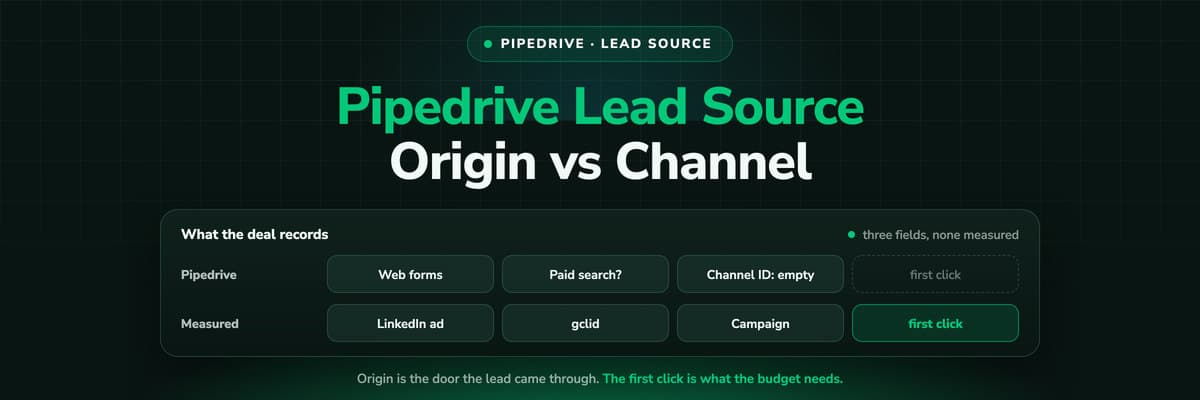
Pipedrive records three source fields on every lead and deal. Source origin is set by the system and says how the record was created: a web form, the chatbot, an import, the API. Source channel is a single option a person picks or an integration fills, and Source channel ID is free text for a campaign or ad id. None of them is measured. Origin is the door the record came through, channel is a judgement, and the visits before the form, where the first ad click lives, are recorded by nothing in Pipedrive.
The Three Source Fields, and What Each One Means
Since May 2024 Pipedrive gives leads and deals the same four source properties in its API: origin, origin ID, channel and channel ID. Three of them show up in the interface, and they answer three different questions.
Source origin: how the record was made
Set by the system and read only. The values are Manually created, Import, API, Automation, Marketplace, Prospector, Lead suggestions, Web forms, Chatbot, Live chat, Web visitors, Campaigns and Messaging Inbox. It is reliable precisely because nobody can type into it.
Source channel: where the person came from
A single option field. Anyone can edit it and Pipedrive sometimes fills it automatically. Admins add or remove options under Company settings, Data fields, so the list is your own.
Source channel ID: the detail
Free text. Meant for the campaign name, the ad id or the partner code that sits under the channel, and empty in most accounts because nothing fills it unless somebody builds it.
Do not rename a default channel
Pipedrive warns against it in its own documentation: the option keeps its system id when you rename it, so integrations and filters keyed on the id keep meaning the old thing. Add a new option and retire the old one instead.
What Pipedrive Gets Right Here
Before the gaps, the credit. Most CRMs at Pipedrive's size still ship a single editable Lead Source dropdown, and Pipedrive did three useful things instead.
- Origin cannot be fakedBecause Source origin is system set, it is the one source value in the account you can trust completely. If a report says 40 deals came from Web forms, 40 deals were created by a web form.
- The fields live on the dealLeads and deals carry the same properties, so the source does not have to be copied across by an automation when a lead is converted. That is a standing headache in other CRMs.
- Insights can use the channelThe win and loss conversion report can be viewed by source channel, so a clean channel field turns into a win rate per channel without any export.
The Five Ways the Source Report Still Goes Wrong
- Origin is the door, not the reason. Web forms tells you the person submitted a form. It cannot tell you whether a LinkedIn ad, a Google search or a ChatGPT answer brought them to the page, which is the only question the budget depends on.
- Channel is a judgement. Where a person fills it, it is whatever the rep believed on the day, often after asking the prospect, who remembers the last thing they saw. Where nobody fills it, it is empty, and empty is the largest channel in most accounts.
- Nothing records the visits before the form. The ad click three weeks earlier, on a page without a form, left no trace in Pipedrive. The first touch is not wrong in the report, it is structurally missing.
- One value per record. A journey that crossed a LinkedIn ad, an organic visit and a brand search becomes one channel. There is no first touch field next to a last touch field, and no credit split.
- No cost anywhere. No ad spend enters Pipedrive, and Insights has no cost or ROI report type, so even a perfect channel field can show you won value per channel but never what that value cost.
None of these is a Pipedrive bug. A CRM starts recording at the moment a person becomes a record, and in attribution the touches that decide the budget happen while the person is still anonymous.
How Teams Fill the Gap Today
Three approaches turn up in almost every Pipedrive account we look at, roughly in order of effort.
- A rule for reps. A required Source channel on deal creation and a short list of options. Cheap, and it fixes the empty share. It does not fix the judgement problem, and it slows every manual deal down.
- UTM capture on the form. Hidden fields or a capture script that write utm_source, utm_campaign and the click ID into custom fields on the lead or deal. It records the visit that converted, which is better than nothing and is still the last touch. The UTM parameters guide walks through it.
- A Marketplace app. Several apps write UTMs, first and last click and the Google click ID into Pipedrive fields through their own script, and some send conversions back to the ad platforms. The tools that work with Pipedrive compares them.
An Afternoon Audit of Your Own Pipedrive Data
Four numbers from filters and Insights reports you can build today. Each one answers a different question.
- The empty share. Deals created in the last 90 days with no Source channel. That is the part of your pipeline whose channel you cannot name at all.
- The origin mix. The same deals grouped by Source origin. Manually created, Import and API cannot carry a click by definition, so their share is the floor on what any tool can attribute after the fact.
- The win rate by channel. The conversion report viewed by source channel. If Paid search wins at twice the rate of Paid social, that is worth knowing, and it is also the number the next three points will put into doubt.
- The ID share. Won deals in the last year with anything in Source channel ID or a UTM field. In most accounts it is a small fraction, and it is the share you could actually tie to a campaign.
Those four take an afternoon and turn a budget argument into arithmetic.
How LeadJourney Fills In the Part Before the Form

The Pipedrive integration is native: a one click sign in and a field mapping screen, live in about 21 minutes and without a developer. LeadJourney writes source, campaign, ad, click ID, every UTM parameter and the landing page onto the Person, and the attributed channel, campaign and credit onto the Deal, into its own custom fields. Your Source channel stays exactly as your team keeps it.
The measurement underneath is one script on your site or in your GTM container. It records every visit server-side on your own domain, first-party, at 95%+ accuracy, and captures each platform's click ID at the moment of the click: gclid with gbraid and wbraid, fbclid, li_fat_id and msclkid. The anonymous history is joined to the person at the form fill, the call or the booking, so an ad clicked in March is still on the deal won in September.
Stage changes and won deals come back from Pipedrive as they happen. Spend from the ad accounts is joined to the deals, and a won deal goes back to the platform that produced the click with its value attached. Five attribution models run on the same events, so first click and last click can be compared without tracking anything twice.
The limits, said out loud: tracking respects consent decisions rather than working around them, so a visitor who declines is not measured, and a deal that never touched your website still needs a channel picked by a person.
Further Reading
The rest of this series: UTM parameters in Pipedrive, connecting Pipedrive to Google Ads, Pipedrive and Meta Ads, Pipedrive and Google Analytics, website tracking in Pipedrive and a marketing reporting dashboard in Pipedrive. For tools, the attribution tools that work with Pipedrive. On the product side, fixing the lead source in your CRM and the lead source glossary entry.
In the glossary
FAQ
Frequently Asked Questions
The questions Pipedrive admins and marketers ask when the source report stops adding up.
What is the difference between Source origin and Source channel in Pipedrive?
Source origin is set by the system and says how the record was created: Web forms, Chatbot, Import, API, Manually created and so on. Nobody can edit it. Source channel is a single option field that says where the person came from, such as paid search or a referral. A person can edit it and an integration can fill it. Origin is reliable but describes the door the lead walked through; channel describes the reason, and is only as good as whoever set it.
How do I add a source channel in Pipedrive?
An admin adds options under Company settings, Data fields, on the lead or deal source channel field. Two cautions. Do not rename a default option, because it keeps its system id and anything keyed on that id keeps meaning the old value; add a new option and stop using the old one. And keep the list short, because every option is one more judgement call for whoever creates the next deal.
What is the Source channel ID field for?
It is a free text field under the channel, meant for the detail: a campaign name, an ad id, an affiliate or partner code. Pipedrive does not fill it from your ad accounts, so in most accounts it is empty. If you fill it, fill it from a script or integration rather than by hand, and decide whether it holds the first or the last campaign, because one field cannot hold both.
Does Pipedrive track UTM parameters?
Not by itself. There are no default UTM or click ID fields, and Pipedrive's Web Forms documentation says nothing about capturing URL parameters. Teams create custom fields for utm_source, utm_medium, utm_campaign and the click ID, and fill them with hidden fields on their own form, a capture script, a Marketplace app or an attribution tool. Whatever fills them records the visit that converted unless it also remembers the first one.
Can I report revenue by lead source in Pipedrive?
Yes, by source channel: the win and loss conversion report can be viewed by it, and deal reports can sum won value by it. What Pipedrive cannot show is what that revenue cost, because no ad spend enters the CRM and Insights has no cost or ROI report type. For revenue per campaign against spend, the campaign has to be on the deal and the spend has to be joined to it somewhere.
Why does the source in Pipedrive disagree with Google Ads?
They measure different things. Google counts a conversion against the click and applies its own window, while Pipedrive records how a lead was created and, at best, the channel someone picked. A lead whose first click was a Google ad and who later returned through a brand search may be Paid search in one place and Direct in the other. Decide in advance which number the budget conversation uses, and put the click on the deal so the two can be reconciled.
Keep reading
More from the blog
 How To Guides
Incrementality Testing for Lead Gen: Run a Test on CRM Revenue
A lift test is only as good as the outcome it reads, and for lead generation the platforms read form fills. This guide compares the methods, lists what Google and Meta require for a lift study, and walks through a geo holdout read on qualified leads and deals from your CRM, with a worked example that adds up.Read the article19 min read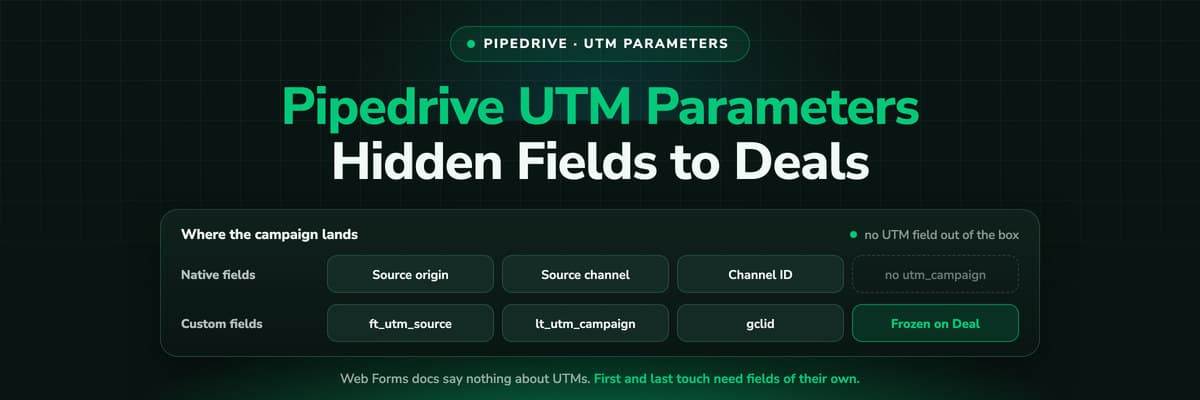 How To Guides
Pipedrive UTM Parameters: Hidden Fields, Web Forms and Deals
Pipedrive has no UTM field and its Web Forms documentation says nothing about hidden fields. How teams get utm_source and the click ID onto the Lead and the Deal anyway, the naming that keeps it reportable, and why first touch needs its own fields.Read the article11 min read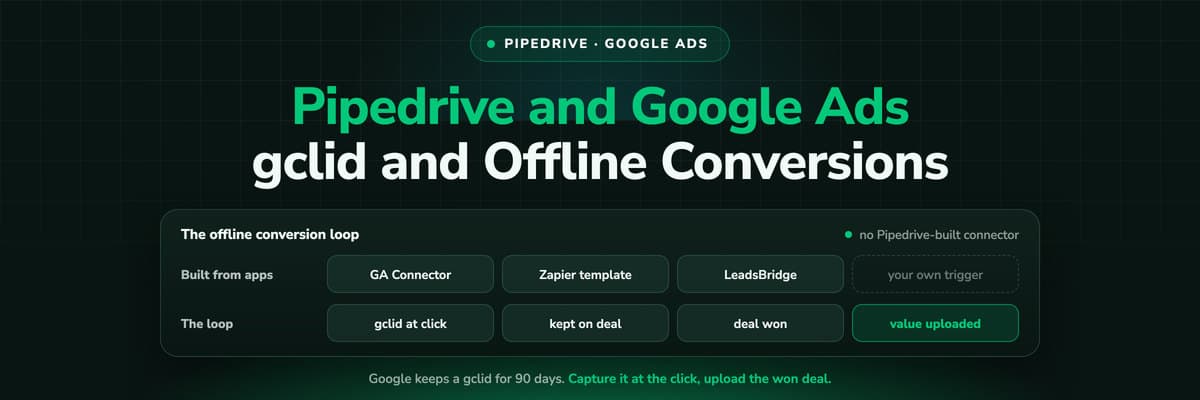 How To Guides
Pipedrive Google Ads Integration: gclid and Offline Conversions
We could not find a Google Ads integration built by Pipedrive. What exists is a set of marketplace apps, a Zapier template and attribution tools, and all of them have to close the same loop: capture the gclid, keep it on the deal, upload the won deal with its value inside 90 days.Read the article11 min read
Real lead source
Ready to see the real source on every Pipedrive deal?
LeadJourney captures the click ID and campaign at the first visit, server-side on your own domain, writes them onto the Person and the Deal, and sends won revenue back to your ad platforms. Live in 21 minutes, 14-day free trial.


