


















BlogHow To Guides
Pipedrive Google Ads Integration: gclid and Offline Conversions
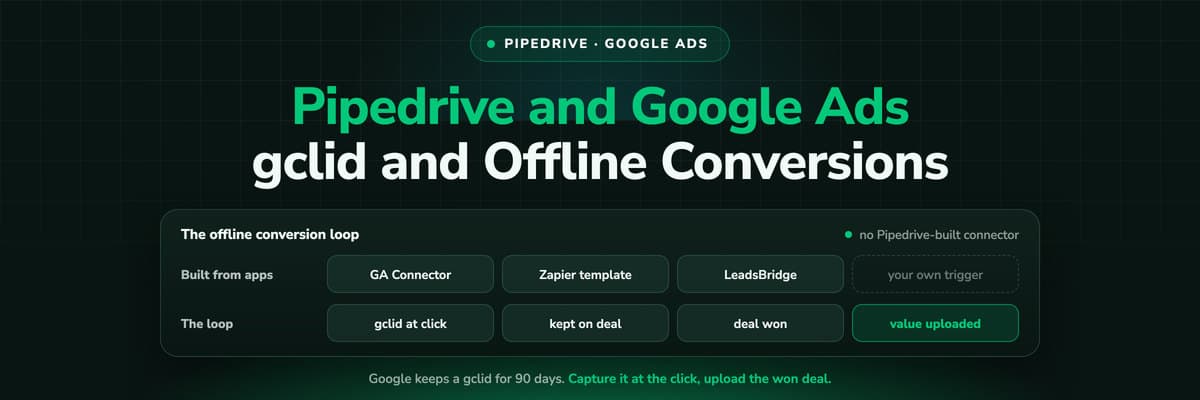
We could not find a Google Ads integration built by Pipedrive. What exists is a set of marketplace apps, a Zapier template and attribution tools, and all of them have to close the same loop: capture the gclid, keep it on the deal, upload the won deal with its value inside 90 days.

Contents
Summarise this article with AI
Opens the page with a ready prompt in:


Nothing is sent until you pick a service.
Search the Pipedrive Marketplace for Google Ads and you find apps by other companies, not a connector by Pipedrive. That is not a scandal, it is a CRM leaving the ad side to its ecosystem. But it means the question "how do I connect Pipedrive to Google Ads" has no single answer, and the setup you pick decides whether Google ever learns which of your leads became customers.
This guide covers what Pipedrive gives you to work with, the three realistic paths (a marketplace app, a Zapier template or an attribution tool), how the offline conversion loop actually works, and the traps in it, including one Google rule that quietly drops long sales cycles.
Quick Summary: Pipedrive and Google Ads
In short
We could not find a Google Ads integration built by Pipedrive, nor any native way to store a gclid or send a conversion back. The working options are marketplace apps (GA Connector writes the gclid into Pipedrive fields, LeadsBridge sends offline conversions), Zapier's "Send Offline Conversion to Google Ads for New Deal in Pipedrive" template, or an attribution tool that does both. Whichever you choose, the loop is the same: capture the gclid at the click, keep it on the deal, upload the won deal with its value. Google keeps a gclid for 90 days, so a deal that closes later than that cannot be uploaded against its click.
What Pipedrive Gives You to Work With
Pipedrive is a good place to keep the result of a Google click, even if it does not fetch one. Four things are already there, and each one does its job well.
- Source fields on every deal and leadSource origin records how the record was created (web form, API, import, chatbot and so on) and cannot be edited. Source channel is a list your admin defines, so "Paid search" can be one of its options.
- Custom fields for anything elseA text field called GCLID on the deal is all the storage the loop needs. Pipedrive does not create one for you, but adding it takes a minute in Company Settings.
- Automations that can call outOn plans that include Automations, an automation can send a webhook when a deal moves stage or is won. That is the trigger an upload script or a Zapier zap listens for.
- Web Visitors, at company levelThe Web Visitors add-on can filter visiting companies by Google AdWords campaign. It shows which organisations came from a campaign, not which person converted, so it is not a conversion sync.
What is missing is the plumbing, not the storage
Pipedrive's Web Forms (part of LeadBooster, included from Premium or bought as an add-on) have no documented way to read a gclid from the page URL, and nothing in Pipedrive uploads to Google. Insights has no ad spend either. Everything below is about filling those two gaps.
The Three Paths That Exist Today
All three are legitimate. They differ in how much of the loop they cover and how much of it you maintain yourself.
GA Connector: the gclid into Pipedrive
Google Analytics Connector, listed as free on the marketplace, runs its own script on your site and writes UTMs, first and last click, the GA4 client and session IDs and the GCLID into Pipedrive fields. It solves the capture half. The upload is still yours.
LeadsBridge: conversions back out
LeadsBridge is on the marketplace with lead sync, audience sync and offline conversions for Google, Facebook, LinkedIn and TikTok. It solves the upload half, provided a gclid is already on the record it reads.
Zapier: a template you own
Zapier's template sends an offline conversion to Google Ads for a new deal in Pipedrive. Change the trigger to a won deal and map the value, or it reports deal creation, which is a lead event in disguise.
An attribution tool: both halves
A tracking platform records the click and every visit after it, writes the result into Pipedrive and uploads the won deal itself. One setup instead of two, and usually more than one ad platform.
A common and perfectly sound combination is GA Connector for capture plus a Zapier zap or LeadsBridge for the upload. Just know that you now own two tools, a field mapping between them and a trigger, and that a gap in any of the three looks exactly like a quiet month on Google.
How the Offline Conversion Loop Works
Every option above is an implementation of the same four steps. If you understand them, you can debug any of the tools.
- The click carries a gclid. With auto-tagging on, Google appends a gclid to the landing page URL. Google requires auto-tagging for offline conversion import, so check it first.
- Something on your site reads it and keeps it. The gclid is only in the URL of the page the visitor landed on. A script has to store it (in a first-party cookie or on your server) so it is still there when the visitor fills in a form three pages, or three days, later.
- The form hands it to Pipedrive. The stored value goes into a hidden field, and from there into a GCLID custom field on the person or the deal. If it lands only on the person, copy it onto the deal, because the deal is where the money is.
- The won deal goes back to Google. When the deal is marked won, its gclid, the time it was won and its amount are uploaded to a conversion action you created for this. Leave the value blank and Google applies the conversion action's default value, which throws away the most useful thing you know.
Upload the won deal, not the new deal
Uploading on deal creation tells Smart Bidding that every lead is a success. Uploading on won, with the amount, tells it which searches produce revenue. If you want an earlier signal as well, send a qualified stage as a second conversion action rather than replacing the won one.
Six Traps That Break the Loop Without an Error
- The gclid is only on the converting visit's landing URL. A visitor who clicked an ad on Monday and comes back by typing your address on Thursday arrives with no gclid. Unless Monday's value was stored, Thursday's form is a lead with nothing to upload.
- Google keeps a gclid for 90 days. Its help centre says so plainly, and an older click is refused with "This click is too old for its conversion to be imported". A deal that takes four months to close cannot be uploaded against the click that started it. Upload a qualified stage that happens inside 90 days as well.
- Auto-tagging gets switched off. Somebody prefers clean URLs or a manual tagging template overrides it. No gclid on the landing page, nothing to capture, and no error anywhere.
- The conversion action is brand new. Google asks you to wait 4 to 6 hours after creating a conversion action before uploading to it. A test run in the first hour fails for that reason, not because your setup is wrong.
- The trigger fires on the wrong event. A Zapier template left on "new deal" uploads every lead as a conversion. Re-opened and re-won deals can upload twice unless the upload is deduplicated.
- Uploads are rare. Google recommends uploading at least daily for Smart Bidding. A monthly CSV is better than nothing, but bidding learns from it a month late.
And one that no tool can fix: a lead who phoned you, or was typed in by a seller, never had a gclid at all. Whatever share of your pipeline arrives that way is invisible to Google whichever path you choose.
A Setup Checklist You Can Run Today
- Auto-tagging is on in Google Ads, at account level.
- A GCLID custom field exists on the deal, and the person field (if you use one) is copied onto the deal when it is created.
- Something stores the gclid on the first visit, not only on the page with the form. Click an ad, browse two pages, submit, and check the deal.
- Every form path carries it: Pipedrive Web Forms, your own site forms, the booking tool. Chatbot and live chat leads usually do not.
- A dedicated conversion action for won deals exists in Google Ads, created at least a few hours before the first upload.
- The upload fires on won, with the amount and the won time, and at least daily.
- Count the deals won in the last 90 days that carry a gclid. Set that against the share of your budget on Google. The gap is the part of the loop that is still open.
How LeadJourney Closes the Loop for Pipedrive

The Pipedrive integration is native: a one click sign in and a field mapping screen, live in about 21 minutes with no developer. It writes source, campaign, ad, click ID, UTMs, landing page and a journey link onto the Person, and the attributed channel, campaign and credit onto the Deal, into dedicated LeadJourney custom fields so your existing source fields are left alone. It reads stage changes and won deals as they happen.
The capture half is one script on your site or in GTM. It records every visit server-side on your own domain, first-party, at 95%+ accuracy, and it captures gclid, gbraid and wbraid at the click, along with fbclid, li_fat_id and msclkid for the other platforms. The anonymous history is joined to the person at the form fill, the call or the booking, so the Monday click is still there on Thursday.
The upload half runs on the deal. When a deal is won, it goes to Google Ads as an offline conversion import matched on the gclid, with the deal value, and the same won deal goes to Meta and LinkedIn through their Conversions APIs and to Microsoft Ads on msclkid. Spend is pulled from the ad platforms and joined to the deals, and five attribution models run on the same events. The Chrome extension shows the same won deals and revenue as columns inside Google Ads, next to Google's own conversions.
The limits: tracking respects consent, so a visitor who declines is not measured, and a lead who never touched your website still needs a source typed in by a person. Google's 90-day rule applies to us as it does to everybody.
Further Reading
Start with Pipedrive lead source tracking and UTM parameters in Pipedrive, then the Meta Ads side of Pipedrive and the attribution tools that work with Pipedrive. On the mechanics, the GCLID guide, Google Ads enhanced conversions for leads and offline conversion tracking.
In the glossary
FAQ
Frequently Asked Questions
What Pipedrive admins ask when they try to connect the CRM to Google Ads.
Does Pipedrive have a native Google Ads integration?
We could not find one built by Pipedrive, on the marketplace or in its knowledge base. What exists is built by other companies: GA Connector writes the gclid and UTMs into Pipedrive fields, LeadsBridge sends offline conversions to Google, and Zapier has a template that sends an offline conversion for a Pipedrive deal. The Web Visitors add-on can filter visiting companies by Google Ads campaign, but that is company level data, not a conversion sync.
How do I store the gclid in Pipedrive?
Create a text custom field called GCLID on the deal (and on the person if your forms create persons first). Then something on your site has to read the gclid from the landing page URL, keep it until the visitor converts, and pass it into that field through a hidden form field or an API call. Pipedrive's Web Forms have no documented way to do the reading, which is why most teams use GA Connector or an attribution tool's script for it.
How do I send Pipedrive won deals to Google Ads as conversions?
Create a conversion action for imported won deals in Google Ads, wait a few hours as Google asks, then upload each won deal with its gclid, the time it was won and its amount. Zapier's template, LeadsBridge or an attribution tool can do the upload; a Pipedrive automation webhook can trigger your own script. Trigger on won rather than on new deals, and upload at least daily so Smart Bidding learns while it still matters.
Why can't I upload deals that closed after 90 days?
Because Google keeps a gclid for only 90 days and refuses a conversion against an older click, with the message that the click is too old for its conversion to be imported. A deal that closes four months after the ad click cannot be credited to that click. The usual answer is a second conversion action for a stage that happens inside 90 days, such as a qualified deal or a proposal sent, uploaded alongside the won deal.
Why do many Pipedrive deals have no gclid?
The gclid is only in the URL of the page the visitor landed on. If nothing stored it on that first visit, a visitor who comes back later by typing your address arrives without one. Other causes: auto-tagging is off, a form path does not carry the hidden field, the deal was created from a call, a chat or by hand, or the gclid landed on the person and was never copied to the deal.
Can I see Google Ads spend in Pipedrive reports?
Not natively. Pipedrive Insights reports on activities, deals, leads, revenue forecasts and email campaigns, and has no ad spend or cost reports, so there is no cost per deal or return on ad spend in it. You either bring spend into a spreadsheet or BI tool next to an export of deals with their campaign, or use an attribution tool that pulls spend from Google Ads and joins it to the deals.
Keep reading
More from the blog
 How To Guides
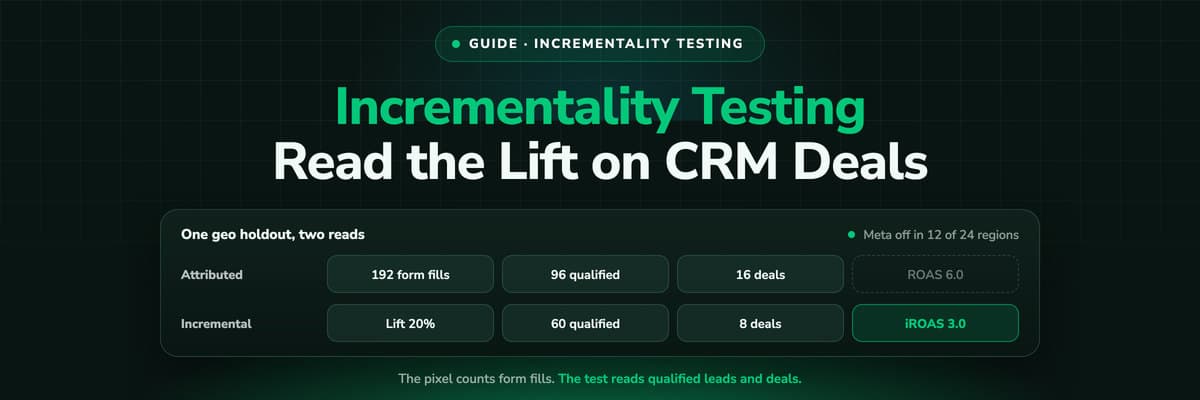
Incrementality Testing for Lead Gen: Run a Test on CRM Revenue
A lift test is only as good as the outcome it reads, and for lead generation the platforms read form fills. This guide compares the methods, lists what Google and Meta require for a lift study, and walks through a geo holdout read on qualified leads and deals from your CRM, with a worked example that adds up.Read the article19 min read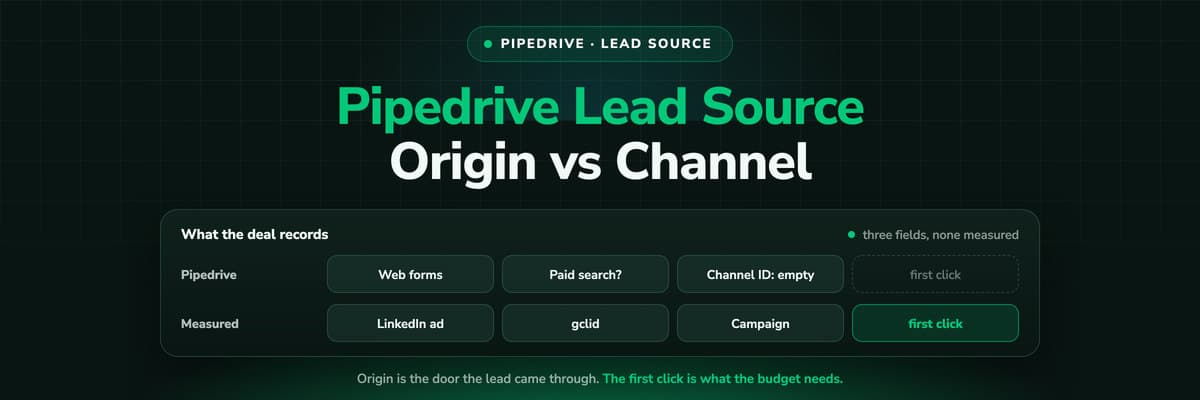 How To Guides
Pipedrive Lead Source Tracking: Source Origin vs Source Channel
Pipedrive gives every lead and deal three source fields: an origin the system sets, a channel a person picks and a free text ID. What each one records, the five ways the report still goes wrong, and how to put a measured first touch on the deal.Read the article11 min read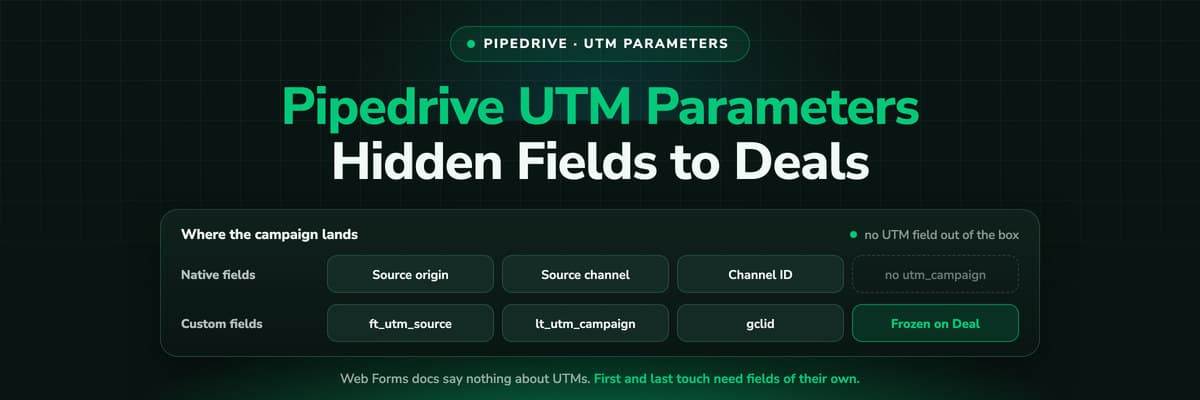 How To Guides
Pipedrive UTM Parameters: Hidden Fields, Web Forms and Deals
Pipedrive has no UTM field and its Web Forms documentation says nothing about hidden fields. How teams get utm_source and the click ID onto the Lead and the Deal anyway, the naming that keeps it reportable, and why first touch needs its own fields.Read the article11 min read
gclid to won deal
Ready to tell Google which Pipedrive deals were worth it?
LeadJourney captures the gclid and every visit after it first-party, writes the source onto the Person and the Deal in Pipedrive, and sends won deals back to Google Ads, Meta, LinkedIn and Microsoft with their amount. Live in 21 minutes, 14-day free trial.


