


















BlogHow To Guides
Pipedrive Meta Ads Integration: Facebook Leads In, Deals Back
Pipedrive has a native Messenger integration but no Facebook Lead Ads app of its own and no Conversions API. Here is how leads get in (Zapier or Outfunnel's sync), how deals get back to Meta, and the Meta rules that decide whether it works.

Contents
Summarise this article with AI
Opens the page with a ready prompt in:


Nothing is sent until you pick a service.
There are two Pipedrive and Meta questions, and most guides answer only the first. The first is plumbing: a Facebook lead ad fills up with names, and somebody wants them in Pipedrive within the minute rather than in a CSV on Friday. The second is the one that changes what you pay: Meta optimises for whatever you tell it is a result, and if all it ever hears is "a form was submitted", it will keep finding people who submit forms.
Pipedrive covers neither natively, though it does connect Messenger. This guide covers both halves in order: the two routes that bring lead ads in, what the Outfunnel acquisition changes, and how to send qualified and won deals back to Meta within the rules Meta actually enforces.
Quick Summary: Pipedrive and Meta Ads
In short
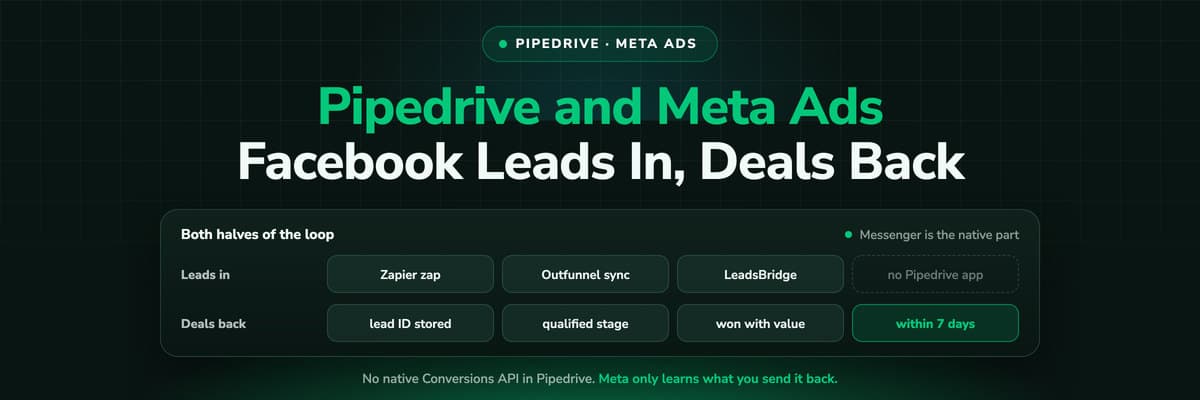
Leads in: there is no Facebook Lead Ads app by Pipedrive. Its own help centre points to a Zapier zap (a premium Zapier app, so a paid plan), and the marketplace has Outfunnel's Facebook Lead Ads Sync, real-time and one-way. Pipedrive bought Outfunnel on 5 August 2026. Messenger is built by Pipedrive and lands in the Messaging Inbox. Deals back: we could not find a native Conversions API, so qualified and won deals reach Meta through LeadsBridge, Stape, a similar tool or an attribution platform. Meta refuses events older than 7 days and wants the lead ad's lead ID stored on the record.
What Pipedrive Does Natively
Less on the ad side than people hope, more on the conversation side than people know.
- Messenger, built by PipedrivePipedrive launched its Facebook Messenger integration in May 2022 with the Messaging Inbox. Conversations from your Facebook page land in Pipedrive, and a record created there carries the source origin "Messaging Inbox", which is a clean label you can report on.
- A source channel you defineEvery deal and lead has a Source channel field whose options your admin sets, so "Paid social" or "Meta lead ads" can be a value that the lead ad route writes on every record it creates.
- Custom fields for the IDsA text field for the Meta lead ID and one for the campaign or ad name are all the storage the return path needs. They take a minute to add and they are the difference between a deal Meta can match and one it cannot.
What is not there
No Facebook Lead Ads app by Pipedrive, no Conversions API connection and no custom audience sync, as far as we could find on the marketplace and in the knowledge base. Insights also has no ad spend, so cost per deal from Meta is not a report Pipedrive can build.
Getting Facebook Lead Ads Into Pipedrive
Two routes are documented, and both work. They differ in what they create and what they cost to run.
The two documented routes for Facebook lead ads
| Route | Zapier zap | Outfunnel Facebook Lead Ads Sync |
|---|---|---|
| Documented by | Pipedrive's own help centre | The Pipedrive Marketplace |
| What it creates | Persons, and also deals, organizations and leads | Contacts, leads, deals, activities and notes |
| Timing | New submissions only, no back catalogue | Real-time, one-way |
| What you need | A paid Zapier plan, because the Facebook Lead Ads app is premium | An Outfunnel account |
LeadsBridge, also on the marketplace, syncs lead ads too and adds audience sync and offline conversions, which makes it the one tool on this list that covers both halves.
Whichever you pick, map three things beyond the name and email: the Meta lead ID into its own custom field, the campaign and ad into fields of their own, and a fixed Source channel value. Without the lead ID nothing later can tell Meta which lead the deal belongs to.
What the Outfunnel Acquisition Means
On 5 August 2026 Pipedrive announced it had acquired Outfunnel, the maker of the lead ads sync above, calling it a top rated marketplace app. Two sentences from the announcement are the ones that matter to an admin: Outfunnel "will keep operating during a transition period, with no disruption to existing customers", and Pipedrive "plans to rebuild the platform's core capabilities natively over the coming months".
Nobody has said which capabilities. So the practical reading is: the sync you set up today keeps running, and at some point a native version may appear. If you build on Outfunnel now, keep your field mapping written down, so moving to whatever Pipedrive ships is an afternoon rather than an archaeology project.
Sending Qualified and Won Deals Back to Meta
This is the half that changes your cost per customer. Meta's Conversions API accepts events from your server, and its Conversion Leads integration is built for exactly this case: lead ads in, CRM stages back out. Pipedrive has no native connection to it that we could find, so the sender is LeadsBridge, Stape, Datahash, CustomerLabs or an attribution platform.
- Pick the stage Meta should optimise forMeta's Conversion Leads guidance says the stage you optimise for should happen within 28 days of the lead, at a conversion rate between 1% and 40%, on at least 200 leads a month. For many B2B teams that is a qualified stage rather than a won deal.
- Match on the lead IDMeta asks for its 15 to 17 digit lead ID to be stored in the CRM and recommends sending it with each event. That is why the field mapping above matters more than anything else.
- Send it promptly, at least dailyMeta asks for uploads at least once a day, and refuses any event whose time is more than 7 days in the past. A Pipedrive automation that fires on the stage change is the right trigger; a monthly export is not.
- Send the value with the won dealA qualified stage gives Meta a fast signal. The won deal with its amount tells it which audiences produce revenue. Sending both, as two events, is better than choosing.
Five Ways the Meta Loop Breaks Quietly
- The lead ID was never stored. The sync mapped name, email and phone and nothing else. Every deal is now unmatched by the most reliable key Meta has, and only hashed contact details are left.
- Old events are sent. Meta rejects a whole request if any event in it is more than 7 days old. A backfill of last quarter's won deals fails entirely, and a weekly batch loses whatever closed at the start of the week.
- Pixel and server events are counted twice. If a website form fires a pixel Lead and the server also sends one, they need the same event_id and event_name to be deduplicated, per Meta's own documentation.
- The stage changes meaning. Somebody renames a pipeline stage or adds one in the middle, and the automation that sent "qualified" now fires on something else. Meta keeps optimising for whatever the event has become.
- Website leads have no fbclid. Lead ads carry their own lead ID, but a Meta click that lands on your site carries an fbclid in the URL, and Pipedrive's Web Forms have no documented way to keep it. Those deals reach Meta with weaker matching or not at all.
A Checklist You Can Run Today
- Open the last 20 deals that came from a lead ad. Count how many carry the Meta lead ID in a field. That number is your match rate ceiling.
- Check the Source channel on the same deals. If it is empty or reads something vague, set it in the sync's mapping.
- Pick one stage for Meta to optimise for, inside 28 days of the lead, and write down what it means so a renamed stage does not change it.
- Confirm what sends events back today. If the answer is nothing, every Meta campaign is optimising for form fills.
- Check the timing. Events should leave on the stage change, at least daily, and never more than 7 days after it.
- Look at your website leads from Meta separately. If none of them carry an fbclid, the click ID is being lost between the landing page and the form.
How LeadJourney Handles the Website Half

The Pipedrive integration is native: a one click sign in and a field mapping screen, live in about 21 minutes with no developer. It writes source, campaign, ad, click ID, UTMs, landing page and a journey link onto the Person, and the attributed channel, campaign and credit onto the Deal, in dedicated LeadJourney custom fields that leave your existing source fields alone. It reads stage changes and won deals as they happen.
On the site, one script (or a GTM tag) records every visit server-side on your own domain, first-party, at 95%+ accuracy, and captures the fbclid at the click alongside gclid, li_fat_id and msclkid. The anonymous history is joined to the person at the form fill, the call or the booking. When the deal is won, it goes back to Meta through the Conversions API with its value, and to Google, LinkedIn and Microsoft through their own routes. Spend is pulled from Meta and joined to the deals, and five attribution models run on the same events. With the Chrome extension, the won deals and their revenue also appear as columns in Meta Ads Manager, per campaign, ad set and ad.
The limits, plainly: a lead from an instant form inside Facebook never touched your website, so there is no visit for us to record, and that lead still needs its source set by the lead ad sync. Tracking respects consent, so a visitor who declines is not measured.
Further Reading
Start with Pipedrive lead source tracking, then the Google Ads side of Pipedrive and Pipedrive website tracking. On the Meta mechanics, the Conversions API for lead generation, event match quality for lead generation and sending CRM data back to Meta and Google.
In the glossary
FAQ
Frequently Asked Questions
What Pipedrive admins ask when they connect the CRM to Facebook and Meta Ads.
Does Pipedrive integrate with Facebook Lead Ads?
Not with an app of its own. Pipedrive's help centre describes a Zapier zap that adds new Facebook lead ad submissions as persons, and can also create deals, organizations and leads; the Facebook Lead Ads app is premium on Zapier, so it needs a paid plan. On the marketplace, Outfunnel's Facebook Lead Ads Sync creates contacts, leads, deals, activities and notes in real time, and LeadsBridge offers a lead sync as well.
Is Facebook Messenger integrated with Pipedrive?
Yes, and that one is built by Pipedrive. It launched in May 2022 together with the Messaging Inbox, so conversations from your Facebook page are handled inside Pipedrive. A record created from the inbox carries the source origin Messaging Inbox, which you can filter and report on. It connects the conversation, not the ad account: it does not import lead ad forms or send conversions to Meta.
What does Pipedrive buying Outfunnel change?
Pipedrive announced the acquisition on 5 August 2026. Its announcement says Outfunnel keeps operating during a transition period with no disruption to existing customers, and that Pipedrive plans to rebuild the platform's core capabilities natively over the coming months. It does not say which capabilities. If you rely on the Facebook Lead Ads Sync today it keeps working; document your field mapping so a later move to a native version is quick.
Does Pipedrive support the Meta Conversions API?
We could not find a native connection. Sending Pipedrive stages or won deals to the Conversions API runs through a third party: LeadsBridge on the marketplace, Stape, Datahash, CustomerLabs or an attribution platform. Whichever you use, store Meta's lead ID on lead ad records, send events at least daily as Meta asks, and never later than 7 days after the stage change, because Meta rejects older events.
Which Pipedrive stage should I send back to Meta?
Meta's Conversion Leads guidance gives the test: a stage that happens within 28 days of the lead, converts between 1% and 40% of leads, on at least 200 leads a month. For a long B2B cycle that is usually a qualified or meeting held stage rather than won. Send the won deal with its value as a second event as well, so Meta learns from revenue where it can.
Can I sync Pipedrive contacts to Facebook custom audiences?
Not natively, as far as we could find. LeadsBridge offers audience sync from Pipedrive and Zapier can add contacts to a custom audience. Typical uses are excluding existing customers from prospecting campaigns and building lookalikes from won deals. Keep the audience in sync automatically rather than by monthly upload, or the exclusion list is out of date the day after you build it.
Keep reading
More from the blog
 How To Guides
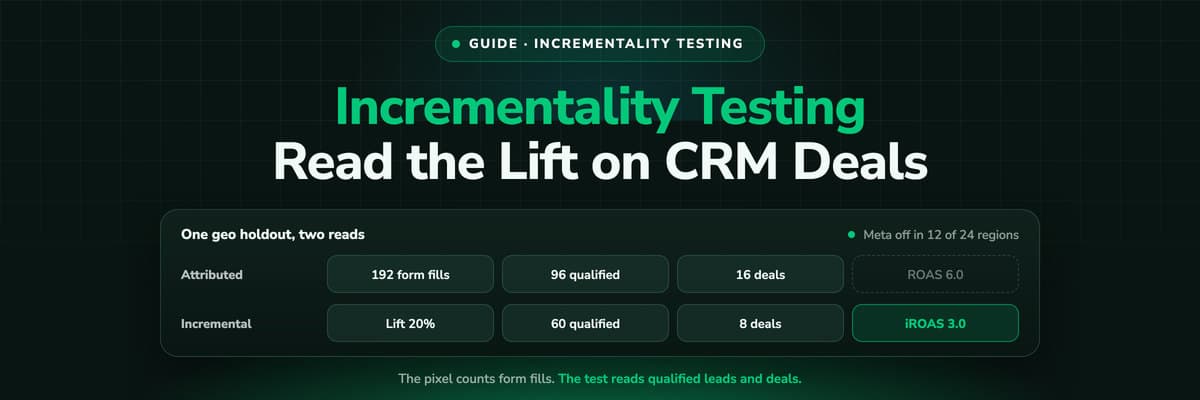
Incrementality Testing for Lead Gen: Run a Test on CRM Revenue
A lift test is only as good as the outcome it reads, and for lead generation the platforms read form fills. This guide compares the methods, lists what Google and Meta require for a lift study, and walks through a geo holdout read on qualified leads and deals from your CRM, with a worked example that adds up.Read the article19 min read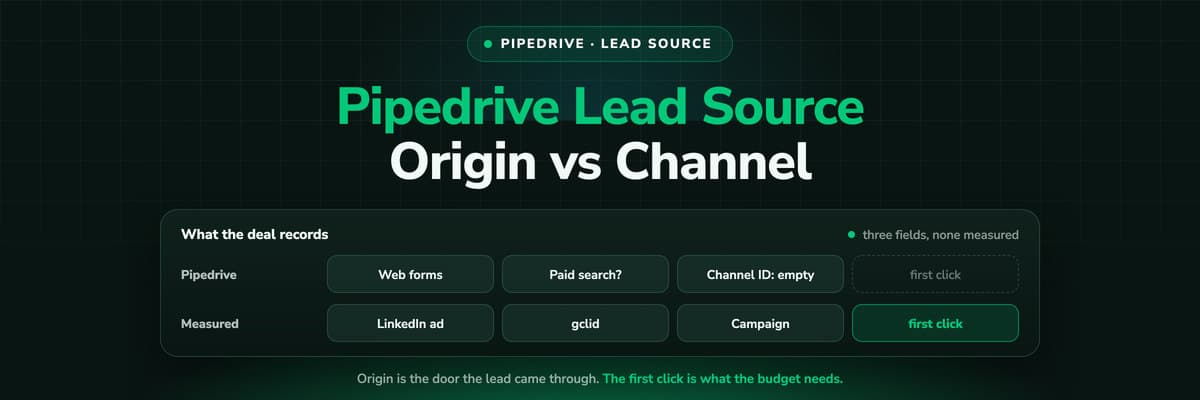 How To Guides
Pipedrive Lead Source Tracking: Source Origin vs Source Channel
Pipedrive gives every lead and deal three source fields: an origin the system sets, a channel a person picks and a free text ID. What each one records, the five ways the report still goes wrong, and how to put a measured first touch on the deal.Read the article11 min read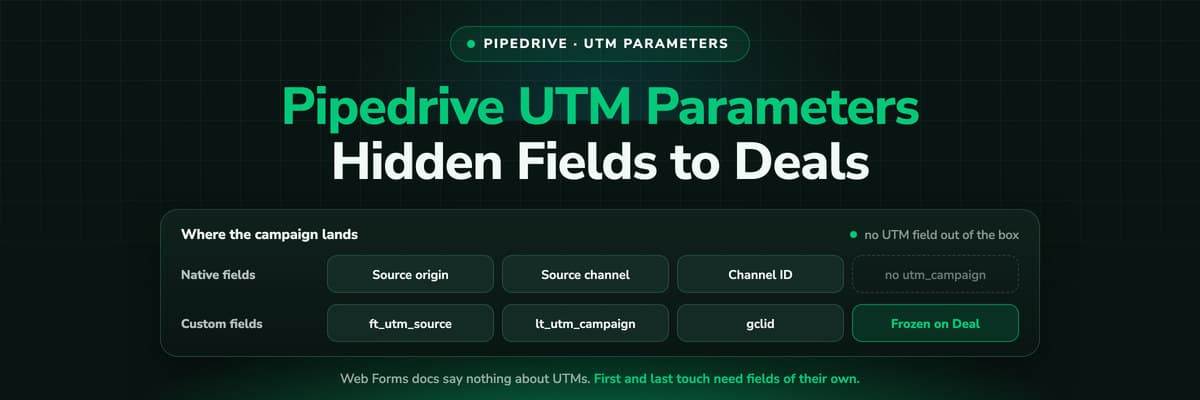 How To Guides
Pipedrive UTM Parameters: Hidden Fields, Web Forms and Deals
Pipedrive has no UTM field and its Web Forms documentation says nothing about hidden fields. How teams get utm_source and the click ID onto the Lead and the Deal anyway, the naming that keeps it reportable, and why first touch needs its own fields.Read the article11 min read
fbclid to won deal
Ready to tell Meta which Pipedrive deals were worth it?
LeadJourney captures the Meta click and every visit after it first-party, writes the source onto the Person and the Deal in Pipedrive, and sends won deals back to Meta, Google, LinkedIn and Microsoft with their amount. Live in 21 minutes, 14-day free trial.


