


















BlogHow To Guides
GCLID Explained: Capture It, Store It, Send It Back
The gclid is the only key that ties a Google Ads click to a deal you close three months later. Here is what the parameter is, how gbraid and wbraid changed the picture on iOS, the five ways teams lose it, and how to capture it, store it and send revenue back to Google Ads.

Contents
Summarise this article with AI
Opens the page with a ready prompt in:


Nothing is sent until you pick a service.
A lead generation business runs on a join. Google Ads knows about a click. Your CRM knows about a deal. Nothing in either system connects the two unless you kept one small string that Google put on the landing page URL and nobody looked at again. That string is the gclid, and when it is missing, every report you build is either an estimate or an argument.
This is the practical version: what the parameter is, what Google does with it, the two iOS parameters that replaced it on part of your traffic, how long you have to use it, the five ways it goes missing, and exactly how to capture it, store it and send closed revenue back.
Quick Summary: What a GCLID Is and How to Use It
In short
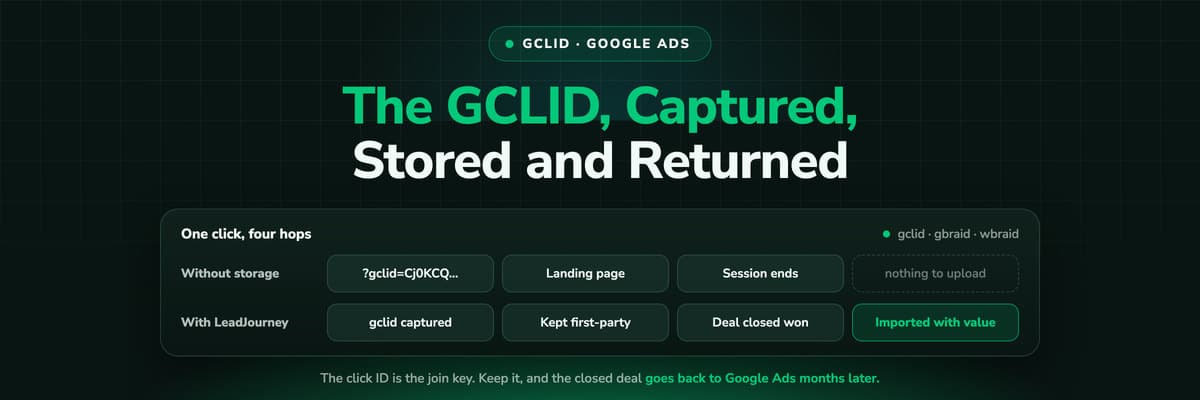
The gclid is the Google click identifier, a unique string Google appends to your landing page URL on every ad click when auto-tagging is on. It is the join key for offline conversion imports: with it you can tell Google Ads that a click became a closed deal worth a specific amount, months after the click, and bidding will optimise on that instead of on form fills. Capture it on the first page view, keep it in first-party storage on your own domain, write it onto the CRM record, and upload the conversion well inside 90 days.
The rest of this guide is how each of those steps goes wrong in practice, and what to build so it does not.
What a GCLID Is and What Google Does With It
Turn on auto-tagging in your Google Ads account settings and every ad click arrives at your site with a gclid parameter on the end of the URL. The value is unique to that click, not to that person: the same visitor clicking two of your ads generates two different gclids. Google keeps the campaign, ad group, keyword and device behind it on its own side, which is why the parameter carries no readable information and never needs parsing.
- On the landing page URLAuto-tagging appends it to the final URL. If the page loads and something on your side strips unknown query parameters, the click ID is gone before anything can read it.
- In the _gcl_aw cookieThe Google tag writes the value into a first-party cookie on your own domain so later page views and conversions on the same site can still find it after the parameter leaves the address bar.
- As the join key for importsWhen you upload an offline conversion, the gclid is what Google matches the conversion back to. No click ID, no match, and the deal never reaches the campaign that produced it.
That third role is the one that matters for lead generation. An e-commerce site can fire a conversion in the browser at checkout because the money arrives in the same session. A B2B lead does not: the form fill happens in March and the contract is signed in June, so the only way Google learns about the revenue is an upload that carries the click ID with it.
gbraid and wbraid: the Two iOS Parameters
After Apple's App Tracking Transparency changes, Google could no longer attach a user-level click ID to parts of its iOS traffic. Two replacement parameters appeared and you will see them in your logs beside the gclid, so any code that looks only for a gclid quietly loses that traffic.
- gbraidAppears on app-to-web journeys: the ad is clicked inside an app on iOS and the user lands on your website. It identifies a group of clicks rather than one person, so reporting on it is aggregated.
- wbraidAppears on web-to-app journeys: the click starts on the web and continues into an app. Same privacy-preserving design, same consequence: it is not a user-level identifier.
For imports, treat them as their own thing. Google Ads accepts gbraid and wbraid on an offline conversion upload alongside the gclid, but the rules are tighter, particularly around combining them with hashed user identifiers, and they have changed more than once. Store all three in separate fields, upload each in its own column, and check the current restrictions in the Google Ads documentation before you build the job. What you must not do is drop the value into the gclid field because that is the only column your CRM has.
How Long a GCLID Stays Usable for an Import
There are three separate clocks here and teams routinely confuse them.
- The cookie. The first-party cookie the Google tag writes has its own lifetime on your domain, and when it expires the browser can no longer supply the value. This is a browser-side limit and it has nothing to do with your CRM.
- The import window. Google will only accept an offline conversion whose click happened within a set period before the upload. Outside that period the row is rejected, however good your data is.
- Your sales cycle. How long it actually takes a lead to become a deal. If this is longer than the import window, the revenue never reaches Google no matter what you do.
Google has moved the import limit before, so check the current number in the Google Ads Help Centre rather than trusting a figure in a blog post, this one included. The practical rule that has held throughout: upload well inside 90 days of the click, and do it on a schedule rather than at the end of a quarter. If your average deal closes later than that, import an earlier stage as well, a qualified lead or a proposal sent, so the algorithm gets a signal it can still use.
Five Ways Teams Lose the GCLID
In the order they show up when you go looking, here is where the click ID actually disappears.
- Auto-tagging is offIt is one switch in the Google Ads account settings, and plenty of accounts inherited it off from an old analytics setup. With no auto-tagging there is no gclid at all, and no amount of downstream engineering will conjure one.
- A redirect or a consent tool strips the query stringA vanity URL that bounces to the real page, a geo redirect, a language switch or a consent script that reloads a clean URL. Every one of them can drop the parameter before any script reads it.
- The form posts to a different domainA booking page, a form tool or a landing page builder on another domain has its own storage. The value captured on your site is not there when the submission is made, so it never joins the lead.
- The lead comes back days laterThe first visit carried the click ID, the converting visit does not. If nothing persisted the value in between, the form fill arrives with an empty field and the campaign gets no credit.
- Nobody stored it anywhereThe most common case. The value exists in the session and in the cookie and in nothing else, so it dies with the browser and there is nothing to upload when the deal closes months later.
The pattern behind all five is the same: the gclid lands in a place with a short life and is relied on much later. Everything below moves it somewhere durable first.
How to Capture and Store It, Step by Step
Seven steps, in this order. The first four are the ones that break; the last three are what makes the data survive a long sales cycle.
- Turn auto-tagging on in Google Ads account settings and confirm it by clicking a live ad and reading the address bar. Do this before anything else.
- Stop the strippers. Point ads at the real landing page rather than a redirect, and make sure the consent tool and any geo or language logic preserve the query string.
- Read the parameters on the first page view, all three of them, gclid, gbraid and wbraid, along with the UTMs and the landing page URL.
- Persist them in first-party storage on your own domain so a later visit can read them back. A server-side setup that writes on your own domain survives browser storage limits far better than a browser-only one.
- Put the value on the form as a hidden field and write it to the CRM record. Both, not either. The hidden field carries this submission; the CRM field is what you will query in three months.
- Keep the first one you saw and the last one you saw in separate fields. First click and last click answer different questions, and one field cannot hold both.
- Never overwrite a real value with an empty one. A returning visit with no parameter must leave the stored click ID exactly as it was. This single rule saves more conversions than any other item on this list.
Never edit a gclid, and never let a field truncate it
The value is opaque and it must arrive at Google byte for byte. Do not trim it, do not lowercase it, do not strip characters that look unusual, and do not let a spreadsheet or an export turn it into something else. Store it in a plain text field with plenty of room: click IDs are long, they have grown longer over time, and a CRM field with a short character limit will silently cut the end off. A truncated gclid does not fail loudly, it simply never matches.
How to Send the GCLID Back to Google Ads
An offline conversion import is a list of rows, and each row is three things: the click ID, the time the conversion happened, and what it was worth. You create a conversion action in Google Ads whose source is import, map your CRM stage to it, and upload. The conversion time has to be after the click time and carry a time zone, and the value and currency are what turn the upload from a count into revenue that value based bidding can use.
Three ways to get the rows in
- A manual upload. A spreadsheet dragged into the Google Ads interface. Fine to prove the mechanism works, unworkable as a habit, and the first thing to break when the person who did it is on holiday.
- A scheduled upload. The same file, produced by a job and fetched on a schedule. Reliable, cheap and always a little stale, which matters more the shorter your cycle is.
- An API connection. A stage change in the CRM produces an upload within minutes. This is what a tracking platform does for you, and it is the only version where the algorithm learns from a deal on the day it closes.
When the click ID is genuinely missing, enhanced conversions for leads is the fallback: instead of a click ID you upload hashed customer data collected on the lead form, and Google matches it back to the click on its own side. It needs the customer data terms accepted and the right conversion action setup, and matching is never as complete as a click ID join. Run it alongside the gclid path rather than instead of it.
The Four Google Click Parameters Compared
Four things arrive on your landing page URL and people call all of them tracking parameters. Only three of them are Google's, and only three can be used to import a conversion.
gclid, gbraid, wbraid and the UTM set, side by side
| Parameter | Where it appears | What it identifies | Usable for an offline import? |
|---|---|---|---|
| gclid | Appended by auto-tagging on most Google Ads clicks | One specific click, at user level | Yes, and it is the most complete match Google offers |
| gbraid | App-to-web clicks on iOS, in place of the gclid | A group of clicks, not a person | Yes, in its own field, under tighter rules than the gclid |
| wbraid | Web-to-app clicks on iOS, in place of the gclid | A group of clicks, not a person | Yes, in its own field, under the same tighter rules |
| utm_source and the rest | Whatever you typed into the tracking template or the ad URL | The label you gave the traffic, nothing Google can verify | No. Useful for your own reporting, never a join key for Google Ads |
Keep the UTMs anyway. They are how your own reports read, how non-Google channels get labelled and how a human recognises a campaign in a CRM record. They are simply not what Google matches on. Our UTM parameters explainer covers the tagging side.
The Mistakes That Break an Import
When an upload comes back with rejected rows, it is almost always one of these six.
- The conversion action was not created with import as its source, so there is nothing for the rows to land in.
- The conversion time is before the click time, usually a time zone that was never set on the export.
- The click is outside the import window, because the upload runs quarterly instead of daily.
- A gbraid or wbraid value was put into the gclid column, or the other way round.
- The click ID was truncated by a CRM field, an export or a spreadsheet, so nothing matches.
- The same conversion is uploaded twice with different values, because the job re-reads rows it already sent.
Build the job so it records what it sent and when. A rejected row you can see is a fixable problem; an import nobody checks is a report that quietly drifts away from reality.
How LeadJourney Captures and Returns the GCLID Without a Hidden Field

LeadJourney is one script on your site or in your GTM container, live in about 21 minutes without a developer. It runs server-side on your own domain at 95%+ tracking accuracy, and at the first visit it captures gclid together with gbraid and wbraid, plus fbclid, li_fat_id and msclkid for the other platforms, the UTMs and the landing page. That anonymous first click is joined to the person at the form fill, the call or the booking, so no hidden field has to be maintained on every form and no value is lost when a lead converts on a later visit.
The CRM side runs both ways. Native integrations with HubSpot, Salesforce, Pipedrive, Close, Attio, GoHighLevel, ActiveCampaign and Odoo, plus any other CRM by webhook or Zapier, read your stages and deal values and write the first touch, campaign, click ID and full journey onto the contact and the deal. You map whichever stages you choose, qualified lead, proposal sent or closed won, to a conversion action, and Google Ads receives them as offline conversion imports matched on the gclid, with the deal amount and currency travelling with the event. Meta, LinkedIn and Microsoft Ads get the same stages over their own connections.
Two limits worth stating. Tracking is first-party and respects consent decisions rather than working around them, so a visitor who declines is not measured. And Google's import rules are still Google's: a click older than the current window cannot be uploaded by anyone, which is why mapping an earlier stage matters when your deals take a year. Plans start at €129 a month by marketing spend, hosted in Frankfurt under a GDPR data processing agreement.
Read verified reviews on Trustpilot, G2 and leadjourney.io/testimonials.
Further Reading
Carry on with enhanced conversions for leads, how to track offline conversions for lead generation and the UTM parameters explainer. For the shorter versions, see the click ID glossary entry, the Google Ads integration and what to do about lost UTM parameters.
FAQ
Frequently Asked Questions
The questions lead generation teams ask when the click ID is missing from the CRM.
What is a GCLID?
The gclid is the Google click identifier, a unique string Google appends to your landing page URL on every ad click when auto-tagging is enabled in the Google Ads account. It identifies the click rather than the person, so one visitor clicking two ads produces two values. Google keeps the campaign, ad group and keyword behind it on its own side, which is why the parameter carries no readable information and never needs to be parsed.
How long is a GCLID valid for an offline conversion import?
Google only accepts an offline conversion whose click falls within a set period before the upload, and that limit has changed more than once, so check the current number in the Google Ads Help Centre. The practical rule is to upload well inside 90 days of the click and to run the job on a schedule. If your deals close later than that, map an earlier stage such as qualified lead so Google still receives a usable signal.
What are gbraid and wbraid?
They are the two parameters Google introduced after Apple's App Tracking Transparency changes, replacing the gclid on parts of iOS traffic. gbraid appears on app-to-web journeys and wbraid on web-to-app ones. Both identify a group of clicks rather than an individual, so reporting is aggregated. Google Ads accepts them on offline conversion uploads in their own fields, under tighter rules than the gclid path.
Why is the GCLID missing from my CRM records?
Five causes cover almost all of it: auto-tagging is off, a redirect or consent tool strips the query string before anything reads it, the form posts to a different domain with its own storage, the lead converts on a later visit that carries no parameter, or nothing ever persisted the value so it died with the session. Fix them in that order, because each one makes the next fix pointless if left in place.
Can I use enhanced conversions instead of the GCLID?
Enhanced conversions for leads is the fallback when the click ID is genuinely missing: you upload hashed customer data collected on the lead form and Google matches it back to the click on its side. It needs the customer data terms accepted and the right conversion action setup, and matching is never as complete as a click ID join. Run both paths together rather than replacing one with the other.
Should I store the first GCLID or the last one?
Both, in separate fields. The first one answers which campaign acquired the lead, the last one which campaign was closest to the conversion, and a single field forces you to throw away one of those answers. Whichever you send to Google, the rule that matters more is never overwriting a stored value with an empty one when the visitor returns without a parameter.
Keep reading
More from the blog
 How To Guides
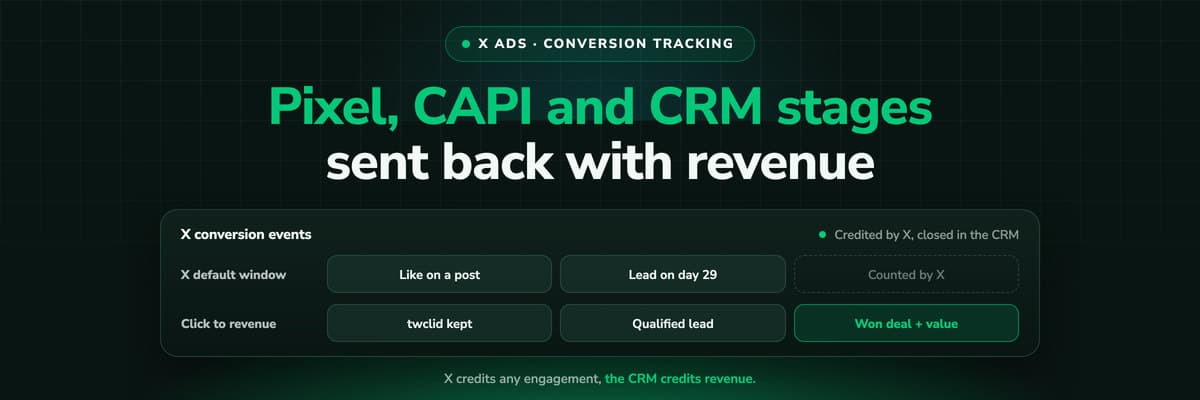
X Ads Conversion Tracking: Pixel, CAPI and CRM Events
X reports what the X Pixel and the Conversions API tell it, credited after any engagement inside windows you set per event. What to count for lead generation and for a store, how the two sources deduplicate on one conversion ID, why X's count and the CRM disagree by design, how to verify it, and which number deserves the budget.Read the article19 min read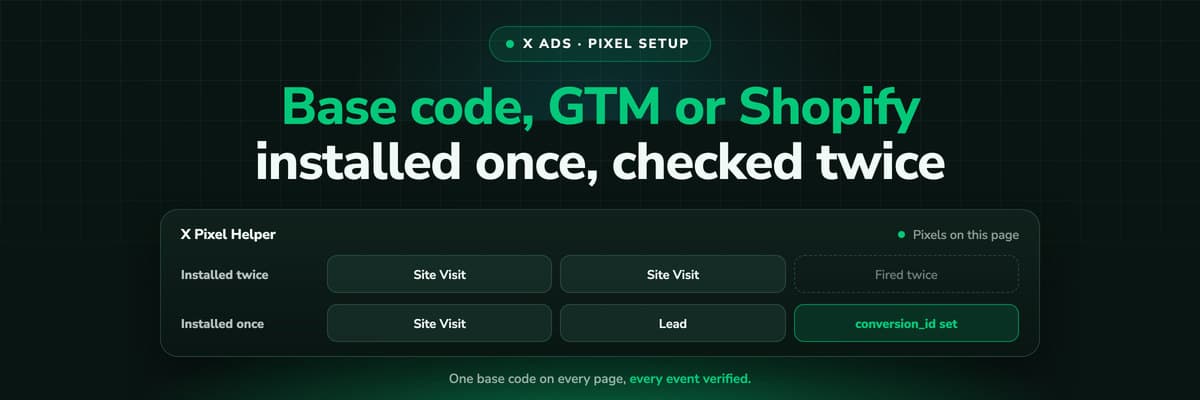 How To Guides
X Pixel Setup: Base Code, GTM, Shopify and Events
Every way to install the X Pixel, with X's own steps and code: creating it in Events Manager, the base code, event code, Google Tag Manager through the partner integration, Shopify, Ensighten and Tealium. Then the event types and parameters, cookies and consent, and how to check it all with the X Pixel Helper and the event statuses.Read the article18 min read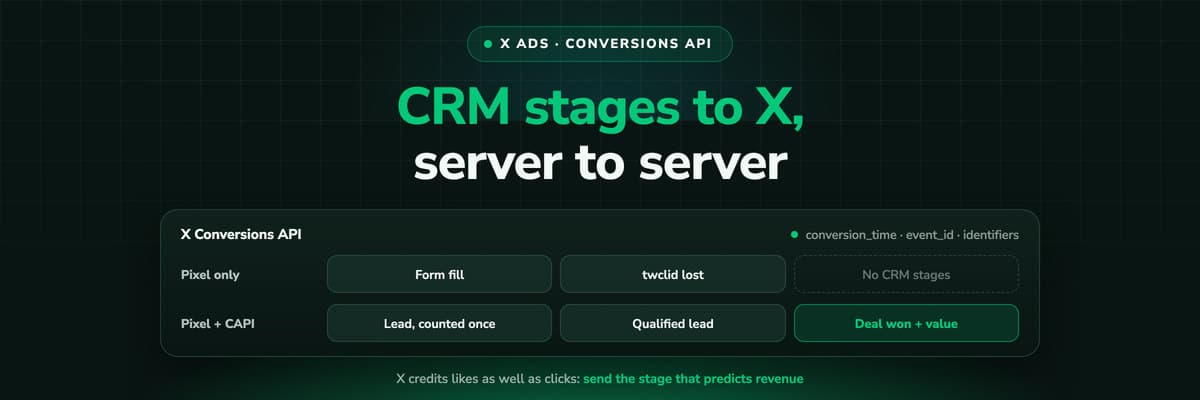 How To Guides
X Conversions API: Setup, Deduplication and CRM Events
The X Pixel reports what a browser lets it see. The Conversions API reports what your server tells it, including stages that happen in the CRM after the form. The endpoint and body, the access token against OAuth, identifiers and hashing, deduplication against the Pixel, the twclid you have to keep yourself, the limits, and what X will credit from a CRM.Read the article16 min read
Click ID intact
Ready to stop losing the click ID?
LeadJourney captures gclid, gbraid and wbraid at the first visit, server-side on your own domain, writes them onto the CRM record with the full journey, and returns the closed deal to Google Ads with its value. Live in 21 minutes, 14-day free trial.


