BlogHow To Guides
Google Ads Enhanced Conversions for Leads: Setup Guide
Google Ads can match a qualified lead or a closed deal to the ad click using the hashed email or phone number someone typed into your form, with no gclid stored anywhere. Here is what enhanced conversions for leads does, how to set it up in the Google tag and in GTM, how the upload works, and when a gclid import is the better choice.

Contents
Summarise this article with AI
Opens the page with a ready prompt in:


Nothing is sent until you pick a service.
Google Ads reports your form submissions and bids on them. Your CRM knows which of those became a qualified lead and which became money, usually weeks later. The gap between the two costs real budget, because the algorithm keeps buying the cheapest form fills it can find and nobody ever told it which ones were worth anything.
Enhanced conversions for leads is Google's answer to that gap, and one of the most misread settings in the account. It is not the same product as enhanced conversions for web, it needs no click ID in your CRM, and it does nothing unless your form collects an email or a phone number. Here is what it matches on, how to set it up, and when a gclid import is still the better tool.
Quick Summary: Enhanced Conversions for Leads
In short
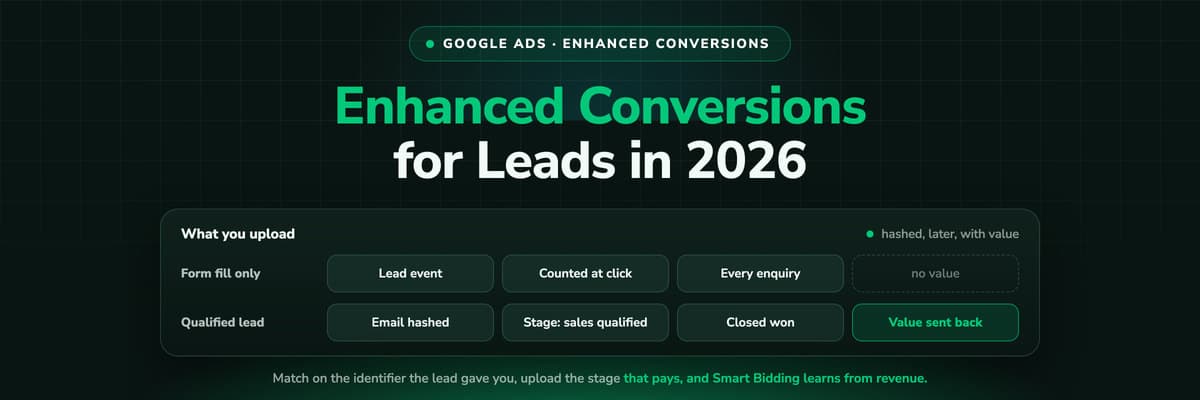
Enhanced conversions for leads reports a qualified lead or a closed deal to Google Ads weeks after the click, matched on the hashed email or phone number the person typed into your form rather than on a gclid stored in your CRM. You configure the hashed data once in the Google tag or in GTM, accept the customer data terms, create an import conversion action per pipeline stage, then upload the stage, the timestamp and the deal value on a schedule. Smart Bidding then optimises on the outcome instead of the form fill.
Keep two things apart. Enhanced conversions for web makes a conversion that already happens online more accurate. Enhanced conversions for leads adds one that happens later, in your sales process, and had no way of reaching Google before. Most accounts want both, and the second builds on the plumbing of the first.
Two Products, One Confusing Name
Enhanced conversions for web upgrades a conversion you already measure. At the submit, the Google tag hashes the email or phone the visitor entered with SHA-256 and sends it with the normal conversion event. Google compares that hash against signed-in accounts and recovers matches a blocked cookie would have lost.
Enhanced conversions for leads uses the same identifier for a different job: reporting a conversion that has not happened yet. Somebody fills in your form today, sales marks them a qualified lead three weeks later, the deal closes two months after that. You upload those events keyed on the same hashed email, and Google matches them back to the click behind the form submission. No click ID has to sit in your CRM.
Enhanced conversions for web
Improves an online conversion you already fire. Hashed data travels with the event at submit time.
Enhanced conversions for leads
Adds a later pipeline conversion, matched on the hashed email or phone and uploaded on a schedule with a value.
Offline conversion import
The older route, matched on the gclid your landing page captured and your CRM stored on the lead.
How the Match Actually Works
Three moving parts, and every failure mode below is one of them breaking.
- The click. Auto-tagging appends the gclid to your landing page and Google records the click on its side.
- The form fill. Your tag fires the lead form submission conversion and, with enhanced conversions configured, sends a SHA-256 hash of the email and phone entered. Google keeps that hash against the click.
- The upload. Weeks later you tell Google this hashed email reached the qualified lead stage at this time and is worth this much. Google finds the click behind the hash and credits the campaign.
Two consequences. The identifier has to be there at step two as well as step three, so leads that arrived before you configured the tag cannot be backfilled. And the match is only as good as the address: a work email in your form and a personal one on the Google account will not match. That is the limit of the method, not a broken setup.
Consent still governs it
In the EEA, enhanced conversions only run when the visitor granted consent for ad user data and ad personalisation, so your banner configuration decides your match rate as much as your tag does. See consent mode v2 for lead generation.
It also answers the iOS question. The match needs no first-party cookie to survive between the click and the form fill, and no click ID in the CRM. The identifier is whatever the person typed.
Why This Matters When the Deal Closes Weeks Later
Google Ads bids on what you report. Report form fills and Smart Bidding will find you the cheapest form fills on the internet, which is not the objective you have. A campaign at €22 a lead that never closes is worse than one at €70 a lead that closes a third of the time.
For a business whose lead becomes revenue in the same session, that is a small optimisation. For one whose lead becomes revenue in six weeks it is the whole game: the only signal worth bidding on arrives long after the platform stopped looking. The true cost per lead works through the arithmetic.
The value field turns this from a better count into a revenue signal. Send the deal amount with the closed won event, move the campaign to a value based strategy, and bidding optimises on money instead of volume. That is optimising on revenue built by hand.
Before You Start: The Prerequisites
Enhanced conversions for leads fails quietly when one of these is missing.
- A form that collects an email address or a phone number. No identifier, no match.
- The Google tag or a GTM container on that page, already firing a lead form submission conversion.
- The customer data terms accepted in the account settings, which needs admin rights.
- Auto-tagging left on, so Google has a click to attach the hash to.
- A conversion action created under Import, set to receive conversions from enhanced conversions for leads rather than from clicks.
- A CRM holding, per lead, the identifier, the stage, the timestamp of that stage and the deal value.
- A lawful basis and a privacy policy covering hashed customer data sent to an ad platform. Hashing is a protection, not anonymisation.
One stage, one conversion action, one name
The conversion action name in your upload has to match the one in the account exactly, capitalisation included. More failed uploads come from a renamed conversion action than from any hashing problem.
Setting It Up With the Google Tag
If your site loads the Google tag directly, the fastest route runs through the Google Ads interface.
- Open Goals, Conversions, Settings, expand the enhanced conversions for leads section and accept the customer data terms.
- Choose the Google tag as the method and let Google attempt automatic detection of the email and phone fields on the page you name.
- Run the check. Google loads the page, looks for the fields and reports what it found.
- If detection misses them, switch to manual configuration and pass the values with a gtag('set', 'user_data', ...) call before the conversion event.
- Publish, submit a test lead with an address you control, then watch the conversion action's diagnostics.
Automatic detection is fragile in the same way a CSS selector is, because it depends on the shape of your form. It handles a plain HTML form on your own page. It struggles with an iframe, with a multi-step form where the email arrives on step one, and with anything rendered after the tag ran.
If your form lives in an iframe
Typeform, HubSpot forms, Calendly and most booking widgets render inside an iframe, and the tag cannot read fields inside one. Have the embed hand the submitted values back to the parent page, push them into the data layer and pass them to the tag from there. Otherwise fall back to a gclid based upload.
Setting It Up in Google Tag Manager
In GTM the same data arrives through a user-provided data variable, which you attach to the Google tag.
- Create a variable of type User-Provided Data. GTM offers automatic collection, manual configuration and CSS selectors.
- Manual configuration is the one to use. Point each field at a data layer variable your site pushes on submit.
- CSS selectors are the fallback: one selector for the email input, one for the phone, read out of the DOM when the trigger fires.
- Set the new variable in the user-provided data field of your Google tag or Google Ads conversion tag.
- Preview, submit a test lead and confirm in Tag Assistant that the user data is on the event and hashed before it leaves the page.
- Publish, then check the conversion action over the following days rather than the following minutes.
Why selectors break on a redesign
A selector like #form-42 > div:nth-child(3) > input describes your current markup, not your form. The next theme update or field reorder changes it, nothing throws an error, and enhanced conversions stops matching until somebody notices. A data layer push survives the redesign and shows up in Preview mode.
Expect a wait either way. The diagnostics tab on the conversion action is where the status settles, usually after a couple of days, and matched conversions reach the reporting columns after that. Fire one test lead, note the time and come back later in the week.
Uploading the Qualified Leads and the Closed Deals
The tag work only prepares the match. The conversion arrives when you upload it, and that upload is a scheduled job. Every row carries the hashed identifier, the exact conversion action name, the time the stage was reached with its timezone, and the value plus the currency. An order ID is optional and worth sending: it lets you restate a value later without counting the deal twice.
Which stage to send back
- The form fillKeep it as a secondary action. You want to see how many leads a campaign produced. You do not want to bid on that number.
- The qualified leadThe first stage a human confirmed, and the best primary conversion for most accounts: frequent enough to learn from, honest enough to optimise on.
- Proposal or opportunityFor pipelines where qualification is generous and the real filter comes later. An extra action with its expected value, not a replacement.
- Closed wonThe truth, with the deal amount attached. Send it always, and bid on it only if you close enough deals a month to teach the algorithm anything.
The hashing rules
- Email: trim the whitespace, lowercase the address, then SHA-256 and encode as lowercase hex.
- Phone: normalise to E.164 first, a plus sign, the country code and digits only, then hash.
- Name and address, where you send them: lowercase, strip punctuation and outer whitespace, hash each field on its own.
- Never hash an empty string. It produces a valid looking hash that matches nothing and hides itself as a poor match rate.
The upload screen and the Google Sheets template accept plain values and hash them before they leave your browser; the API expects the hash already done. A manual upload proves the loop works and is unbearable as a monthly routine. An API integration is durable and costs a developer sprint.
Mind the window
An offline conversion has to arrive within the window Google allows between the click and the conversion, currently ninety days. A deal closing in month five cannot be imported against the click that started it, which is the main reason a long cycle business reports the qualified lead rather than the closed deal.
Enhanced Conversions for Leads or a GCLID Import?
Both routes end in the same place: a conversion in Google Ads that your CRM created. They differ in what they match on, and that decides which one survives your setup.
Enhanced conversions for leads next to a gclid based import
| Question | Enhanced conversions for leads | GCLID offline import |
|---|---|---|
| What it matches on | The hashed email or phone typed into the form | The gclid captured on the landing page and stored on the lead |
| What the form must collect | An email address or a phone number | Nothing extra, but a hidden field must carry the gclid |
| What the CRM must store | The identifier, the stage and the value | The gclid on every record, plus the stage and the value |
| When the click ID is missing | Still matches, the identifier came from the form | No match, the row is dropped |
| On Safari and iOS | Independent of any cookie surviving between visits | A cookie written by a script can expire before the form is filled |
| When people use a work email | Match rate drops, Google accounts are often personal | Unaffected, the match never touched the address |
For most accounts the answer is both. Run the gclid import where you have the click ID, because it is an exact match with no identity guessing, and run enhanced conversions for leads to catch the rest. If you store no click ID at all, start with the gclid explained.
Four Mistakes That Break the Loop
Counting the lead twice
Form fill and qualified lead as one action, or both as primary goals with a value. The same person counts twice and the target inflates.
Uploading data that is not hashed
A plain address is rejected. A hash of an unnormalised value is accepted and matches nothing, which is worse, because nothing errors.
Sending every lead
Upload every form fill as a qualified lead and you have rebuilt the form fill conversion with extra steps and a delay.
Leaving the value out
Without a value, Smart Bidding optimises for volume and a €400 deal counts the same as a €40,000 one. Send the amount and the currency.
What to expect afterwards
The improvement is in match rate and in the quality of the bidding signal, not a percentage anybody can promise in advance. Expect the diagnostics to turn healthy within days, matched conversions to appear against campaigns, then budget to move once the strategy has relearned.
Reported conversion volume usually falls, because a qualified lead is rarer than a form fill. Say that in the room before the numbers land, and give the change one full sales cycle.
How LeadJourney Runs the Same Loop Without a Sheet Upload

Everything above is one loop assembled by hand: capture an identifier at the form, keep the pipeline stage somewhere, get the two back to Google on a schedule. LeadJourney is that loop as a product. One script on the site or in your GTM container, live in about 21 minutes without a developer, captures the gclid (plus gbraid and wbraid), the UTMs and the landing page at the first visit, then joins that anonymous click to the person at the form fill or the call.
From there the journey follows your CRM stages. HubSpot, Salesforce, Pipedrive, Close, Attio, GoHighLevel, ActiveCampaign and Odoo connect natively, anything else by webhook or Zapier, and the connection runs both ways: it reads the stage and the deal value, and writes the first touch, campaign and click ID back onto the contact and the deal. You pick which stages go back as conversions, map each to a conversion action, and the deal amount and currency travel with the event. To read the result inside Google Ads itself, the Chrome extension adds qualified leads, won deals and revenue as columns at campaign, ad group and ad level.
The honest limit: the Google Ads connection is a gclid based offline import, not an enhanced conversions for leads upload. Which is why the tracking side carries the weight, with the click ID captured server-side on your own domain at 95%+ accuracy, so far fewer rows arrive without one. Tracking is first-party, hosted in Frankfurt with a DPA signed, and respects the consent decisions your banner records.
Read verified reviews on Trustpilot, G2 and leadjourney.io/testimonials.
Further Reading
Next: what the gclid is and how to keep it through the form and into the CRM, how to track offline conversions in lead generation and how to send CRM data back to Meta and Google. For the definition, see enhanced conversions; for the product side, the Google Ads integration and optimising on revenue.
FAQ
Frequently Asked Questions
What lead generation advertisers ask before switching enhanced conversions for leads on.
What is the difference between enhanced conversions for web and for leads?
Enhanced conversions for web improves the accuracy of a conversion that already fires online: hashed user data travels with the event and recovers matches the browser lost. Enhanced conversions for leads reports a conversion that happens later, in your CRM, keyed on the hashed email or phone from the original form. One makes an existing number more accurate. The other adds a number Google Ads never had.
Do I still need the gclid if I use enhanced conversions for leads?
Not for this route, and that is its main advantage: the match runs on the hashed identifier the person typed, so nothing has to survive in a cookie or a hidden field. Storing the gclid anyway is still worth it. It gives an exact match with no identity guessing, it powers a plain offline conversion import, and it is what lets your own reporting name the campaign behind a deal.
How do I hash the customer data correctly?
Normalise first, then hash. Emails get trimmed and lowercased, phone numbers get converted to E.164 with a plus sign, the country code and digits only. Then run SHA-256 and send lowercase hex. Never hash an empty field. The Google Ads interface and the Sheets template hash plain values for you; the API expects the hash already done, and an unnormalised value hashes into something that matches nothing.
How long before enhanced conversions for leads shows data?
Allow a few days rather than a few hours. After you publish the tag change, the conversion action's diagnostics tab is where the status settles, and matched conversions reach the reporting columns after that. Your first uploads then need a further delay before the numbers stabilise. Fire one test lead with an address you control, note the time, and check later in the week rather than the same evening.
Should Google Ads bid on the qualified lead or the closed deal?
Usually the qualified lead, with the closed deal uploaded alongside it as a second action. Smart Bidding needs enough conversions per campaign to learn from, and most lead generation businesses do not close enough deals a month to feed it. Note the platform limit too: an offline conversion has to arrive within the window Google allows after the click, currently ninety days, so a deal closing in month five cannot be imported.
Is enhanced conversions for leads GDPR compliant?
It can be, and it is not automatic. You need a lawful basis for sending customer data to an ad platform, a privacy policy that names it, and in the EEA the visitor's consent for ad user data and ad personalisation before anything is sent. Hashing protects the value in transit but is not anonymisation, because the hash is still a stable identifier. See GDPR compliant conversion tracking.
Keep reading
More from the blog
 How To Guides
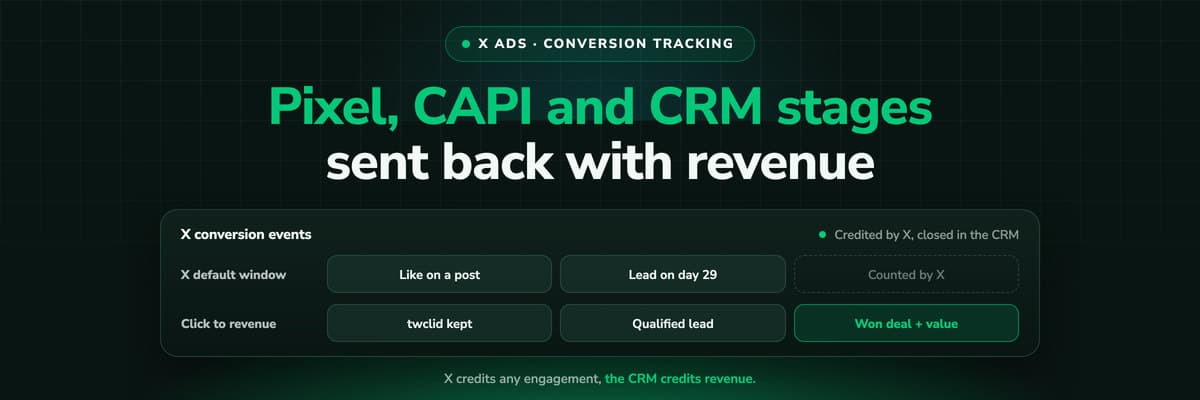
X Ads Conversion Tracking: Pixel, CAPI and CRM Events
X reports what the X Pixel and the Conversions API tell it, credited after any engagement inside windows you set per event. What to count for lead generation and for a store, how the two sources deduplicate on one conversion ID, why X's count and the CRM disagree by design, how to verify it, and which number deserves the budget.Read the article19 min read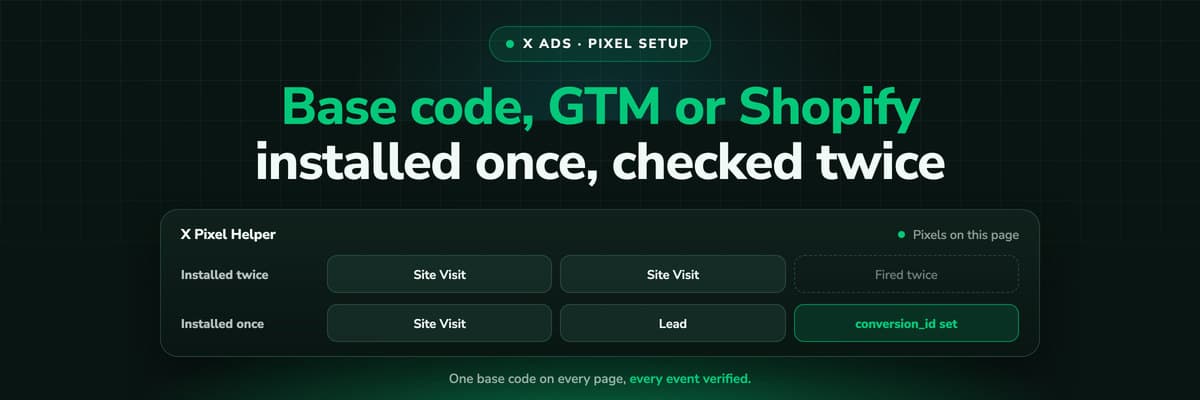 How To Guides
X Pixel Setup: Base Code, GTM, Shopify and Events
Every way to install the X Pixel, with X's own steps and code: creating it in Events Manager, the base code, event code, Google Tag Manager through the partner integration, Shopify, Ensighten and Tealium. Then the event types and parameters, cookies and consent, and how to check it all with the X Pixel Helper and the event statuses.Read the article18 min read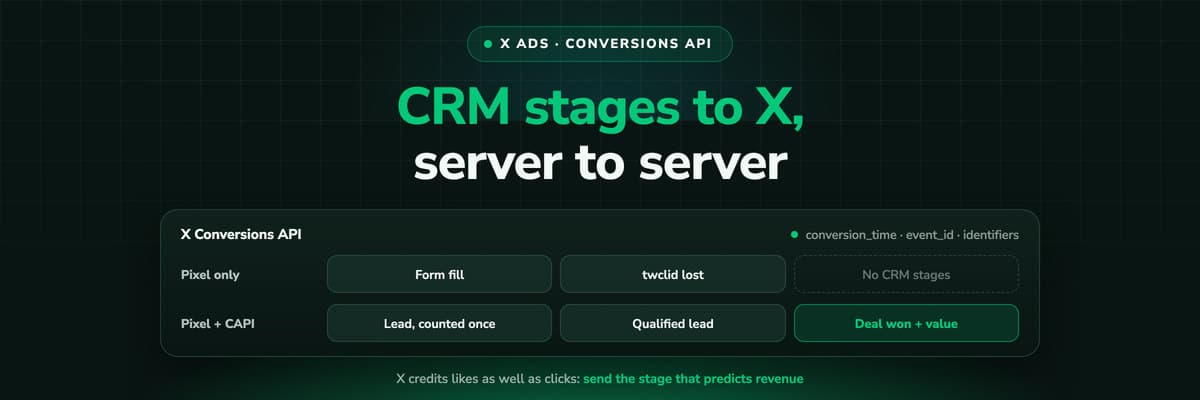 How To Guides
X Conversions API: Setup, Deduplication and CRM Events
The X Pixel reports what a browser lets it see. The Conversions API reports what your server tells it, including stages that happen in the CRM after the form. The endpoint and body, the access token against OAuth, identifiers and hashing, deduplication against the Pixel, the twclid you have to keep yourself, the limits, and what X will credit from a CRM.Read the article16 min read
Google Ads loop
Ready to bid on qualified leads instead of form fills?
LeadJourney captures the click ID server-side on your own domain, follows every lead through your CRM stages and sends the stage you choose back to Google Ads with the deal value attached. Live in 21 minutes, public pricing from €129 a month.