


















BlogHow To Guides
Google Consent Mode v2 for Lead Generation: What It Fixes
You switched consent mode on because Google required it, and now nobody can say whether the numbers got better or just moved. The four signals, the basic versus advanced fork most guides skip, why modelling does nothing for a small account, and the questions consent mode was never going to answer.

Contents
Summarise this article with AI
Opens the page with a ready prompt in:


Nothing is sent until you pick a service.
You switched consent mode on because Google said you had to. The CMP is certified, the tags fire in the right order, the deadline passed without anything breaking. Then somebody asks the reasonable question: did our numbers get better, or did they just move? Google Ads reports conversions that the CRM has never heard of, some of them are modelled, and nobody in the room can say which part of that is progress.
This is the honest version for a European lead generation advertiser or agency. What consent mode v2 actually sends, the difference between the basic and the advanced implementation that most guides wave past, why conversion modelling does nothing at all for a small account, and the questions it was never going to answer: which lead was real, which one sales disqualified, and what the campaign earned.
Quick Summary: Consent Mode v2 for Lead Generation
In short
Consent mode v2 sends four signals to Google's tags describing what the visitor agreed to: analytics storage, ad storage, and the two v2 additions, ad user data and ad personalisation. Basic blocks the tags until a decision is made; advanced loads them in a cookieless state and lets Google model the gap. Modelling has volume floors, so a small lead generation account gets the compliance signal and almost none of the recovered conversions. It fixes nothing about lead quality, exports no modelled lead to your CRM, and does not make a setup lawful on its own.
None of that is an argument for skipping it. Google requires the signals for European traffic and the tags behave better with them than without. It is an argument for knowing exactly what you bought, which is what the rest of this guide is for.
What Consent Mode v2 Actually Is
Consent mode is not a cookie banner and not a consent management platform. It is the wiring between the two: a way for your banner to tell Google's tags what the visitor agreed to, so the tags adjust their own behaviour instead of being blocked outright or firing blind. The signals travel with every Google tag request, in Google Ads, GA4 and Floodlight alike.
analytics_storage
Whether analytics cookies and identifiers may be used for this visitor.
ad_storage
Whether advertising cookies and click identifiers may be stored and read.
ad_user_data
New in v2: whether user data may be sent to Google for advertising purposes.
ad_personalization
New in v2: whether that data may feed personalised advertising and remarketing.
The first two describe what may be stored on the device. The two v2 parameters describe what Google may do with what it receives, which is the part that made them a requirement for traffic from the EEA and the UK in 2024. Without them, audience and remarketing features stop collecting European users and modelling is not available. Most accounts implemented it in a hurry against that deadline, which is why so few teams can say what changed afterwards.
Basic vs Advanced: The Fork Most Guides Skip
Both implementations send the same four signals. They differ entirely in what happens before the visitor has clicked anything, and that difference decides what you get out of the whole exercise.
Basic
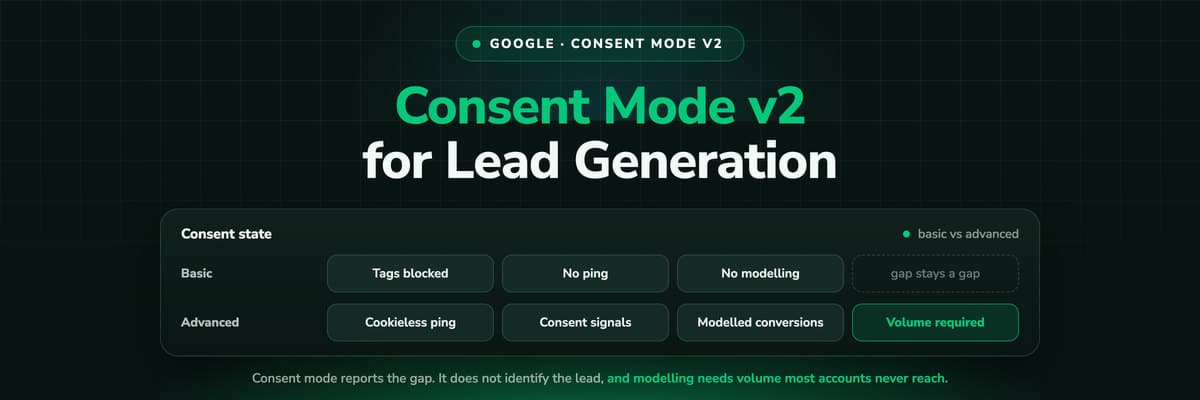
Google tags are blocked until the visitor makes a choice. Nothing about somebody who declines ever reaches Google, not even the fact that a page was loaded. It is the version a data protection officer signs off without a discussion, and it is also the version that hands Google the least to work with.
Advanced
The tag loads on every page and sends a cookieless ping immediately: the consent state, a timestamp, the page. No cookies are written and no identifiers are sent while consent is denied, and the moment a visitor accepts, the tag switches to full behaviour. Google can then see the shape of the traffic it is not allowed to measure, which is what an advertiser-specific model is built from.
Basic and advanced consent mode, side by side
| Question | Basic | Advanced |
|---|---|---|
| What loads before a decision | Nothing. Google tags are blocked until the visitor chooses | The tag loads and sends cookieless pings carrying the consent state, no identifiers |
| What happens on a decline | No tag, no ping, no signal at all | The tag stays in cookieless mode and keeps reporting the state |
| What Google can model | Less: the model leans on general patterns rather than your own declining traffic | More: a model informed by your own cookieless signals |
| Data protection posture | Nothing leaves the page before consent, which is the shorter conversation with a DPO | A request reaches Google before consent, which counsel has to be comfortable with |
| What it means for a small account | Modelling rarely engages; you see consented conversions only | Modelling still rarely engages; you gained pings, not numbers |
| Effort | Simplest path with a certified CMP template | The same wiring plus a deliberate decision about pre-consent requests |
Why Modelling Does Nothing for a Small Account
Modelling is a statistical fill. Google observes the behaviour of consented users and estimates the conversions the rest would have produced. It is the whole promise of advanced consent mode, and it comes with a floor under it.
Google applies volume thresholds per property and per country, and does not model below them. GA4's behavioural modelling currently wants something in the order of a thousand events a day from declining users, sustained for at least a week, alongside a comparable consented volume. Google Ads applies its own thresholds by country. A lead generation account spending four figures a month in one market does not come close to any of them.
So here is the sentence most consent mode guides never write. If you are a small or mid-sized advertiser, conversion modelling will do nothing for you. Your conversion counts are not going to quietly recover. You implemented consent mode because Google requires the signals for European traffic, which is a good enough reason on its own, but it is not a measurement upgrade and nobody should be reporting it as one.
The bigger the account and the more concentrated its traffic in one country, the more modelling has to work with. An agency running one large client and nine small ones will see it engage on exactly one of them, which is worth saying in the reporting call before a client asks why their numbers look flat.
What Consent Mode Does Not Fix
Consent mode changes what Google's tags do. It changes nothing about four problems a lead generation advertiser actually has.
- A decline is still a declineA visitor who says no is not identified, not added to an audience and not matched to a record in your CRM. Modelling estimates an aggregate; it does not recover a person, and it was never meant to.
- Modelled conversions are estimatesThey live in the reporting columns and nowhere else. You cannot export a modelled lead, open it in your CRM or ask which campaign produced the deal it became, because there is no it.
- It says nothing about lead qualityConsent mode counts conversions. It has no idea that a third of them were students, competitors or people who only wanted the PDF, which is the number your sales team actually argues about.
- It is not complianceThe banner, the legal basis, the processor agreements and the retention periods decide whether a setup is lawful. Consent mode only transmits the outcome of a decision somebody else designed.
Put together, that is the shape of the gap. Consent mode makes Google's side behave correctly under a decline. Everything downstream of the click, the lead, the qualification and the deal, still lives in your CRM and still has to be measured there.
How to Implement It Correctly with a CMP and GTM
The wiring is not difficult. The order is what people get wrong.
- Use a Google-certified CMP, or configure the consent mode template your CMP already ships. Hand-building the signals is possible and rarely worth the maintenance.
- Set the defaults before any tag can fire. In GTM that is the consent initialisation step; in a plain gtag setup it is a default command in the head, above the tag itself.
- Set the defaults per region: denied for the EEA and the UK, whatever your policy is elsewhere, using the region list rather than one global default.
- Update the state from the banner callback when the visitor chooses, so tags waiting on it switch behaviour within the same page view.
- Decide on url_passthrough and ads_data_redaction deliberately. The first keeps the click id in the URL while ad storage is denied, the second redacts ad identifiers on the tag's requests. Both are choices with consequences, not defaults to copy off a blog.
- Verify rather than assume. Google Tag Assistant shows the consent state each tag saw before and after the banner, and GTM's preview shows the same on its consent tab.
- Then read the reporting side: the consent settings in GA4, and the observed against modelled rows in Google Ads once a few weeks have accumulated. Compare like periods, over a month, before drawing any conclusion.
One habit worth building into the last step: write down what your conversion counts looked like the week before the change. Consent mode moves numbers for reasons that have nothing to do with performance, and without a before figure the argument in three weeks is unwinnable.
The Audit: What Usually Goes Wrong
Most implementations that look fine are wrong in one of four ways, and all four take minutes to check.
- Defaults set after the tags. If the GA4 configuration tag fires before the consent default command, the first hit of every session goes out under whatever that tag assumed. It is the most common fault and the hardest to spot, because everything after the first hit looks correct.
- A region list that misses markets you advertise in. Denied by default for a handful of countries and granted for the rest quietly treats Austrian or Irish traffic as consented. List the EEA properly, and remember the UK is not in it.
- A banner that lets a visitor scroll into consent. Implied consent is not a decision under EU rules, and inside a consent mode setup it does something worse than nothing: it reports granted for somebody who never chose.
- Tags outside the container. A hardcoded gtag snippet on the thank-you page, a plugin shipping its own pixel, a partner tag a client added last year. None of them see the signal, and all of them carry on exactly as before.
This is not legal advice
Nothing here is legal advice. Whether your banner, your legal basis, your processor agreements and your retention periods are lawful is a question for a lawyer and your data protection officer, and the answer differs by country and by what you actually do with the data. Consent mode is the technical transmission of a decision somebody else has to get right.
Where Server-Side and CRM Measurement Pick Up
Consent mode does its job at the moment of the decision. Two problems live on the other side of it, and both belong to the consented traffic you are already allowed to measure.
The first is loss among the people who said yes. A consented visitor still drops events to an ad blocker, to Safari shortening a cookie, to a browser that never ran the tag. Those are leads you have permission to measure and are not measuring, and in most accounts they outnumber the declines. Server-side tracking on your own domain recovers most of them, and it is a separate decision from consent mode: it changes where the request is made, not whether it was permitted.
The second is everything after the form. Whether the lead was qualified, whether the call happened, whether the deal closed and for how much: none of that is a browser event, so no consent signal and no model will ever produce it. It comes out of the CRM, and it is the number that decides where next month's budget goes. More on that in why GA4, Meta and Google conversions never match your CRM.
How LeadJourney Measures Consented Traffic Without Working Around a Decline

LeadJourney tracks server-side on your own domain at 95%+ accuracy, and the tracking is first-party and consent-aware: it respects consent decisions rather than working around them. That distinction is the whole point here. The gain is not in the visitors who declined, it is in the consented ones whose click id, landing page or form fill would otherwise have been lost to an ad blocker, a shortened cookie or a browser that never ran the tag.
For those visitors it captures the click ids at the first visit, gclid and its gbraid and wbraid variants, fbclid, li_fat_id and msclkid, plus the UTMs and the landing page, then joins the anonymous first click to the person at the form fill, the call or the booking. The journey follows the CRM stages from there, so cost per qualified lead and cost per closed deal are reports rather than a spreadsheet, and the stages you choose go back to Google Ads, Meta, LinkedIn and Microsoft as conversions with the deal value attached.
What it does not do is model the people who declined, and it will not tell you whether your banner is lawful. Data is hosted in Frankfurt with EU residency and a signed data processing agreement, setup is one script on the site or in the GTM container and takes about 21 minutes without a developer, and what a visitor declined stays declined.
Read verified reviews on Trustpilot, G2 and leadjourney.io/testimonials.
Further Reading
Carry on with GDPR-compliant conversion tracking, server-side versus browser tracking and why GA4, Meta and Google conversions never match your CRM. The short definition sits in the consent mode glossary entry, and the practical side is the GDPR-compliant tracking use case and our own GDPR page.
In the glossary
FAQ
Frequently Asked Questions
What European advertisers and agencies ask after the consent mode deadline.
What is Google Consent Mode v2?
It is a way for your consent banner to tell Google's tags what a visitor agreed to, using four signals: analytics_storage and ad_storage, which describe what may be stored on the device, plus the v2 additions ad_user_data and ad_personalization, which describe what Google may do with the data. Google requires the v2 signals for traffic from the EEA and the UK, or audience features and modelling stop working for those users.
What is the difference between basic and advanced consent mode?
Basic blocks Google tags entirely until the visitor makes a choice, so nothing at all is sent about someone who declines. Advanced loads the tag immediately and sends cookieless pings carrying the consent state and no identifiers, which gives Google something to model the gap from. Advanced can recover more in reporting; basic is the shorter conversation with a data protection officer. Both send the same four signals once a decision is made.
Does consent mode recover the conversions I lose to the banner?
Only if you are big enough. Modelling has volume floors per property and per country, and Google does not model below them. GA4 behavioural modelling currently wants roughly a thousand events a day from declining users over at least a week, plus a comparable consented volume. Most lead generation accounts never reach that, so the honest expectation is the compliance signal and no meaningful uplift in reported conversions.
Does consent mode v2 make my tracking GDPR compliant?
No. Consent mode transmits a decision; it does not make the decision lawful. Your banner design, your legal basis, your processor agreements, your retention periods and what you actually do with the data decide that, and none of it is a tagging question. Treat consent mode as one technical requirement inside a compliance setup your lawyer and your data protection officer own. Nothing in this article is legal advice.
Can I match a modelled conversion to a lead in my CRM?
No. A modelled conversion is a statistical estimate that exists in Google's reporting columns and nowhere else. There is no click id, no email address and no row to export, so it cannot be joined to a contact, a deal or a revenue figure. Anything you need at lead level, including cost per qualified lead and cost per closed deal, has to come from measured data in your own CRM.
Do I still need server-side tracking if consent mode is set up?
They solve different problems. Consent mode handles what happens when somebody declines. Server-side tracking on your own domain handles the consented visitors whose events never arrive because of an ad blocker, a shortened cookie or a browser that failed to run the tag, and that group is usually larger. It changes where the request is made, not whether it was permitted, so a decline is still respected.
Keep reading
More from the blog
 How To Guides
X Ads Conversion Tracking: Pixel, CAPI and CRM Events
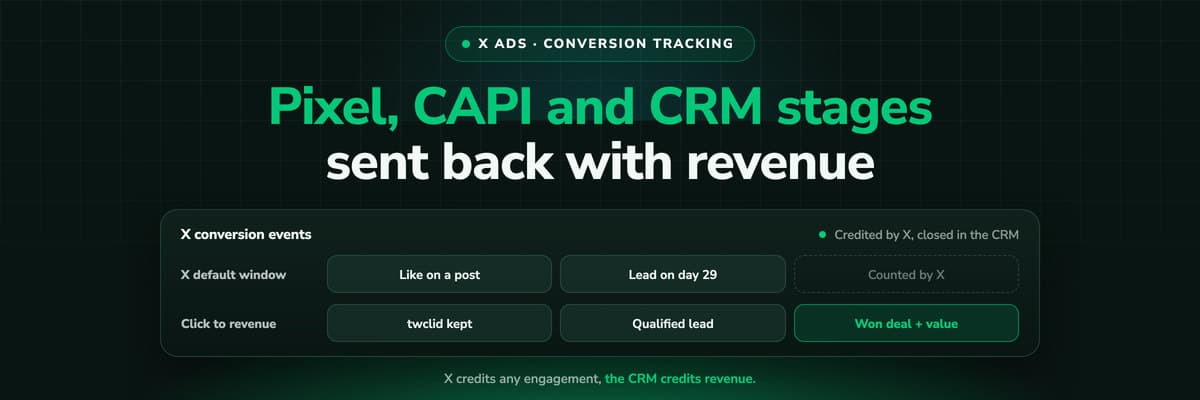
X reports what the X Pixel and the Conversions API tell it, credited after any engagement inside windows you set per event. What to count for lead generation and for a store, how the two sources deduplicate on one conversion ID, why X's count and the CRM disagree by design, how to verify it, and which number deserves the budget.Read the article19 min read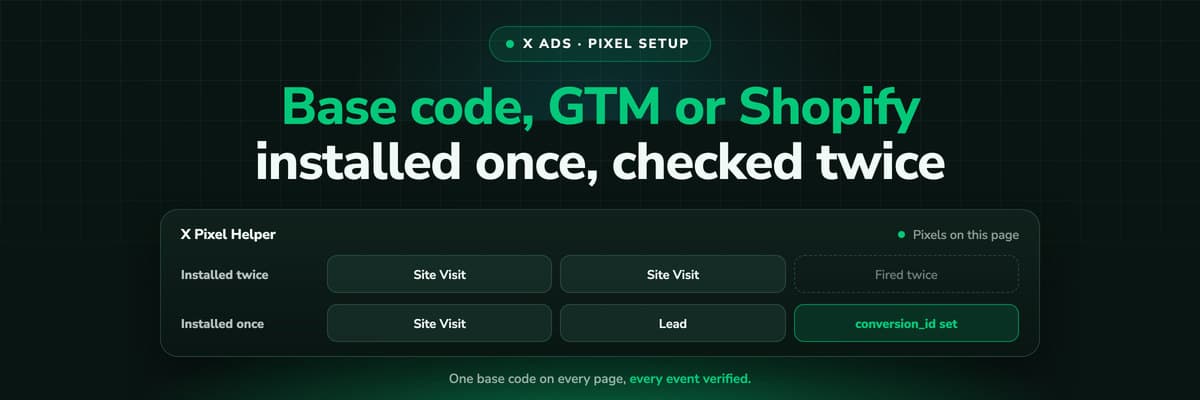 How To Guides
X Pixel Setup: Base Code, GTM, Shopify and Events
Every way to install the X Pixel, with X's own steps and code: creating it in Events Manager, the base code, event code, Google Tag Manager through the partner integration, Shopify, Ensighten and Tealium. Then the event types and parameters, cookies and consent, and how to check it all with the X Pixel Helper and the event statuses.Read the article18 min read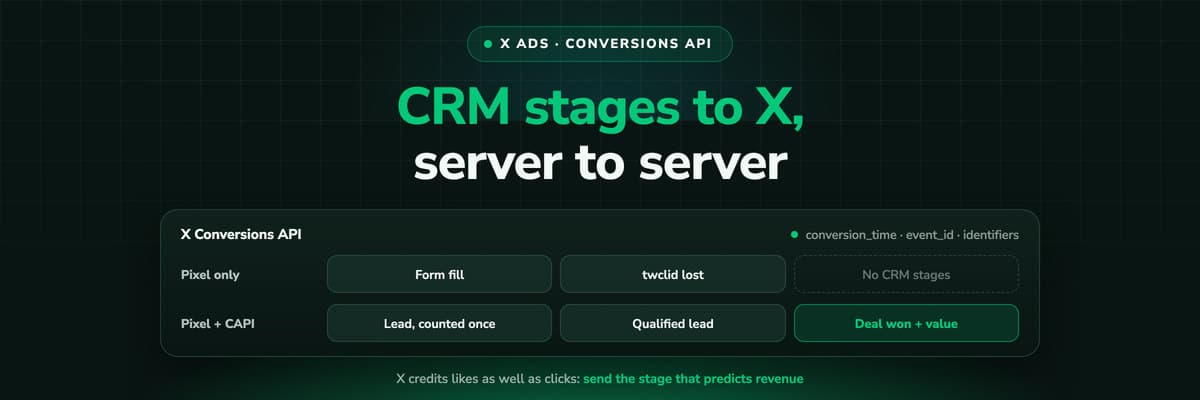 How To Guides
X Conversions API: Setup, Deduplication and CRM Events
The X Pixel reports what a browser lets it see. The Conversions API reports what your server tells it, including stages that happen in the CRM after the form. The endpoint and body, the access token against OAuth, identifiers and hashing, deduplication against the Pixel, the twclid you have to keep yourself, the limits, and what X will credit from a CRM.Read the article16 min read
Consented and complete
Ready to measure the traffic you are allowed to measure?
LeadJourney tracks server-side and first-party on your own domain at 95%+ accuracy, respecting consent decisions rather than working around them, then follows every consented lead through the CRM to the closed deal. Frankfurt hosting, DPA signed, live in 21 minutes.


