
















BlogB2B Marketing Attribution
The True Cost Per Lead: Why Your CPL Is Lying to You
Meta says your cost per lead is €38 and Google says €51, but neither counts no-shows, unqualified leads or the conversions the pixel never saw. Why the reported CPL misleads, and how to calculate cost per qualified lead, booked call and closed deal from CRM data.


Contents
Summarise this article with AI
Opens the page with a ready prompt in:


Nothing is sent until you pick a service.
Your Meta dashboard says your cost per lead is €38. Your Google Ads dashboard says it's €51. Your CRM tells a completely different story. The truth is, the CPL number you're optimizing your campaigns on is almost certainly wrong, and it's costing you money.
It is wrong in two directions at once, which is why it is so hard to correct by intuition. It is too high, because a third of your conversions never reached the platform. And it is too low, because most of the leads it counts will never become anything. Those two errors do not cancel out; they compound, and they compound differently for every campaign in the account.
Here's why your reported CPL is misleading, what your true cost per closed deal actually is, and how to calculate it properly.
Quick Summary: What True Cost Per Lead Means
In short
The CPL in Ads Manager is spend divided by form fills. That number is wrong for three separate reasons: form fills are not customers, 30 to 40% of conversions never reached the platform at all, and nothing in it reflects lead quality, so two campaigns with identical CPLs can be twenty times apart on cost per closed deal. The fix is to take the denominator from your CRM instead of from the ad platform, and to track three numbers rather than one: cost per qualified lead, cost per booked call and cost per closed deal. Optimise campaigns on the first, because it moves within days. Judge budget on the last, because it is the only one that decides whether a campaign was profitable. In lead gen accounts the reallocation this exposes is typically 30 to 60% of the budget.
Reason 1: Form Fills Are Not Customers
Most platforms count a form submission as a conversion. But form fills aren't customers. They're contact requests, and in a lead gen funnel the vast majority of them go nowhere: unqualified, out of budget, wrong country, competitor research, a student writing a thesis, or simply someone who never answers the phone again.
A campaign with a €20 CPL based on form fills can have a €400 cost per closed deal once you exclude no-shows, unqualified leads and ghosters. Nothing in the platform report hints at this, because the platform's job ended when the form was submitted.
The reported CPL is mathematically meaningless until you weigh it against actual outcomes. A cheap CPL that doesn't close is more expensive than an expensive CPL that does, and the cheaper it looks the more budget it tends to attract.
Reason 2: 30-40% of Conversions Are Missing
iOS restrictions, Safari's tracking prevention, ad blockers and cookie consent reject 30 to 40% of browser-based pixel events. Your real CPL is significantly lower than what Meta and Google report, but the gap is invisible because you can't see what was missed.
This one pushes the number the opposite way to the first, which is what makes the combination so misleading. If a campaign reports 100 leads at €50 and actually produced 145, the real cost per form fill is €34, not €50. So a campaign you were about to pause on cost grounds might be your cheapest, and you would have no way of knowing.
Worse, the losses are not evenly distributed. Safari and iOS skew towards higher-value B2B audiences, so the campaigns reaching your best prospects lose the most data and look the most expensive. Until you implement server-side tracking, you're optimizing on incomplete data, and the incompleteness is biased against exactly the campaigns you want to keep.
Reason 3: Lead Quality Is Invisible
Even when conversions are tracked correctly, the platform-reported CPL excludes the most important dimension: lead quality. Two campaigns can have identical CPLs, but one turns 9% of its leads into deals while the other turns 1%.
Here is that as numbers. Two campaigns, the same €10,000 of spend, the same €50 CPL, and one of them is nine times better than the other on the only measure that pays salaries.
Two campaigns with the same CPL and nothing else in common
| Campaign A | Campaign B | |
|---|---|---|
| Spend | €10,000 | €10,000 |
| Leads (form fills) | 200 | 200 |
| Reported CPL | €50 | €50 |
| Qualified | 120 (60%) | 24 (12%) |
| Cost per qualified lead | €83 | €417 |
| Closed deals | 18 | 2 |
| Cost per closed deal | €556 | €5,000 |
| Revenue | €126,000 | €14,000 |
In Ads Manager these two campaigns are indistinguishable. In reality one returns twelve times its spend and the other returns 1.4 times it. Without CRM-matched data, you can't distinguish them, and you'll keep funding both equally, or scale whichever happened to have a marginally lower CPL that week. Most lead gen ad accounts are misallocated by 30 to 60% because of this single issue.
How to Calculate True CPL
True CPL is calculated from CRM data rather than from platform data. The formula does not change; the denominator does, and that is the whole trick.
€10,000 spent, 18 deals closed from those leads: €556 per closed deal, against a reported CPL of €50.
Take the denominator from the CRM, not from the ad platform, and only count leads that platform actually produced. Once you have this number, you'll instantly see which campaigns deserve more budget and which ones are quietly bleeding money.
Three versions of CPL worth tracking
- Cost per qualified leadSpend over leads that passed your team's qualification criteria. Moves within days, so this is the one to optimise campaigns on week to week.
- Cost per booked callSpend over leads who actually scheduled a meeting. Catches the campaigns that produce plausible leads who never show up, which qualification alone misses.
- Cost per closed dealSpend over deals signed. The only number that decides whether a campaign was profitable, and too slow to steer on daily. Judge budget on it quarterly.
Define qualified once, in writing
If qualified means something different to each salesperson, cost per qualified lead is noise with decimal places. Agree the criteria before you build the report, not after someone disputes it.
How to Fix Your CPL Reporting
Three steps to expose and fix your real cost per lead. Each one is a prerequisite for the next, so doing them out of order produces a report that looks finished and is not.
- Capture click IDs that survive the sales cycle. gclid, fbclid, li_fat_id and msclkid stored server-side at the first visit and written onto the CRM record. Without this, no closed deal can ever be traced back to the campaign that produced it.
- Connect the CRM. Stages and deal values read automatically, so qualified, booked and closed are events rather than a monthly export somebody maintains by hand.
- Report at campaign, ad set and creative level. Channel-level true CPL tells you Meta is working. Creative-level true CPL tells you which three ads to make more of.
There is a manual version of all three, and it is a legitimate starting point: export leads from the CRM monthly, match them to campaigns on a UTM, and calculate the three numbers in a spreadsheet. It will be wrong by whatever share of conversions your pixel lost, it will not survive a busy quarter, and it will still be more useful than the number you are using now.
Why This Matters for Optimization
If you optimize on inflated reported CPL, you scale campaigns that look good but don't actually close. Worse, you cut campaigns that look expensive but generate your highest-value customers.
The second failure is the expensive one, and it is delayed enough to be almost undetectable. You cut the campaign in April on a CPL argument nobody could reasonably dispute. Pipeline holds through May, because it is still full of leads that campaign produced in February. It falls in July, and by then the conversation is about the market, the sales team or the product.
There is a second-order effect too. Your reported CPL is not just a reporting number: it is usually also the conversion event the ad platform is optimising towards. Optimise on form fills and the algorithm goes and finds more form fillers, which makes the quality problem worse each month. Sending CRM stages back to the ad platforms fixes the reporting and the optimisation with the same connection.
Once you can see true CPL, the budget reallocation often becomes obvious within the first reporting cycle. The campaign that looked expensive becomes the most profitable. The cheap one becomes the obvious cut.
How LeadJourney Reports True CPL
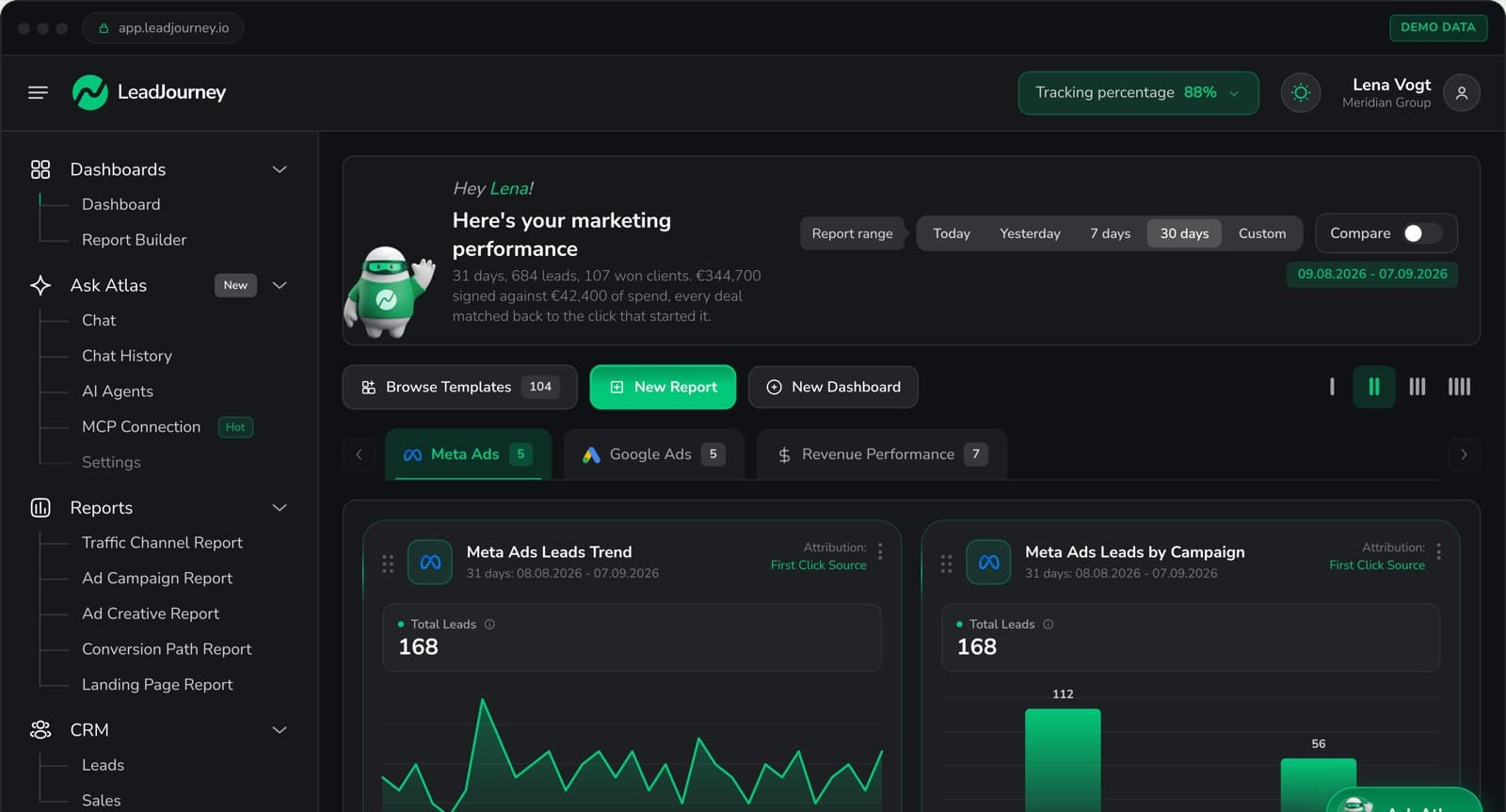
LeadJourney captures the click IDs server-side at 95%+ accuracy, which closes the first of the three gaps: the conversions the pixel lost are counted, so the numerator and denominator are both real.
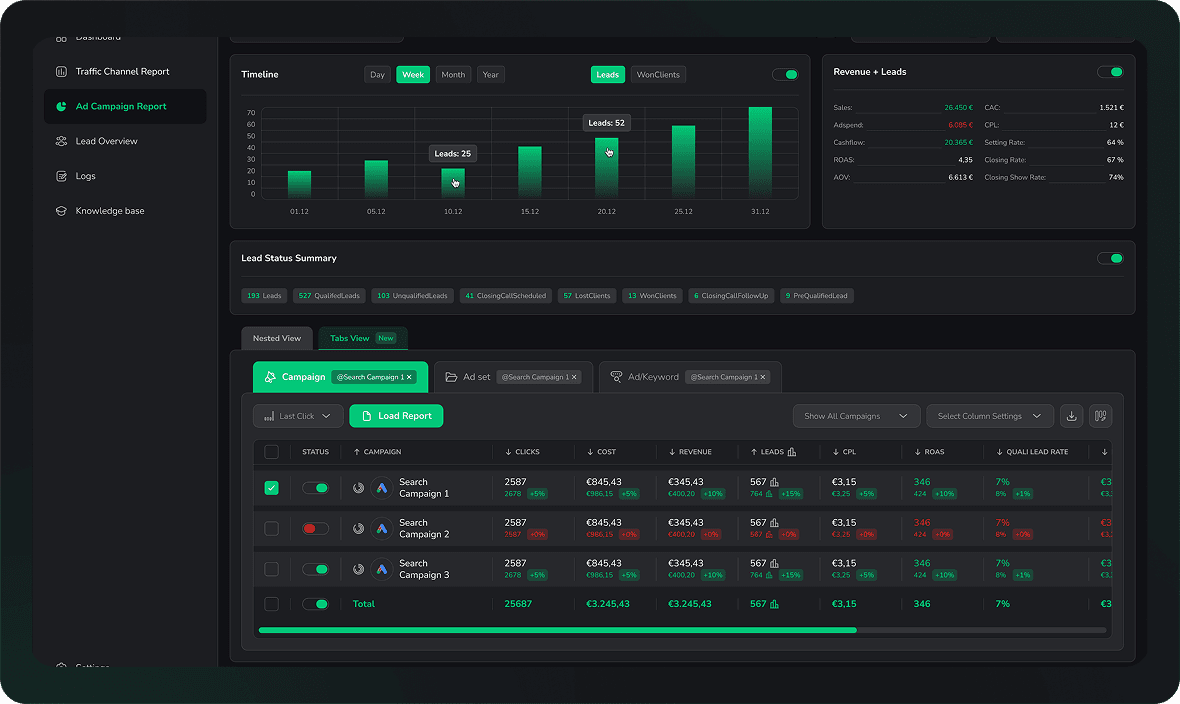
Native CRM integrations with HubSpot, Salesforce, Pipedrive, Close and more (plus any other CRM by webhook) read your stages and deal values, so qualified, booked and closed are attributed back to the campaign, ad set and creative that produced them. Cost per qualified lead and cost per closed deal are columns in the campaign report rather than a monthly spreadsheet exercise, and the deal revenue sits next to them.
The same connection sends those stages back to Meta, Google, LinkedIn and Microsoft, so the platforms optimise towards the same definition of success your report uses. Setup takes about 21 minutes with no developer, and there is a 14-day free trial.
Further Reading
Related articles: best lead attribution tools, best B2B attribution software, how to track offline conversions for lead generation, multi-touch attribution for B2B lead generation, best marketing ROI tracking tools, and LeadJourney vs Wicked Reports. To run the numbers, try the cost per lead calculator.
In the glossary
FAQ
Frequently Asked Questions
The questions teams ask when their reported CPL stops matching reality.
Why is my reported cost per lead wrong?
Three things push it away from reality. It counts form fills rather than customers, it is missing the 30 to 40% of conversions that iOS, ad blockers and consent banners removed, and it says nothing about lead quality. A €20 CPL that never closes is more expensive than a €60 one that does. The first two errors push the number in opposite directions, which is why it cannot be corrected by intuition.
How do I calculate true cost per lead?
Divide the spend by the outcome you actually care about, taken from the CRM rather than from the ad platform. Total ad spend over closed deals gives cost per closed deal. The same spend over qualified leads or booked calls gives the two intermediate numbers, which are more useful week to week because they move sooner.
Which version of CPL should I optimise on?
Track three. Cost per qualified lead, for leads that passed your team's criteria. Cost per booked call, for those who actually scheduled. And cost per closed deal, which is the only one that decides whether the campaign was profitable. Optimise campaigns on the first, judge budget on the last.
Why do Meta and Google report different costs per lead?
Because each counts its own conversions on its own attribution window, and both claim leads the other also claims. Meta may say €38 and Google €51 for a set of leads that overlap. Adding the two together overstates volume and understates cost, which is why the reconciliation has to happen against CRM records.
Can I calculate true CPL in a spreadsheet?
Yes, and it is a reasonable place to start. Export CRM leads with their source, match them to campaigns on the UTM, and divide spend by qualified leads and by closed deals. Two caveats: it will be wrong by whatever share of conversions your tracking lost, and it tends to survive about two months before the person maintaining it gets busy. It is still far better than the platform number.
How much budget is typically misallocated by this?
In lead gen accounts the common range is 30 to 60%. The pattern is consistent: the campaign that looked expensive turns out to produce the customers, and the cheap one turns out to produce form fills. The reallocation is usually obvious within the first reporting cycle after the real numbers appear.
Keep reading
More from the blog
 B2B Marketing Attribution
B2B Marketing Attribution: Models, Data and Revenue (2026)
A B2B deal closes months after the click, is bought by a committee and is recorded in the CRM rather than in any ad platform. This guide covers the whole discipline: what B2B marketing, revenue and sales attribution each credit, lead-level against account-level architecture, pipeline stages as conversions, what your CRM does on its own, build or buy, and a seven step implementation.Read the article22 min read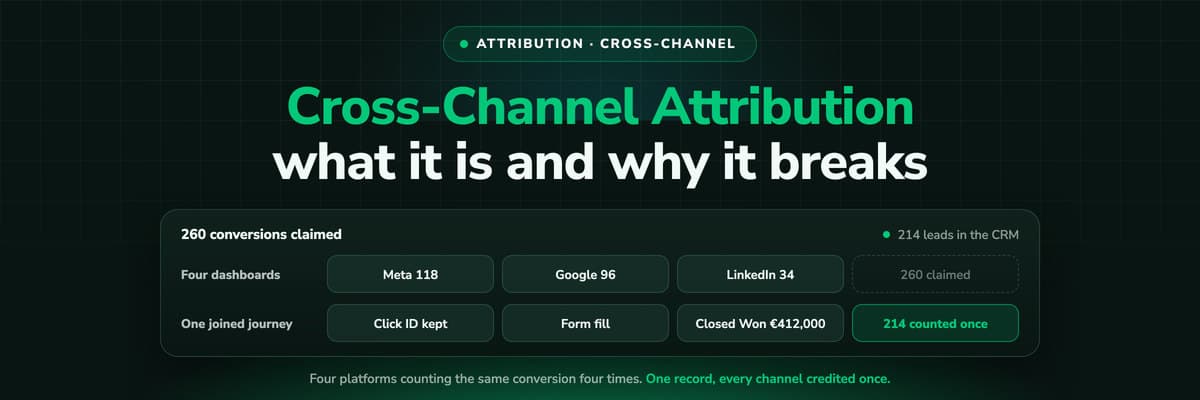 B2B Marketing Attribution
Cross-Channel Attribution: What It Is and Why It Breaks
Meta claims 118 conversions, Google claims 96, LinkedIn 34 and Microsoft 12. The CRM has 214 leads. Cross-channel attribution is the work of turning four honest, incompatible answers into one, and this guide covers the four methods that try it, what each of them can and cannot see, and the setup that decides whether any of them holds.Read the article14 min read B2B Marketing Attribution
Why GA4, Meta and Google Never Agree With Your CRM
Four dashboards, four numbers, the same week, and somebody has to decide which one is real. The seven structural reasons the counts can never match, from attribution windows and view-through conversions to timestamps, identity and definition drift, then the useful half: which number to trust for which decision, and a reconciliation your team can run this week.Read the article13 min read
True CPL
Ready to see your true cost per lead?
LeadJourney captures click IDs server-side at 95%+ and follows every lead through the CRM pipeline to the closed deal, so you see cost per qualified lead, booked call and closed deal per campaign after a 21-minute setup.