


















BlogTool Comparisons
9 Best Marketing Attribution Tools for Zoho CRM in 2026
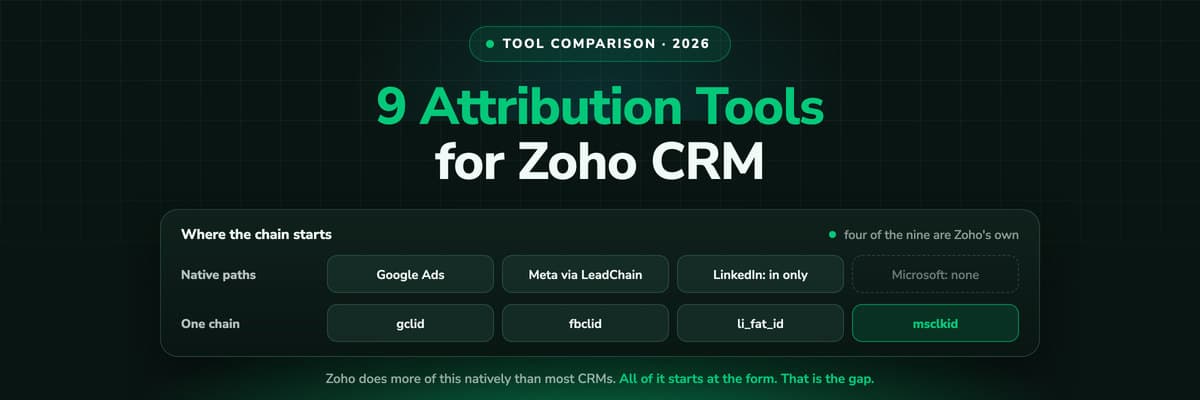
Four of the best attribution tools for Zoho CRM are Zoho products you may already pay for. Nine options compared on where the tracking starts, which ad platforms they cover, and whether the closed deal ever reaches the algorithm buying your traffic.

Contents
Summarise this article with AI
Opens the page with a ready prompt in:


Nothing is sent until you pick a service.
Zoho is in an unusual position for a CRM at its price. It captures the Google click ID natively, pulls Google Ads cost onto the record, and through LeadChain sends conversions back to Meta. Plenty of far more expensive systems do none of that. So the first honest answer to "which attribution tool should I use with Zoho" is often: the ones in the bundle you are already paying for.
The second honest answer is that all of them start at the form, cover one platform each, and export a lead event rather than the deal that closed. That is the gap the third party tools on this list are sold into, and they fill it in different ways.
This guide ranks the nine best marketing attribution options for Zoho CRM in 2026: what each one sees, who it is for, what it costs, and whether a won deal ever reaches Google, Meta, LinkedIn and Microsoft as a conversion. LeadJourney leads the list, because it is the only one of the nine that records the visit before the form, covers all four of them, plus TikTok, Reddit, X, Taboola and Outbrain, through one mechanism and returns the closed deal with its own amount.
Quick Summary: Best Zoho CRM Attribution Setup in 2026
In short
If you buy traffic on more than Google, LeadJourney is the pick: it records every session server-side before any form exists, captures every platform's click ID at once, joins the anonymous history to the lead, and returns the closed deal with its own amount to Google, Meta, LinkedIn, Microsoft and the four other ad platforms it connects. If you buy Google only and convert through Zoho web forms, switch on Zoho's own Google Ads integration first: it is included, it is genuinely good, and it costs an hour.
The rest of the list splits cleanly. Zoho LeadChain, Zoho Marketing Automation and Zoho Analytics are what you already own. Ruler Analytics is the attribution platform with a confirmed Zoho connector. Stape and LeadsBridge are connectors that move CRM events to ad platforms. Zapier and Make are the fallback when nothing else fits.
Three questions settle it. Does the tool see the visit before the form, or does the chain start at the submission. Does it cover every ad platform you buy on through one mechanism, or one platform each. And does the deal go back with its value, or only the lead.
The 9 Best Attribution Options for Zoho CRM (2026)
Nine ways to get attribution onto Zoho CRM, at a glance
| Tool | What it adds | Best for | Pricing |
|---|---|---|---|
| Rank 1LeadJourney | Server-side tracking before the form, every platform's click ID, source written onto the record, closed deal returned to nine ad platforms with its amount | Teams buying traffic on more than one platform | From €129/mo, 30-day money-back guarantee |
| Rank 2Zoho CRM Google Ads integration | gclid captured on your site, keyword, network and cost on the record, lead creation exported as an offline conversion | Google-only spend with Zoho web forms | Included |
| Rank 3Zoho LeadChain | Facebook and LinkedIn Lead Ads into the CRM, and CRM records out to the Facebook Conversions API with your own event and filters | Meta spend, and lead ad forms | Included |
| Rank 4Zoho Marketing Automation | Journey and campaign analytics with attribution over the interactions it recorded itself | Email and nurture programmes inside Zoho | Separate Zoho product |
| Rank 5Zoho Analytics | A BI layer to blend CRM records with ad platform data you bring to it | Teams that want to own the model | Separate Zoho product |
| Rank 6Ruler Analyticsvs LeadJourney | Multi-touch attribution with call tracking, connecting visitors to CRM revenue, with a Zoho connector | Lead gen where a large share of leads phone in | From £299/mo |
| Rank 7Stape Zoho CRM appvs LeadJourney | Lead status changes from Zoho to Meta, Google Ads and other server-side destinations | Teams already running server-side tagging | On their plan |
| Rank 8LeadsBridge | A bridge from Zoho CRM to the Facebook Conversions API and other platforms | Connecting one system to one platform quickly | On quote |
| Rank 9Zapier or Make | A trigger on a Zoho record and an action anywhere, built by you | The case nothing above covers | From free |


1. LeadJourney: Best for Multi-Platform Spend and Deal-Level Value

The Zoho CRM integration is native: an OAuth sign in, a pick of the data centre your org lives in, and a field mapping screen, live in about 21 minutes. It reads Lead Statuses, Deal Stages and amounts, and writes the attribution back onto the Lead, the Account and the Deal, so the source survives lead conversion instead of stopping at it.
What it brings is the half nothing in Zoho collects. Every session is recorded server-side on your own domain at 95%+ accuracy, on every page and before any form exists, so the visit an ad blocker or Safari's tracking prevention would have removed is still in the journey. All four click IDs are captured at the moment of the click, gclid with gbraid and wbraid, fbclid, li_fat_id and msclkid, and held first-party until the person identifies themselves by a form, a call or a booking.
The return path is the other half. Spend is pulled from all nine ad platforms and joined to the deals themselves, so cost per closed deal is measured rather than modelled, and when the deal closes its actual amount goes back to the platform that produced the first click. That is the difference from every native path in this list: those export a lead event, this exports the revenue.
Key Features
- Server-side tracking on your own domain at 95%+ accuracy, on every page, before a record exists
- gclid, fbclid, li_fat_id and msclkid captured at click time through one mechanism
- The anonymous first click stitched to the lead at form submit, call or booking
- Ad spend pulled from Meta, Google, LinkedIn and Microsoft Ads and joined to the deals
- Five attribution models on every plan, switchable without re-tracking
- Won deals returned to all nine ad platforms with their own amount and currency
- Organic, direct, referral and AI search as first class channels, ChatGPT and Perplexity included
- EU processing and first-party collection under a data processing agreement
Pros
- Sees the journey before the form, which is where every native Zoho path starts
- One mechanism for nine ad platforms instead of three mechanisms and a gap
- Returns the closed deal with its value, not a fixed lead event
- Measured cost per closed deal per channel, campaign and creative
- Live in about 21 minutes with a tracking expert, and a 30-day money-back guarantee
Cons
- Reporting lives in LeadJourney rather than inside Zoho's own dashboards
Verdict
The pick if you spend on more than Google and your deals are worth different amounts. If both of those are false, entry two is cheaper and already paid for.
Connected LeadJourney for 2 clients, setup took literally 20 minutes each. The data became more accurate, the reports actually make sense. Now clients look at the dashboard and the 'why don't the numbers match?' questions are gone.
 Alexander SamarPerformance Marketing Agency
2. Zoho CRM Google Ads Integration: Best Free Starting Point
Included, and better than most CRMs manage. Two pieces of Zoho code, one in the web form and one across the site, capture gclid and carry it onto the lead. Zoho then fills a Google Ads Information section with the ad network, keyword, search query, device type and cost metrics, and exports lead creation back to Google Ads as an offline conversion.
Its limits are the ones every native path shares. It covers Google and nothing else. It starts at the form, so a visitor who read three pages before converting has no history behind the click ID. The mapping runs roughly every 24 hours with the record filling 48 to 72 hours after creation. And it breaks quietly when auto-tagging goes off, when a form is embedded in an iFrame on another domain, or when somebody removes Zoho's JavaScript in a page speed sprint.
Verdict
Switch it on before you evaluate anything else. If Google is most of your spend and your cycle is short, you may not need more than this.
3. Zoho LeadChain: Best Native Path to Meta
LeadChain does two jobs. It pulls Facebook and LinkedIn Lead Ads into Zoho CRM, and it sends lead, contact or deal data out to the Facebook Conversions API with an event name, event time and event source you configure, plus filters, so you can send only the records that reached a qualified status.
That filter is the valuable part and it is worth setting up deliberately. Sending Meta every form fill teaches it to find you more form fills; sending only the records your sales team qualified teaches it something closer to what you want. What LeadChain does not do is send anything back to LinkedIn, despite pulling LinkedIn leads in, and it has no Microsoft Advertising path at all.
Verdict
If you spend on Meta and run Zoho, this is the native answer and it is included. Budget an afternoon for the event mapping rather than an hour.
4. Zoho Marketing Automation: Best for Nurture Reporting
Zoho's attribution modelling lives here rather than in the CRM, which is the single most common source of confusion in this whole topic: people go looking for attribution reports in Zoho CRM and find a picklist. Marketing Automation reports on the journeys, emails and forms it runs, and models attribution across those interactions.
Like every marketing automation platform, it measures the engagement it produced itself. That makes it a good tool for judging a nurture programme and a poor one for answering which channel bought the customer, because the ad click that started everything was not one of its interactions.
Verdict
Worth it for the email and nurture side. Do not expect it to settle a paid media budget argument.
5. Zoho Analytics: Best for Owning the Model Yourself
The build-it-yourself route inside the Zoho estate. Blend CRM records with ad platform data and model whatever you like on top, in a BI tool that already knows how to read your CRM.
The catch is the same one every warehouse route has: it can only model the touchpoints something gave it. Ad spend arrives keyed by campaign, CRM records arrive keyed by record, and nothing in between says which click produced which lead unless that identity was captured on your website first. You can build a report that divides spend by leads per channel, which is genuinely useful, and you cannot build a journey out of data that has no journey in it.
Verdict
The right answer when you have an analyst and want to own the model. Pair it with something that captures the click.
6. Ruler Analytics: Best When Leads Arrive by Phone
Ruler tracks visitors across sessions, joins them to the lead they become and passes CRM revenue back to the source, and Zoho is on its integrations list alongside Zoho SalesIQ. Its strongest card is call tracking with dynamic number insertion, so a phone lead is attached to the campaign that produced the visit instead of landing in Other.
Pricing is public and banded by monthly visits from £299 a month, which makes it easy to budget and expensive on a high traffic site. If calls are a small share of your leads, you are paying most for the part you use least.
Verdict
The pick for lead generation where the phone rings. Price it at your real traffic volume rather than at the entry tier.
7. Stape's Zoho CRM App: Best If You Already Run Server-Side Tagging
Stape's Conversions Tracking app for Zoho CRM sends lead status updates out of Zoho to advertising platforms that accept server-side events, Meta and Google Ads among them, and passes offline conversion data for campaign optimisation. For a team already running a server-side GTM container with Stape, it is the natural place to put this and it reuses infrastructure you are paying for.
It is a conversion pipe rather than an attribution product: it moves events you define to platforms you choose. The journey, the models and the reporting are still somewhere else, and the quality of what it sends depends entirely on what your CRM knows, which brings you back to where the click ID came from.
Verdict
A good fit inside an existing server-side setup. Not a first attribution purchase.
8. LeadsBridge: Best for One Bridge, Quickly
LeadsBridge documents a Zoho CRM to Facebook Conversions API connection and a long catalogue of similar bridges. If what you need is one system talking to one platform and you would rather configure it than build it, this is the shortest route from nothing to a working conversion feed.
The trade is the same as every connector: you are paying per bridge for plumbing, and a stack with four platforms becomes four bridges to maintain, each with its own field mapping. The tracking side, where the click ID comes from, is not part of what it does.
Verdict
Sensible for a single, specific connection. Reconsider once you are maintaining three of them.
9. Zapier or Make: Best for the Case Nothing Else Covers
A trigger on a Zoho record and an action anywhere else. It is how most one-off attribution requirements actually get met: a deal reaches a stage, a webhook fires, something downstream records it. It is the right tool for the systems that have no connector of their own.
What it will not do is hold a journey. Each run knows about one record at one moment, so anything requiring history has to live in whatever is on the other end.
Verdict
The universal joint. Use it to connect, not to attribute.
How to Choose, in Three Questions
- Where does the chain start? If it starts at the form, everything before the form is invisible, and that is where the first ad click lives. Ask to see a journey for somebody who visited three times before converting.
- How many platforms, how many mechanisms? Google through one integration, Meta through another, LinkedIn inbound only and Microsoft by hand is four different answers to one question, and four places to look when a number is wrong.
- Does the deal go back, or only the lead? Exporting lead creation teaches the algorithm to find more leads. Exporting the closed deal with its amount teaches it to find revenue. They produce different campaigns within a month.
And one thing to do whatever you buy: get the source onto the Deal, frozen at creation, with a workflow. Lead fields stop travelling at conversion, and revenue by first touch campaign is the only version of this report that decides a budget.
Further Reading
Keep going with Zoho CRM lead source tracking and connecting Zoho CRM to Google Ads and Meta. The same comparison for other CRMs: HubSpot, Salesforce, Microsoft Dynamics and Pipedrive.
In the glossary
FAQ
Frequently Asked Questions
What Zoho teams ask when they start shortlisting attribution tools.
Does Zoho CRM have marketing attribution built in?
Partly, and not where people look for it. Zoho CRM itself holds a Lead Source picklist and, with the Google Ads integration, a real click ID with keyword and cost detail. Attribution modelling lives in Zoho Marketing Automation, a separate product, and models the interactions it recorded itself. What no Zoho product records is the anonymous sessions before a form is submitted, which is where the first ad click sits.
What is the best attribution tool for Zoho CRM?
If you buy traffic on more than Google and your deals are worth different amounts, LeadJourney: it tracks sessions before any form exists, captures all four click IDs through one mechanism and returns the closed deal with its value to Google, Meta, LinkedIn and Microsoft. If you buy Google only, switch on Zoho's own Google Ads integration first, because it is included and it is good. If a large share of your leads phone in, Ruler Analytics.
Can I send Zoho CRM deals back to Google and Meta as conversions?
Lead creation, yes, through two different native paths: Zoho's Google Ads integration for Google, and Zoho LeadChain for Meta's Conversions API. Sending the closed deal with its own amount, which is what value based bidding wants, is not what either exports; that needs a tool that holds the deal value and matches it to the original click, or an upload you build and maintain yourself.
How does LeadJourney connect to Zoho CRM?
Natively, since 23 September 2026. It is an OAuth sign in, a pick of the data centre your org lives in, and a field mapping screen, and most accounts are live in about 21 minutes. It reads Lead Statuses, Deal Stages, amounts and currencies, and writes the attribution onto the Lead, the Account and the Deal. The standard Lead Source picklist is left untouched unless you map it, because your workflow rules and historic reports run on that field.
Do I need a tracking tool if Zoho already captures gclid?
It depends on two things. If Google is nearly all of your spend and your visitors convert on the same visit, Zoho's own capture covers most of it. If you also buy Meta, LinkedIn or Microsoft, or if people research for weeks before filling in a form, then the gclid on the record is one platform's answer to one visit, and the touches that decided the deal are not recorded anywhere.
What should I fix first in Zoho, before buying anything?
Three things, in this order, and all of them free. Switch on the Google Ads integration properly, including the site-wide script and not only the form snippet. Build the workflow that copies first touch source, campaign and click ID onto the Deal at creation and freezes them there. Then shorten the Lead Source picklist to values your team can actually choose between. Most accounts find the report they wanted was mostly a configuration away.
Keep reading
More from the blog
 Tool Comparisons
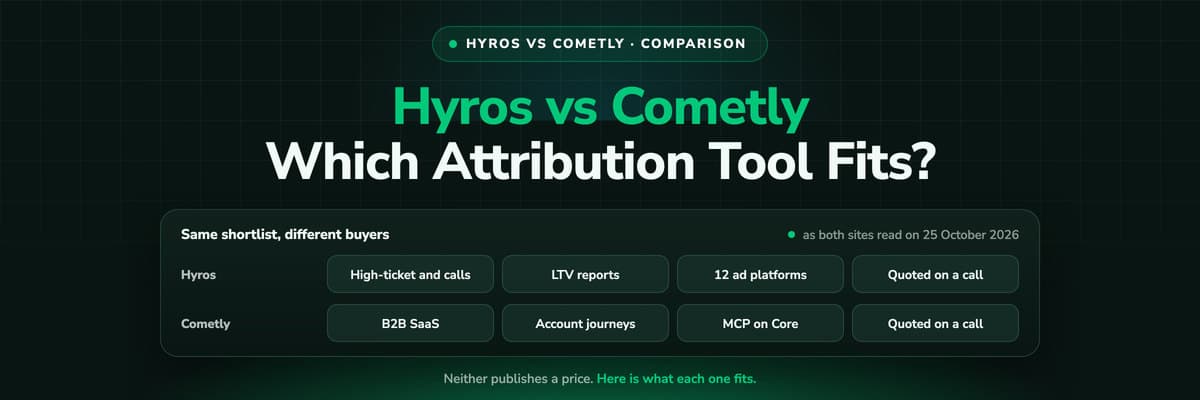
Hyros vs Cometly (2026): Which Attribution Tool Fits?
Hyros is built around high-ticket sales, info products and calls; Cometly around B2B SaaS pipeline. Both quote prices on a call. A fair, dated comparison of tracking, CRM depth, AI, security and cost, and who should pick which.Read the article14 min read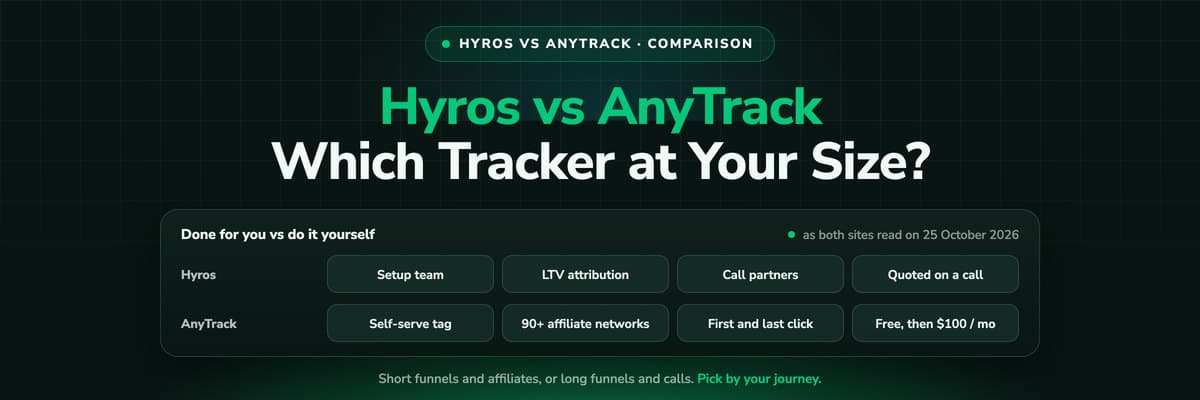 Tool Comparisons
Hyros vs AnyTrack (2026): Which Tracker at Your Size?
AnyTrack is a self-serve conversion router with a free plan and public prices from $100 a month. Hyros is a done-for-you attribution platform quoted on a call. A fair, dated comparison of tracking, attribution, affiliates, calls and cost.Read the article14 min read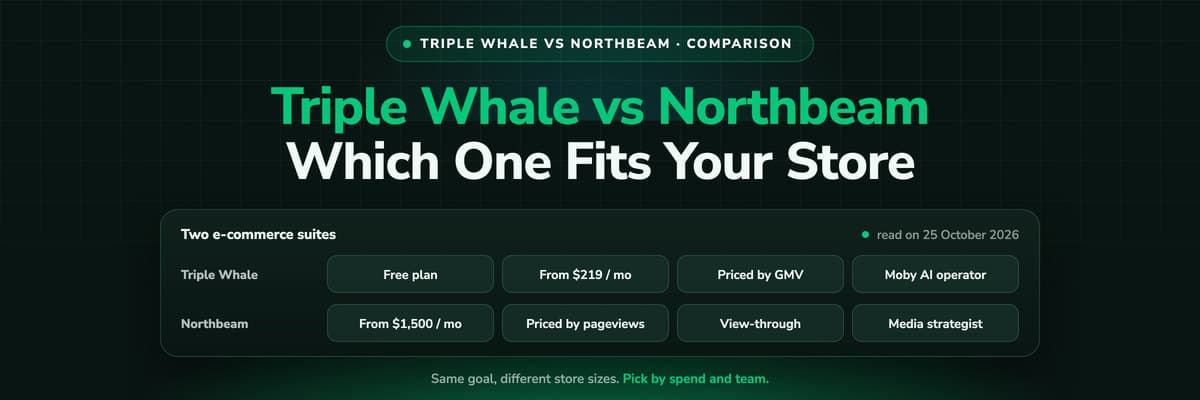 Tool Comparisons
Triple Whale vs Northbeam (2026): Which Fits Your Store
Triple Whale and Northbeam both measure e-commerce marketing, and they are built for different stores. Attribution, measurement, AI, setup and both price lists side by side, read on 25 October 2026, and which brand each one fits.Read the article13 min read
Zoho CRM attribution
Ready to see which campaigns produced your Zoho revenue?
LeadJourney records every click before the form, joins it to the lead in Zoho, pairs ad spend with closed revenue and sends the won deal back to Meta, Google, LinkedIn and Microsoft. Live in 21 minutes with a tracking expert, 30-day money-back guarantee.
30-day money-back guaranteeSetup with a tracking expert


