


















BlogHow To Guides
Zoho CRM and Google Ads: What the Integration Does, and What It Misses
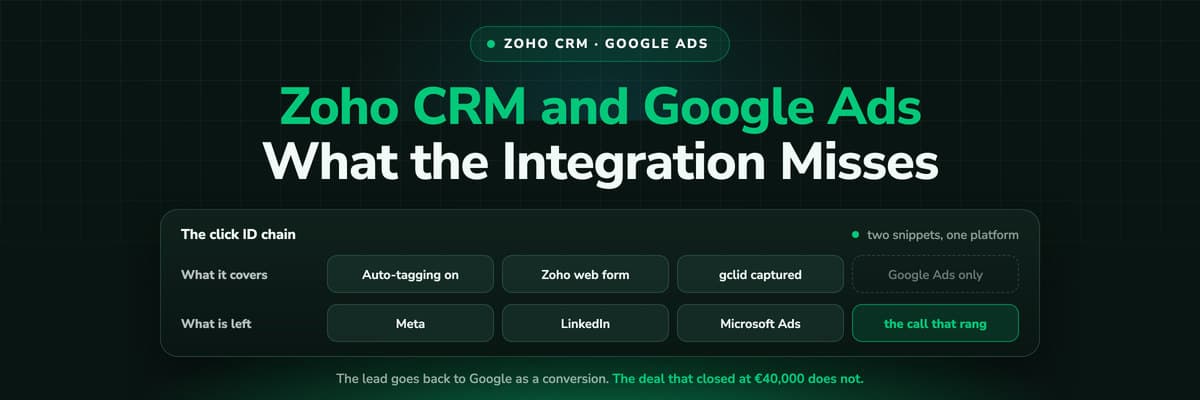
Zoho's Google Ads integration is better than most CRMs manage: it captures the click ID, pulls cost into the record and sends conversions back. Here is exactly what it does, the five prerequisites that silently break it, and what to do about the other three ad platforms.

Contents
Summarise this article with AI
Opens the page with a ready prompt in:


Nothing is sent until you pick a service.
Most CRMs at Zoho's price point do not close this loop at all. Zoho does: it captures the Google click ID on your site, carries it onto the lead, pulls the campaign cost in beside it, and exports the lead back to Google Ads as an offline conversion. If you are paying for Google traffic and running Zoho, switching it on is the highest value hour of configuration available to you.
It is also narrower than most people expect when they switch it on, and the ways it breaks are quiet. This is what it actually does, what has to stay true for it to keep working, and what covers the three ad platforms it leaves out.
Quick Summary: Zoho CRM and Google Ads
In short
Two pieces of Zoho code, one in your web form and one across the site, capture gclid and carry it to the lead. Zoho then fills a Google Ads Information section on the record with the ad network, keyword, search query, device type and cost, and exports lead creation back to Google Ads as an offline conversion. Mapping runs about every 24 hours and the record fills 48 to 72 hours after creation. It covers Google Ads and leads that arrive through a web form. Meta needs LeadChain, LinkedIn is inbound only, Microsoft Ads has no native path, and calls and imports have no click ID at all.
What the Integration Actually Does, in Both Directions
It is genuinely two integrations sharing a settings screen, and it helps to think of them separately.
- Into Zoho: the click and its contextgclid is captured on your site and travels with the form submission. Zoho then enriches the record with a Google Ads Information section: ad network, keyword, search query, device type and cost metrics, plus campaign level clicks, impressions, average position and spend.
- Back to Google: the offline conversionLead creation is exported to Google Ads as a conversion, according to the offline conversion settings you configure. That is what lets Smart Bidding optimise toward leads that exist in your CRM rather than toward form submissions the tag happened to see.
Why the return path is the valuable half
The enrichment is nice to look at. The conversion export is what changes what Google buys for you. If you only have time for one thing, make sure the offline conversion side is actually configured and actually firing, because it is the half that spends the budget better.
Setting It Up, in the Order That Avoids Rework
- Turn on auto-tagging in Google Ads. It is mandatory, and without it there is no gclid on your landing page URLs for anything to capture. Check it first, not last.
- Authorise the connection from an administrator profile in Zoho CRM. A standard profile cannot complete the setup, which is a common reason a half finished configuration sits there for weeks.
- Add Zoho's code to your web form, so the gclid present on the page is read and submitted with the lead.
- Add Zoho's tracking code across the site, so a visitor who lands on a blog post and converts three pages later still carries the value. Skipping this is the single most common reason the click ID is missing on real traffic.
- Configure the offline conversion settings on the Google Ads side, choosing the conversion action that lead creation should count as.
- Wait, then verify on real records. Mapping runs roughly every 24 hours and the Google Ads Information section fills 48 to 72 hours after a record is created, so a test lead checked ten minutes later proves nothing.
The Five Things That Silently Break It
None of these throws an error. They all just produce leads with no click ID, which looks exactly like a quiet week of traffic.
Auto-tagging switched off
Somebody turns it off to keep URLs clean, or a manual tagging setup overrides it. No gclid on the landing page, nothing to capture, and the reporting quietly reverts to guesswork.
A form in an iFrame on another domain
Zoho documents that there must be no domain mismatch when forms are embedded as iFrames. Marketing embeds the form on a campaign microsite and the chain breaks at the moment the campaign starts.
Zoho's JavaScript removed
A performance pass, a consent tool or a new CMS template drops the script. The documentation is explicit that it cannot be removed, but nobody doing a page speed sprint reads CRM documentation.
A new form built without the code
The integration is per form. Every new landing page, every agency handover and every A/B test variant is another place the snippet has to exist.
Leads that never touch a form
A phone call, a chat, an import, an API push. None of them can carry a gclid, so whatever share of your pipeline arrives that way is invisible to Google whatever you configure.
Meta, LinkedIn and Microsoft Ads
This is where the question in most people's heads actually is, because almost nobody runs Google alone.
What Zoho covers natively, per ad platform
| Platform | Leads into Zoho | Conversions back out |
|---|---|---|
| Google Ads | gclid captured on your site, with cost and keyword enrichment | Yes, lead creation as an offline conversion |
| Meta | Facebook Lead Ads through LeadChain | Yes, through LeadChain to the Conversions API, with your own event and filters |
| LinkedIn Lead Ads through LeadChain | No native path | |
| Microsoft Ads | No native path | No native path |
LeadChain is worth setting up if you spend on Meta: it sends lead, contact or deal records to the Facebook Conversions API with an event name, event time and event source you choose, and filters, so you can send only the records that reached a qualified stage rather than every form fill. That is a better signal than the pixel gives Meta on its own.
What you are left with is a patchwork. Two platforms covered by two different mechanisms with two different setups, one platform covered inbound only, and one not at all. Each works; together they are four places to check when a number looks wrong, and msclkid is still a field somebody maintains by hand.
The Limit Underneath All of It
Every mechanism above begins at the form. That is a design decision, not an oversight, and for a CRM it is the right one. It does mean two things your reporting inherits.
- The first touch is not available. The click that brought somebody to your blog three weeks before they converted was on a page with no form and no identity, so no integration could have attached it to anybody.
- One conversion, one value. Lead creation is exported as a conversion. The deal that closes four months later at €40,000 is a different event with a different worth, and Smart Bidding never hears about it unless you build that upload yourself.
If your sales cycle is short and Google is most of your spend, neither limit will hurt much, and Zoho's native integration is the correct answer to this question. If the cycle runs to months and the budget is spread across four platforms, they are the reasons the numbers never quite reconcile.
What LeadJourney Adds, and What It Does Not
The Zoho CRM integration is native: OAuth, a data centre pick and a field mapping screen. What it changes is not the connection but where the chain starts and how many platforms it covers.
What it changes is where the chain starts and how many platforms it covers. One script on your site, live in about 21 minutes, records every session server-side on your own domain at 95%+ accuracy, before any form exists and on every page. It captures all four click IDs at once, gclid with gbraid and wbraid, fbclid, li_fat_id and msclkid, and holds them first-party until the visitor identifies themselves, whether that is a form, a call or a booking.
Then the return path runs on the deal rather than on the lead: when the deal is closed as won, its actual amount goes back to Meta through the Conversions API, to Google Ads as an offline conversion import matched on gclid, to LinkedIn through its Conversions API, to Microsoft Ads matched on msclkid, to TikTok through its Events API, to Reddit and X through their Conversions APIs and to Taboola and Outbrain server to server. One mechanism, nine platforms, value based rather than a fixed lead event. The Chrome extension then draws those deals and their revenue as columns in Google Ads and Meta Ads Manager, so each campaign is read on what closed.
Where Zoho's own integration stays the better tool: if you only buy Google, only convert through Zoho web forms and want the keyword and cost detail sitting inside the CRM record your sellers open, it does that natively and it costs nothing extra. Set it up either way.
Further Reading
Keep going with Zoho CRM lead source tracking and the attribution tools that work with Zoho. On the technical side, the GCLID guide, Google Ads enhanced conversions for leads and sending CRM data back to Meta and Google.
FAQ
Frequently Asked Questions
What Zoho admins ask when connecting the CRM to their ad accounts.
How do I connect Zoho CRM to Google Ads?
Turn on auto-tagging in Google Ads first, then authorise the integration from an administrator profile in Zoho CRM, add Zoho's code to your web form and its tracking code across the whole site, and configure the offline conversion settings on the Google Ads side. Verify on real leads rather than a test one: gclid is mapped to records roughly every 24 hours and the Google Ads Information section fills 48 to 72 hours after the record is created.
Why is gclid missing on some Zoho leads?
Five usual causes. Auto-tagging is off, so there was no gclid on the landing page. The site-wide tracking code is missing, so a visitor who browsed before converting lost it. The form is embedded in an iFrame on a different domain, which Zoho documents as unsupported. Zoho's JavaScript was removed from the page. Or the lead never came through a form at all, which is the case for every call, chat, import and API push.
Can Zoho CRM send conversions to Meta?
Yes, through Zoho LeadChain, which connects Zoho CRM to the Facebook Conversions API. You configure the event name, the event time and the event source, and you can filter which records are sent, for example only leads that reached a qualified status. LeadChain also pulls Facebook and LinkedIn Lead Ads into the CRM. It is a separate piece of the Zoho ecosystem from the Google Ads integration, with its own setup.
What about LinkedIn and Microsoft Ads?
LinkedIn Lead Ads flow into Zoho through LeadChain, but there is no native path for sending conversions back to LinkedIn. Microsoft Advertising has neither: msclkid has to be captured on your landing page, stored on the record and uploaded to Microsoft yourself, inside the window it documents for offline conversions. Those two platforms are where a Zoho account most often keeps bidding on form fills.
Does the Zoho integration send the deal value to Google Ads?
It exports lead creation as a conversion according to your offline conversion settings, so the signal Google receives is that a lead was created. Sending the closed deal with its own amount, which is what value based bidding actually wants, is a separate upload you would build and maintain yourself, matched on the gclid stored on the record.
Do I still need the Zoho integration if I use a tracking platform?
Often yes, and they do different jobs. Zoho's integration puts Google's keyword, network and cost detail inside the CRM record your sellers open, natively and at no extra cost. A tracking platform records the sessions before any form exists, covers all nine ad platforms through one mechanism, and returns the closed deal with its value rather than a lead event. Running both is normal; running neither is the expensive option.
Keep reading
More from the blog
 How To Guides
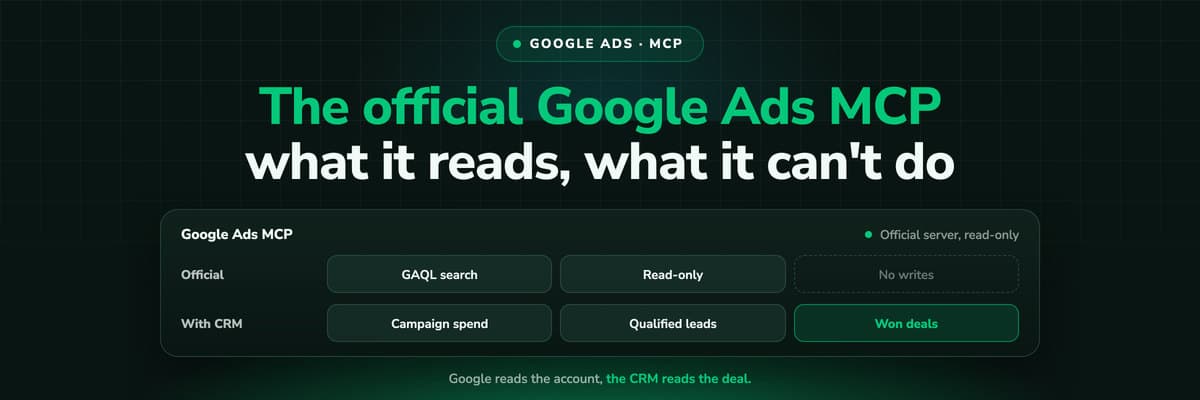
Google Ads MCP: The Official Server, Its Limits, Options
Google publishes an open source MCP server for the Google Ads API. It is read-only, has three tools and no public URL. What it does, how to run it locally or on Cloud Run, how Claude and Claude Code connect to it, what it cannot do, and the third-party servers that fill the gaps.Read the article13 min read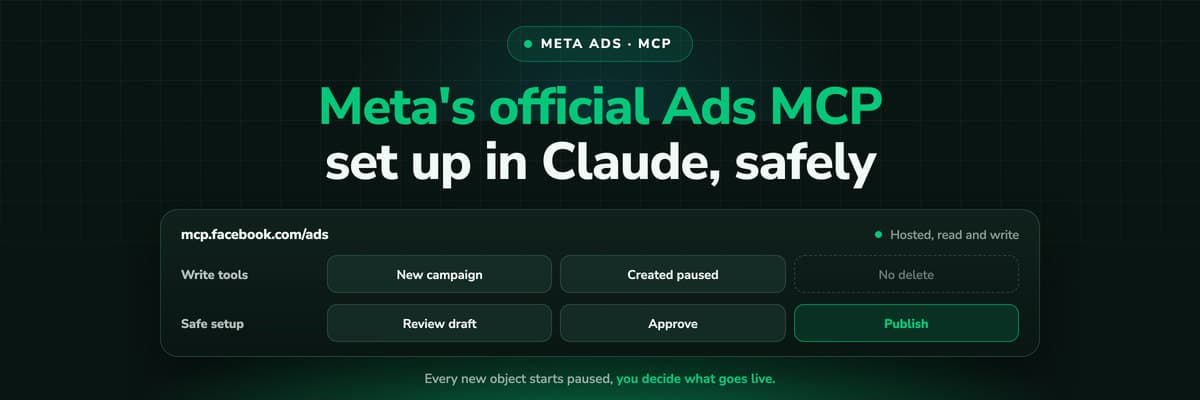 How To Guides
Meta Ads MCP: Setting Up Meta's Official Server
Meta runs its own MCP server for ads at mcp.facebook.com/ads. What it does, which permissions it needs, how agencies get access, how to add it to Claude and ChatGPT, what the third-party servers offer instead, and how to use the write tools without spending money by accident.Read the article12 min read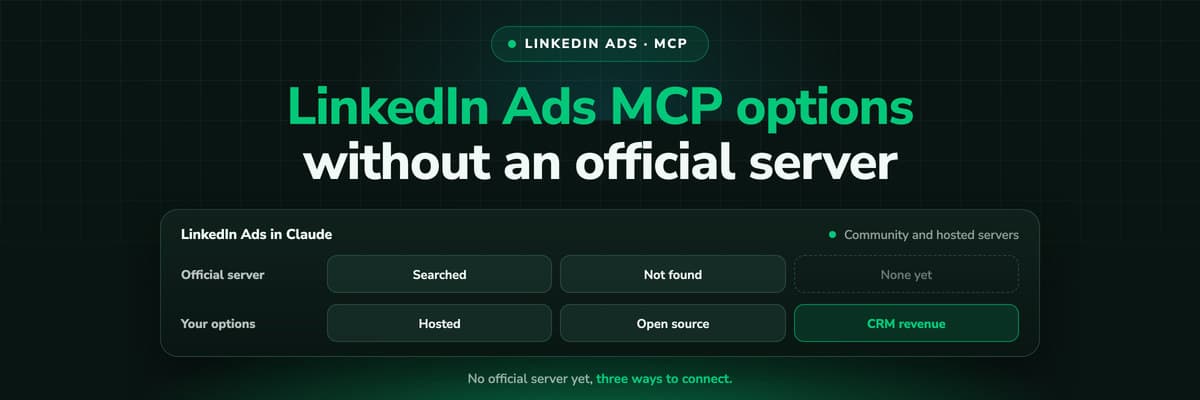 How To Guides
LinkedIn Ads MCP: Your Options Without an Official Server
LinkedIn has no official MCP server as of October 2026, unlike Meta, Google, Microsoft, TikTok and X. What the third-party LinkedIn Ads MCP options are, why there are so few, what to check before you connect one to an account with spend on it, and how to ask Claude about LinkedIn campaigns on pipeline rather than form fills.Read the article11 min read
Nine platforms, one chain
Ready to close the loop on more than Google?
LeadJourney captures every platform's click ID before the form, joins it to the lead in Zoho through the webhook, and sends the won deal back to every ad platform with its own amount. Live in 21 minutes with a tracking expert, 30-day money-back guarantee.
30-day money-back guaranteeSetup with a tracking expert


