BlogHow To Guides
WooCommerce Conversion Tracking for Google, Meta and Microsoft
A plugin per platform, a data layer through GTM, or the order itself by webhook. Three ways to track a WooCommerce conversion, with a different failure mode each, plus the two problems every store hits once tracking works: duplicate orders and a value that is not the money you kept.

Contents
Summarise this article with AI
Opens the page with a ready prompt in:


Nothing is sent until you pick a service.
Conversion tracking on WooCommerce is unusually easy to set up and unusually easy to get wrong, for the same reason: everything is a plugin. Three plugins can each fire a purchase event for the same order, each to its own platform, none of them knowing about the others, and every number in the building ends up different.
This is the map. The three methods, what each platform actually needs, where each breaks, and the two problems that arrive the day tracking finally works.
Quick Summary: Three Ways to Track a WooCommerce Conversion
In short
You can track WooCommerce conversions three ways. A plugin per platform fires that platform's purchase event on the thank you page: least work, and the most exposed to caching, blockers and consent. A data layer plus a tag manager gives you one purchase event and several tags reading it: more control, same browser dependency. The order itself, pushed by a core WooCommerce webhook or read through the REST API: it cannot be blocked, it carries the real total and its currency, and it is the only one that hears about a refund. Most stores should run the first or second for on-site behaviour and the third for the purchase.
Below: what each platform needs, the double counting problem, the value problem, and a test plan that takes half an hour.
Why the Thank You Page Is the Wrong Trigger
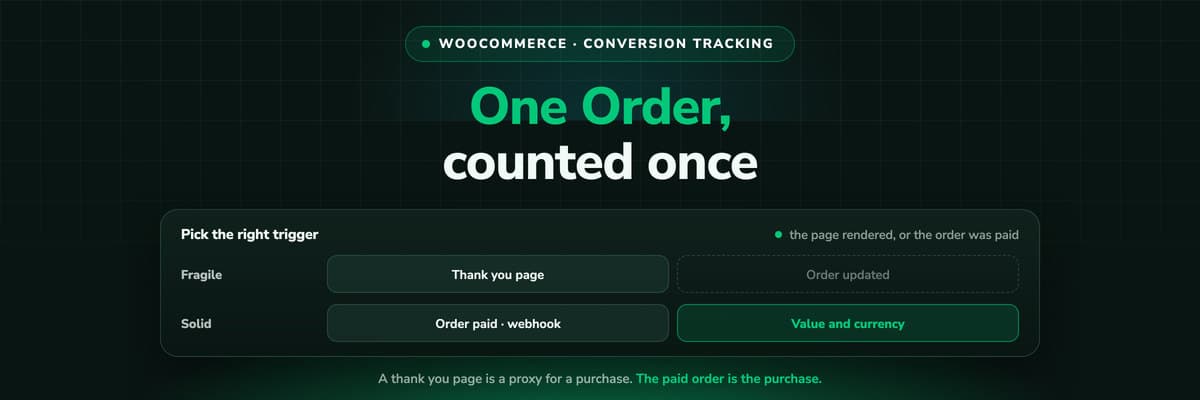
Almost every WooCommerce tracking plugin fires when the order received page renders. That page is a reasonable proxy for a purchase and it is not the purchase, and the difference shows up as missing conversions in four specific cases.
- The customer never sees itAn off-site payment can leave the customer on the provider's page, or they close the tab once the payment confirms. The order exists in WooCommerce; the page never rendered, so nothing fired.
- The page is cachedIf a cache layer touches the order received page, tags fire against stale content or the page is served without the order details at all.
- The order is paid laterBank transfer, invoice and pay-on-delivery orders are paid days after the page rendered, and some of them are never paid. A thank you page event counts them all as revenue on day one.
- The refund is invisibleA tag fires once. The return three weeks later exists only in WooCommerce, so the campaign keeps revenue the customer sent back.
None of that makes plugins useless. It means the purchase is the one event worth moving off the page, and WooCommerce gives you the mechanism for free.
The Three Methods, and What Each Costs You
A plugin per platform
Install, paste the conversion ID, done in ten minutes. Each plugin knows only its own platform, so you get one number per platform and no way to reconcile them. Fine for a store buying on one channel.
A data layer plus a tag manager
One purchase event in the data layer, several tags reading it. One place to change things and one definition of a purchase, at the cost of a container somebody has to own. Still a browser event.
The order by webhook
WooCommerce, Settings, Advanced, Webhooks: pick the order topic, paste a delivery URL, save. The paid order leaves your server with its total, currency and status, and no browser is involved.
The webhook screen is core and most stores have never opened it
This is the part worth knowing even if you change nothing else today. Webhooks have been in WooCommerce for years, they are a form rather than a plugin, and they are how the order reaches anything that should be counting orders rather than page views.
What Each Platform Needs
Setting up each platform on WooCommerce
| Platform | What it needs | Where it usually goes wrong |
|---|---|---|
| Google Ads | A conversion action, the tag or a server-side import, orders matched on gclid | Consent mode and blocked tags thin the count; the gclid is lost if the landing page strips query parameters or redirects |
| Meta | The pixel for browsing events plus the Conversions API for the purchase, sharing one event ID | A plugin and a server feed without a shared event ID counts every order twice |
| Microsoft Ads | UET plus offline conversions, orders matched on msclkid | Usually not set up at all, so Microsoft looks unprofitable and the budget leaves a channel that was working |
| GA4 | A purchase event with items, value and currency | Session based and consent gated, so its purchase count drifts from the order list within days |
Two details apply to all four. The click ID has to survive your landing page: a redirect, a cache rule or an aggressive parameter strip can remove gclid or msclkid before anything stores it. And the value has to carry its currency, or a multi-currency store teaches every platform that 40 and 4,000 are the same order.
The Same Order, Counted Twice
Once tracking works, the counts are too high rather than too low, and there are two separate causes that look identical in a dashboard.
- One platform counting an order twice. A tracking plugin and a server-side feed both sending the purchase, with no shared event ID. The fix is configuration: one owner per platform, or the same event ID on both paths.
- Several platforms counting the same order. Each claims a purchase it can attribute to itself inside its own window, and a shopper who touched three campaigns satisfies three platforms. There is no configuration that fixes this, because none of them is wrong. Count the order once, from the order list, then choose a model.
- Order status changes firing again. A tag or webhook bound to order updated rather than a single paid state can fire on every status change, so one order becomes three conversions as it moves from processing to completed.
That third one is specific to WooCommerce and specific to webhooks, and it is the first thing to check if a store's conversion count is a clean multiple of its order count.
A Test Plan That Takes Half an Hour
- List what is already firing. Every tracking plugin, the tag manager container, any theme snippet. Most stores find a forgotten pixel from a previous agency.
- Place one test order per payment method, including wallets and express buttons, and watch what each platform receives.
- Check the order received page is excluded from caching, along with cart and checkout.
- Place a bank transfer order and leave it unpaid. If a conversion is reported anyway, your trigger is the page rather than the payment.
- Refund a test order and see whether anything downstream hears about it. Usually nothing does, which tells you where the revenue number will drift.
- Compare one month of platform conversions against your order list, per platform and in total. Fix duplicates inside each platform, and stop adding the platforms together.
What to Actually Run
A sensible default for a store buying on more than one channel, in the order you would build it.
- Keep a browser layer for behaviourPage views, product views, add to carts. GA4 through a tag manager is the cheapest way to have it, and it is the half of measurement that genuinely belongs in the browser.
- Move the purchase to the orderOne webhook on the paid state, delivering the order with its total, currency and status. That becomes the number you reconcile everything else against.
- Send the order back from thereGoogle, Meta and Microsoft all accept conversions from a server, with a value and a click ID. Sending them from the order means the value is real and the refund can correct it.
- Tag every link you publishNo method invents a source that was never in the URL. Paid, bio, email, affiliate and partner links, every one of them.
Further Reading
Next to this one: WooCommerce order attribution and why it says Unknown. The same job elsewhere: Shopify conversion tracking and Shopware server-side tracking. On the product side, the WooCommerce integration, conversion tracking software, offline conversion tracking and the Meta Conversions API. On the concepts, GCLID explained and UTM parameters.
FAQ
Frequently Asked Questions
What WordPress store owners ask when they rebuild their tracking.
What is the best way to track conversions on WooCommerce?
Use the browser for behaviour and the order for the purchase. A tag manager with a data layer covers page and product events; a core WooCommerce webhook on the paid order state covers the conversion that matters, because it cannot be blocked, it carries the real total and its currency, and it is the only path that can later correct a refund. A plugin per platform is fine for a store buying on a single channel.
Why does Google Ads report more conversions than WooCommerce has orders?
Three candidates. A duplicate path, where a plugin and a server feed both send the purchase without a shared event ID. A webhook or tag bound to order updated rather than a single paid state, firing again on every status change. Or, if each platform is plausible alone but the total is not, every platform claiming the purchases it can attribute to itself, which is arithmetic and not a misconfiguration.
Do I need a plugin for Google Ads conversion tracking on WooCommerce?
No. A plugin is the quickest route and there are good free ones, but the same conversion can be sent from a tag manager or from your server through an offline conversion import matched on gclid. The server route is the one that survives consent managers, caching and a customer who never reaches the thank you page.
How do I stop double counting orders?
Decide one owner per platform. If the Meta plugin sends purchases, your server feed must not, unless both send the same event ID so Meta can deduplicate them. Then bind the server path to one order state rather than to order updated, so a status change does not fire a second conversion. Verify with a single test order rather than by reading dashboards.
Should the conversion value include shipping and tax?
Pick one and keep it. Either is defensible, and changing it mid quarter makes your own ROAS history unreadable. What matters more is that the value carries its currency and that refunds are netted off, because a category with returns pays for orders it did not keep.
Does WooCommerce track conversions out of the box?
It records where an order came in from, through Order Attribution, which has been core since 8.5. It does not send anything to an ad platform, it holds no spend, and its origin is a single last click value read in the shopper's browser. So it answers where, not how much it cost or what the platform should learn.
Keep reading
More from the blog
 How To Guides
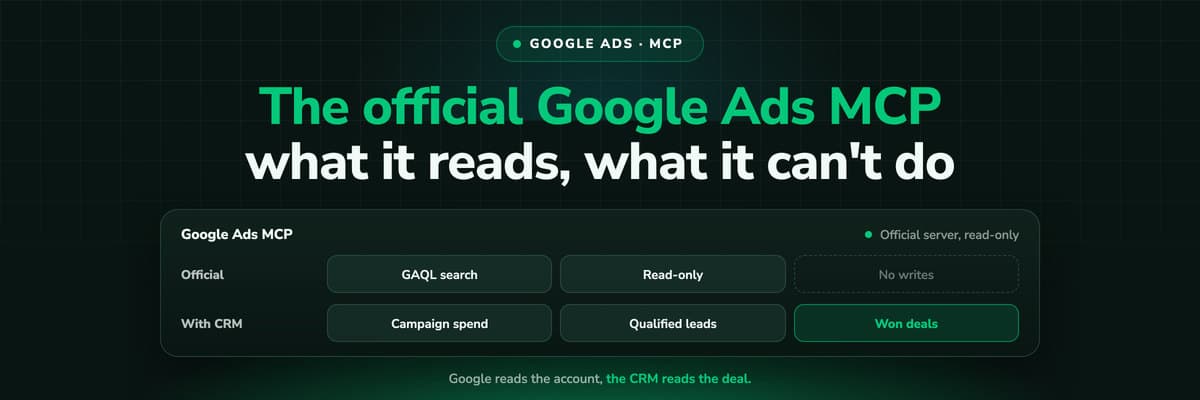
Google Ads MCP: The Official Server, Its Limits, Options
Google publishes an open source MCP server for the Google Ads API. It is read-only, has three tools and no public URL. What it does, how to run it locally or on Cloud Run, how Claude and Claude Code connect to it, what it cannot do, and the third-party servers that fill the gaps.Read the article13 min read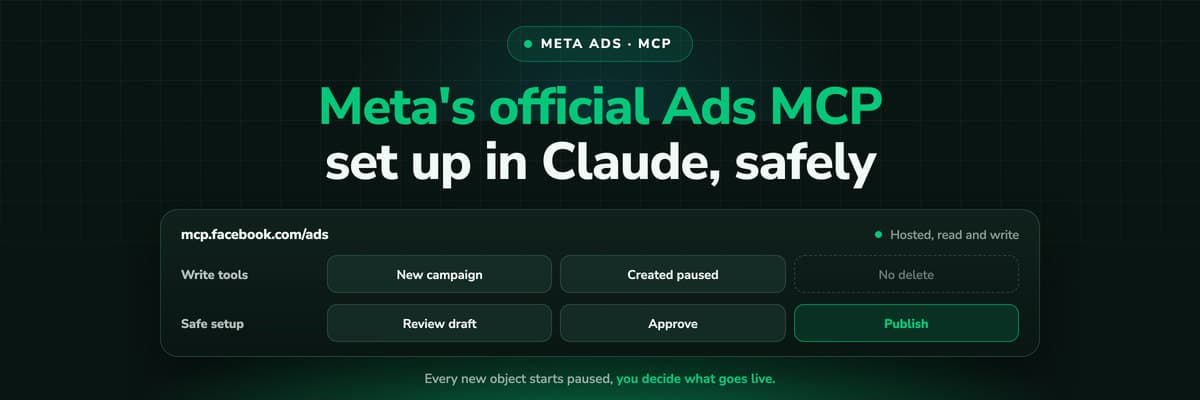 How To Guides
Meta Ads MCP: Setting Up Meta's Official Server
Meta runs its own MCP server for ads at mcp.facebook.com/ads. What it does, which permissions it needs, how agencies get access, how to add it to Claude and ChatGPT, what the third-party servers offer instead, and how to use the write tools without spending money by accident.Read the article12 min read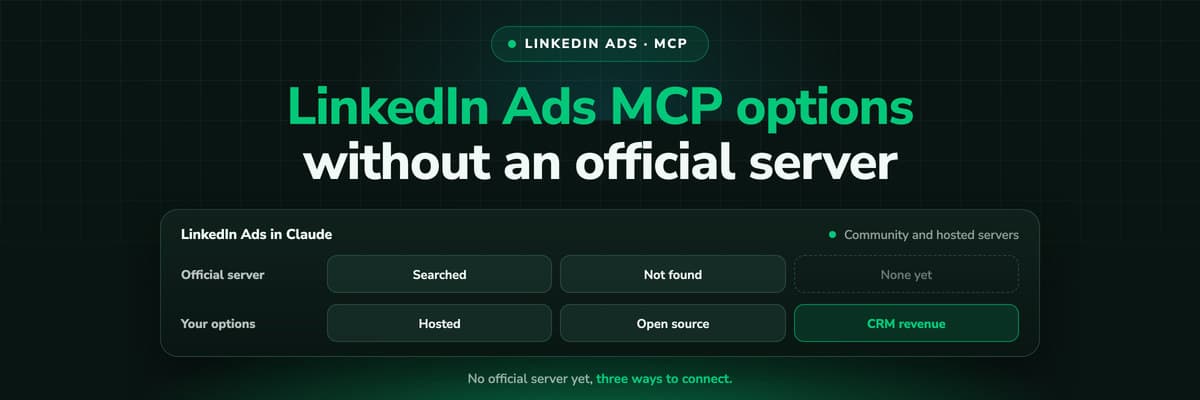 How To Guides
LinkedIn Ads MCP: Your Options Without an Official Server
LinkedIn has no official MCP server as of October 2026, unlike Meta, Google, Microsoft, TikTok and X. What the third-party LinkedIn Ads MCP options are, why there are so few, what to check before you connect one to an account with spend on it, and how to ask Claude about LinkedIn campaigns on pipeline rather than form fills.Read the article11 min read
The order as the conversion
Ready to send WooCommerce orders to your ad platforms, once each?
LeadJourney takes the paid order from one core webhook, credits the whole journey behind it, and sends it to Google, Meta and Microsoft server to server with its value and its refunds netted. Live in 21 minutes with a tracking expert, 30-day money-back guarantee.
30-day money-back guaranteeSetup with a tracking expert