


















BlogB2B Marketing Attribution
WooCommerce Order Attribution: Why Orders Say Unknown
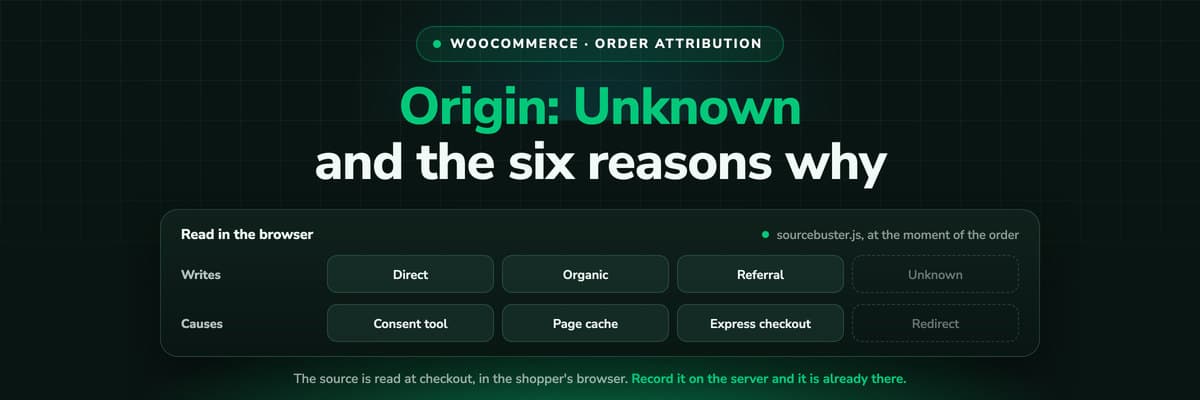
Order Attribution has been core since WooCommerce 8.5, and it reads the source in the shopper's browser. That is why a consent banner, a cached checkout or a payment redirect leaves the origin reading Unknown. Here is what it records, the six causes in order of likelihood, and the fixes.

Summarise this article with AI
Opens the page with a ready prompt in:


Nothing is sent until you pick a service.
The Origin column in your WooCommerce order list was a real upgrade when it arrived. It is also the column that makes store owners open a support thread, because a share of orders reads Unknown, and it is never the same share twice.
The reason is in the mechanism rather than in your setup. Order Attribution reads the source in the shopper's browser, at the moment the order is placed, and half a dozen ordinary things stand between those two facts. Here is what it records, why the gaps happen, and which of them you can actually close.
Quick Summary: What Order Attribution Records
In short
WooCommerce Order Attribution has been core since 8.5. It uses sourcebuster.js in the shopper's browser to read the campaign parameters and the referrer, keeps them in `sbjs_*` cookies, and writes one last click origin onto the order. It reads Unknown when the library could not run or had nothing to read, which happens when a consent manager holds it, when the cart or checkout page is served from cache, when an express checkout button or a payment gateway redirect breaks the flow, and, in some versions, because of a core bug in the classic checkout that was fixed in 10.5.0. It is not multi-touch, it has no spend beside it, and it sends nothing back to your ad platforms.
Below: the origin values and what each one means, the six causes of Unknown in the order they are worth checking, and an audit you can run this afternoon.
What the Origin Column Actually Holds
Order Attribution stores a small set of fields against each order: the origin, the source type, the device and the session count. The origin is what you see in the list, and it is derived rather than raw.
- Campaign parameters firstIf the landing URL carried utm_source and friends, those win, and the origin is as accurate as the link was. Every untagged link you publish is a guess you are asking the library to make.
- Then the referrerWith no parameters, sourcebuster classifies the referring domain: organic search, social, referral. No referrer at all becomes Direct, which on a modern web is a very large bucket.
- Web admin means a human typed itAn order created in wp-admin is attributed to the admin who created it. Phone orders and manual invoices land here, which is correct and often misread as a tracking failure.
- Unknown means the library had nothingNot that the shopper came from nowhere. Either sourcebuster never ran, or its cookies were not there when the order was created. The next section is the list of reasons.
One origin, last click
The feature is documented as last click and it writes a single value. So a customer who found you through a creator video in March and ordered in May after a brand search is recorded as brand search, with nothing kept about the video. This is a design decision rather than a limitation to work around: the column was built to answer where the order came in from, not to model a journey.
The Six Reasons an Order Reads Unknown
In roughly the order they are worth checking on a real store. The first three account for most of it.
1. A consent manager holds the library
Most consent tools block scripts until the visitor accepts, and sourcebuster is a script. A shopper who accepts on the checkout page, or never accepts at all, has no stored source when the order is created. This is the largest cause on most EU stores and it is not a bug.
2. The cart or checkout page is cached
Full page caching on cart and checkout serves another visitor's rendered HTML, and the attribution fields go with it or arrive empty. Every caching guide for WooCommerce says to exclude those pages, and the reason is exactly this.
3. Express checkout and wallet buttons
A shopper who buys through a wallet button skips the flow the fields were populated in, and the order can be created with nothing attached.
4. A payment gateway redirect
Off-site payment means the customer leaves and comes back, sometimes on a new session in a different browser context, and the order is created on the return.
5. A core bug, in some versions
An early do_shortcode() call combined with a static flag added in 9.0 made classic-checkout orders read Unknown regardless of the session. The documented pre-render case was fixed in core 10.5.0, so a store on an older version can be chasing a bug that has a fix.
6. A theme or builder that rebuilds the checkout
A page builder checkout, a custom AJAX flow or a block checkout with a heavily modified template can drop the hidden fields the order is created from.
The Fixes, in the Order Worth Trying
- Update WooCommerce. If you are below 10.5.0, the documented classic-checkout case has a core fix and you may be debugging something already solved.
- Exclude cart and checkout from every cache layer: your caching plugin, your host's page cache and your CDN. Then place a test order from a private window and check the Origin column.
- Clear WooCommerce transients under WooCommerce, Status, Tools, if you have been changing caching rules while testing.
- Place one test order per payment method, including every wallet and express button. This is the fastest way to find out whether your Unknown share is one method rather than a general problem.
- Check your consent tool's script rules. Find out whether sourcebuster is in a blocked category and, if it is, take the question of whether it may run earlier to whoever advises you on consent. Do not simply unblock it because it makes the report look better: that is a legal decision, not a technical one.
- Test your checkout template. If you run a builder or a custom checkout, compare the Origin column on an order placed through the default checkout with one placed through yours.
Work through those and most stores get their Unknown share down to something small and stable. What is left is the structural part, and it is worth naming plainly: a source read in the browser at the moment of the order depends on the browser cooperating at that moment. Some of your shoppers' browsers will not.
Three Things Order Attribution Was Never Built To Do
- Model a journeyOne origin, last click. There is nowhere for the earlier touches to live, so no model you apply afterwards can distribute credit across them.
- Price a campaignThere is no ad spend in WooCommerce. The origin tells you an order came from paid social; what it cost you is in four ad accounts, so the ROAS lives in a spreadsheet and is a week old the moment it is built.
- Teach the ad platformsNothing goes back. Meta, Google and Microsoft never learn which clicks produced a paid order with what value, so their bidding keeps optimising on whatever their pixel could see, which is usually the add to cart.
None of that is a criticism of the feature. It is free, it is core, and it answers its own question well. It is worth being clear about the boundary, because a store that treats the Origin column as its marketing report is making budget decisions on a last click value with no cost attached.
An Audit You Can Run This Afternoon
Four numbers, and you will know whether you have a tracking problem, a consent reality or a broken checkout.
What to count, and what each answer means
| Count this | Where | What it tells you |
|---|---|---|
| Share of last 500 orders reading Unknown | Order list, filtered | Under 5% is housekeeping. Over 20% means a mechanism is broken, not a long tail |
| Unknown share per payment method | Orders grouped by payment method | A single method standing out points at an express checkout or a gateway redirect |
| Share reading Direct | Order list | Large Direct plus small Unknown usually means untagged links rather than a technical fault |
| Orders against platform conversions | Your order count next to each ad account | If the platforms together claim more purchases than you shipped, the Origin column is not the number to be arguing about |
Do the tagging before the tooling
If your Direct share is large, put UTMs on every link you control first: paid, bio, email, affiliate, partner. It is free, it takes an afternoon, and no tool can retroactively invent a source that was never in the URL.
Further Reading
Next to this one: WooCommerce conversion tracking for Google Ads, Meta and Microsoft. On other shop systems, what Shopify's attribution measures and Shopware server-side tracking. On the product side, the WooCommerce integration, e-commerce attribution software and server-side tracking. On the concepts, UTM parameters explained and multi-touch attribution.
FAQ
Frequently Asked Questions
The questions store owners ask when the Origin column stops making sense.
Why does WooCommerce say the order origin is Unknown?
Because the library that reads the source, sourcebuster.js, either did not run or had nothing stored when the order was created. The usual causes are a consent manager blocking it until the visitor accepts, a cached cart or checkout page, an express checkout or wallet button, a payment gateway redirect, a core bug in the classic checkout that was fixed in 10.5.0, and a custom or builder checkout that drops the hidden fields. Check them in that order: the first three cover most cases.
How do I fix Unknown order attribution?
Update WooCommerce first, then exclude cart and checkout from every cache layer, then place one test order per payment method. That resolves most of it. What is left is usually consent: if your consent tool blocks the script, the source genuinely does not exist for those orders, and whether it may run earlier is a question for whoever advises you on consent rather than a setting to flip because the report looks nicer.
Does Order Attribution do multi-touch attribution?
No. It is documented as last click and it stores one origin per order. There is nowhere for earlier touches to be kept, so the creator video that introduced a customer in March is not recorded at all when they order in May. Anything that distributes credit across touches has to keep those touches somewhere else.
What does Web admin mean in the origin column?
That the order was created inside wp-admin by a user, so it is attributed to that admin rather than to a web session. Phone orders, manual invoices and orders your team places for a customer land here. It is correct behaviour and often mistaken for a fault.
Can I get ad spend and ROAS into WooCommerce?
Not natively. WooCommerce holds orders and their origin, not your ad accounts' cost, so any ROAS has to be assembled from the platforms' spend and the shop's revenue. That is the point at which stores either accept a monthly spreadsheet or put a reporting layer over the top.
Do I need an attribution plugin as well?
Only if your question is bigger than the column. Order Attribution answers where an order came in from, for free. If you need the touches before the last one, spend and ROAS in the same table, repeat orders credited to the channel that acquired the customer, or the paid order sent back to your ad platforms as a conversion, then you need something that keeps the journey outside the browser.
Keep reading
More from the blog
 B2B Marketing Attribution
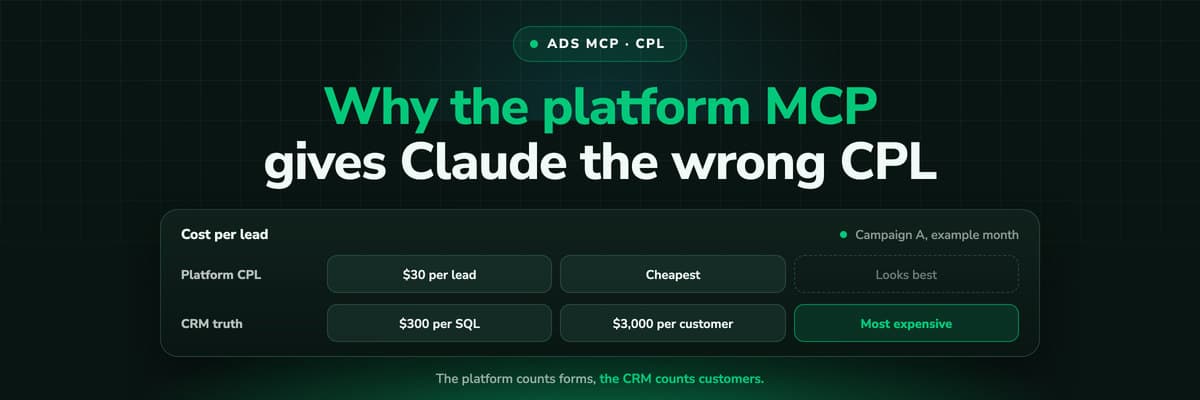
Why Your Ad Platform's MCP Gives Claude the Wrong CPL
Connect Claude to Meta or Google Ads through MCP and ask which campaign is cheapest per lead: it will answer correctly, by the platform's count. A worked example of why that campaign can be the most expensive per customer, what the platform's conversion column actually counts, and how to give Claude the CRM side.Read the article12 min read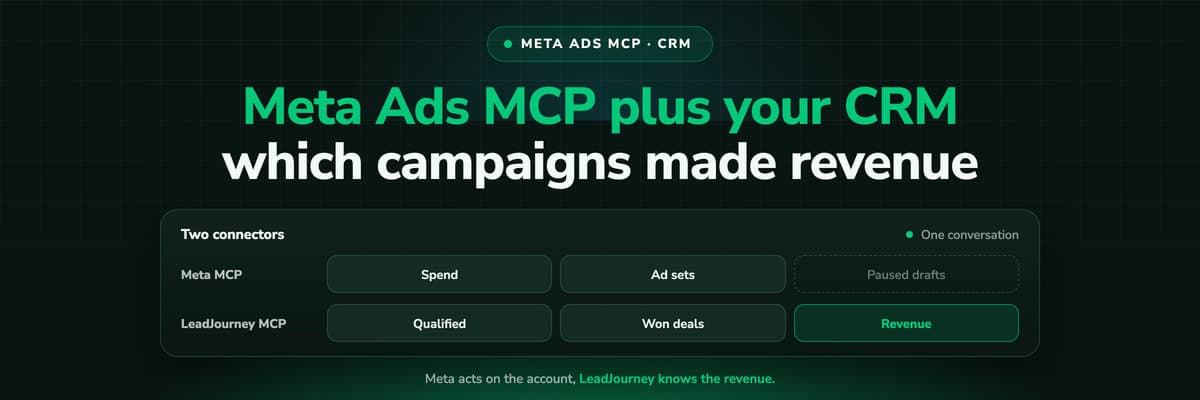 B2B Marketing Attribution
Meta Ads MCP Plus Your CRM: Which Campaigns Made Revenue
Meta's MCP server can read and draft campaigns, but it cannot see which leads closed. Put LeadJourney's MCP server in the same Claude conversation and every question can be asked on closed revenue. A worked example, the workflow step by step, and the guardrails that keep a person in charge of every change.Read the article12 min read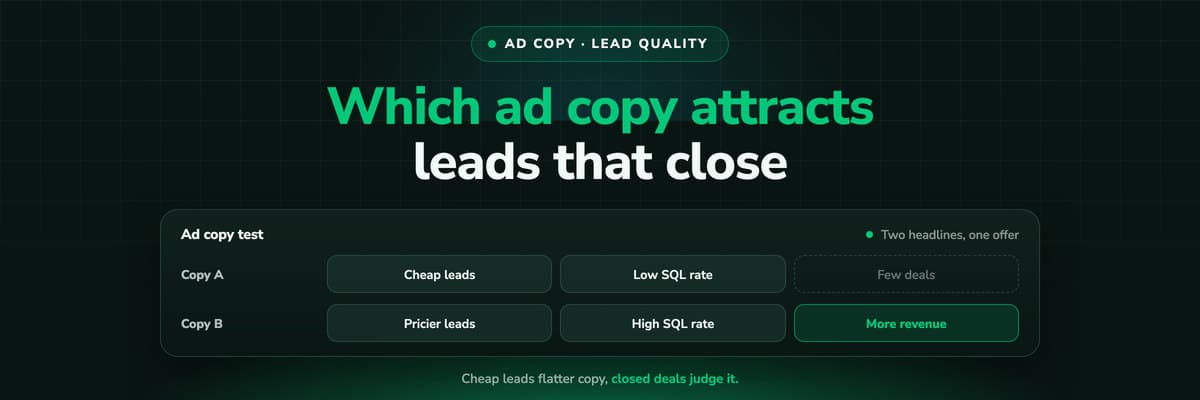 B2B Marketing Attribution
Which Ad Copy Attracts Leads That Close
The ad copy that wins on cost per lead is often the copy that fills the CRM with people who never buy. How to measure wording on qualification rate and close rate per ad, design a copy test that can answer, and do the sample size arithmetic before you crown a winner on five deals.Read the article12 min read
No more Unknown
Ready to know where every WooCommerce order came from?
LeadJourney records every visit server-side on your own domain, takes the paid order from one core webhook, credits the whole journey and sends the order back to Meta, Google and Microsoft with its value. Live in 21 minutes with a tracking expert, 30-day money-back guarantee.
30-day money-back guaranteeSetup with a tracking expert


