


















BlogHow To Guides
Shopware Server-Side Tracking: The Setup per Edition
Shopware server-side tracking is two halves: the visit and the order. The visit is a first-party tag; the order is a handover, and which handover you get depends on your edition, because the Flow Builder webhook action is a commercial feature. Here is the setup for both, and what actually changes.

Contents
Summarise this article with AI
Opens the page with a ready prompt in:


Nothing is sent until you pick a service.
A Shopware shop usually arrives at server-side tracking from one of two directions. Either the numbers stopped matching, because a consent banner and an ad blocker are between the storefront and the pixels, or somebody asked for ROAS per campaign and it turned out the shop knows about orders while the ad accounts know about spend and nothing joins them.
Both problems have the same shape and the same two-part answer. Move the visit onto your own domain, and let the order leave Shopware from the server rather than from a script on the finish page. The second part is where editions matter, so this guide splits it.
Quick Summary: Server-Side Tracking on Shopware 6
In short
Server-side tracking on Shopware is two halves. The visit: a first-party tag in the storefront, recording sessions, campaign parameters and click IDs against your own domain, so filters that block by destination stop removing it. The order: handed over from the server rather than read by a script on the finish page. Which handover you get depends on your edition. Flow Builder's Call URL (Webhook) action is part of the Shopware Commercial extension, from the Evolve plan upwards, so a Community Edition shop uses the Admin API or an automation step instead. What it fixes: sources lost to consent tools and blockers, orders lost at a payment redirect, refunds a pixel never hears about, and match keys travelling through the page. What it does not fix: consent itself.
Below: the two halves in detail, the handover per edition, the German consent question, and how to tell whether it worked.
What the Storefront Loses Today
Before changing anything, it is worth being specific about what is actually missing, because the answer decides whether this project is worth a morning or a week.
- Sources held by the consent toolShopware's own cookie configuration and most third party consent tools hold non-essential scripts until the visitor accepts. A shopper who accepts late, or not at all, has no source stored when they order. This is the largest single cause on a DACH shop and it is a legal position rather than a bug.
- Requests blocked by destinationA large share of blocking is a list of third party domains. Anything pointed at a vendor's hostname is on that list; a request to a subdomain of your own shop is not.
- Orders lost at the payment providerAn off-site payment means the customer leaves and returns, sometimes on a new session. A tag on the finish page can miss it, and the customer who closes the tab after paying is missed for certain.
- The spend, which was never in ShopwareThe admin knows what you sold. It does not know what you paid Google, Meta and Microsoft for it, so ROAS per campaign lives in a spreadsheet no matter how good the storefront tracking gets.
Half One: the Visit, on Your Own Domain
The first half is ordinary and takes minutes. A tag in the storefront, delivered either in the theme or through the tag manager you already run, pointed at a subdomain of your own shop rather than at a vendor's hostname.
- Pick a tracking subdomain on the shop's own domain and point it at whatever receives the events.
- Add the tag once, in the storefront theme or via your tag manager, so it runs on every page: category, product, cart and the CMS pages you build campaigns on.
- Check it survives a return visit. Open the shop, leave, come back through a different channel and confirm both sessions are recorded. Most broken setups are broken here, not at the first visit.
- Leave your consent configuration alone while testing, so what you measure is what a real shopper produces.
This is not the half that fixes the numbers
A first-party tag makes the visit more likely to be recorded. It does not join the visit to the order, and it does not put spend next to revenue. Stores that stop here usually feel better for a month and then have the same argument about ROAS.
Half Two: Handing the Order Over, per Edition
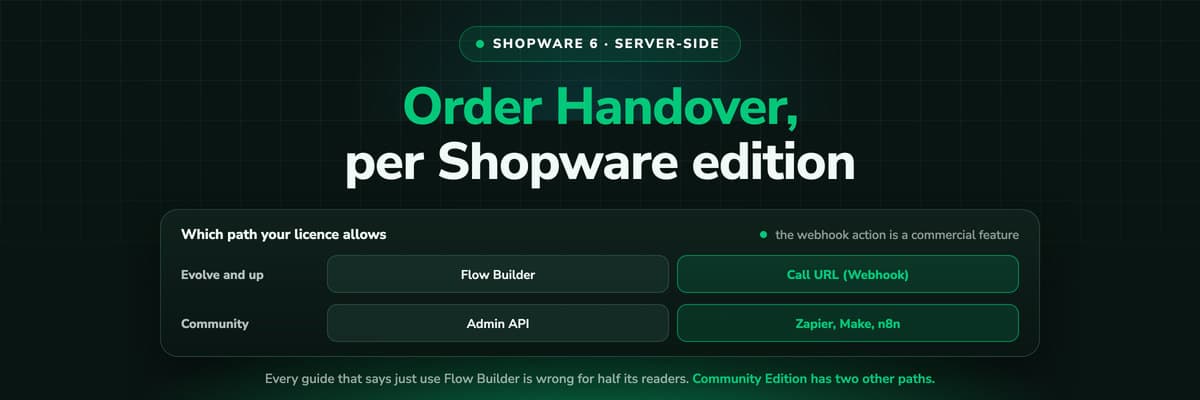
This is where guides get it wrong. Flow Builder can call a webhook when an order is placed, which is the no-code path everybody recommends, and that action is part of the commercial extension. On Community Edition the menu item is not there.
Which handover your edition allows
| Edition | The handover | Effort |
|---|---|---|
| Evolve and above (Commercial) | Flow Builder: trigger Checkout, Order, Placed, action Call URL (Webhook), your endpoint | A flow in the admin, no code |
| Community Edition | The Admin API, read on a schedule or on an event by your own integration | A small integration, or a developer afternoon |
| Community Edition, no developer | An automation tool with a Shopware module (Zapier, Make, n8n) posting the order onward | Configuration, plus whatever the tool costs |
| Any edition, with an app | An app that subscribes to order events and posts them | Depends on the app |
All four end in the same place: the paid order, with its number, its total, its currency and its transaction state, arriving at your measurement layer from a server. Which one you pick is a question of licence and appetite, not of what the data can do afterwards.
One trigger, not every status change
Whichever path you choose, bind it to one state. A handover on every order update fires again as the order moves through its states, and a conversion count that is a clean multiple of your order count is almost always this.
The Consent Question, Said Plainly
Every vendor selling server-side tracking in a German-speaking market is asked whether it removes the need for consent. It does not, and it is worth separating the two questions properly, because the honest version is still a good argument.
- What you may collect is a legal questionYour legal basis, your consent tool and your privacy notice decide that, with advice from whoever advises you. Moving the work to a server does not turn data you may not process into data you may.
- Whether it survives is a technical oneThat is what changes. The data you are entitled to stops being lost to a blocked hostname, a broken session at the payment provider or a customer who closed the tab. You end up with what you were allowed to have, rather than a subset of it.
- It also lets you send lessWith one server deciding what each platform receives, you can stop a third party script reading whatever is on the page. That is data minimisation as an engineering choice, and it is the part a data protection officer usually likes.
What the Store's Tracking Plugins Do, and Where They Stop
The Shopware Store has good extensions that write a source onto the order and manage the storefront tags, and if you have one, keep it. It is worth knowing exactly where its job ends.
- They record the parameters that were on the URL at that visit, which means a customer who returns later through a brand search overwrites the ad that introduced them.
- They write one source per order, so there is nowhere for the earlier touches to live and no model can distribute credit across them afterwards.
- They have no spend, because Shopware has none, so cost per order and ROAS are still assembled outside the shop.
- They do not send the order back to Google, Meta or Microsoft as a conversion with its value, so bidding keeps learning from checkout starts.
How to Tell Whether It Worked
Three numbers, before and a month after
| Number | Where | What a good change looks like |
|---|---|---|
| Share of orders with a known source | Your report, or the source column in the admin | Direct and empty sources shrink, and the traffic appears in named channels |
| Platform conversions against your order count | Each ad account, next to the Shopware order list | Each platform stops exceeding your order count on its own |
| Match quality or match rate | Meta Events Manager, Google's diagnostics | Rises, because keys are sent from the server with more of them present |
What not to judge it by
Not by reported ROAS going up. A more complete record usually moves credit between channels rather than adding revenue, and a blended ROAS that jumps in the first week is more likely to be double counting than a result.
Further Reading
The same job on other shop systems: Shopify server-side tracking, Shopify conversion tracking and WooCommerce order attribution. On the product side, the Shopware integration, server-side tracking, e-commerce attribution software and the Meta Conversions API. On the rules, GDPR compliant tracking and our GDPR page.
FAQ
Frequently Asked Questions
What Shopware merchants and their agencies ask first.
What is server-side tracking in Shopware 6?
Two things together. A first-party tag in the storefront, pointed at a subdomain of your own shop, so visits are recorded against your domain rather than a vendor's. And the paid order leaving Shopware from the server, through a Flow Builder webhook, the Admin API or an automation step, rather than being read by a script on the finish page. The second half is what makes the order immune to blockers, caching and payment redirects.
Can I use Flow Builder to send orders to an external service?
On the commercial plans, yes: the trigger is Checkout, Order, Placed and the action is Call URL (Webhook). That action is part of the Shopware Commercial extension, from Evolve upwards, so it is not available on Community Edition. On Community Edition, use the Admin API or an automation tool with a Shopware module, both of which deliver the same order payload.
Does server-side tracking make consent unnecessary?
No. Consent decides what you are allowed to collect; server-side decides whether what you are allowed to collect survives the browser. Anyone telling you otherwise is handing you their legal risk. What it does give you is a single place to decide what each ad platform receives, which is usually less than a third party script on the page would take.
Do I still need a tracking plugin from the Shopware Store?
Keep it if it is doing a job for you, such as managing storefront tags or writing a source onto the order for your service team. What it will not do is keep the touches before the last one, put your ad spend next to your revenue, or send the paid order back to the ad platforms with its value. Those are different problems from the one a storefront plugin solves.
How do I get ROAS per campaign for a Shopware shop?
Three things have to meet in one place: the visit with its click ID, the paid order from Shopware, and the spend from each ad account. Shopware has the second, the ad platforms have the third, and the first exists only if something recorded it. Any tool that reports ROAS for a Shopware shop is joining those three, and the quality of the answer depends entirely on how completely the first one was captured.
Does this work with several sales channels?
Yes, and it is usually the first report worth opening. A Shopware order carries the sales channel it was placed in, so revenue and cost per order can be read per channel rather than summed. A shop running a B2B storefront next to a B2C one almost never has the same best campaign in both.
Keep reading
More from the blog
 How To Guides
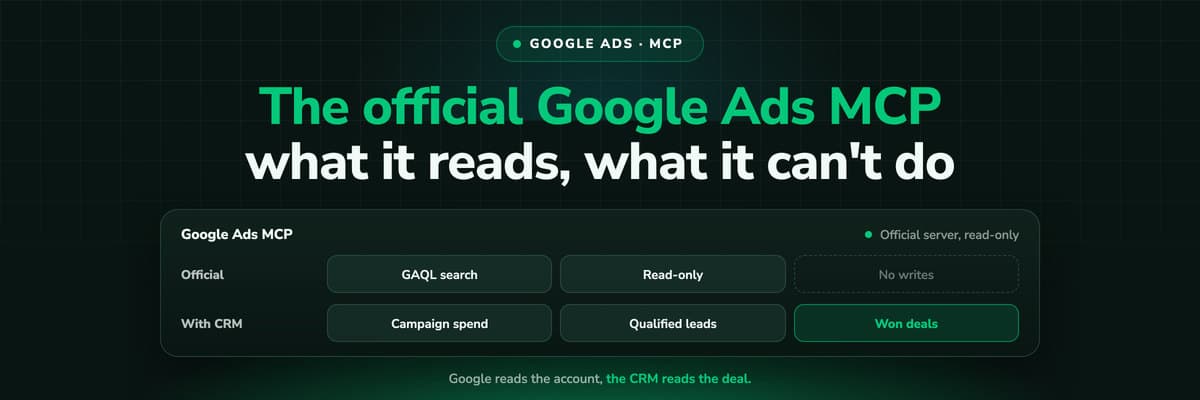
Google Ads MCP: The Official Server, Its Limits, Options
Google publishes an open source MCP server for the Google Ads API. It is read-only, has three tools and no public URL. What it does, how to run it locally or on Cloud Run, how Claude and Claude Code connect to it, what it cannot do, and the third-party servers that fill the gaps.Read the article13 min read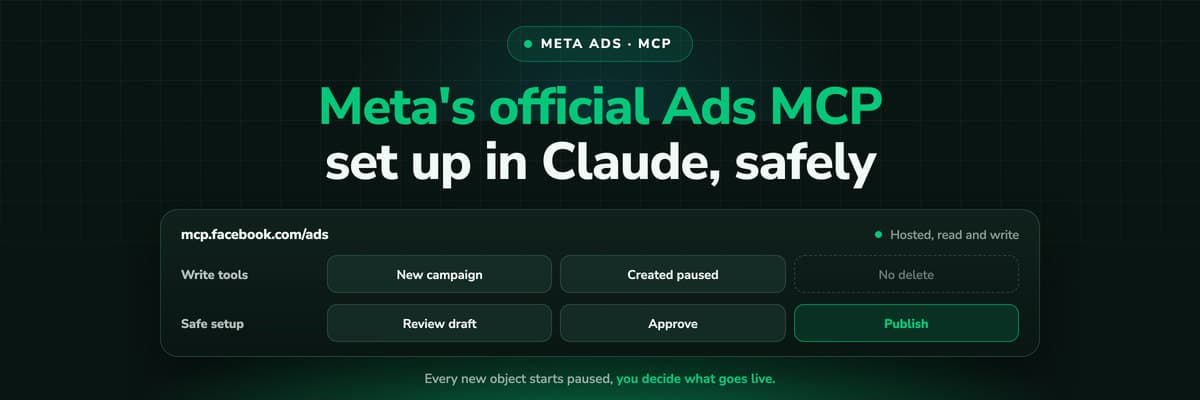 How To Guides
Meta Ads MCP: Setting Up Meta's Official Server
Meta runs its own MCP server for ads at mcp.facebook.com/ads. What it does, which permissions it needs, how agencies get access, how to add it to Claude and ChatGPT, what the third-party servers offer instead, and how to use the write tools without spending money by accident.Read the article12 min read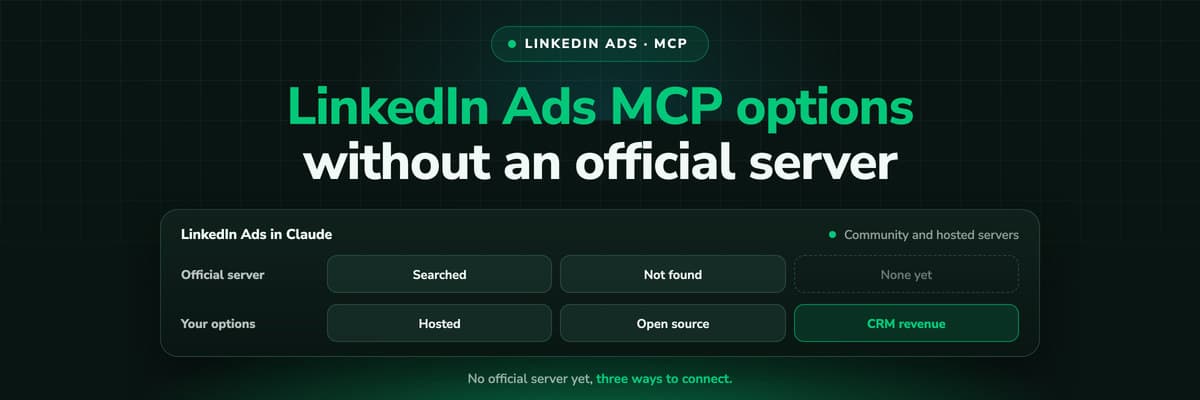 How To Guides
LinkedIn Ads MCP: Your Options Without an Official Server
LinkedIn has no official MCP server as of October 2026, unlike Meta, Google, Microsoft, TikTok and X. What the third-party LinkedIn Ads MCP options are, why there are so few, what to check before you connect one to an account with spend on it, and how to ask Claude about LinkedIn campaigns on pipeline rather than form fills.Read the article11 min read
Hosted in the EU
Ready to track your Shopware shop from the server?
LeadJourney records every storefront visit first-party, takes the paid order from Flow Builder or the Admin API, joins your spend from every platform, and sends the order back to Google, Meta and Microsoft with its value. Live in 21 minutes with a tracking expert, 30-day money-back guarantee.
30-day money-back guaranteeSetup with a tracking expert


