




NEW FEATURE: Finally See Which AI Engines Drive Your Leads & RevenueLearn more
LeadJourney Logo
Features

Tracking & Data

Server-Side Tracking

95%+ accuracy, cookieless & GDPR-safe — fully built-in, zero code.

Offline Conversion TrackingPopular

Connect calls, meetings & offline events to ad campaigns.

UTM & Click ID Tracking

Full coverage for Meta, Google, LinkedIn & Bing Ads.

Custom Traffic Channels

Track any channel — newsletters, podcasts, affiliates & more.

Unique feature

AI Search Engine Tracking

See exactly which AI search engines drive leads & revenue

Learn More

Reports & Analytics

Traffic Channel Report

Understand which channels drive the most valuable leads & sales.

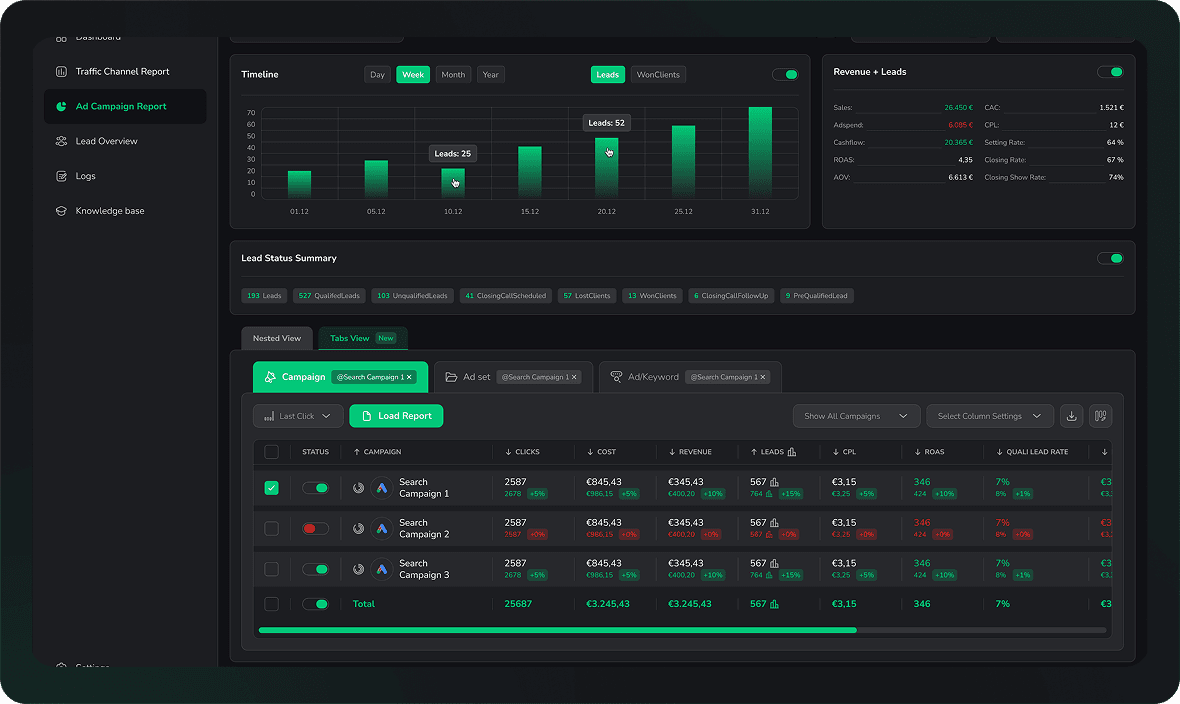
Ad Campaign Report

Track performance of individual marketing campaigns in one ad manager.

Lead Overview Report

Get a comprehensive view of all your leads & sources in one place.

Landingpage Report

See conversion rates per page — segmented by channel, device & country.

Unique feature

Custom Report Builder

Build any report from raw data — 100% flexible, your way

Learn More

Data Management

Transparent Logs

Access detailed logs of all tracking events (Clicks, Conversions, API Postbacks).

AI Marketing AnalystASK AI

Ask anything about your campaigns, Atlas analyzes your data instantly.

Multi-Touch Attribution Popular

See every touchpoint that influenced a conversion, not just the last click.

CRM Integration

Connects with any CRM via webhook, sync leads & revenue automatically.

Unique feature

AI Agents - Automated Reports

Get daily, weekly & monthly reports delivered to email, Slack or WhatsApp.

Learn More
Solution for

Advertisers

Coaches & Consultants

Track high-ticket leads from first click to booked call

B2B & Service Businesses

Connect CRM pipeline to actual ad spend

Trade & Local Businesses

Offline conversions, calls & form leads — unified

Financial & Legal Advisors

GDPR-safe tracking for regulated industries

iGaming

Player attribution from first click to first deposit

Marketing Agencies

Performance Marketing Agencies

Prove ROI across Meta, Google & LinkedIn for every client

SEO Agencies

Track organic leads alongside paid in one view

Full-Service Agencies

One attribution source across all channels & clients

Lead Gen Agencies

White-label reporting & shared client workspaces

Marketing Freelancers

Tracking Specialists

Deploy server-side tracking fast for any client stack

Paid Media Freelancers

Attribution & reporting without building dashboards from scratch

Marketing Consultants

Show clients exactly what drives qualified leads & revenue

TestimonialsPricingCompany
Resources
Integrations

Connect LeadJourney to your CRM, ad platforms and favorite tools.

Comparison

Compare LeadJourney to other Tracking Tools.

Blog

Stay ahead with marketing tracking tips, strategies & product updates

Glossary

Every performance marketing term explained — clear, simple, no fluff

Knowledge Base

Step-by-step guides & tutorials to get the most out of LeadJourney

Customer Support

Got a question? Our team is here to help — fast responses, real answers

Request Free DemoLogin
  1. Home
  2. Free Tools
  3. Facebook UTM Builder
Free Tool · Meta dynamic macros

Facebook UTM Builder with Meta dynamic macros

Set tracking once at the campaign level, every ad auto-fills. {{campaign.name}}, {{ad.id}}, {{site_source_name}}, all 8 Meta macros — baked in, validated, and copy-paste ready.

Set once, tracks every ad. Use the recommended Meta macro template — values auto-fill at click time, no per-ad work.

(ad's link URL)
Add a destination URL.
utm_source
utm_medium
utm_campaign
utm_term
utm_content

Using 7 dynamic macros — values auto-fill per click.

Add a destination URL above to generate your tagged link.

Preview at click time (example values)

C65/100

Meta UTM Score

Validates against Meta's dynamic URL parameter spec.

Add a destination URL.

Works for FB + IG + Messenger

Use {{site_source_name}} in utm_source so the same URL distinguishes Facebook (fb), Instagram (ig), Messenger (msg), and Audience Network (an) traffic in your reports.

UTMs aren't enough on Meta

iOS 14 ATT kills ~40% of pixel events. Even perfect macros can't fix that. LeadJourney ships CAPI + click ID capture to recover the lost conversions and feed them back to Meta's algorithm.

Recover my Meta tracking

Why hardcoded Facebook UTMs fall apart

Most people build Facebook UTMs the same way they build email UTMs: they type the campaign name, the ad set name, the ad name into a generic builder and paste the result into the ad URL. It works for one ad. Then a teammate renames the campaign, or duplicates an ad set, or forgets to update the URL when they change the creative — and your reports start lying.

Meta gave us a fix: dynamic URL parameters. Drop tokens like {{campaign.name}} and {{ad.id}} into the URL once, paste it into the campaign-level URL parameters field, and every single ad inside that campaign gets correctly tagged forever — even ones you create next year. Rename a campaign? Reports update automatically. Duplicate an ad set? Tracking follows.

All 8 Meta dynamic URL macros

  • {{campaign.name}}campaign name
  • {{campaign.id}}campaign numeric ID
  • {{adset.name}}ad set name
  • {{adset.id}}ad set numeric ID
  • {{ad.name}}ad name
  • {{ad.id}}ad numeric ID
  • {{site_source_name}}fb · ig · msg · an
  • {{placement}}e.g. Facebook_Mobile_Feed

Tagging Google Ads or other platforms?

Different platforms, different macros. Use the right builder.

Google UTM Builder

GA4-aware with utm_id, utm_source_platform

Universal UTM Generator

TikTok, LinkedIn, email, podcasts & more

Frequently asked questions

What are Meta dynamic URL parameters?

Meta dynamic URL parameters are placeholder tokens like {{campaign.name}}, {{adset.name}}, {{ad.id}}, {{site_source_name}}, and {{placement}} that Meta replaces with real values at the moment a user clicks your ad. Drop them into your URL once at the campaign or ad set level and every ad inside automatically gets correctly-tagged — no per-ad copy-paste, no human errors, and your reports stay accurate even when you rename campaigns later.

What are all 8 Meta URL macros?

Meta supports exactly eight dynamic URL parameters: {{campaign.id}}, {{adset.id}}, {{ad.id}}, {{campaign.name}}, {{adset.name}}, {{ad.name}}, {{site_source_name}}, and {{placement}}. The IDs are numeric and never change. The names match what you typed in Ads Manager. site_source_name returns one of fb, ig, msg, or an (Facebook, Instagram, Messenger, Audience Network). placement returns the surface like 'Facebook_Mobile_Feed' or 'Instagram_Stories'.

Should I add UTMs to each ad's URL or use Ads Manager URL Parameters?

Use the URL Parameters field at the campaign or ad set level. In Ads Manager, expand Tracking → URL parameters when creating or editing a campaign / ad set / ad. Paste utm_source={{site_source_name}}&utm_medium=paid-social&utm_campaign={{campaign.name}}&utm_term={{adset.name}}&utm_content={{ad.name}}-{{ad.id}} once. Meta automatically appends those params to whatever URL each ad uses — no need to edit individual ad URLs. Set it once, and every new ad inherits the tracking.

What's the recommended Facebook UTM setup?

The community-standard preset uses macros for every dynamic field: utm_source={{site_source_name}}, utm_medium=paid-social, utm_campaign={{campaign.name}}, utm_term={{adset.name}}, utm_content={{ad.name}}-{{ad.id}}. This gives you platform separation in source (fb/ig/msg/an), Meta-vs-organic separation in medium, and full hierarchy in campaign/term/content. Click 'Apply template' in the tool to set it instantly.

Should utm_medium be 'cpc' or 'paid-social' for Facebook?

Use paid-social. GA4's Default Channel Group routes 'cpc' to the Paid Search bucket and 'paid-social' to Paid Social — keeping them separate is what you want. If you use cpc for Facebook, your Meta clicks will get lumped in with Google paid search in your reports. Use cpc only for paid search platforms (Google Ads, Bing).

Why do I lose Facebook conversions even with perfect UTMs?

UTMs only solve the attribution problem on the first click. The bigger Meta-specific issue is iOS 14+ ATT — when a user opts out, the Meta pixel can't fire client-side, and the conversion never makes it back to Meta's algorithm. The result: Meta optimizes on incomplete signal, lookalikes get worse, and your CPMs climb. The fix is server-side tracking via Meta's Conversions API (CAPI), which sends events from your server directly to Meta — bypassing the browser entirely. LeadJourney handles CAPI, click-ID storage (fbclid), and CRM-side conversion uploads in one connected setup.

Track every lead
With Pixel-Perfect Accuracy

Stop losing data to iOS, ad blockers and CRM gaps. Server-side tracking, built for lead generation — live in 21 minutes.

98% data accuracyeven with iOS & ad blockers
Book Free Demo NowGet 30-days-Money-Back-Guarantee
CTA visual
CTA visual
LeadJourney Logo

Features

AI Marketing AnalystNEWTraffic Channel ReportAd Campaign ReportLead Overview ReportOffline Conversion TrackingLandingpage Report

Solutions

AdvertisersMarketing AgenciesMarketing FreelancersAgency DirectoryNEWFree ToolsHOT

Company

About usPressEnterpriseJobs2 open jobsIntegrationsAffiliate ProgramCustomer SupportContact us

Comparison

LeadJourney vs HyrosLeadJourney vs RedtrackLeadJourney vs CometlyLeadJourney vs AnytrackLeadJourney vs VibetrackLeadJourney vs GA4LeadJourney vs Voluum

Legal

ImprintPrivacy policyTerms & ConditionsGDPRCookie policySitemap

Follow us:

2026 - LeadJourney Ltd. All rights reserved