





Skip to content

Free tool: Meta Ads budget

Facebook and Instagram budget calculator built on how Meta actually prices

Meta sells impressions, so the plan runs CPM to CTR to conversion rate. Start from a lead target or from a budget.

Plan your Meta Ads budget

Pick a campaign objective to load realistic defaults, then start from a lead target or from a budget.

Currency

Campaign objective

Cost per 1,000 impressions.

%

Link clicks ÷ impressions.

%

Share of clicks that become leads.

Start from

The planner returns the budget that buys them.

Add close rate and deal size
%

Runs in your browser. Nothing you type is sent or stored.

The formula

The Meta budget chain

Cost per lead=CPM ÷ (1,000 × CTR)Conversion rate

At a €12 CPM and a 1.4 percent CTR a click costs €12 ÷ (1,000 × 0.014) = €0.86. At a 35 percent instant form conversion rate a lead costs €0.86 ÷ 0.35 = €2.45. Two hundred leads a month is a budget of about €490.

Why a Meta budget needs three rates, not one

Google charges per click, so a plan needs a CPC and a conversion rate. Meta charges per thousand impressions, so the click price is itself a result: CPM divided by a thousand times the click-through rate. A €12 CPM at a 1.4 percent CTR is a €0.86 click; the same CPM at 0.9 percent is €1.33. That is why the planner asks for CPM, CTR and conversion rate, and why the campaign objective matters so much: an instant lead form converts a third of its clicks because nobody leaves the app, a landing page converts a twelfth, and a booked-call flow a twentieth.

The presets load typical values per objective for European and North American lead generation. Overwrite them with your own account's numbers from Ads Manager the moment you have them; the presets exist to give a first order of magnitude, not a forecast.

Goal mode or budget mode

Start from a goal when you know the leads sales needs; the planner returns the monthly budget and the daily figure to set at the campaign or ad set level. Start from a budget when the number is fixed; the planner returns the leads, impressions and clicks it buys. The what-if row shows what half, one and a half and twice the budget would do, linearly, which is right for planning and optimistic in practice: scaling into colder audiences raises the CPM and lowers the conversion rate at the same time.

The iOS 14 problem, priced

Every forecast above assumes the conversion is tracked. On Meta it often is not. Since Apple's App Tracking Transparency prompt, Safari's cookie limits and consent banners, the pixel observes roughly 50 to 70 percent of the conversions that actually happen. Ads Manager will report 100 to 140 leads for a campaign that produced 200, the reported cost per lead will read up to twice the real one, and Advantage+ will be learning from the visible half, which skews away from iPhone users, Safari users and Europeans who decline cookies.

The planner's closing line shows what that means for your forecast. The fix is the Conversions API fed from your CRM rather than from the same browser events: send the leads the CRM actually received, matched to the fbclid, with the deal stage attached, and the platform sees the whole picture and bids on customers instead of form fills.

Benchmarks

Meta CPM, CTR and conversion rate defaults by objective

The presets the planner loads. Typical for lead generation in Europe and North America in 2025 and 2026; Q4 CPMs run 20 to 40 percent higher.

Instant form leads are cheaper and lower intent; landing page and booked-call leads cost more and close more often. Judge the objective on cost per customer, not cost per lead.

FAQ

Facebook and Instagram budgets, answered

The questions behind the search for how much to spend on Meta.

How much should I spend on Facebook ads?

Work backwards from the leads you need. Cost per lead = CPM ÷ (1,000 × CTR) ÷ conversion rate; budget = leads × cost per lead. 200 instant form leads at a €12 CPM, 1.4 percent CTR and 35 percent conversion rate needs about €490 a month; 200 landing page leads at 8 percent needs about €2,300.

What is a minimum viable Meta budget?

Enough for the ad set to reach about 50 conversions a week, which is what Meta's learning phase wants. At a €12 cost per lead that is roughly €85 a day. Below that the algorithm never leaves learning and results swing week to week.

Instant forms or landing page leads?

Instant forms are three to five times cheaper per lead and convert to customers at a fraction of the rate. Landing page leads cost more and close more. Compare on cost per customer, which is what the close rate and deal size fields in the planner add.

Why does Ads Manager show fewer leads than my CRM?

Since iOS 14 the pixel observes roughly 50 to 70 percent of real conversions. The rest happen on Safari, on iPhones after the tracking prompt, behind declined consent banners, or on a different device from the click. The CRM has the real count; the Conversions API fed from the CRM gives Meta the same number.

How is the daily budget set?

Monthly budget ÷ 30.4 at the campaign level with Advantage campaign budget, or split across ad sets. Meta may spend up to 25 percent more than the daily budget on a given day and balances it over the week.

Is the forecast reliable?

It is arithmetic on the three rates. With your account's own CPM, CTR and conversion rate it is a fair forecast for the same audience at the same scale. With the presets it is an order of magnitude. Either way, expect cost per lead to rise as you scale and treat the 2x scenario as a ceiling.

Meta to revenue

Give Meta every lead your CRM receives, with the deal stage

LeadJourney records leads server side, matches them to the fbclid and sends them back through the Conversions API with the CRM stage, so Advantage+ optimises for customers. Book a demo on your own account.

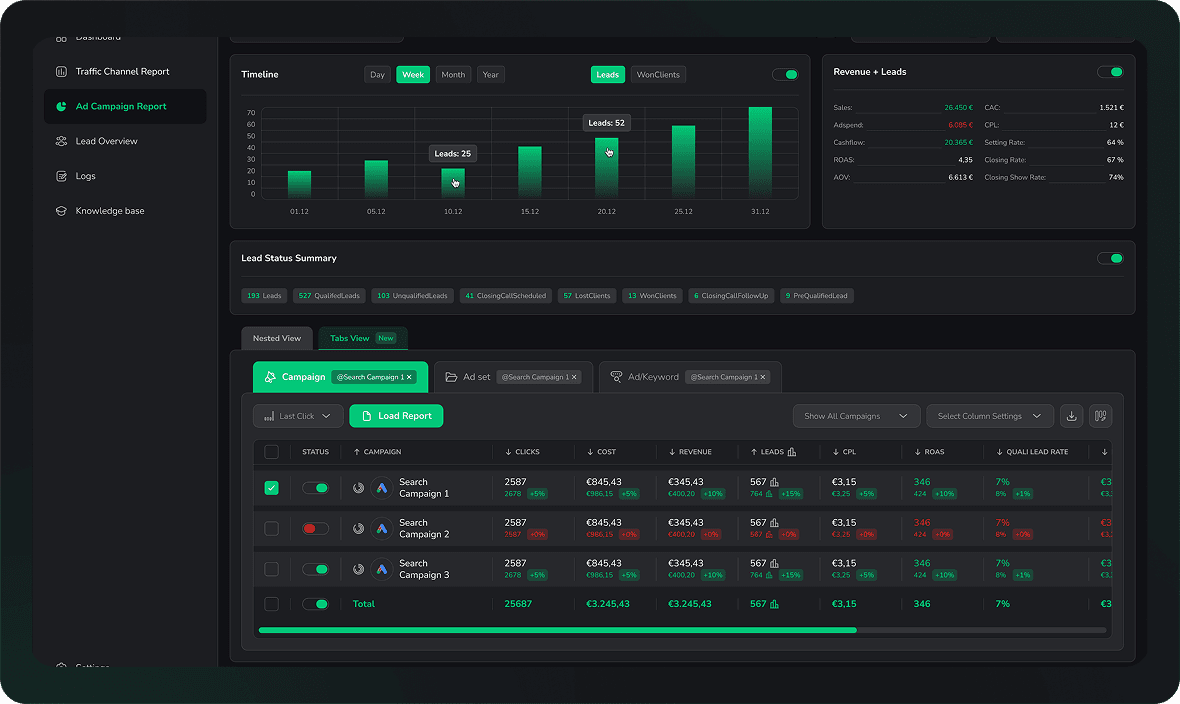
LeadJourney dashboard showing lead sources, campaign performance and attributed revenue side by side