


















BlogHow To Guides
Reddit Pixel Setup: GTM, Shopify, Base Code and Events
Every way to install the Reddit Pixel, with Reddit's own steps and code: the base code, Google Tag Manager two ways, the Shopify app or a custom pixel, WooCommerce. Then the eight standard events, custom events and metadata, first-party cookies and consent, and how to check it all with the Pixel Helper and Event Testing.

Contents
Summarise this article with AI
Opens the page with a ready prompt in:


Nothing is sent until you pick a service.
Pasting the Reddit Pixel into a site is quick. Setting it up so the numbers mean something takes longer, because every install route makes a set of decisions for you: which events fire, whether a conversion ID is set, whether first-party cookies are on, and whether anything ever reaches Reddit's Conversions API. A Shopify store on Reddit's app and a SaaS site with hand-written code both have "the Reddit Pixel", and they send Reddit very different things.
This guide covers every route Reddit documents, with the exact steps and code: the base code, Google Tag Manager with Reddit's tag template or linked from Ads Manager, the Shopify app and a Shopify custom pixel, WooCommerce and partners. Then the event setup tool, the standard and custom events with their metadata, cookies and consent, and verification with the Pixel Helper and Event Testing.
Quick Summary: How to Set Up the Reddit Pixel
In short
To set up the Reddit Pixel you install Reddit's base code once on every page, including the ad's landing page, and then add the events you want to count. There are four ways to install it: the base code pasted inside the head, Google Tag Manager (Reddit's tag template, or a container linked from Ads Manager), the Reddit Ads app or a custom pixel on Shopify, and partner integrations such as the Reddit for WooCommerce plugin. The base code sends a PageVisit by itself; conversions are the standard events Lead, SignUp, Purchase and the rest, or custom events with a name, added in code, as GTM tags or with the no-code event setup tool. Give revenue events a value and a currency, give every event the Conversions API also sends a conversionId, and check each one with the Pixel Helper and Event Testing before a campaign depends on it.
Which conversions to count in the first place, and how the Pixel fits together with the Conversions API and your CRM, is in the Reddit conversion tracking guide. This one is the installation.
Before You Start: Your Pixel ID and One Install Method
Everything starts in Events Manager inside Reddit Ads Manager. Your Pixel ID is listed there, and Reddit says it should match the business account's Pixel ID shown under Accounts, which is how you make sure conversions land in the right business. A valid ID starts with t2_ or a2_, the format the Pixel Helper checks. You need admin access to the Reddit business (the Shopify app also asks for the catalog manager role) and the right to edit your site's head, your GTM container or your shop's apps.
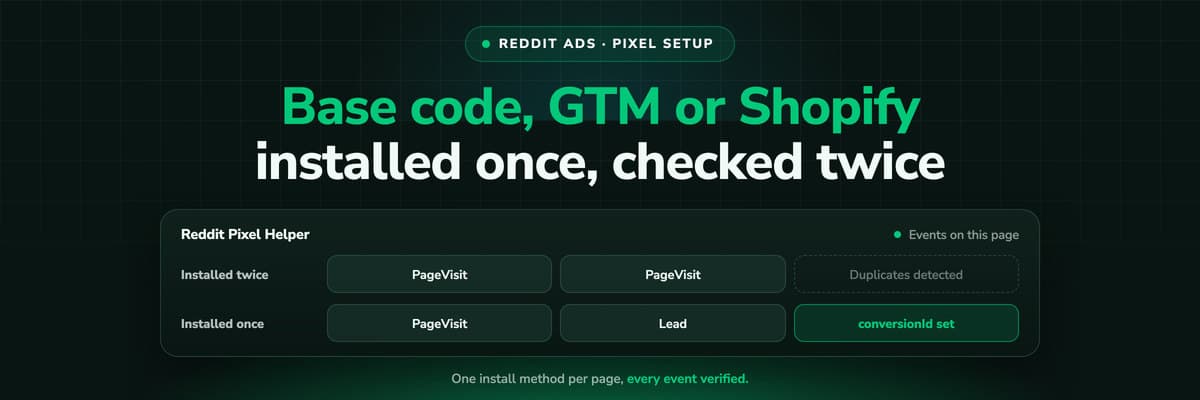
Then pick one install method per page. Reddit warns that installing the Pixel twice on the same page duplicates tracking and inflates your metrics, and the usual way to get there is two methods at once: a snippet in the theme plus a GTM tag, or the Shopify app on a store that already had a manual Pixel.
The Reddit Pixel install methods, and what each one gives you
| Method | Best for | Custom events | Conversions API |
|---|---|---|---|
| The base code in the head | Any site whose template you can edit | Yes, rdt('track', 'Custom', ...) | Separate: you add it yourself |
| GTM with Reddit's tag template | Sites that already manage their tags in GTM | Yes, Event to Fire set to Custom | Separate: Reddit also publishes a server-side GTM tag |
| GTM linked from Ads Manager | GTM sites that want Reddit to publish the container | Yes, through the data layer or the event setup tool | Yes, in the Pixel and Conversions API variant with a server container |
| The Reddit Ads app for Shopify | Stores that want no code and a synced catalog | No, Reddit points to a custom pixel | No, Reddit says it isn't supported |
| A Shopify custom pixel | Stores that need custom events or more control | Yes, with analytics.subscribe() | No |
| Reddit for WooCommerce | WooCommerce stores | Not described by Reddit | Yes, Pixel and Conversions API both on by default |
| A partner integration | Teams on Tealium, Rudderstack or Elevar | Depends on the partner | Depends on the partner |
Method 1: Install the Base Code in the Head
The manual install gives you the most control and needs somebody who can edit the site's template. Reddit's steps:
- In Events Manager, select Configure data source, then Reddit Pixel and Set up manually. If you have set up neither the Pixel nor the Conversions API yet, choose Pixel Only instead.
- Select Next, then Copy to Clipboard to copy your Pixel code.
- Add match keys to the init call if you can (see below). Reddit calls this highly recommended, especially if you will create events with the event setup tool.
- Paste the code inside the <head> of every page where you want to track conversions, including the ad's landing page. On a CMS or shop system, that is the header template.
- Continue through the optional automated advanced matching step. When the base code works, Events Manager shows "Base pixel successfully reporting" and you move on to events. If somebody else does the install, Send to Developer in the same guide mails them the instructions.
<!-- Reddit Pixel -->
<script>
!function(w, d) {
  if (!w.rdt) {
    var p = w.rdt = function() {
      p.sendEvent ? p.sendEvent.apply(p, arguments) : p.callQueue.push(arguments);
    };
    p.callQueue = [];
    var t = d.createElement("script");
    t.src = "https://www.redditstatic.com/ads/pixel.js?pixel_id=<PIXEL_ID>";
    t.async = true;
    var s = d.getElementsByTagName("script")[0];
    s.parentNode.insertBefore(t, s);
  }
}(window, document);
rdt('init', '<PIXEL_ID>');
rdt('track', 'PageVisit');
</script>
<!-- DO NOT MODIFY UNLESS TO REPLACE A USER IDENTIFIER -->
<!-- End Reddit Pixel -->
Copy your own code from Events Manager rather than retyping this one: your ID is filled in, and Reddit's comment under the script asks you not to modify it except to replace a user identifier. The last two lines are the part you work with. rdt('init') starts the Pixel with your ID, and rdt('track', 'PageVisit') is the PageVisit every page load sends. Every conversion you add later is another rdt('track') call after the init.
Match keys in the init call
Reddit recommends passing what you know about the visitor in the init call, or in a later track call when the value is not known at page load, for example on the page after a form. The keys are email, phoneNumber (in E.164, with the country code), externalId, and the mobile advertising IDs idfa and aaid. They can be passed unhashed or pre-hashed with SHA-256. Reddit especially recommends the email, because it catches a conversion made in a different browser from the one that clicked.
rdt('init', '<PIXEL_ID>', {
  email: '<EMAIL>',
  phoneNumber: '<PHONE_NUMBER>',
  externalId: '<EXTERNAL_ID>'
});
If your site sends a Content Security Policy
A CSP can stop the Pixel from loading or sending events. Reddit publishes the hosts to allow: www.redditstatic.com for scripts and styles, alb.reddit.com for images, and pixel-config.reddit.com, ads.reddit.com, www.redditstatic.com and alb.reddit.com for connections, or wildcards for reddit.com and redditstatic.com subdomains if your policy permits them. After the change, trigger an event and look for blocked requests in the browser's network tab and console.
Method 2: Google Tag Manager, Two Ways
Reddit recommends GTM "if you already use it to send user actions", and there are two routes into it. Pick one: both put a Reddit Pixel tag in the container, and two Pixels on a page count everything twice.
By hand, with Reddit's tag template
Reddit publishes an official template in the Community Template Gallery: "Reddit Pixel", owner reddit, for web containers, described as "The official tag template for the Reddit conversion pixel for use with Google Tag Manager." Its fields map onto the base code: Pixel ID, Event to Fire (Page Visit, View Content, Search, Add to Cart, Add To Wishlist, Purchase, Lead, Sign Up or Custom), CustomEventName, Transaction Value, Currency, Item Count, Conversion ID, Product Information, Advanced Matching Parameters (Email, Phone Number, AAID, IDFA, External ID), Data Processing Parameters for Limited Data Use, and an Enable First Party Cookies box that is ticked by default.
- Add the Reddit Pixel template from the Community Template Gallery to your web container.
- Create a tag from it with your Pixel ID and Event to Fire set to Page Visit, triggered on all pages. That tag is your base code.
- Add one tag per conversion: Lead or Sign Up on the form's success trigger, Purchase on the order confirmation, Custom with a name for anything else. Fill the value, the currency and the conversion ID from data layer variables rather than typing them in.
- Open GTM's preview, trigger each conversion, and watch it arrive in the Pixel Helper before you publish the container.
Two rules from Reddit apply here. Put all the metadata for one conversion in one tag: several tags of the same event with different metadata cause deduplication issues once the Conversions API sends the event too. And events built in the event setup tool do not appear in GTM and cannot be debugged in the container's preview, which is why Reddit's own GTM article recommends setting events up manually there, to keep them manageable.
Linked from Ads Manager
The quicker route lets Reddit write the container for you. You need a GTM account with a published web container that is already installed on your site.
- In Events Manager, select Configure Source, then Reddit Pixel and Google Tag Manager.
- Select Next, then Sign in with Google. Choose the account and Select all to permit Reddit to manage your containers.
- Choose the web container to link, select Publish and confirm with Yes, Publish. Automated advanced matching can be switched on at this point.
- Set up events with the event setup tool, with Google tag events, or through the data layer, then select Finish.
The Google tag route is the useful one if your site already sends GA4 style events: Reddit maps page_view, view_item, search, add_to_cart, add_to_wishlist, purchase, generate_lead and sign_up to its own events and reads the value, currency, items and user data from them. Reddit's Lead example, with placeholders:
<script>
gtag('event', 'generate_lead', {
  currency: '<CURRENCY>',
  value: <LEAD_VALUE>,
  user_data: {
    email_address: '<EMAIL>',
    phone_number: '<PHONE_NUMBER>'
  }
});
</script>
Everything Reddit adds to the container is named REDDIT- followed by your Pixel ID, so it is easy to find. If the link goes wrong, Reddit's advice is to roll the container back to the version from before you connected it, or to delete those entities. The same flow has a Pixel and Conversions API variant that also sets up a server container; it needs Google Cloud billing, a GA4 measurement ID and ideally a subdomain of your own such as gtm.yourdomain.com, and it belongs to the Reddit Conversions API guide.
Method 3: Install the Reddit Pixel on Shopify
Reddit offers two routes on Shopify, and the difference between them matters more than the setup time.
The Reddit Ads app
The free Reddit Ads app in the Shopify App Store syncs your products into a Reddit catalog, shares conversion events through what Reddit calls a codeless Reddit Pixel, and can create sales campaigns. Reddit announced the integration as widely available on 27 May 2026. Before you install it, disconnect any Reddit Pixel already on the store and delete existing Reddit catalogs; Reddit says this prevents duplicate events.
- Install the Reddit Ads app from the Shopify App Store.
- Go to Sales channels, Reddit Ads, and connect your Shopify and Reddit Ads accounts. Only one Shopify store can be mapped to an ad account at a time, and you need the business admin and catalog manager roles.
- Choose the ad account, then the Pixel to attach to the catalog, and the sharing level. Advanced sharing sends match keys such as email and phone; standard sharing sends none, which Reddit says may affect your match quality score.
- Name the catalog, accept the terms and submit. The product sync can take a few hours to start.
Know the limits before you rely on it. Reddit's help article lists them plainly: the Conversions API isn't supported, custom events aren't supported (Reddit points to a Shopify custom pixel instead), collections aren't synced, and Shopify Audiences aren't supported.
A Shopify custom pixel
When you need custom events, a Lead event or control over exactly what is sent, Reddit documents a custom pixel under Shopify's Customer Events.
- In Events Manager, select Configure Data Source, then Reddit and Shopify. Expand See what's shared to review the metadata and match keys; Reddit advises keeping the defaults, because dynamic product ads need some of them.
- Select Copy Code Snippet to Clipboard.
- In Shopify, open Customer Events, select Add custom pixel, name it Reddit Pixel and paste the code.
- Link more Shopify customer events to Reddit events if you need them, then select Save and Connect, and Connect again when asked.
Events on a custom pixel are analytics.subscribe() calls that hand a Shopify customer event to a Reddit event. Reddit's purchase example uses Shopify's event ID as the conversion ID and the checkout's email and phone as match keys:
analytics.subscribe("checkout_completed", (event) => {
  rdt.context = event.context;
  const checkout = event.data.checkout;
  rdt('track', 'Purchase', {
    //customer match keys
    email: event.data?.checkout.email || init.data.customer?.email,
    phoneNumber: event.data?.checkout.phone || init.data.customer?.phone,
    conversionId: event.id,
    externalId: event.clientId,
    //event metadata
    currency: checkout.currencyCode,
    value: checkout.totalPrice.amount,
    itemCount: checkout.lineItems.reduce((total, item) => total + item.quantity, 0),
    products: checkout.lineItems.map(item => ({
      id: item.variant.sku,
      category: item.variant.product.type,
      name: item.title,
      quantity: item.quantity,
      itemPrice: item.variant.price.amount
    }))
  });
});
Two Shopify specifics. Add to Wishlist, Lead and Sign Up are not native Shopify events, so a newsletter or wholesale form needs a custom event of your own before a Reddit event can subscribe to it. And automated advanced matching, which scans pages for emails and phone numbers, does not work in sandboxed environments such as Shopify's, which is why the snippet passes the match keys itself. The order side of store tracking is in Shopify conversion tracking.
WooCommerce, WordPress and Partner Integrations
Reddit for WooCommerce is Reddit's own plugin for WooCommerce, and unlike the Shopify app it sends both sources out of the box. Install the WooCommerce and Reddit for WooCommerce plugins, open Marketing, Reddit in the WordPress admin, connect and allow access, choose the business, confirm the ad account and Pixel ID, set a campaign budget and a payment method in Reddit Ads, and select Complete setup.
The plugin then syncs your products to a Reddit catalog once a day (Regenerate CSV forces a sync), creates a sales campaign named after your domain with a prospecting and a retargeting ad group, and shares events through the Pixel and the Conversions API by default, which Reddit strongly recommends keeping on. Only one catalog can be attached to a Pixel at a time. The store side is in WooCommerce conversion tracking.
For WordPress without WooCommerce we found no dedicated Reddit integration: use the base code in the theme's header, or GTM. For everything else, Reddit's partner list names Elevar, Google Tag Manager, Rudderstack, Tealium and WooCommerce for the Pixel; ActionIQ, Adobe, Census, Hightouch, MetaRouter, mParticle and Segment appear for the Conversions API only.
Adding Events Without Code: The Event Setup Tool
The event setup tool is Reddit's recommended way to add events: a point-and-click editor that opens your site and turns clicks on page elements, or visits to certain URLs, into Pixel events without touching the code. It needs the Pixel installed first, and ad blockers switched off in the browser you use it in.
- In Events Manager, open Event Configuration and select Set Up Events.
- Enter your site's URL and select Open URL. Keep the Events Manager tab open, or the tool disconnects.
- On your site, select Add event and choose a trigger. Web elements fire on a click on a button or link where the visitor stays on the page; URL keywords fire when the visitor lands on a page such as an order confirmation, matched by the full URL or by keywords in it.
- Choose the event, or name a custom one, pick the trigger elements or the URL match, and add metadata by linking a field to text on the page or entering a fixed value.
- Save. Events can be edited or deleted later from Event Configuration; a deleted event has to be rebuilt from scratch.
Know where it stops. Reddit says the tool does not support dynamic metadata, so a value that changes per order or per lead belongs in code or GTM. Reddit's deduplication instructions say events built in the tool need a manual event with a conversion ID in your code once the Conversions API sends them too. Its events do not show in GTM. And it can fail to connect when your site sends a restrictive cross-origin opener policy header, when the URL you give it redirects, or when the element you want sits inside an iframe.
The Eight Reddit Pixel Standard Events
Reddit supports eight standard events. Each is one line after the init call, and each gets its own click and view columns in reporting (Click: Lead, View: Lead and so on).
Reddit Pixel standard events, Reddit's definitions and whether they can be a conversion goal
| Event | Reddit's definition | Code | Conversion goal |
|---|---|---|---|
| PageVisit | A person lands on a page | rdt('track', 'PageVisit'); | Yes (Page Visit) |
| ViewContent | A person lands on a specific page, like a product page, or views a piece of content | rdt('track', 'ViewContent'); | No, since spring 2025 |
| Search | A person submits a search query on your website | rdt('track', 'Search'); | No, since spring 2025 |
| AddToCart | A person adds an item to their shopping cart | rdt('track', 'AddToCart'); | Yes (Add to Cart) |
| AddToWishlist | A person adds an item to their wishlist | rdt('track', 'AddToWishlist'); | No, since spring 2025 |
| Purchase | A person completes a purchase | rdt('track', 'Purchase'); | Yes |
| Lead | A person submits information expressing interest in an advertised product or offer | rdt('track', 'Lead'); | Yes |
| SignUp | A person submits a form, like a subscription, registration or sign-up form | rdt('track', 'SignUp'); | Yes |
Pick the lead generation events deliberately. Decide whether your form is a Lead or a SignUp and keep that meaning: if a qualified lead from your CRM will later go to Reddit as Lead through the Conversions API, the form fill belongs under SignUp or a custom event, so two different things are not counted under one name. The conversion tracking guide sets out both setups.
Two campaign rules follow from the events. A conversion goal is fixed once the ad group is saved, and only events already being shared can be chosen, so fire the event for real before you build the campaign. And dynamic product ads need ViewContent, AddToCart and Purchase carrying product IDs that match your catalog, with currency and value on the Purchase.
Custom Events and Event Metadata
A custom event is the Custom type plus a customEventName. The name is free text in any UTF-8 characters, up to 64 characters including spaces, and case-sensitive, so Promotion Event and PromotionEvent are two different events. You can send as many as you like, but only the 20 most recent are visible in Events Manager and reporting, where each gets its own columns (Clicks, Views, CPA, Total Value and more, labelled Custom: and the name). The limit that matters most: a custom event cannot be a conversion goal, so it is for reading, not for optimising.
// A Lead on the form's success state, with a value you assign.
// conversionId only when the Conversions API sends the same event.
rdt('track', 'Lead', {
  value: <LEAD_VALUE>,
  currency: '<CURRENCY>',
  conversionId: '<LEAD_ID>'
});

// A custom event, reported under its own name (the name is an example)
rdt('track', 'Custom', {
  customEventName: 'Demo Booked'
});
Reddit Pixel event metadata, its format and the events that take it
| Parameter | Format | Supported on |
|---|---|---|
| value | A number, decimals allowed | AddToCart, AddToWishlist, Lead, Purchase, SignUp, Custom |
| currency | A three-letter currency code | The same events as value |
| itemCount | An integer | AddToCart, AddToWishlist, Purchase, Custom |
| conversionId | A string, unique per event | Every event |
| products | An array of id, category, name, quantity and itemPrice | Every event |
Values in several currencies are converted to the ad account's currency, and a missing or malformed currency falls back to the account's own. For Lead and SignUp, Reddit reports the value you assign as Total Value and Average Value; for Purchase it adds Checkout Size and Purchase ROAS, total value divided by spend. The product fields quantity and itemPrice do not replace itemCount and value, which Reddit uses for optimisation. Send each conversion once, with all its metadata in that one call.
The conversion ID has its own rule: Reddit says to implement it only when you run the Pixel and the Conversions API together, and to keep it unique per event, because one ID on many events marks all of them as duplicates. An order number or a lead ID is the usual choice.
Verify the Setup: The Pixel Helper and Event Testing
The Reddit Pixel Helper
The Reddit Pixel Helper is a Chrome extension. Open any page with the Pixel and it lists each event with a status: green is healthy, yellow is an issue that still works and should be fixed, red is broken and needs an immediate fix. Expand an event to see the Pixel ID, the referrer URL, the timestamp, the latency after the Pixel initialised, the metadata (item count and quantity are not shown), the match keys and any errors. Results can be saved as a text file, which includes the hashed values of your match keys. Pin the extension and walk the funnel: a view, an add to cart, a form, a test purchase.
Pixel Helper messages worth knowing before you debug
| Message | What it means |
|---|---|
| Missing Pixel ID | The event fired without a Pixel ID |
| Invalid Pixel ID | The ID is not in the t2_ or a2_ format |
| Invalid event type | An event Reddit does not support, or a custom event without a name |
| Duplicates detected | The same event fired more than once, for example because the Pixel is installed twice |
| Invalid metadata | A value in the wrong format: itemCount an integer, value a number, currency a three-letter code, conversionId a string |
| Missing metadata | A value or a currency is missing; a missing currency falls back to the account's, where it can |
| Replace the placeholder value | The example match keys from Reddit's snippet are still in the code |
Event Testing in Events Manager
Event Testing is Reddit's side of the same events. Enter the URL of a page with the Pixel and select Test: the page opens in a new tab, and a PageVisit with your Pixel ID should appear in the table. Then trigger each conversion and open its row to check the match keys, the metadata and the conversion ID. Third-party cookies must be enabled in the browser for it to work, closing either tab means starting again, and the table stops updating at 100 events. Some events are not captured there; if one is missing, check it with the Pixel Helper.
Two checks finish it. In Events Manager, confirm every event you set up is listed (Reddit recommends Purchase, Lead and SignUp for conversions, and ViewContent, AddToCart and Purchase for dynamic product ads), that the counts make sense (a busy site with few PageVisits has a problem), and that your domain appears. Then open Diagnostics, which shows issues from the last 24 hours; a resolved issue can take up to 24 hours to clear.
Next: Add the Conversions API
A Pixel on its own is a browser measurement, and Reddit is direct about the cost: conversion coverage may be limited by signal loss measures that affect browser-based solutions, and it recommends the Pixel and the Conversions API together. The server copy survives ad blockers, can carry events that never happen on a page, such as a qualified lead in your CRM, and on a store running the Shopify app it has to come from another route, since the app does not send it.
Three things carry over from the Pixel setup. Give every event both sources send the same conversionId and the same event name, and send the server copy within two days so Reddit can deduplicate it. Keep the rdt_cid click ID from the landing page, because the Pixel shares it on its own and the server does not. And keep one meaning per event name, so a Lead from the browser and a Lead from the CRM are never two different things. The server setup (token, payload, match keys, test mode) is in the Reddit Conversions API guide, and how it all fits with the CRM is in the Reddit conversion tracking guide.
How LeadJourney Works Alongside the Reddit Pixel
LeadJourney does not replace the Reddit Pixel, and you do not need to remove it. It is one script on your site or in your GTM container, live in about 21 minutes without a developer, running server-side and first-party on your own domain at 95%+ tracking accuracy. On the first visit it issues the LeadJourney Click ID, our own visitor identifier kept in local storage and a first-party cookie for months, and stores every session under it, with the ad platforms' click IDs (gclid, fbclid, msclkid, li_fat_id and Reddit's rdt_cid) as properties of the session. The rdt_cid is captured server-side on every Reddit click, which is exactly the identifier a Conversions API setup has to keep for itself.
The Reddit Ads integration connects your Reddit Ads account, imports campaigns, ad groups, ads and daily spend, and follows each lead through your CRM, or each order through Shopify or Stripe. The CRM stages you map, for example a qualified lead as a Lead event and a won deal or a paid order as a Purchase with its value, go back through Reddit's Conversions API with the value, the click ID, hashed email and phone, and a conversion ID that deduplicates against the Pixel you keep running. The Pixel keeps doing the browser half; the server half comes from the system that knows how the lead ended.
In LeadJourney's own reports the Reddit click sits in the full journey next to every other channel, with no attribution window, under first click, last click, linear, position based, time decay and other models. It does not do view-through attribution, so Reddit's view conversions stay a Reddit number. Processing runs in Frankfurt under a GDPR data processing agreement.
Read verified reviews on Trustpilot, G2 and leadjourney.io/testimonials.
Further Reading
- Reddit conversion tracking: what to count, the Pixel plus the Conversions API, CRM events and which number to trust.
- The Reddit Conversions API: the server side, from the token to deduplication and CRM events.
- Reddit Ads UTM parameters: tagging the ads so GA4 and your CRM see the campaign.
- Reddit Ads attribution: windows, view-through and why the platforms disagree.
- Reddit lead generation ads: counting leads on your own form now that onsite forms are gone.
- For stores: Shopify conversion tracking and WooCommerce conversion tracking.
- On the product side: the Reddit Ads integration, server-side tracking, UTM and click ID tracking and the Shopify integration.
- In the glossary: conversion tracking, click ID and first-party data.
In the glossary
FAQ
Frequently Asked Questions
The questions that come up while the Reddit Pixel goes onto a site, a container or a store.
How do I set up the Reddit Pixel?
In Reddit Ads Manager, open Events Manager and configure a data source for the Reddit Pixel. Then install it once per page in one of four ways: paste the base code inside the head of every page, use Google Tag Manager (Reddit's tag template or a container linked from Ads Manager), use the Reddit Ads app or a custom pixel on Shopify, or a partner such as the Reddit for WooCommerce plugin. The base code sends PageVisit on its own; add Lead, SignUp or Purchase for your conversions and check them with the Pixel Helper and Event Testing.
How do I install the Reddit Pixel with Google Tag Manager?
Either add Reddit's official Reddit Pixel template from GTM's Community Template Gallery and build a Page Visit tag on all pages plus one tag per conversion, or link GTM from Events Manager (Configure Source, Reddit Pixel, Google Tag Manager), sign in with Google, pick your web container and let Reddit publish it. The linked route can map Google tag events such as generate_lead and purchase to Reddit events automatically. Use one route, not both, or every event fires twice.
How do I install the Reddit Pixel on Shopify?
The quickest way is Reddit's free Reddit Ads app from the Shopify App Store: connect it under Sales channels, Reddit Ads, pick the ad account and Pixel, and it shares conversion events through a codeless Pixel and syncs your catalog. It does not send Conversions API events and does not support custom events. If you need custom events or more control, add the Reddit Pixel as a custom pixel under Customer Events with the code from Events Manager, and link events with analytics.subscribe(). Disconnect any existing Reddit Pixel first.
What are the Reddit Pixel standard events?
There are eight: PageVisit, ViewContent, Search, AddToCart, AddToWishlist, Purchase, Lead and SignUp. Each is sent with rdt('track', '<EventName>'), and several take metadata such as value, currency, item count, a conversion ID and products. Five of them can be a conversion goal: Purchase, Lead, SignUp, Add to Cart and Page Visit. ViewContent, Search and AddToWishlist stopped being goals in spring 2025 and still work for insight and retargeting.
How do I create a custom event with the Reddit Pixel?
Send the Custom event type with a name: rdt('track', 'Custom', { customEventName: 'Your Event' }). The name can be up to 64 characters, any UTF-8 character, and is case-sensitive. You can send as many as you like, but only the 20 most recent show in Events Manager and reporting. Custom events cannot be chosen as a conversion goal, so use a standard event for anything a campaign should optimise on.
What is the Reddit Pixel Helper?
A Chrome extension from Reddit that shows every Reddit Pixel event on the page you are on, with a green, yellow or red status, the Pixel ID, timestamp, latency, metadata, match keys and any errors or warnings, such as an invalid Pixel ID, duplicate events or leftover placeholder values. You can save the results as a text file. Use it together with Event Testing in Events Manager, which shows what Reddit actually received.
Why is my Reddit Pixel not firing?
Check the Pixel Helper first: a missing or invalid Pixel ID (it should start with t2_ or a2_) and an unsupported event type are the common errors. Then check that the code is in the head of the page you are testing, that an ad blocker is not stopping it in your own browser, that a Content Security Policy allows Reddit's hosts, and that GTM published the container. For Event Testing, third-party cookies must be enabled in the browser. Events Manager warns when an event has not arrived from the Pixel for six hours.
Does the Reddit Pixel use cookies?
Yes. First-party cookies on your own domain are enabled by default once the Pixel is installed, and Reddit calls them strong signals for matching conversions. You can switch them off by adding rdt('disableFirstPartyCookies') immediately before the PageVisit call, or by unticking Enable First Party Cookies in the GTM tag, and Reddit warns that this may impact conversion tracking. Limited Data Use is a separate flag for visitors who opted out of the sale or sharing of their data.
Keep reading
More from the blog
 How To Guides
Programmatic Measurement: KPIs From the DSP to the CRM
Every programmatic KPI list stops at the numbers the DSP reports. This guide sorts programmatic metrics by where they are true: delivery in the DSP, visits on your site, qualified leads, pipeline and revenue in the CRM. With formulas, one month worked through all three tiers, KPIs per goal, B2B and a report template.Read the article23 min read How To Guides
Reddit Conversion Tracking: Pixel, CAPI and CRM Events
Reddit reports what the Pixel and the Conversions API tell it, inside the windows set on your account. What to count for lead generation and for a store, how the two sources deduplicate on one conversion ID, what a CRM stage can and cannot do in Reddit, how to verify it in Events Manager, and which number deserves the budget.Read the article20 min read How To Guides
Reddit Conversions API: Setup, Deduplication and CRM Events
The Reddit Pixel reports what a browser lets it see. The Conversions API reports what your server tells it, including stages that happen in the CRM after the form. The v3 endpoint and body, the access token, match keys and hashing, deduplication against the Pixel, the click ID you have to keep yourself, test mode, limits, and what Reddit will credit from a CRM.Read the article18 min read
Reddit tracking
Ready to send Reddit the conversions your Pixel cannot see?
LeadJourney keeps the Reddit click ID server-side from the first visit, follows every lead into your CRM, and sends the stages you map back through Reddit's Conversions API with the value, deduplicated against your Pixel. Live in 21 minutes, 14-day free trial without a credit card.


