


















BlogHow To Guides
Google Ads Call Tracking: Every Method and What Each One Sees
Google Ads has call tracking built in, free, and most accounts run one method without knowing what it cannot see. All five, what each records, where they conflict with a call tracker, and how to send the qualified call back.

Contents
Summarise this article with AI
Opens the page with a ready prompt in:


Nothing is sent until you pick a service.
Google Ads counts phone calls, and it does it for free. Most accounts running calls have some of it switched on: a calls column that nobody can quite explain, a conversion action called something like Calls from ads, and a suspicion that the real number is higher.
There are five different mechanisms behind that column, and they see different things. One counts a tap on a link and never knows whether anybody picked up. One needs a snippet on your site and fights with any call tracker you install. One is the only route by which what happened on the call can reach the ad account at all.
This guide takes them one at a time: what each method records, what it costs, where the limits are, and how to get the calls that became jobs back into bidding. Every Google fact below was read from Google Ads Help on 16 September 2026.
Quick Summary: Google Ads Call Tracking
In short
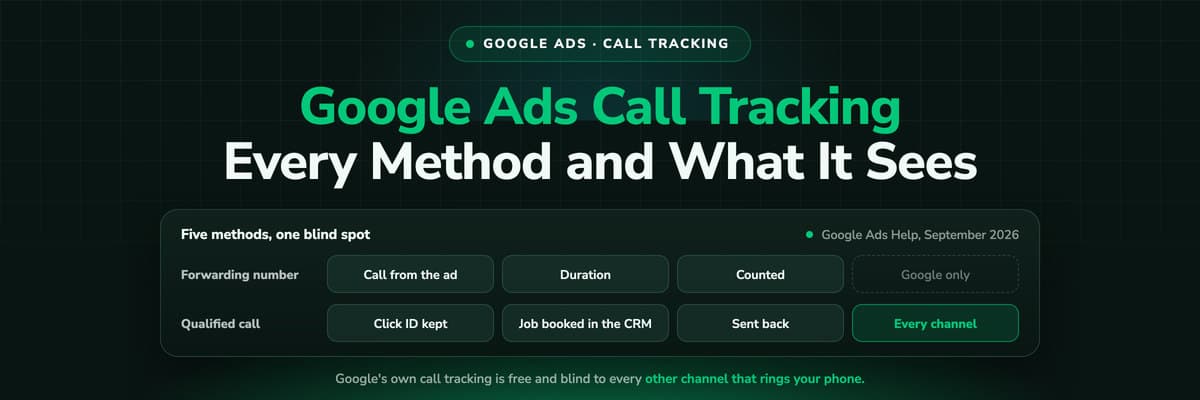
Google Ads tracks calls with Google forwarding numbers: turn on call reporting and Google shows a temporary number that routes to your line, then reports the call. It covers calls from your ads (call assets and call-only ads) and, with a snippet, calls to the number on your website, counting a call as a conversion once it passes a minimum length you set. It is free, available in more than 40 countries, and blind to everything outside Google Ads: no organic calls, no Business Profile, no recording, no qualification and no CRM outcome. Imported call conversions are the one route by which a call that became a job gets back into bidding.
The five Google Ads call tracking methods, September 2026
| Method | What it counts | What it needs | Blind spot |
|---|---|---|---|
| Calls from ads | Calls placed from call assets and call-only ads | Call reporting on, a minimum call length | Only calls that start in the ad itself |
| Calls to a website number | Calls to the number on your site after an ad click | Google tag plus the phone snippet, exact number match | Conflicts with a third-party number swap |
| Clicks on a mobile number | Taps on a phone link on your mobile site | A click conversion action on the link | It is a tap, not a call. Nobody may have answered |
| Call ad clicks, estimated | Clicks on call ads where no forwarding number was used | Nothing beyond the ad | Google estimates whether a call happened |
| Imported call conversions | Calls you qualified somewhere else | The caller's number and the call start time | Nothing, and it is the only one that knows outcomes |
What a Google Forwarding Number Actually Is
Almost all of Google's call tracking rests on one mechanism. Switch on call reporting and Google issues a forwarding number: a temporary Google number shown in place of yours, which routes the call to your real line while Google records what happened. Available in more than 40 countries, local or toll-free where possible.
- What it recordsCall duration, start time, whether the call connected, and the caller's own number on calls longer than 15 seconds, except in India.
- What it costsNothing extra. Google charges for the click on the number in the ad, at the same cost per click as a click to your website, and does not charge for a forwarding number somebody dialled manually.
- What it is notNot a number you own. Google says these can change or be reassigned, so a forwarding number never belongs on a van, a flyer or a Business Profile.
The Five Methods, One at a Time
1. Calls from ads
The simplest one. A call asset or a call-only ad shows a forwarding number, somebody taps it, and the call is counted as a conversion once it lasts longer than the minimum you set. Set that minimum deliberately: too short and you count misdials, too long and you lose the caller who got their answer in forty seconds.
2. Calls to a number on your website
This is Google's own dynamic number insertion. The Google tag plus a phone snippet rewrites the number on your page with a forwarding number for visitors who arrived from a Google ad, and calls to it are attributed to the campaign, ad group and keyword. Two setup details cause most of the failures: the number you enter has to carry the exact digits shown on your site, and Google warns that its standard Tag Manager call conversion tag does not handle international formats, so use the national format without a plus sign.
3. Clicks on a number on a mobile site
A click conversion on the tap-to-call link. It needs no forwarding number and it tells you nothing about the call: whether it connected, how long it lasted, whether anybody picked up. Useful as a proxy on a small account, dangerous as a bidding signal, because Smart Bidding will happily buy taps.
4. Call ad clicks without a forwarding number
Where forwarding numbers are not in play, Google estimates from behaviour whether a meaningful call is likely to have happened. Treat it as a directional number, not a measurement.
5. Imported call conversions
You track the calls somewhere else, decide which ones counted, and upload them. The required columns are the caller's phone number in a supported format, the call start time and the conversion action name, spelled exactly as it is in the account; conversion time, value and currency are optional. Wait at least four hours after creating the conversion action before the first upload, and set the time zone once in the parameters row or per row.
This is the only method that knows what the call was worth, because it is the only one where a human or a CRM has been between the ring and the upload.
What Google's Call Tracking Cannot See
Google's call tracking is free, well built and narrow by design. It exists to make Google's own bidding better, not to tell you where your phone leads come from.
- Every other channel. A call from organic search, from your Business Profile, from Meta, from a flyer or from somebody who typed your name is invisible. On a phone-led business that is usually most of the phone.
- What was said. No recording, no transcript, no summary, so a booked job, a supplier and a wrong number all count identically once they pass the minimum length.
- The outcome. A call that became a 6,000 euro job and one that became nothing are the same conversion, which means bidding cannot tell them apart either.
- The CRM. The call does not land on a contact record, so sales never sees which campaign produced the person on the line.
- Repeat callers. Somebody who saved your number last year and rang today is not part of this at all.
The one thing to switch on regardless
Call reporting for call assets costs nothing and improves Google's bidding on calls that start in the ad. Switch it on even if you run a third-party call tracker, because those forwarding numbers live in the ad rather than on your website and nothing collides.
Running Google's Numbers Beside a Call Tracker
This is where accounts break, and the rule is mechanical. Google's website call conversion works by rewriting the number on your page. A call tracker's dynamic number insertion works by rewriting the number on your page. Two scripts, one number, and whichever runs last wins: visitors see one number, the other system attributes nothing, and nobody notices until a monthly report looks wrong.
- Safe togetherGoogle call assets and call-only ads beside any call tracker. The forwarding number is inside the ad, so it never touches your page.
- Not togetherGoogle's phone snippet and a third-party swap on the same page. Pick one owner for the website number and switch the other off.
- The usual answerThe call tracker owns the website, Google keeps the ad, and the tracker reports its qualified calls back into Google Ads as conversions.
Sending the Qualified Call Back to Google
Counting calls improves nothing on its own. Bidding gets better when the signal you send describes a customer rather than an event, which for a phone-led business means the call that became a booked job, not the call that lasted 61 seconds.
- Decide what qualified means, in one sentence your team can apply: a new enquiry for work you do, in your area, that reached a person. Not a supplier, not a recruiter, not a wrong number.
- Mark it consistently, by a tag on the call or a CRM stage, set by somebody who has read the summary or heard the recording. Whatever it is, it has to happen on every call, not on the ones somebody remembers.
- Send it back with an identifier. Either the caller's number and call start time through imported call conversions, or the click ID captured at the visit, which is what offline conversion tracking does for forms.
- Let bidding settle. Two to six weeks, and resist rewriting the definition halfway through, because a moving target teaches the algorithm nothing.
The upload route is moving in June 2026
Google Ads Help states that from 15 June 2026 offline conversion imports migrate to the Data Manager API and are blocked in the Google Ads API. If your call conversions reach Google through a custom integration built on UploadClickConversions, that is a rebuild with a deadline. A tool that maintains the connection for you is one way not to care; checking with whoever built yours is the other.
A Setup That Holds Up
- Call reporting on, so call assets and call-only ads get forwarding numbers.
- One owner for the number on your website: Google's snippet or your call tracker, never both.
- A minimum call length you chose on purpose, and the same one across conversion actions.
- Fixed tracking numbers for the Business Profile, print and vehicles, so calls that never touch the website still have a source. Your real number stays on the profile and in every citation: see call tracking and SEO.
- A definition of a qualified call, written down, and one place where calls are marked against it.
- Qualified calls going back to Google as conversions, and to Meta if you run it, with the click ID or the caller's number.
- Somebody checking the calls column against the phone log once a month, because a swap that silently broke looks exactly like a quiet month.
If you are setting this up from scratch, how to track phone calls back to the ad covers the number strategy and the 15 best call tracking tools covers who does what.
FAQ
Frequently Asked Questions
What advertisers ask about call tracking inside Google Ads.
Does Google Ads have call tracking built in?
Yes, and it is free. Turning on call reporting gives your call assets and call-only ads a Google forwarding number, and a phone snippet extends the same idea to the number on your website. Google reports call duration, start time, whether the call connected and the caller's number on calls over 15 seconds, except in India.
What is a Google forwarding number?
A temporary number Google shows in place of yours so it can measure the call, routing it to your real line. It is available in more than 40 countries and Google says the numbers can change or be reassigned, which is why one must never be printed on a van, a flyer or a Business Profile.
Does Google Ads call tracking cost extra?
No. You pay for the click on the number in your ad at the same cost per click as a click to your website, and Google does not charge for a forwarding number somebody dialled manually. The cost of call tracking is the third-party tool you add for the channels Google cannot see.
Can I use Google call tracking and CallRail at the same time?
Partly. Call assets and call-only ads use a forwarding number inside the ad and sit happily beside any call tracker. Google's website call conversion and a third-party number swap both rewrite the number on your page, so on the website you choose one. The usual arrangement is that the call tracker owns the site and reports its qualified calls back into Google Ads as conversions.
How do I track calls from Google Ads in my CRM?
Not with Google's own call tracking, which never touches your CRM. You need a tracking number that carries the session's click ID into the call record and a tool that writes the call onto the contact. Then the deal that closes weeks later still carries the campaign that rang the phone, and that outcome can be sent back to Google as a conversion.
What is changing with offline call conversion imports in 2026?
Google Ads Help states that from 15 June 2026 offline conversion imports move to the Data Manager API and are blocked in the Google Ads API. Custom integrations built on the old upload endpoint have to be migrated. Enhanced conversions for leads, which matches on hashed email and phone rather than the click ID alone, is the route Google now recommends for lead data.
Keep reading
More from the blog
 How To Guides
Google Ads MCP: The Official Server, Its Limits, Options
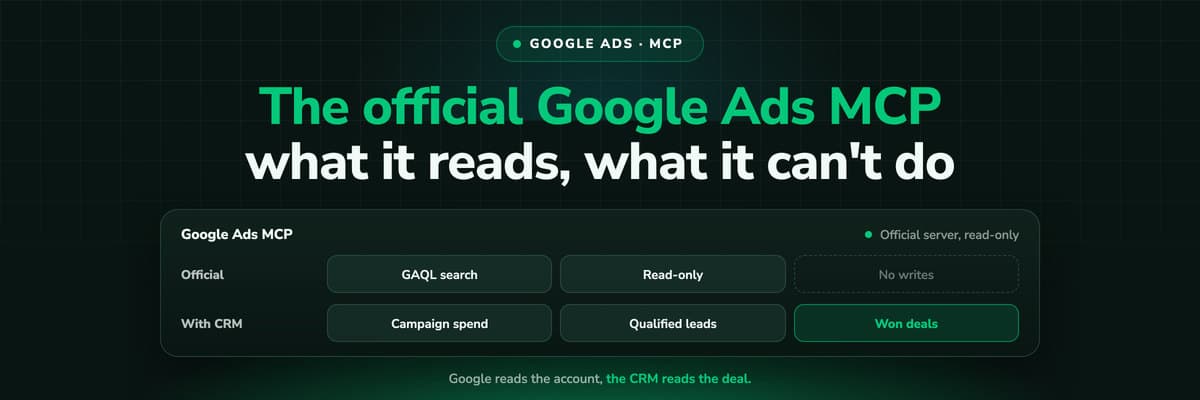
Google publishes an open source MCP server for the Google Ads API. It is read-only, has three tools and no public URL. What it does, how to run it locally or on Cloud Run, how Claude and Claude Code connect to it, what it cannot do, and the third-party servers that fill the gaps.Read the article13 min read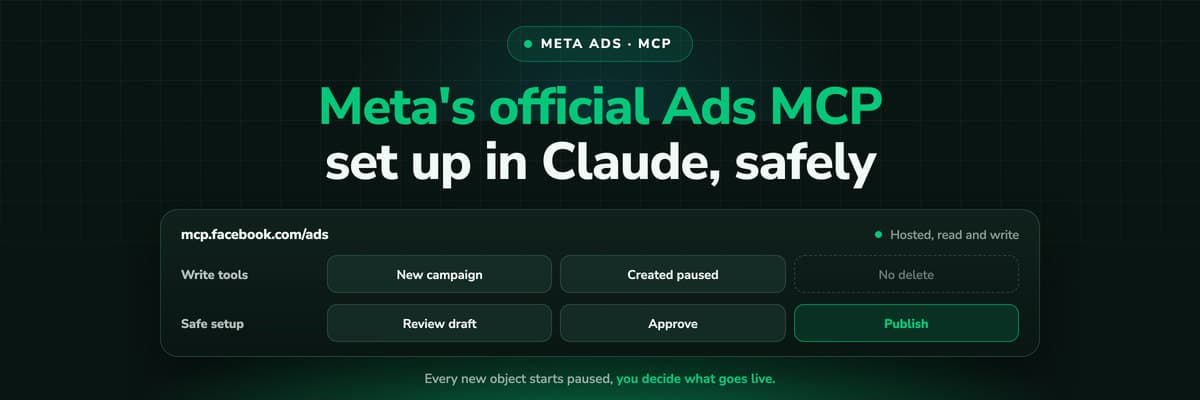 How To Guides
Meta Ads MCP: Setting Up Meta's Official Server
Meta runs its own MCP server for ads at mcp.facebook.com/ads. What it does, which permissions it needs, how agencies get access, how to add it to Claude and ChatGPT, what the third-party servers offer instead, and how to use the write tools without spending money by accident.Read the article12 min read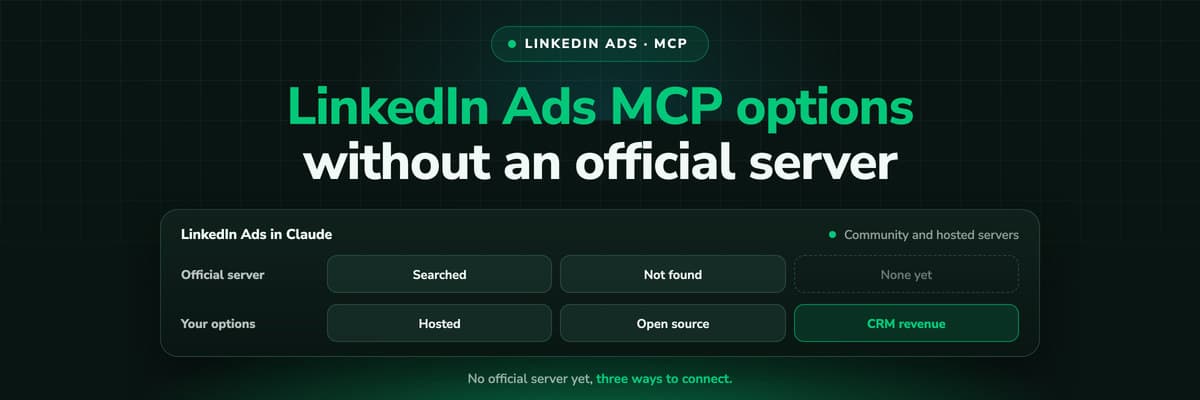 How To Guides
LinkedIn Ads MCP: Your Options Without an Official Server
LinkedIn has no official MCP server as of October 2026, unlike Meta, Google, Microsoft, TikTok and X. What the third-party LinkedIn Ads MCP options are, why there are so few, what to check before you connect one to an account with spend on it, and how to ask Claude about LinkedIn campaigns on pipeline rather than form fills.Read the article11 min read
Call tracking
Count the calls Google cannot see, and send back the ones that paid
LeadJourney tracks every call to its ad, campaign and keyword across all your channels, records and summarises it, and returns the ones your CRM marks qualified to Google and Meta. Set up with a tracking expert, 30-day money-back guarantee.
30-day money-back guaranteeSetup with a tracking expert


