


















BlogHow To Guides
How to Track Phone Calls Back to the Ad That Made Them Ring
For a trades company, a clinic or an adviser, half the leads never touch a form: they phone. Why the ad account cannot see those calls, the three ways to track them, how to set up dynamic number insertion properly, what has to be true before a ring counts as a conversion, and how to send the qualified ones back to Google and Meta.

Contents
Summarise this article with AI
Opens the page with a ready prompt in:


Nothing is sent until you pick a service.
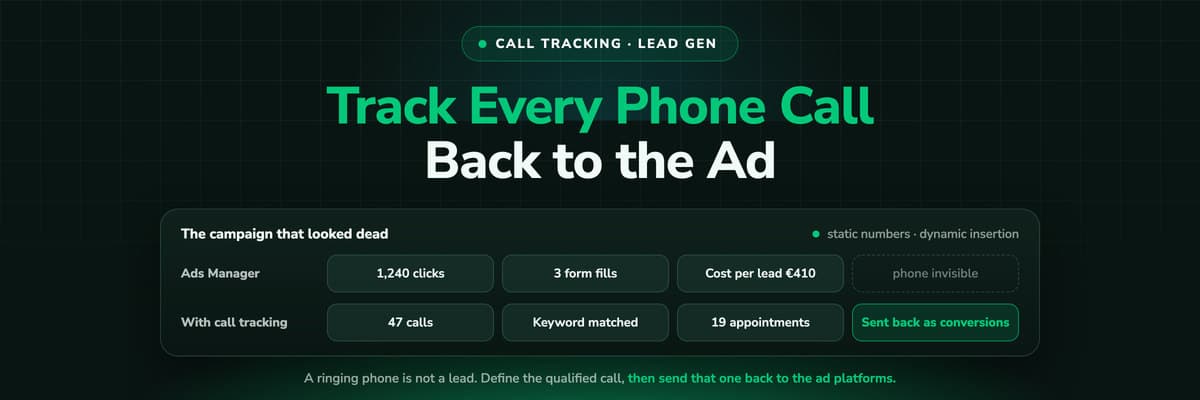
For a roofer, a dental clinic, a law firm or a financial adviser, the phone is the funnel. Somebody sees the ad, taps the number, books a survey on the call and never touches a form. None of that reaches Google Ads or Meta, so the campaign that produced half the month's work reports a handful of conversions and looks like the obvious one to cut.
The account is not wrong, it is blind. Browser tracking follows a visitor right up to the moment they pick up the phone, then stops. This guide covers the three ways to close that gap, how to set up dynamic number insertion properly, what a call has to be before it counts as a conversion, and how to get the qualified ones back to the ad platforms.
Quick Summary: How to Track Phone Calls Back to the Ad
In short
A phone call is invisible to your ad account because tracking ends at the browser. To fix it, give the call an identity: a static tracking number per campaign when you have a handful of sources, or dynamic number insertion, which swaps a number per visitor so the call carries that session's click ID, campaign and keyword all the way into the CRM. Then decide what counts. Send qualified calls, booked appointments and won jobs back to Google and Meta as offline conversions, not every ring, and let bidding optimise on those.
The rest is detail: what missing calls do to bidding, the three tracking methods, the setup checklist, the consent questions European teams hit late, and the reports you get afterwards.
Where the Conversion Column Stops
Every tracking setup you have, pixel or server-side, works on a browser session. It sees a page view, a click, a scroll, a form submit. It cannot observe what happens after a visitor reads a number off the screen and dials it, often on a device that is not the one they were browsing on.
The effect on a phone-led business is brutal. A campaign that produced forty calls and twelve jobs reports four conversions, because the four people who preferred typing are the only ones the pixel saw. Cost per conversion looks ten times worse than it is, while the campaign that attracts form fillers looks efficient. Google Ads and Meta both ship a partial answer, which is why so many accounts carry a calls column nobody can explain. That column is a start, not call tracking.
What Untracked Calls Do to Your Bidding
This matters more than the reporting gap, because Smart Bidding and Meta's automated delivery learn from what you send them. Feed the model four form fills a month and it optimises towards whatever those four people had in common, which in a phone-heavy market is usually nothing useful. So it bids down on the terms and audiences that produce callers, because it has no evidence they produce anything, and the urgent high-intent queries people phone about get starved first.
Then a budget review sees a cost per conversion nobody can defend and pauses the campaign. Three weeks later the phone is quieter and nobody connects the two events, because the connection was never in the data. It is the delayed feedback loop that makes offline conversion tracking worth the effort.
The Three Ways to Track a Phone Call
There are exactly three, and they answer different questions. Choosing the wrong one is the usual reason a call tracking project stalls after a month.
1. Platform call assets and call-only ads
Google Ads call assets and call-only ads, and Meta's call ads, route the tap through the platform. Google can substitute a forwarding number in the countries where it supports them and count a call longer than a minimum length you set as a conversion. It costs nothing extra and takes minutes, so it is the right first move for an account measuring no calls at all.
The limits are hard. You only see calls that began on that platform's ad, not a visitor who clicked, read three service pages and then dialled the number in your header. You get a campaign and a duration, never who called or what the call became.
2. Static tracking numbers, one per source
One number per source: one on the Google Ads landing pages, another on the Meta pages, another on the van, another on the flyer that goes out with every invoice. Calls reach your real line through the provider, which logs which number was dialled, so the source is known from the number itself.
Cheap, simple, and the only method that works for anything printed. A vehicle wrap has no session. If you want to know whether the board at the local football ground brings work, a dedicated number on it is the answer. The ceiling is granularity: search would need a number per keyword.
3. Dynamic number insertion
Dynamic number insertion (DNI) keeps a pool of numbers and assigns one to each visitor for the length of their session. Visitor A sees a number ending 41, visitor B sees 42, and when 41 rings the provider knows the call belongs to visitor A's session, with its click ID, campaign, keyword and landing page.
That session join is the entire point. It turns a call from a channel-level tally into a lead with a gclid attached, which makes cost per call by keyword possible and lets you credit a won job to the click that started it. If you run paid search at any volume, this is the method. See dynamic number insertion for the short version.
The three methods compared
| Method | What it identifies | Setup cost | Where it breaks |
|---|---|---|---|
| Platform call assets | Campaign, ad group, duration | Minutes, in the ad account | That platform's calls only, no caller, no outcome |
| Static numbers | The source the number sits on | An hour per number | Channel level only, search needs too many numbers |
| Dynamic insertion | Click ID, campaign, keyword, landing page | Script, sized pool, a test call | Unmatched visitors, callers who never visited, small pools |
Setting Up Dynamic Number Insertion
DNI fails in predictable ways, and almost all of them are setup rather than product. Work through this in order.
- Size the pool for concurrent sessions, not monthly visits. A number must never be reassigned while the previous visitor could still call it. Undersized pools are the commonest cause of a call credited to the wrong campaign.
- Place the swap script so it runs before the number renders. A tag that waits for page load means every visitor sees the house number for a moment, and a few of them dial it.
- Replace the number everywhere it appears: header, hero, the click-to-call button on mobile, contact page, footer, thank-you page. One forgotten instance is a permanent leak, and it is almost always the footer.
- Set a fallback number for visitors the pool cannot match, and make sure a human answers it. Someone blocking the script must still reach you.
- Choose the session window deliberately. It should cover the gap between reading your site at work and phoning in the evening, which is longer than a default browser session.
- Test on a real phone, on mobile data. Tap the click-to-call link, let it connect, hang up, then check the call sits against the right session. Repeat once per landing page template.
Keep your real number where search engines read it
Swap the number a visitor sees, not the number in your structured data or on your Google Business Profile. Leave the real line in the LocalBusiness markup and in every directory listing. Most providers exclude structured data by default; check that yours does.
Call Recording, Consent and Retention
The part teams discover the week before launch. A recorded call is personal data, and a sensitive kind, because it captures a caller's voice along with whatever they volunteer about their health, their finances or their legal situation.
- Consent, not just notice. In Germany, recording a conversation without the consent of everyone on the line is a criminal matter, not only a data protection one. An announcement at the start is the workable pattern.
- Keep the announcement short. A long legal preamble loses the impatient callers, who tend to be the ready-to-buy ones.
- A lawful basis and a purpose that is true. If recordings are used to score sales performance, say so in the privacy policy.
- A retention period, written down and enforced by the provider. Recordings that pile up for years are a breach waiting to be large.
- A short list of who may listen. A caller describing a debt problem is not something the whole team needs.
- A processor agreement with the provider, and a look at where the audio sits. If the rest of your stack is in the EU, the recordings should be too.
None of this blocks call tracking. Attribution needs the metadata: which number rang, from which session, for how long, and what the call became. The audio is optional. If the compliance conversation stalls, track the calls and drop the recordings. You lose the transcript, not the attribution. See GDPR-compliant conversion tracking.
A Ringing Phone Is Not a Lead
This decision separates a call tracking setup that improves an account from one that quietly makes it worse. If every ring is a conversion, you have taught the algorithm to buy wrong numbers, suppliers, existing customers chasing an invoice and the recruiter who phones every Tuesday. Define a qualified call before you connect anything to a bidding strategy.
- By duration. A call over a threshold, usually somewhere between thirty and ninety seconds depending on how fast reception answers. Crude, automatic, a reasonable first filter.
- By disposition. Whoever answered picks an outcome from a short list: new enquiry, existing customer, supplier, wrong number, spam. Accurate, and it costs about two seconds per call.
- By CRM stage. The call becomes a contact, a rep works it, and the stage that contact reaches decides. Slowest to arrive and the only one that reflects money.
Mature accounts use all three: duration to filter noise, disposition to define the conversion they bid on, CRM stage to check that the definition still predicts revenue. Never send the raw ring count.
- The qualified callPast your duration threshold and marked as a genuine enquiry. It arrives within minutes, which makes it the only call signal fast enough for a bidding algorithm to learn from.
- The booked appointmentThe call ended with a survey, a viewing or a consultation in the diary. A day or two later, and a far better proxy for revenue. This is what most phone-led accounts should bid on.
- The won job and its valueThe deal closed in the CRM, with the amount attached. Late, sometimes months late, but true, and value based bidding needs the number rather than the count.
How the Call Joins the Journey
Once the number is tied to a session, a call is another event on a journey you were already recording. The session carries the click ID, campaign, keyword and landing page from the moment the visitor arrived, and the call inherits all of it. From there it is the same join as a form fill: the caller's number becomes the identifier on a CRM contact, and the appointment and job value are written against that record. The journey then reads: paid search on Tuesday, three page views, a call on Thursday, a survey the week after, a job closed in March.
Two details decide whether the join holds. Phone numbers have to be normalised to one format on both sides, or a call from 07700 900123 will never match a contact stored as +44 7700 900123. And the CRM must not overwrite the lead source when a rep edits the record. Lead source in the CRM is worth locking down before you start.
Sending Qualified Calls Back to the Ad Platforms
Measuring calls tells you what happened. Sending them back changes what happens next, and it is the half most setups never finish.
For Google Ads the mechanism is the offline conversion import. The gclid captured when the visitor landed travels with the lead, and when the call is qualified, or the job is won, you upload that click ID with a conversion action, a timestamp and a value. Google credits the conversion back to the click that earned it, whatever its campaign and keyword, and Smart Bidding starts using it.
For Meta the mechanism is the Conversions API: a server-to-server event carrying the click ID from the first visit plus hashed identifiers such as the phone number and email, so Meta can match the person where the browser could not. The event carries a value and a currency. LinkedIn and Microsoft Ads accept the equivalent.
Map each definition to its own conversion action rather than one bucket. A qualified call, a booked appointment and a won job are three signals with three delays and three values, and keeping them separate lets you bid on the fast one while volume is thin.
The Reporting You Get Once It Works
These reports are unremarkable in an e-commerce account and completely new to most phone-led businesses, which is why the first month of them tends to move a budget.
- Cost per qualified call by campaign, ad group and keyword. The number that ends the argument about whether the generic terms pay.
- Revenue per campaign for a business that has never had it: jobs won, with their values, against the spend that produced them.
- Which landing pages produce calls rather than forms. Usually the service pages that show a price, and usually not the page the budget points at.
- Missed calls, and what they cost. Once calls are logged the unanswered ones are visible, and that is often the cheapest revenue on the table.
- The offline channel split you have been guessing at. Print, radio, sponsorship and vehicle signage each get a number.
One warning. The reallocation the first report suggests is usually larger than expected, because the account has been optimising against the wrong signal for as long as it has run. Move budget in steps.
How LeadJourney Puts the Call in the Same Journey as the Click

LeadJourney tracks server-side on your own domain at 95%+ accuracy and captures the click IDs at the first visit: gclid, gbraid and wbraid from Google, fbclid from Meta, li_fat_id from LinkedIn and msclkid from Microsoft, plus the UTMs and the landing page. Call tracking runs on that same record: static numbers per campaign or dynamic number insertion per visitor, with the call matched to that visitor's journey rather than to a channel.
Each call is recorded and summarised, so nobody has to listen to forty of them to find the real enquiries. The call then follows the same path as a form fill: into the CRM, through the stages, to the closed deal. HubSpot, Salesforce, Pipedrive, Close, Attio, GoHighLevel, ActiveCampaign and Odoo have native integrations, any other CRM connects by webhook or Zapier. Map the stages you care about onto a conversion action and the event goes server to server to Meta, Google Ads, LinkedIn and Microsoft Ads with the deal amount and currency attached.
Two honest notes. Call tracking is an add-on on top of the plan, from €50 a month for five numbers and 250 minutes, and every number past five costs extra, so a wide pool costs more than a narrow one. And if you already run CallRail you do not have to move: it integrates, and the call data joins the journey from there. Setup is one script on the site or in the GTM container, live in about 21 minutes without a developer, hosted in Frankfurt with a signed data processing agreement.
Read verified reviews on Trustpilot, G2 and leadjourney.io/testimonials.
Further Reading
Related pages: phone call leads, booked call tracking and the call tracking software overview. For the loop back to the platforms, read how to track offline conversions for lead generation. For the mechanics in short form, see dynamic number insertion and the CallRail integration.
FAQ
Frequently Asked Questions
The questions phone-led businesses and their agencies ask before setting call tracking up.
How do I track phone calls from Google Ads?
Start with call assets and call reporting inside the account, which counts a call over a minimum length you set as a conversion. That covers calls placed from the ad itself. To catch the larger group who click the ad, browse the site and then dial the number on the page, you need dynamic number insertion, which ties the call to the session and therefore to the gclid, campaign and keyword.
What is dynamic number insertion?
A pool of phone numbers, one assigned to each visitor for the length of their session. A script swaps the number shown on the page, so when it rings the provider knows which session called and can attach that session's click ID, campaign, keyword and landing page to the call. When the session window expires the number returns to the pool. See dynamic number insertion for the short definition.
How many tracking numbers do I need?
Size the pool by concurrent sessions, not by monthly traffic. You need enough numbers that one is never handed to a new visitor while the previous visitor might still call it, which depends on peak hourly traffic and how long your session window runs. Start wider than you think and reduce it once the reassignment rate is visible in the report. Undersized pools misattribute calls silently.
Does call tracking hurt my local SEO?
Not if it is set up properly. Swap only the visible number on the page and leave your real line in the LocalBusiness structured data, on your Google Business Profile and in every directory listing. The risk people worry about is inconsistent NAP data across the web, and that comes from replacing the number in those places, not from swapping the one a visitor sees on the site.
Is call recording legal in Germany?
Recording a call requires the consent of everyone on the line, and doing it without consent is a criminal matter rather than only a data protection issue. The practical pattern is an announcement at the start of the call, a lawful basis and purpose written into the privacy policy, a defined retention period, a short list of people who may listen, and a processor agreement with the provider. Attribution works without recordings if that is simpler.
What counts as a qualified call?
Whatever you can defend to the sales team. In practice it is a call past a duration threshold, marked by whoever answered as a genuine enquiry rather than a supplier or wrong number, and ideally confirmed later by the CRM stage the contact reaches. Send that definition back to the ad platforms as a conversion, not every ring, or you will teach the algorithm to buy noise.
Keep reading
More from the blog
 How To Guides
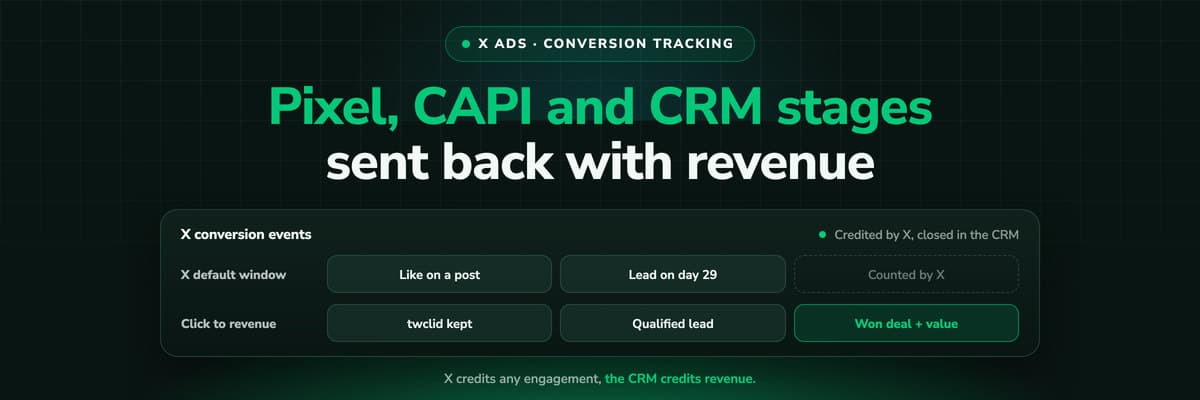
X Ads Conversion Tracking: Pixel, CAPI and CRM Events
X reports what the X Pixel and the Conversions API tell it, credited after any engagement inside windows you set per event. What to count for lead generation and for a store, how the two sources deduplicate on one conversion ID, why X's count and the CRM disagree by design, how to verify it, and which number deserves the budget.Read the article19 min read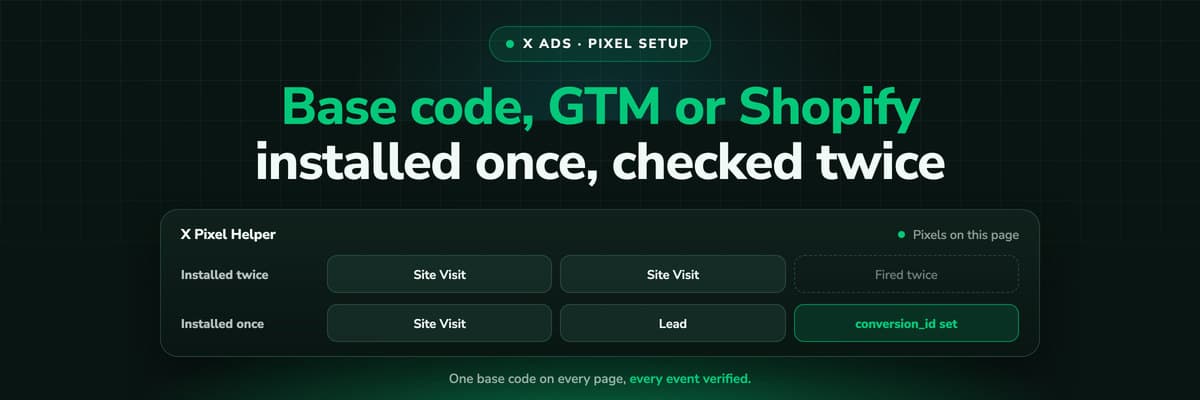 How To Guides
X Pixel Setup: Base Code, GTM, Shopify and Events
Every way to install the X Pixel, with X's own steps and code: creating it in Events Manager, the base code, event code, Google Tag Manager through the partner integration, Shopify, Ensighten and Tealium. Then the event types and parameters, cookies and consent, and how to check it all with the X Pixel Helper and the event statuses.Read the article18 min read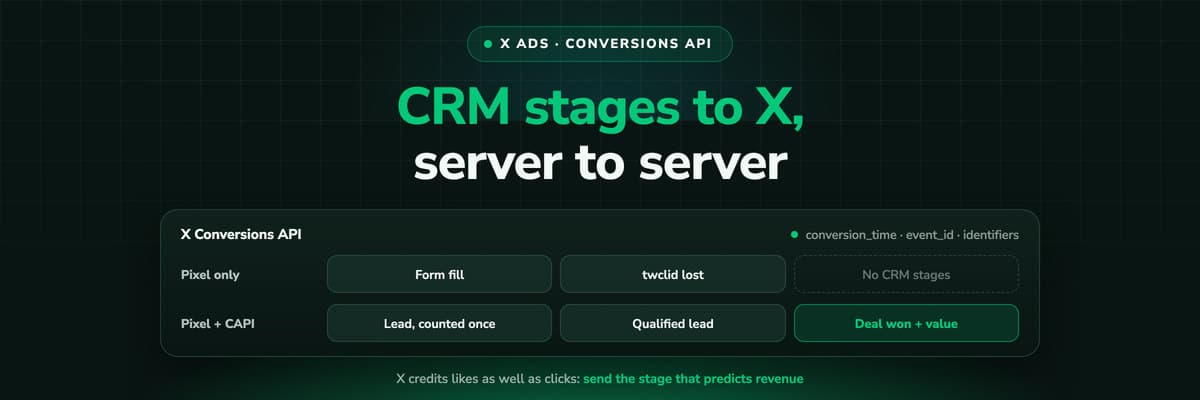 How To Guides
X Conversions API: Setup, Deduplication and CRM Events
The X Pixel reports what a browser lets it see. The Conversions API reports what your server tells it, including stages that happen in the CRM after the form. The endpoint and body, the access token against OAuth, identifiers and hashing, deduplication against the Pixel, the twclid you have to keep yourself, the limits, and what X will credit from a CRM.Read the article16 min read
Call attribution
Ready to see which ad made the phone ring?
LeadJourney captures the click IDs server-side at the first visit, matches static or dynamically inserted numbers to that visitor's journey, and sends qualified calls, booked appointments and closed jobs back to Meta, Google, LinkedIn and Microsoft with their value.


