


















BlogHow To Guides
How to Track ChatGPT Traffic and the Leads It Sends You
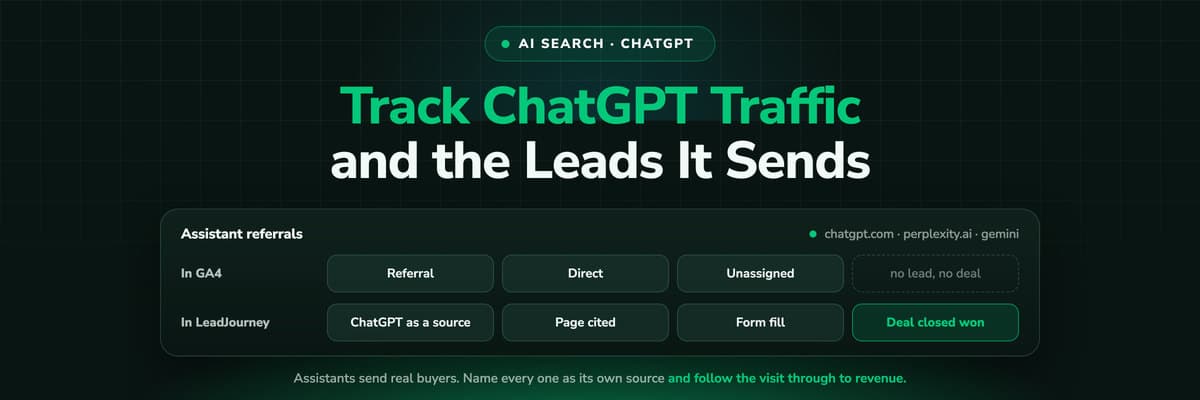
You can see chatgpt.com in the referrer list, but not what it is worth. The practical setup: a traffic channel per assistant, crawler fetches separated from human visits, the assistant stored as the first touch on the CRM record, and an honest way to handle the share of AI traffic that arrives with no referrer at all.

Contents
Summarise this article with AI
Opens the page with a ready prompt in:


Nothing is sent until you pick a service.
Somewhere in your referral report there is a line that says chatgpt.com. A few hundred sessions, a decent time on page, a bounce rate that looks better than paid social. Under it sit perplexity.ai and maybe claude.ai. Nobody knows what those lines are worth, because nothing connects them to a form fill and nothing connects the form fill to a deal.
The instinct is to assume the number is too small to matter. In most lead generation accounts it is the opposite: the number is small because the tracking is missing the visits. This guide covers why your analytics files most of it in the wrong place, and how to get from a referrer host to a line in the revenue report.
Quick Summary: How to Track ChatGPT Traffic
In short
Most assistant traffic arrives as a referral from chatgpt.com, perplexity.ai or a handful of similar hosts, and a default analytics setup buries it in Referral or Direct where nobody looks. Tracking it properly takes three things: a traffic channel of its own for every assistant host, a rule that separates the crawler fetch from the human visit, and the assistant stored as the first touch on the CRM record so the lead and the deal can be traced back to it. A real share of AI traffic carries no referrer at all. Measure that share as brand demand, not as an attributable click.
The rest of this guide is the setup in the order it should be done: how the visit reaches you, the channel grouping, bots against people, the tagging you control, the join to the lead and the deal, then what you report and what you honestly cannot.
How a Visit From an Assistant Actually Reaches You
An assistant does not send traffic the way a search engine does. There is no results page, only an answer, and inside it your page may appear as a citation or an inline link. If the reader clicks, a browser opens your URL and, in the ordinary case, sets the referrer to the assistant's host. That is the visit you can see. It is one of three ways an answer turns into a visit, and the other two leave nothing behind.
The cited link click
Your page is named in the answer and the reader clicks through. You get a referrer, a landing page and a session. The only one of the three you can attribute cleanly, and what the setup below is for.
The brand search afterwards
The reader takes your name out of the answer and searches for it, or types the domain straight in. The visit lands in Organic Search or Direct with no trace of the assistant. The demand is real, the attribution is gone.
The no-referrer read
An answer read in a native app, a link copied into a new tab, a client that strips the referrer. The session looks like Direct, and nothing separates it from a bookmark.
Ratios differ by audience, but the pattern holds: the clicks you can see are a floor, not a total. A buyer who reads four names in an answer and searches two of them by brand a day later is behaving normally, and the assistant appears nowhere in that journey. Measure the floor precisely, estimate the rest openly, and the numbers survive the first sceptical question.
Why GA4 Files Most of It as Referral or Direct
Nothing is broken. GA4's default channel grouping was written before assistants sent meaningful traffic and has no bucket for them. A visit from chatgpt.com matches no search, social or paid pattern, so it falls through to Referral next to a partner blog. A visit with no referrer falls to Direct. Four failures follow, each with a different fix:
- Assistants are invisible as a group. Each host is one row among hundreds of referrers, so nobody adds them up and the total never reaches a monthly report.
- Gemini and Copilot straddle two buckets: clicks from the assistant apps carry their own hosts, while Google's AI Overviews and answers inside Bing come from the search domain and read as ordinary organic.
- The no-referrer share sits in Direct, indistinguishable from returning visitors and email clients that strip parameters.
- Crawler fetches inflate server-side counts. Browser analytics misses them, but a log-based or server-side setup counts them unless told not to.
Do not solve this with a report filter
Filtering the referral report to a list of hosts every time you need the number works once and is forgotten by the next person. The rule belongs in the channel definition, where every report, audience and export inherits it.
The Referrer Hosts Worth Naming
Seven assistants send enough traffic to a European or North American business to earn a row. Treat the third column as a tendency, not a guarantee: whether a referrer arrives depends on the client the reader used, and native apps behave differently from the web app in all of these products.
What each assistant sends you, and what you can measure from it
| Assistant | Typical referrer host | Referrer usually passed | What you can measure |
|---|---|---|---|
| ChatGPT | chatgpt.com (older: chat.openai.com) | Yes from the web app, often not from the native apps | Sessions, landing pages, conversions, first touch on the lead |
| Perplexity | perplexity.ai | Yes, the most consistent of the group | Sessions, landing pages, conversions, first touch on the lead |
| Google Gemini | gemini.google.com | Usually from the web app | Gemini app clicks on their own; AI Overview clicks only inside google.com organic |
| Claude | claude.ai | Yes from the web app, not from the desktop and mobile apps | Sessions and conversions from web app clicks |
| Microsoft Copilot | copilot.microsoft.com | Usually | Copilot app sessions; answers inside Bing arrive as bing.com organic |
| Grok | grok.com, and x.com from the feed | Usually from the web app | Web app sessions; reads inside the mobile app stay invisible |
| DeepSeek | chat.deepseek.com | Usually from the web app | Web app sessions, low volume in most Western accounts |
Two rows matter before you build anything. Gemini and Copilot are split products: the standalone assistant passes its own host, the answer above the search results does not, so part of that traffic is permanently mixed into organic. And every native app row is a reminder that the referrer is a courtesy, not a guarantee. Write the host list so it can be extended.
Step 1: Give the Assistants a Channel of Their Own
In GA4 this is a custom channel group. Open Admin, then Data display, then Channel groups, copy the default group and add a channel above Referral so it claims the traffic before the generic rule does.
- Create the custom channel group and place the new channel above Referral, because the first matching rule wins.
- Match source against a pattern covering your hosts, for example chatgpt\.com|chat\.openai\.com|perplexity\.ai|gemini\.google\.com|claude\.ai|copilot\.microsoft\.com|grok\.com|deepseek\.com.
- Add the assistant hosts to the referral exclusion list only if they are part of your own login or checkout flow. For ordinary sites, leave them in.
- Set the new group as the property default so shared reports inherit it, rather than switching it per report.
- Keep the regular expression and the host list where a human will find them again, and review once a quarter.
GA4 applies a custom channel group at query time rather than at collection, so recent history reclassifies too, within the window Google allows. Create the group first, then read what it says about last quarter.
If your analytics is not GA4
The concept transfers to any tool with source rules. Match on the referrer host and put the rule ahead of the generic referral rule. If your platform supports custom traffic channels directly, define them there rather than in a dashboard, so the classification travels with the data.
Step 2: Split Bots From People, Then Tag What You Control
Separate the crawler fetch from the human visit
Assistants reach your site two ways. A crawler indexes pages in advance, and a live fetcher pulls a page while somebody waits for an answer. Neither is a session. Browser analytics never sees them, because they do not run your JavaScript, but log analysis and server-side setups count them unless you filter by user agent.
- OpenAI publishes GPTBot for training, OAI-SearchBot for the search index and ChatGPT-User for a live fetch made because a person asked.
- Perplexity publishes PerplexityBot for indexing and a separate agent for the live fetch behind a specific answer.
- Anthropic publishes ClaudeBot and a separate agent for user-initiated fetches.
- Copilot rides on Microsoft's crawler and Gemini on Google's, with robots.txt tokens rather than distinct names.
Filter those agents out of anything you call traffic, then keep them in a report of their own. The live fetch agents are a genuine signal: a spike of user-initiated fetches on one page means an assistant is reading that page out to people right now, which usually precedes the citation clicks.
Tag everything you actually control
You cannot add a UTM to a citation. An assistant links the canonical URL exactly as it found it. What you can tag is what you publish yourself: links in your own posts, documentation an assistant is likely to quote, listings you submit, the newsletter. Tag those consistently and they stop competing with citation traffic for credit.
Keep the convention boring and write it down: one spelling per source, lowercase, a medium that describes the mechanism rather than the campaign. The UTM parameters guide settles the rules and the UTM builder produces the links.
Step 3: Measure the Dark Share as Demand, Not as Clicks
Two of the three visit types above cannot be attributed, and no tool changes that. Stop trying, and measure them as demand instead, which is lower resolution but entirely defensible.
- Branded search demandImpressions and clicks on your brand terms in Search Console, week over week. A rising brand curve while paid spend is flat is the clearest evidence that something upstream is naming you.
- The self-reported fieldOne optional question on the form asking how the person heard about you, with an open text field. Nothing else in your stack captures ChatGPT by name from somebody who arrived through Direct.
- The Direct baselineRecord what share of leads arrive with no referrer today. It will never be zero, but a structural shift in that share over a quarter is worth putting in front of the team.
Report the three next to the attributable clicks, labelled as demand indicators rather than attribution. In practice the self-reported answers persuade most, because they are in the customer's own words.
Step 4: Connect the Visit to the Lead and the Deal
This is where most AI tracking projects stop, one step short of the point. You now know that 340 sessions came from chatgpt.com last month. You still do not know whether any of them became a customer, and that is the only number a founder or a CFO acts on.
The mechanics are not special to assistants. An assistant referrer is a first touch and obeys the usual rules, but it matters more here, because the assistant rarely sends the visit that converts. It sends the visit that starts the research.
- Capture the referrer, the landing page and any click IDs and UTMs on the first visit, before the visitor has done anything.
- Store them first-party, on your own domain, so a second visit a fortnight later still knows what the first one was.
- Keep the first touch immutable. Record later touches separately rather than overwriting, or the brand search quietly replaces ChatGPT.
- Write the first touch onto the contact and the deal at the form fill, the call or the booking, so sales sees it and reporting can join on it.
- Report revenue by first touch as well as last, and compare the two. A source that starts journeys and never finishes them exists only in the first-touch view.
The failure this prevents
Without a stored first touch, a visitor who arrives from an assistant, leaves, then returns a week later through a brand search is filed as brand search forever. Every assistant looks worthless and the budget follows the wrong one. That is a first-click attribution problem that AI traffic makes obvious.
What to Report Every Month, and What You Cannot
Five numbers cover the whole subject and fit on one slide. Report them per assistant rather than as one AI total, because the assistants behave differently enough that an average hides the story.
- Sessions and new users per assistant, with the trend rather than the month alone.
- Leads per assistant, and cost per lead where the traffic is not free.
- Pipeline and closed revenue per assistant by first touch, which is the number that ends the debate.
- Which pages receive the citation clicks, ranked. That is your content brief for next quarter.
- Assisted journeys: how often an assistant appears anywhere in a journey that closed.
And the caveat, stated plainly so nobody discovers it later: you cannot measure your citation share from your own data. Your logs show the answers people clicked through from, never the answers where you were named and nobody clicked, or where a competitor was named instead. Visibility tools estimate that by running prompts on a schedule, which is a sample and not a census. Your data measures outcomes; theirs measures presence.
What Actually Makes an Assistant Cite You
This is a measurement guide, so the short version. Once the reporting exists you can read which of your pages already get cited and write more like them. The pages that earn citations share a few unglamorous properties.
- They answer a specific question in the first paragraph, in a form that can be lifted whole.
- They are crawlable, fast and not gated. A page behind a form is a page no assistant can quote.
- They carry facts an assistant can attribute: named numbers, dates, sources, a clear author.
- They are structured: headings that match questions, tables that resolve comparisons, a summary near the top.
- They are already cited elsewhere, because assistants lean on pages the rest of the web treats as reference material.
None of that is a new discipline, and be sceptical of anyone selling it as one. The measurable part is the loop: publish, watch which pages get cited and what they earn, repeat.
How LeadJourney Treats Each Assistant as a Source of Its Own

LeadJourney tracks ChatGPT, Gemini, Claude, Copilot, Perplexity, Grok and DeepSeek as sources of their own rather than referral rows: which pages they cite, which leads they produce and which of those became deals. Tracking runs server-side on your own domain at 95%+ accuracy, so visits that browser tags lose to ad blockers and Safari are still counted. One script, on the site or in your GTM container.
From there it is ordinary first touch machinery. The first visit is stored with its referrer, landing page and any click IDs, the anonymous visit is joined to the person at the form fill, call or booking, and the first touch is written onto the contact and the deal in HubSpot, Salesforce, Pipedrive, Close, Attio, GoHighLevel, ActiveCampaign or Odoo. The journey then follows your CRM stages, with no attribution window cutting a long research cycle short. Models are switchable, which matters more here than anywhere else: a source that starts journeys and never closes them only shows up in the first-click view.
The limits are the ones above. It measures the visits and leads you receive, not how often an assistant named you without a click, and it does not track people who declined consent: tracking is first-party and respects the consent decision. Hosting is in Frankfurt with a data processing agreement, and setup takes about 21 minutes without a developer. See AI search engine tracking.
Read verified reviews on Trustpilot, G2 and leadjourney.io/testimonials.
Further Reading
Related reading: the best AI search tracking tools for a platform comparison, AI search visibility and GEO and AI SEO performance for the content side, AI search engine tracking and the ChatGPT integration for the tracking, and UTM parameters explained for the tagging convention.
FAQ
Frequently Asked Questions
What marketers ask when chatgpt.com first appears in their referral report.
Does ChatGPT pass a referrer?
Usually, yes. A link clicked inside the ChatGPT web app arrives with a referrer of chatgpt.com, and older sessions may still show chat.openai.com. Clicks from the native desktop and mobile apps often arrive with no referrer, and a link copied out of an answer into a browser never carries one. So the referrer count is a reliable floor for assistant traffic, not a complete total.
Why does ChatGPT traffic show up as Direct in GA4?
Because those visits arrived without a referrer, and GA4 files anything with no source as Direct. That happens when the answer was read in a native app, when the link was copied into a new tab, or when the client strips the referrer. It is not a tagging mistake and no setting recovers it. Measure that share as demand instead, using branded search trends and a self-reported field on your form.
How do I create an AI channel in GA4?
Open Admin, then Data display, then Channel groups, copy the default grouping and add a channel above Referral so it matches first. Match the source against a regular expression covering chatgpt.com, chat.openai.com, perplexity.ai, gemini.google.com, claude.ai, copilot.microsoft.com, grok.com and deepseek.com. GA4 applies custom channel groups at query time, so recent history reclassifies too, within the window Google allows.
Can I see which pages ChatGPT cites?
You can see which of your pages receive clicks from an assistant, which is the useful half. You cannot see the answers where you were cited and nobody clicked, or where a competitor was named instead, because none of that touches your server. Visibility tools estimate the picture by running prompts on a schedule and recording mentions, which is a sample rather than a census.
How do I attribute a lead to ChatGPT?
Capture the referrer on the first visit, store it first-party on your own domain, keep it immutable through later visits, and write it onto the contact and the deal when the form is filled. Then report revenue by first touch. Without that chain, a visitor who arrives from an assistant and returns later through a brand search is credited to brand search forever, and every assistant looks worthless.
Is AI traffic worth tracking separately at low volume?
Yes, for two reasons. The volume is growing in most B2B accounts, so a channel created now gives you a trend line next year rather than a starting point. And assistant traffic tends to convert differently from search traffic, because the reader arrives having already been given a shortlist. A few hundred sessions with an unusual lead rate deserves its own row in the report.
Keep reading
More from the blog
 How To Guides
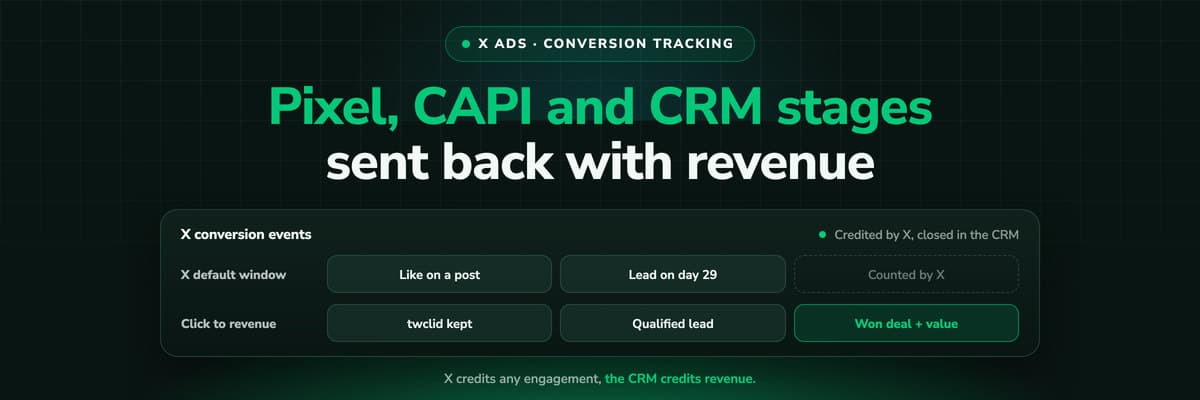
X Ads Conversion Tracking: Pixel, CAPI and CRM Events
X reports what the X Pixel and the Conversions API tell it, credited after any engagement inside windows you set per event. What to count for lead generation and for a store, how the two sources deduplicate on one conversion ID, why X's count and the CRM disagree by design, how to verify it, and which number deserves the budget.Read the article19 min read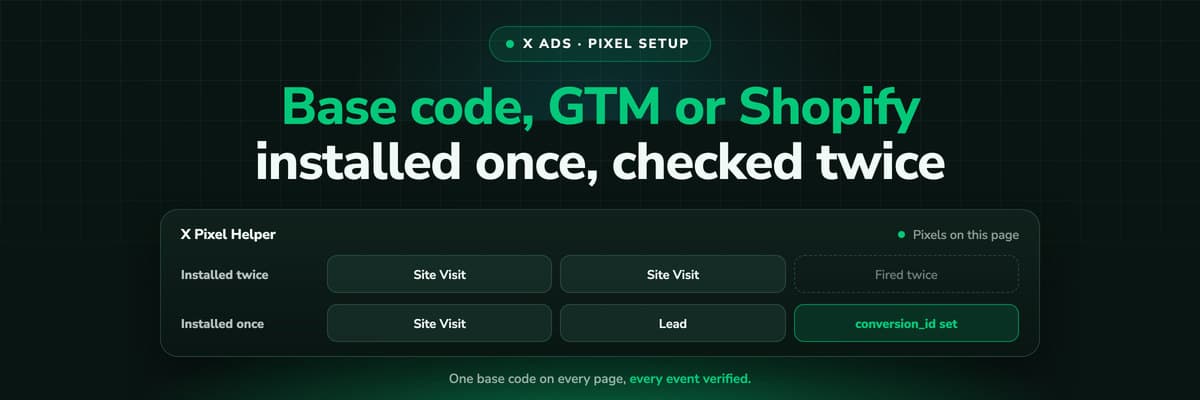 How To Guides
X Pixel Setup: Base Code, GTM, Shopify and Events
Every way to install the X Pixel, with X's own steps and code: creating it in Events Manager, the base code, event code, Google Tag Manager through the partner integration, Shopify, Ensighten and Tealium. Then the event types and parameters, cookies and consent, and how to check it all with the X Pixel Helper and the event statuses.Read the article18 min read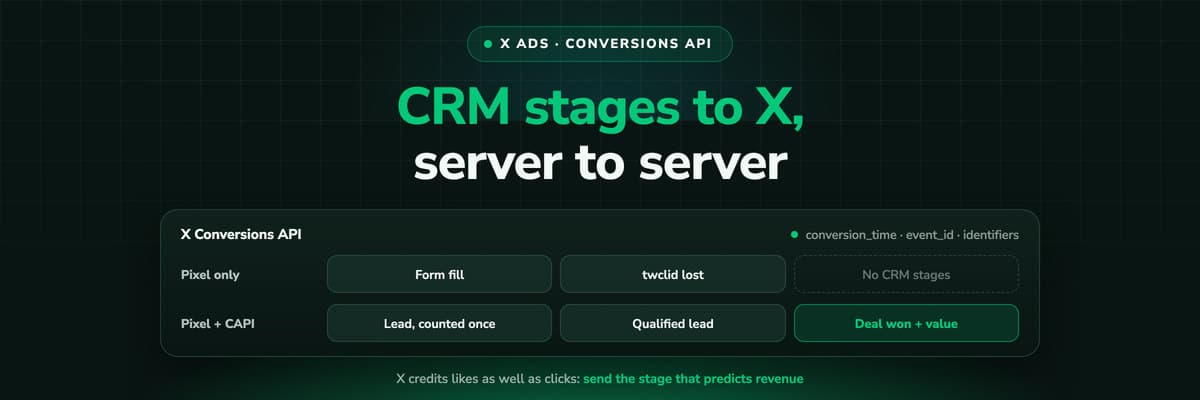 How To Guides
X Conversions API: Setup, Deduplication and CRM Events
The X Pixel reports what a browser lets it see. The Conversions API reports what your server tells it, including stages that happen in the CRM after the form. The endpoint and body, the access token against OAuth, identifiers and hashing, deduplication against the Pixel, the twclid you have to keep yourself, the limits, and what X will credit from a CRM.Read the article16 min read
AI search tracking
Ready to see which AI answers produce leads?
LeadJourney tracks ChatGPT, Gemini, Claude, Copilot, Perplexity, Grok and DeepSeek as sources of their own, stores the first touch server-side and follows it through your CRM stages to the closed deal. One script, live in 21 minutes.


