BlogB2B Marketing Attribution
Shopify Attribution: What the Reports Really Measure
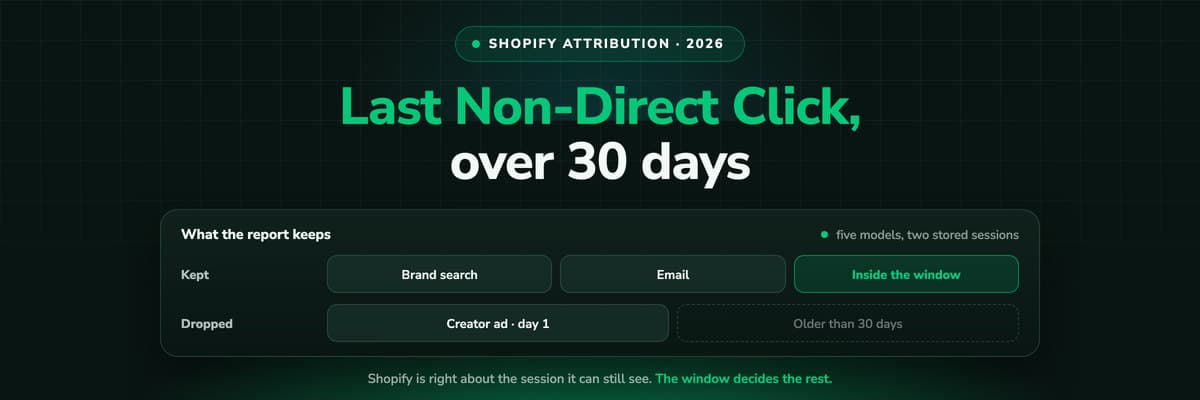
Shopify's attribution is a last non-direct click model with a 30 day window, and five models you can switch per report. That is more than most shop systems offer and still less than a media budget needs. Here is exactly what it measures, why a quarter of your orders say direct, and what sits outside it.

Contents
Summarise this article with AI
Opens the page with a ready prompt in:


Nothing is sent until you pick a service.
Open the marketing report in your Shopify admin and the numbers look authoritative: sessions by channel, orders by channel, a conversion rate per campaign. Then you open Meta Ads Manager and it claims more purchases than the report shows, Google claims its own share, and a quarter of the orders in Shopify say direct although you have not run a single untracked campaign this month.
Nothing is broken. Shopify is answering a narrower question than the one you are asking, with a specific model over a specific window, and the gap between the two questions is where the money goes. This is what Shopify's attribution actually does, in the words its own reports use.
Quick Summary: How Shopify Attribution Works
In short
Shopify credits an order to the last non-direct click it can still see, over a 30 day lookback window, based on the campaign parameters and the referrer of the sessions on your store. When a report combines a sales metric with a marketing dimension, an Attribution menu appears and you can switch that report between five models: last click, first click, linear, position based and time decay. It is a per-report choice rather than a store setting. What sits outside it: sessions older than 30 days, clicks that landed anywhere other than your store, ad spend from platforms whose channel app does not report it, and any way of sending the paid order back to the ad platform as a conversion.
What follows is the detail: what the window does to a long consideration cycle, the six reasons an order lands in direct, which model flatters which channel, and the three things no model in Shopify can reach.
What Shopify Records When a Shopper Arrives
Every session on your store carries a source. Shopify reads it from the URL's campaign parameters first and from the referring domain second, stores it against the visitor, and when an order is placed it decides which of the stored sessions gets the credit.
- The campaign parameters winutm_source, utm_medium and utm_campaign on the landing URL are read as they are. This is why a link without them is a guess and a link with them is a fact, and why the discipline of tagging every paid and social link is worth more on Shopify than any app you can install.
- The referrer is the fallbackWith no parameters, Shopify uses the referring domain and maps it to a channel: search, social, referral. An empty referrer is direct, and an empty referrer is far more common than most store owners assume.
- The last non-direct click, inside 30 daysThe order is credited to the most recent session that had a recognisable source, ignoring direct visits. Sessions older than 30 days are not considered, and if no order happens in that time the stored referrer is replaced by whatever comes next.
- The order is the conversionThis is the part Shopify gets right and most tools get wrong: the number in the report is an order that exists in your order list, not a browser event that fired. It is why the report is worth trusting about volume even when it is wrong about source.
The 30 Day Window, and What It Does to a Considered Purchase
A 30 day lookback is generous for an impulse purchase and short for anything a customer thinks about. If somebody sees a creator's video in March, follows you, reads two emails, and buys in May after a brand search, Shopify credits the brand search. Not because it prefers brand search, but because the video is outside the window and no longer stored.
The window is also a reset, not only a cutoff
The stored referrer does not simply age out of the report. After 30 days without a purchase it is replaced by the next source that arrives, so the record of the first touch is gone rather than deprioritised. No model you pick afterwards can bring it back, because the data was never kept.
The practical test is your own cycle. Pull the median days between first session and order for the last quarter. If that number is above about ten days, a 30 day window is already deciding a meaningful share of your credit, and the model menu is arguing over a subset of the touches that actually happened.
Why So Many Shopify Orders Say Direct
Direct in Shopify does not mean somebody typed your domain. It means the session arrived with no campaign parameters and no referrer that Shopify could read. Six things produce that, and all six are ordinary.
Bio links and social posts
A link in an Instagram bio, a TikTok profile or a Reddit comment usually carries no UTMs, and the in-app browser often strips the referrer. The traffic is real, the attribution is not there.
AI search
A shopper who asked ChatGPT or Perplexity for a recommendation and clicked the citation arrives with a referrer your channel rules were never written for, when it arrives at all. Most of that traffic sits in direct.
Email and messaging clients
Desktop mail clients, WhatsApp and Slack open links without a referrer. If the email link has no UTMs, the order is direct, and email is usually your best performing channel.
Ad blockers and privacy settings
Blocked scripts and restricted storage mean the stored source can be missing or truncated by the time the order is placed, especially on a return visit days later.
Anything before your store
A click that landed on a campaign page, a blog or a landing page on another domain is not a store session at all. Whatever brought them there is not in the report.
Payment redirects and express checkout
A shopper who pays through a wallet or is redirected to a provider can come back on a fresh session, and that session is the one carrying no source.
The first three are fixable this week with link discipline: put UTMs on every paid link, every bio link, every email and every affiliate placement. The last three are structural, and no amount of tagging closes them, because the source has to be recorded somewhere that survives the gap.
The Five Models, and What Each One Flatters
When a Shopify report combines a sales metric with a marketing dimension, the Attribution menu appears and the report can be switched between five models. It is worth switching, because the comparison tells you more than any single view: a channel that only looks good under last click is a closer, and one that only looks good under first click is an introducer.
The five models in Shopify's attribution menu
| Model | How the credit is split | What it flatters |
|---|---|---|
| Last click | All of it to the most recent non-direct source | Brand search, retargeting, email |
| First click | All of it to the first source in the window | Prospecting, creators, awareness campaigns |
| Linear | Split evenly across every touch in the window | Channels that appear often, whatever they do |
| Position based | 40% first, 40% last, 20% spread across the middle | The introducer and the closer together |
| Time decay | More credit the closer the touch is to the order | Anything that runs in the last few days before a purchase |
It is a per-report choice, not a store setting
There is no single switch that changes your store's attribution model. You change it inside a report, so two people looking at two reports can read two different truths about the same month. Agree on one model for budget decisions and write it down.
Every one of the five splits credit across the touches Shopify kept, which is the real constraint. A position based model over two stored sessions is not multi-touch attribution, it is a last click model with extra arithmetic.
Shopify, GA4 and the Ad Platforms Counting the Same Month
Three systems report on your marketing and none of them is lying. They count different objects over different windows with different models, which is why reconciling them by hand is a monthly job that never ends.
What each system counts, and how
| System | What it counts | Default model | Window |
|---|---|---|---|
| Shopify admin | Orders in your order list | Last non-direct click | 30 days |
| GA4 | Purchase events from the browser | Data-driven, session based | Configurable, model dependent |
| Meta Ads | Purchases it believes it caused | Its own, click and view through | Set in the ad account |
| Google Ads | Conversions from its tag or imports | Data-driven by default | Set per conversion action |
Add the platforms together and you will always have more purchases than orders, because each one counts a purchase it can claim and several can claim the same one. That is not a bug to fix in the ad accounts. It is arithmetic, and the only way out is to count the order once, from the order list, and then decide which touch gets the credit.
The Three Things No Shopify Model Can Reach
- Your spend, across every platformShopify sees spend where a channel app reports it. If you buy on four platforms and only two have apps in your store, the ROAS in the report is missing two of your bills, so the comparison you actually need is built in a spreadsheet.
- Which channel bought a customer, not an orderReturning customer sales are reported by cohort, not by acquiring channel. So a creator campaign that produces buyers worth five orders each is priced on the first order alone, which makes it look worse than a discount campaign that produces one purchase and silence.
- A way back to the ad platformShopify's channel apps send their own events to their own platforms. There is no single place where the paid order, with its real value and its refunds netted off, goes back to every platform you buy on. Without that, bidding keeps optimising on add to carts.
Those three are the reason attribution tools exist for a platform that already has attribution. The job is not to replace what the admin does. It is to keep the touches Shopify's window drops, to price them against all of your spend, and to hand the paid order back to the platforms so they can learn from revenue.
What to Do About It, in Order
- Tag every link you control. Paid, bio, email, affiliate, partner, QR code. Anything untagged is a vote for the direct bucket.
- Measure your own consideration cycle. Median days from first session to order. If it is above ten, the 30 day window is deciding your credit.
- Pick one model for budget decisions and write it in the same document as your targets, so nobody argues about the numbers by switching the menu.
- Count orders, not conversions, in every review. Start every marketing meeting from the order list and treat platform conversion counts as estimates of their own contribution.
- Record the journey where the window cannot end it, first-party and server-side, so the first touch survives a 30 day gap, a payment redirect and a blocked script.
- Send the paid order back to every platform you buy on, with its value and with refunds netted, so bidding learns from customers instead of carts.
The first four are free and worth doing whatever else you run. The last two are what a tool is for, and they are the two that change what the platforms optimise towards rather than only what your report says.
Further Reading
Next to this one: Shopify conversion tracking, every method and Shopify server-side tracking. On other shop systems, WooCommerce order attribution and Shopware server-side tracking. On the product side, the Shopify integration, e-commerce attribution software and the page for e-commerce brands. On the concepts, multi-touch attribution and why GA4, Meta and Google never agree.
FAQ
Frequently Asked Questions
The questions store owners ask when the admin, GA4 and Ads Manager disagree.
What attribution model does Shopify use by default?
Last non-direct click, over a 30 day lookback window. The order is credited to the most recent session that arrived with a source Shopify could read, and direct sessions are skipped rather than credited. When a report combines a sales metric with a marketing dimension you can switch that report to first click, linear, position based or time decay, but the default everybody reads is last non-direct click.
What is Shopify's attribution window?
30 days. A session older than that is not considered for the order, and if no purchase happens inside 30 days the stored referrer is replaced by the next source that arrives. For a store whose customers take longer than a month to decide, that window is the single biggest reason the report credits brand search and email for everything.
Why do so many of my Shopify orders say direct?
Because direct means Shopify found no campaign parameters and no readable referrer, not that somebody typed your domain. Bio links without UTMs, in-app browsers that strip the referrer, desktop mail clients, AI search citations, payment redirects and any click that landed on a page outside your store all produce it. Tagging every link you control removes a large part of it in a week.
Can I change the attribution model for my whole store?
No. The Attribution menu is a per-report choice, so there is no store level setting that changes how every report reads. That is worth knowing in a team: two people can pull the same month under two models and both be right. Agree on one model for budget decisions and note it next to your targets.
Does Shopify attribution include ad spend and ROAS?
Only where a channel app reports spend into your store. If you buy on platforms without one, that spend is not in the report, so a ROAS that covers everything you buy has to be assembled elsewhere. This is the most common reason a store's real blended return and the figure in the admin drift apart.
Do I still need an attribution tool if Shopify has five models?
It depends on what is deciding your budget. If your cycle is short, your channels are two, and both have channel apps, the admin is probably enough. If customers take longer than a month, if a meaningful share of orders reads direct, if you buy on more platforms than have apps, or if you want the paid order to reach the ad platforms as a conversion with its value, then the admin is measuring a smaller thing than your decision needs.
Keep reading
More from the blog
 B2B Marketing Attribution
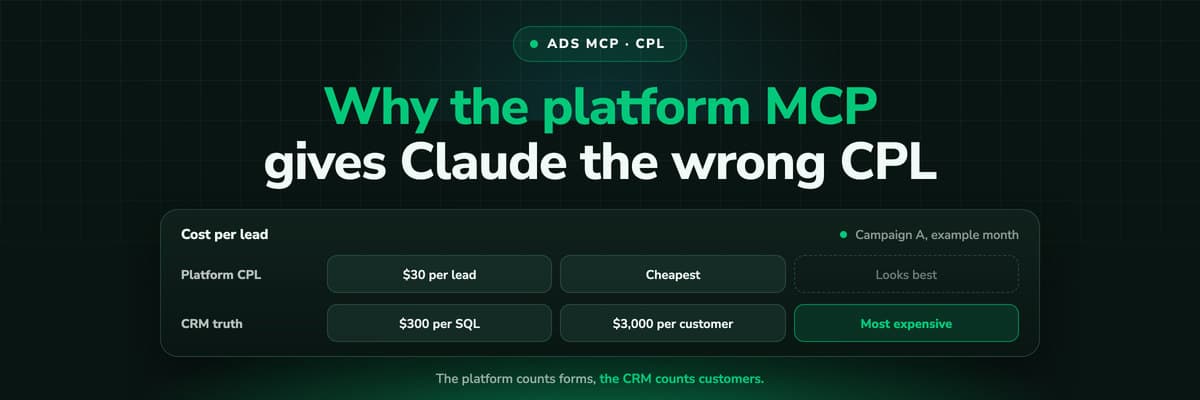
Why Your Ad Platform's MCP Gives Claude the Wrong CPL
Connect Claude to Meta or Google Ads through MCP and ask which campaign is cheapest per lead: it will answer correctly, by the platform's count. A worked example of why that campaign can be the most expensive per customer, what the platform's conversion column actually counts, and how to give Claude the CRM side.Read the article12 min read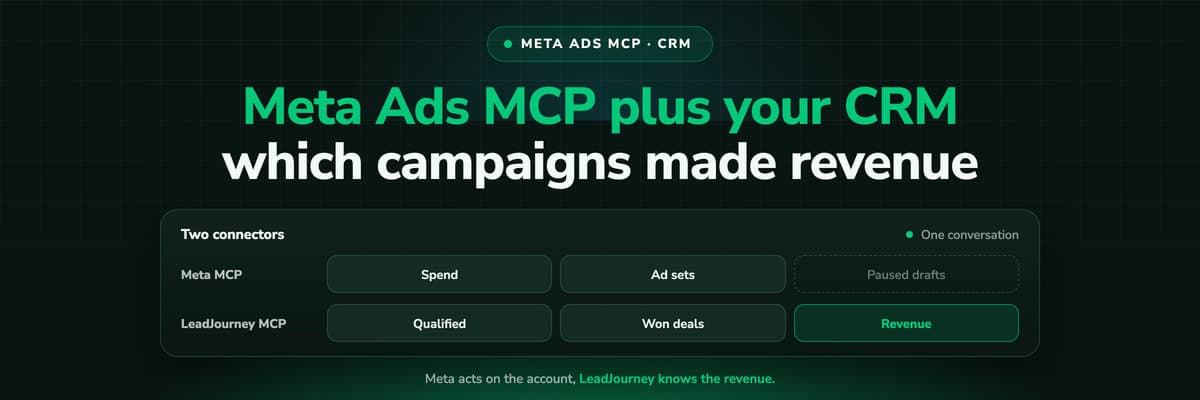 B2B Marketing Attribution
Meta Ads MCP Plus Your CRM: Which Campaigns Made Revenue
Meta's MCP server can read and draft campaigns, but it cannot see which leads closed. Put LeadJourney's MCP server in the same Claude conversation and every question can be asked on closed revenue. A worked example, the workflow step by step, and the guardrails that keep a person in charge of every change.Read the article12 min read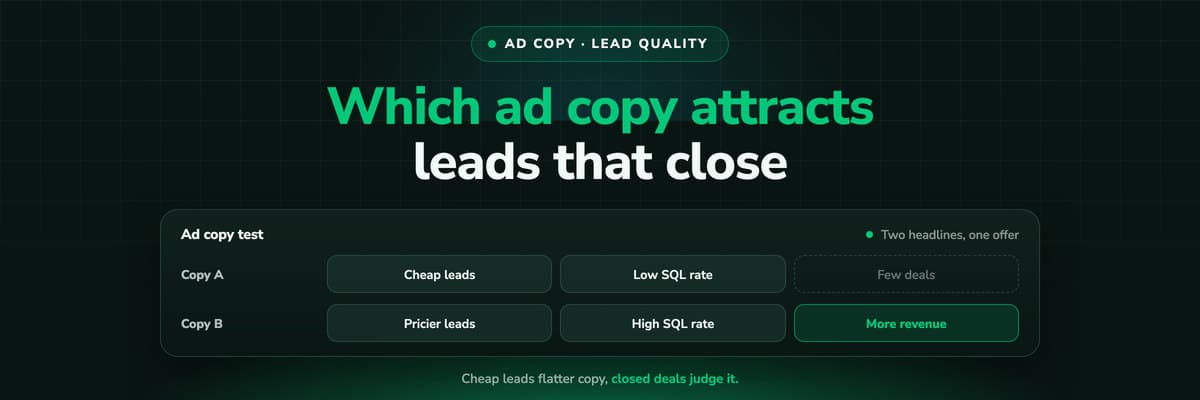 B2B Marketing Attribution
Which Ad Copy Attracts Leads That Close
The ad copy that wins on cost per lead is often the copy that fills the CRM with people who never buy. How to measure wording on qualification rate and close rate per ad, design a copy test that can answer, and do the sample size arithmetic before you crown a winner on five deals.Read the article12 min read
Attribution on paid orders
Ready to see the whole journey behind a Shopify order?
LeadJourney records every visit server-side with no window, joins your spend from every platform, credits the order under the model you choose, and sends the paid order back to Meta, Google, TikTok and Microsoft with its value. Live in 21 minutes with a tracking expert, 30-day money-back guarantee.
30-day money-back guaranteeSetup with a tracking expert