BlogHow To Guides
Shopify Server-Side Tracking: What It Fixes and What It Does Not
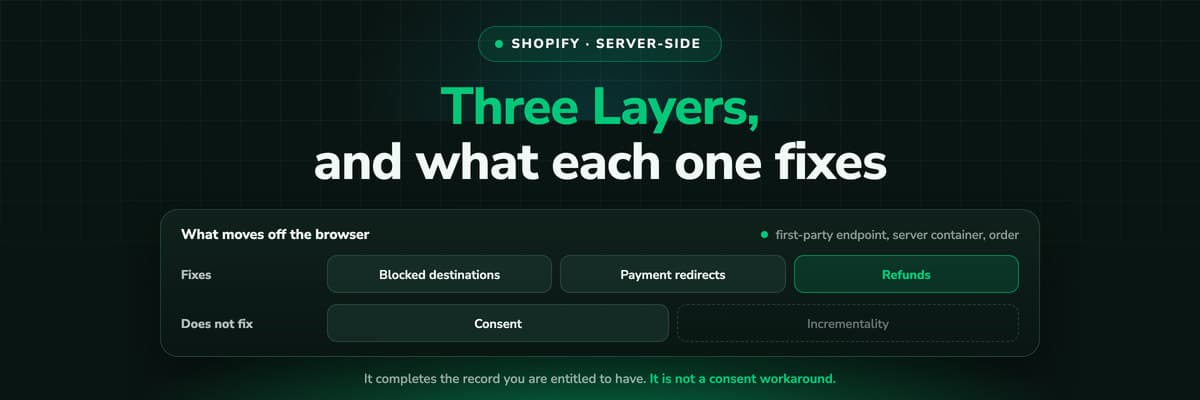
Server-side tracking on Shopify is three different things depending on where you put it: a custom pixel posting to your own endpoint, a server container, or the order read from Shopify itself. Here is what each one fixes, and why none of them is a way around consent.

Contents
Summarise this article with AI
Opens the page with a ready prompt in:


Nothing is sent until you pick a service.
Ask five vendors what server-side tracking on Shopify means and you get five answers, because the phrase covers three different places you can move work to and they fix different things. One of them stops a tag being blocked. One of them stops a session being lost at the payment page. One of them replaces the whole idea of a conversion event with the order itself.
This post separates the three, says what each is actually worth, and names the two things the category is usually sold on that it does not deliver.
Quick Summary: Server-Side Tracking on Shopify
In short
On Shopify, server-side tracking means one of three things. A custom pixel that posts events to your own first-party endpoint instead of to a third party domain, which survives blockers that filter by destination. A server container that receives those events and fans them out to the ad platforms through their conversion APIs, which keeps match keys out of the browser and lets you deduplicate. The order itself, read from Shopify through the Admin API or an order webhook, which is not an event at all and cannot be blocked, delayed or duplicated. What none of the three does: give you data a shopper declined to consent to, or invent conversions that never happened.
The rest of the post takes the three layers in turn, then the list of problems each one solves, then the two it does not.
The Three Layers, and Which One You Actually Need
Layer 1: the first-party endpoint
A custom pixel subscribes to the Customer Events API and posts to a subdomain of your own store instead of to a vendor's domain. The request is first-party, so filters that block by destination stop removing it.
Layer 2: the server container
Your endpoint receives the event and calls the platforms server to server: the Meta Conversions API, Google's offline conversion import, Microsoft's offline conversions. Match keys are hashed on the server and never travel through the page.
Layer 3: the order
Shopify hands over the paid order through the Admin API or a webhook. No script, no browser and no consent banner sits between the purchase and your record of it, because it is not a tracking event, it is your own commerce data.
Most stores need layer three first and buy layer two first. If your reporting problem is that the numbers do not match the order list, no amount of server-side event forwarding fixes it, because the events are still the thing being counted. Start with the order as the source of truth and add the forwarding once it reconciles.
Why checkout is the reason this comes up at all
Theme scripts have never run on Shopify's checkout, so anything that needs to see a purchase has to come from an app pixel, a custom pixel or the order. That single constraint is why Shopify tracking stacks look different from every other platform's, and why the order webhook is such a large upgrade here.
What Server-Side Tracking Genuinely Fixes
- Requests filtered by destinationA large share of blocking is a list of third party domains. A first-party endpoint on your own subdomain is not on that list, so the event arrives. This is the mechanism behind most of the recovery a store sees, and it is real.
- Sessions broken at the payment pageA wallet, a redirect to a provider or an express checkout can return the shopper on a fresh session. The order does not care: it arrives from Shopify with its own identifiers.
- Duplicates across browser and serverOne place deciding what is sent means one event ID per purchase, so the platform counts the pair once instead of twice.
- Refunds that a pixel never hears aboutA browser event fires once, at the order. A refund three weeks later exists only in your commerce data, so only a server-side path can correct the campaign that was credited.
- Match keys in the page sourceHashing on the server rather than in the browser keeps customer data out of the page and out of the reach of anything else running on it.
- Late conversionsA subscription's second charge or an order that is paid days after it is placed can be sent when it happens, rather than being missed because the tag's moment has passed.
The Two Things It Is Sold As Fixing, and Does Not
Both of these appear on vendor pages often enough that a buyer should hear the opposite once, plainly.
- It is not a consent workaroundConsent decides what you are allowed to collect. Server-side decides whether what you are allowed to collect survives the browser. Moving a tag to your own domain does not turn data you may not process into data you may, and a vendor telling you otherwise is handing you their legal risk. What it does do is stop you losing the data you are entitled to.
- It does not tell you what was incrementalBetter measurement of what happened is not a claim about what would have happened without the ad. Server-side tracking makes the record complete; incrementality is a question for a holdout test or a media mix model, and no event stream answers it.
How to Set It Up, Layer by Layer
- Pick a tracking subdomain on your own domain and point it at whatever will receive the events. This is what makes the requests first-party rather than third party.
- Add one custom pixel in Settings, Customer events, and subscribe only to the events you will actually use. A pixel that forwards everything is a maintenance problem and a consent problem at once.
- Decide one owner per ad platform. If the channel app already sends purchases to Meta, your server feed needs the same event ID or the app has to stop.
- Connect the order. An order webhook or the Admin API, so the paid order, its value, its currency and its refunds arrive without a browser.
- Reconcile before you optimise. Compare one month of platform conversions against the order list. Until the two are within a few percent of each other, any bidding change you make is being judged on a number nobody agrees with.
- Then send the order back to each platform through its conversion API, with the value the order actually had.
Step five is the one teams skip and the one that decides whether any of this was worth doing. It is also the step that tells you which of the three layers your store actually needed.
How to Measure Whether It Worked
Three numbers, taken before and a month after. None of them requires a vendor's dashboard.
What to measure before and after
| Number | Where you get it | What a good change looks like |
|---|---|---|
| Orders with a known source | Your own report or the Shopify admin's direct share | The direct bucket shrinks, and the traffic moves into named channels rather than appearing out of nowhere |
| Platform conversions against orders | Each ad account, next to your order count | Each platform on its own stops exceeding your order count, and the gap between the sum and your orders is explainable |
| Match quality or match rate | Meta Events Manager, Google's diagnostics | Rises, because keys are sent from the server with more of them present |
One thing not to measure
Do not judge the change by whether reported ROAS went up. A more complete record usually moves credit between channels rather than adding revenue, and if your blended ROAS jumps the week you switch, suspect double counting before you celebrate.
Further Reading
Next to this one: Shopify conversion tracking, every method and what Shopify's own attribution measures. The same job on other shop systems: Shopware server-side tracking and WooCommerce order attribution. On the product side, server-side tracking, the Meta Conversions API, e-commerce attribution software and the Shopify integration.
FAQ
Frequently Asked Questions
What store owners ask before moving tracking off the browser.
What is server-side tracking on Shopify?
Moving some or all of the measurement off the shopper's browser. In practice that is one of three things: a custom pixel posting events to a first-party endpoint on your own subdomain, a server that forwards those events to the ad platforms through their conversion APIs, or the paid order read from Shopify through the Admin API or a webhook. The third is the strongest, because an order is not an event and cannot be blocked or duplicated.
Does Shopify support server-side tracking natively?
Partly. Shopify gives you the pieces: the Customer Events API for events including checkout, the Admin API and webhooks for orders, and channel apps that handle some server-side sharing with their own platform. What it does not give you is a place to join them, apply one attribution model and send one deduplicated conversion to every platform you buy on. That part is either your own server or a tool.
Will server-side tracking recover my missing conversions?
It recovers the ones that were lost to the browser: blocked by destination filters, broken at a payment redirect, or missed because the tag's moment passed. It does not recover anything a shopper declined consent for, and it does not create conversions that did not happen. Be suspicious of a recovery percentage quoted without the method behind it, because the honest number depends on your traffic mix, your consent rates and what you were running before.
Is server-side tracking GDPR compliant?
It can be, and it is not compliant by virtue of being server-side. The questions a regulator asks are what you collect, on what legal basis, where it is processed and who else receives it. Server-side changes where the work happens, not the answers to those questions. What it does help with is data minimisation: you can decide on the server what each platform receives instead of letting a third party script read everything on the page.
Do I still need a pixel in the browser?
Usually yes, for the things only the browser sees: which page was viewed, which product was looked at, when a cart was abandoned. The purchase is the event worth moving, because it is the one with money attached, the one several platforms claim, and the one your commerce system already knows about independently.
What about Shopify's checkout, where theme scripts do not run?
That is exactly why this comes up on Shopify more than elsewhere. Checkout events can only come from an app pixel or a custom pixel through the Customer Events API, and both run in a sandbox. Reading the order from Shopify sidesteps the question entirely, which is why a store that cares about checkout accuracy usually ends up there.
Keep reading
More from the blog
 How To Guides
Google Ads MCP: The Official Server, Its Limits, Options
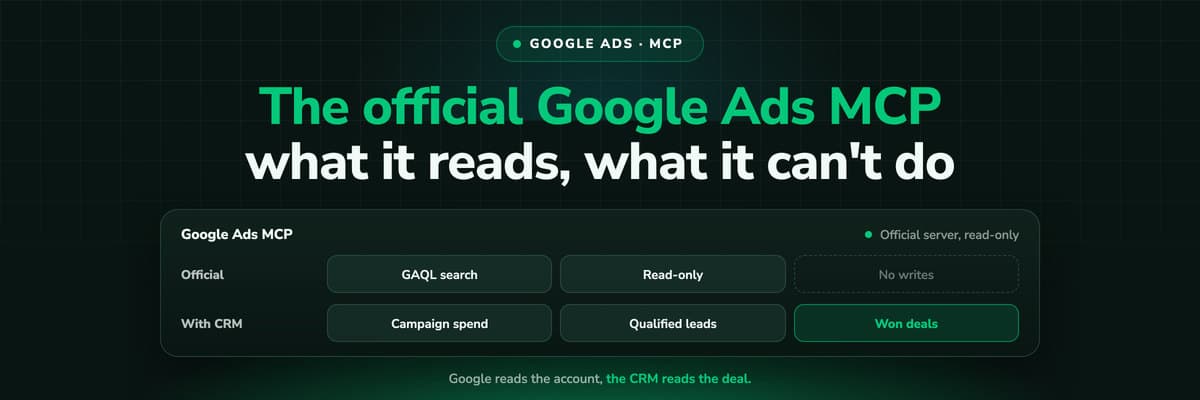
Google publishes an open source MCP server for the Google Ads API. It is read-only, has three tools and no public URL. What it does, how to run it locally or on Cloud Run, how Claude and Claude Code connect to it, what it cannot do, and the third-party servers that fill the gaps.Read the article13 min read How To Guides
Meta Ads MCP: Setting Up Meta's Official Server
Meta runs its own MCP server for ads at mcp.facebook.com/ads. What it does, which permissions it needs, how agencies get access, how to add it to Claude and ChatGPT, what the third-party servers offer instead, and how to use the write tools without spending money by accident.Read the article12 min read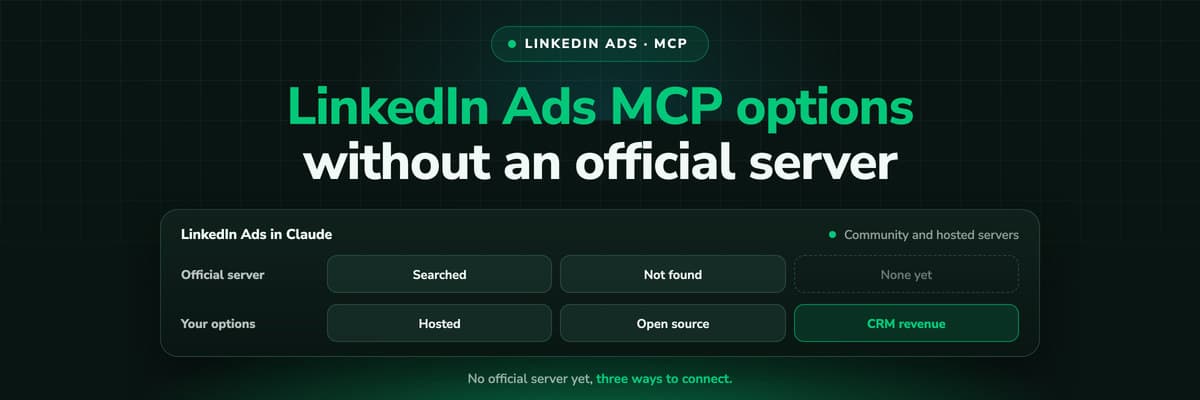 How To Guides
LinkedIn Ads MCP: Your Options Without an Official Server
LinkedIn has no official MCP server as of October 2026, unlike Meta, Google, Microsoft, TikTok and X. What the third-party LinkedIn Ads MCP options are, why there are so few, what to check before you connect one to an account with spend on it, and how to ask Claude about LinkedIn campaigns on pipeline rather than form fills.Read the article11 min read
First-party by design
Ready to measure your store from the server instead of the browser?
LeadJourney records every visit on your own domain, reads the paid order from Shopify, credits the whole journey and sends the order back to Meta, Google, TikTok and Microsoft with its value. Live in 21 minutes with a tracking expert, 30-day money-back guarantee.
30-day money-back guaranteeSetup with a tracking expert