BlogAlternatives
7 Best CallRail Alternatives in 2026
CallRail is the reference call tracker, and teams still leave it: the usage bill at pool scale, reporting that stops at the lead, and a second tool to reconcile with the ad platforms. Seven alternatives, with every published price read this month.


Contents
Summarise this article with AI
Opens the page with a ready prompt in:


Nothing is sent until you pick a service.
CallRail earned its position. Dynamic number insertion that works, recording, transcription, AI summaries, form tracking and a Google Ads integration that reports calls as conversions without a Zapier in the middle. For a business whose question is which ads make the phone ring, it answers it.
Teams still look elsewhere, and usually for one of three reasons: the usage bill once a real number pool is running, reporting that stops at the lead rather than the deal it became, or the simple fact that it is a second platform to reconcile with the ad accounts and the CRM every month.
This is the honest version of that list. Seven alternatives, what each one is actually for, and every published price as read on 16 September 2026.
Quick Summary: The Best CallRail Alternative in 2026
In short
The best CallRail alternative depends on why you are leaving. If paid ads produce the calls and the outcome lives in a CRM, LeadJourney replaces the call tracker with an attribution platform that tracks calls: same journey as the click and the form, the call written onto the CRM record, and a qualified call sent back to Google Ads and Meta. If you want the same product cheaper, WhatConverts starts at $30 with published usage rates, Nimbata bills per answered call and CallScaler rents numbers at 50 cents. If you want more phone, CTM adds routing, a softphone and HIPAA from $79.
The 7 best CallRail alternatives at a glance, September 2026
| Tool | Why teams pick it over CallRail | Best for | Published price |
|---|---|---|---|
| Rank 1LeadJourney | The call joins the click, the form and the CRM deal, and comes back as a conversion | Businesses and agencies whose calls come from paid ads | From 129 euros/mo, call tracking add-on from 50 euros |
| Rank 2WhatConvertsvs LeadJourney | Cheaper entry, published usage rates, agency accounts with lower rates | Agencies reporting lead sources per client | From $30/mo, agency from $500 |
| Rank 3CTM (CallTrackingMetrics) | Routing, IVR, softphone and HIPAA on a published plan | Inbound sales teams and regulated businesses | From $79/mo plus usage |
| Rank 4Nimbata | Billed per answered call rather than per minute, with a $0 entry plan | Small teams with long calls and modest volume | From $0/mo, plans from $35 |
| Rank 5CallScaler | Numbers at 50 cents and unlimited sub-accounts | Agencies and affiliates running many pools | From $45/mo plus usage |
| Rank 6Ruler Analyticsvs LeadJourney | Calls inside a marketing attribution model with CRM revenue | UK and EU teams that want one tool for both | From £299/mo |
| Rank 7Invoca | Conversation intelligence at contact centre scale | Enterprise brands with hundreds of calls a day | On quote |


First: a Call Tracker Is Not a Phone System
Search for CallRail alternatives and most lists hand you CloudTalk, Ringover, JustCall, Aircall or Dialpad. Those are good products and they are not alternatives to CallRail. They handle the call: dialling, queues, agents, recordings, the softphone on your desk. CallRail attributes the call: which ad, which campaign, which keyword, which landing page made it happen.
If you replace a call tracker with a phone system, the phones keep working and the marketing reporting disappears. Every tool on the list below does attribution. Two of them, CTM and Invoca, also do a serious amount of call handling, which is the only overlap worth having.
Why Teams Leave CallRail
Not because it does not work. These are the three complaints that come up again and again, and it is worth knowing which one is yours before shopping, because they lead to different tools.
- The usage bill at pool scaleLead Tracking is $50 a month and includes 5 numbers and 250 minutes. Extra numbers are $3, local minutes 5 to 6 cents, toll-free minutes 8 cents, texts 3 cents, transcription 4 cents. A site with a real number pool and a busy phone passes the plan fee in usage, every month.
- It reports the lead, not the revenueYou learn which campaign produced forty calls. Which of those became jobs, what they were worth, and what a booked job costs per campaign is a question for the CRM, and the call tracker is not in that conversation.
- It is a second platform to reconcileCalls in one tool, forms in another, clicks in the ad accounts, deals in the CRM, and a monthly ritual of making four numbers agree. The integrations help; they do not make it one journey.
There is a fourth, quieter one: the AI features that make the product worth the money, Premium Conversation Intelligence with call summaries and sentiment, sit on the $150 and $195 plans, and form tracking sits on the Complete plans. The $50 entry price is not the price of the product people demo. What CallRail really costs works that through with the published rates.
1. LeadJourney: When the Calls Come From Paid Ads
LeadJourney is not a cheaper CallRail. It is the other shape: an attribution platform that happens to track calls, so the call is one event on a journey that already holds the click, the landing page, the form and the CRM deal. If your calls are bought with Google Ads and Meta budget, that difference is the whole point.
The call tracking itself is what you would expect. A script swaps the number per visitor, the printed one and the tap-to-call link, and holds it for the visit. Offline sources get fixed numbers. Calls forward to your existing line and the engine matches the call to the session that held the number. Recording is a toggle per number with a consent announcement where the law needs one, and an AI summary says what the call was about. Whether it counts is the lead status from your workspace or CRM, set by your team.
What changes against CallRail
- The call lands on the CRM contact in HubSpot, Pipedrive, Close or Attio with its source, campaign and recording, so the deal that closes six weeks later still carries the ad that rang the phone.
- A qualified call goes back to Google Ads and Meta through their conversion APIs, with the click ID it inherited, so bidding trains on calls that become jobs rather than on every ring.
- Calls and forms sit in one campaign report with cost per qualified call beside cost per lead, and the CRM revenue behind both.
- Call tracking is an add-on, 50 euros a month for five numbers and 250 minutes with recording and transcripts, on a platform priced by tracked marketing spend from 129 euros.
Pros
- One journey per person instead of a call tool, an ad account and a CRM to reconcile
- Qualified calls returned to both Google and Meta automatically
- Numbers are an add-on line, not a second platform fee
- Onboarding by a tracking expert and a 30-day money-back guarantee
Cons
- Priced on tracked marketing spend, so a phone-led business with no ad budget pays for capability it will not use
- Forwarding to your existing line, not an IVR builder or a softphone
- If you want a call tracker and nothing else, this is more platform than the question needs
Verdict
The right move when the reason you are leaving is that CallRail stops at the lead. The wrong move if you simply want the same tool for less.
2. WhatConverts: The Closest Like-for-Like, Cheaper
WhatConverts is the most direct substitute on this list: calls, forms, chats and transactions as one lead record, dynamic number insertion, recording, transcription, and reporting built so an agency can show a client where the leads came from. Teams moving from CallRail generally recognise everything within an afternoon.
Read on 16 September 2026, single accounts are $30, $60, $100 and $160 a month with a $30 usage credit, and agency plans covering unlimited client accounts are $500, $800 and $1,250 with $250 to $400 of credit. Usage is published in full: local numbers $2.50 ($1.75 on agency plans), toll-free $3.50, local minutes 4.5 cents (4 on agency), forms and chats 10 cents, transcription 2 cents a minute, texts 3 cents. For twelve numbers and 1,200 minutes, that is $84 a month against CallRail's $128 on the entry plan.
Pros
- Cheaper on both the plan fee and most usage rates
- Lead-level fields a human fills in: quotable, lead value, notes
- Agency plans with unlimited client accounts and reduced rates
Cons
- Multi-click attribution is gated to the top single-account tier
- Still stops at the lead: the pipeline is not its subject
- Conversation intelligence is thinner than CallRail's Premium tier
Verdict
The default swap if you like CallRail and want the bill to be smaller. LeadJourney against WhatConverts sets out where lead reporting ends and revenue attribution starts.
3. CTM: More Phone, Plus HIPAA
CTM, formerly CallTrackingMetrics, is what you buy when the call has to be handled as well as attributed: routing rules, IVR, a softphone, smart dialling, live coaching, AI call analysis, and HIPAA and GDPR features on a published plan rather than an enterprise negotiation.
Plans read on 16 September 2026: Marketing Lite $79 a month ($65 yearly, $60 on a two-year term), Marketing Pro $179, Sales Engage $329, Enterprise a flat $1,999. Pro is the practical starting point for most teams leaving CallRail, since it carries the form submissions, the transcribed minutes, AskAI, sub-accounts, white label, the open API and the compliance features. The first month of plan fees is free.
Pros
- Routing, IVR, softphone and coaching in the same tool as the attribution
- HIPAA on a published plan, which is rare below enterprise pricing
- Unlimited users on every plan, and white label for agencies from Pro
Cons
- Number and minute rates are volume-based rather than published, so the invoice is harder to model
- Considerably more product than a marketing team alone needs
- The interface shows its age and its feature count
Verdict
The upgrade path rather than the cheaper one. Right when a sales team lives on the phone or compliance is on the checklist.
4. Nimbata: Per Answered Call, With a Free Tier
Nimbata is the lean option: dynamic number insertion, recording, the usual integrations into Google Ads, GA4, Meta and the CRMs, and a pricing model that charges per answered call instead of per minute. Read on 16 September 2026, the entry plan is $0 a month plus usage, then Pro at $35, Marketing at $80 and Agency at $120, with a 14-day trial capped at 2 numbers and 50 answered calls.
Per-call billing flips the economics. A consultative business whose calls run ten minutes pays the same as one whose calls run one, which is a gift if your calls are long. A fair-use rule applies once your average passes about three and a half minutes, and the per-call rate is not printed on the pricing page, so run their calculator against your own numbers before you switch.
Pros
- A genuine $0 plan for a single fixed number, usage only
- Per answered call suits long sales conversations
- The cheapest agency tier of the dedicated trackers at $120
Cons
- The per-call rate is not published, which makes comparison awkward
- Smaller integration and support footprint than CallRail
- The fair-use clause is a variable you inherit rather than choose
Verdict
A good swap for a small team with few numbers and long calls. Check the calculator first, because the model rewards exactly one call pattern.
5. CallScaler: When the Number Count Is the Problem
If your CallRail bill is mostly numbers, this is the arithmetic that matters: read on 16 September 2026, CallScaler rents local numbers at 50 cents a month against CallRail's $3, with local minutes at 4.5 cents. Plans are $45 for three businesses, $130 for unlimited businesses and users, and $400 for the pay-per-call tier.
For an agency running twenty client pools of ten numbers, that is $100 a month of numbers instead of $600. What you trade away is depth: reporting, integrations and conversation analysis are all thinner, and client-facing reports are not its strength.
Pros
- The lowest published number and minute rates on this list
- Unlimited businesses and users on the $130 plan
- Simple pricing with no usage credits to decode
Cons
- Basic reporting next to CallRail or WhatConverts
- No serious conversation intelligence
- A price-led product: fine to buy on price, risky to standardise on
Verdict
The volume answer. Right when numbers are the line item, wrong when the report has to convince a client.
6. Ruler Analytics: Calls Inside an Attribution Model
Ruler Analytics puts call tracking inside marketing attribution and matches CRM revenue back to the source, which is the same answer to the same complaint LeadJourney gives, from a UK vendor with a different pricing axis. Read on 16 September 2026: £299 a month up to 10,000 monthly visits, £499 up to 50,000, £999 up to 100,000, £1,499 above, about 10% less annually.
Note the axis. You pay for website visits, not for calls or ad spend, so a content-heavy site with a modest phone pays for readers who never dial, and a low-traffic business with an expensive phone gets a bargain. Tracking leans browser-side, which is the trade against server-side capture.
Pros
- Calls, forms and CRM revenue in one attribution model
- Published pricing and a UK base, used to European data questions
- Onboarding and a customer success manager on every tier
Cons
- Priced on traffic, the wrong axis for most phone-led businesses
- Browser-side tracking carries losses server-side capture avoids
- Entry price is six times CallRail's before any numbers
Verdict
A real alternative for UK and EU teams that want one tool. See LeadJourney against Ruler Analytics for the server-side and conversion-API difference.
7. Invoca: Enterprise Conversation Intelligence
Invoca is where teams go when the conversation itself is the data: models that classify what happened on the call, whether it converted and why, feeding both media buying and the contact centre. At a few hundred calls a day that is a different category of product from a number pool, and it is priced accordingly.
No price is published, and third-party estimates are not worth quoting: the listings read in September 2026 disagree by a factor of twenty. Expect an annual contract sized on call volume and a sales process to match.
Verdict
The enterprise end of the same category. Not a swap for a $50 plan, and not sold as one.
How to Move Without Losing a Month of Data
- Run both for a full billing cycle. The new pool on the website, CallRail still live on its numbers. Two swap scripts must not fight over the same number on the same page, so give the new tool the website and leave the old one on its fixed numbers while you compare.
- Port the numbers that are printed somewhere. A van, a flyer, a Business Profile: those are numbers customers dial from memory and from paper. Porting takes days, not minutes, so start it before you cancel anything.
- Leave the website pool behind. Pool numbers are disposable by design. There is nothing to port and porting them costs you money.
- Export the call history first. Recordings and transcripts are the part you cannot recreate, and they usually leave with the account.
- Rebuild the conversion feed before you switch off the old one. Whatever was reporting calls into Google Ads has to be reporting them from the new tool before the old integration goes, or bidding spends a fortnight learning from nothing.
- Check the Business Profile last. It keeps your real number. Whatever you do in the pool, that listing does not change. See call tracking and SEO.
FAQ
Frequently Asked Questions
What teams ask before they leave CallRail.
What is the best CallRail alternative?
For teams whose calls come from paid ads and whose outcomes live in a CRM, LeadJourney, because the call joins the same journey as the click and the form and a qualified call goes back to Google Ads and Meta automatically. For a like-for-like call tracker at a lower price, WhatConverts. For routing, a softphone and HIPAA, CTM. For the cheapest numbers, CallScaler.
Is there a cheaper alternative to CallRail?
Yes, on published rates read in September 2026. WhatConverts starts at $30 against CallRail's $50 with cheaper numbers and minutes, Nimbata has a $0 entry plan and bills per answered call, and CallScaler rents local numbers at 50 cents against CallRail's $3. For twelve numbers and 1,200 local minutes, WhatConverts works out at $84 a month and CallRail's entry plan at $128.
Can CallRail send call conversions to Google Ads and Meta?
Yes. CallRail reports calls and form submissions as conversions in Google Ads through its native integration and supports Facebook offline events. What it does not do is decide which calls deserve to go back based on what happened in your CRM afterwards, which is the difference between optimising for calls and optimising for jobs.
Are CloudTalk, Aircall and JustCall CallRail alternatives?
No, although most lists say so. Those are business phone systems: they handle dialling, queues and agents. CallRail attributes the call to the ad, campaign and keyword that produced it. Replacing one with the other keeps the phones working and loses the marketing reporting.
Do I lose my tracking numbers if I switch?
Only the ones you want to keep, and those can be ported. Numbers printed on vehicles, flyers or a Business Profile should be ported before you cancel, which takes days rather than minutes. Website pool numbers are disposable by design: the new tool issues its own, and porting them costs money for nothing.
How much does CallRail cost in 2026?
Read on 16 September 2026: Lead Tracking $50 a month with 5 numbers and 250 minutes, Lead Tracking Complete $95 with form tracking, Lead Conversion $150 with Premium Conversation Intelligence, Lead Conversion Complete $195. Usage on top at $3 per extra local number, 5 to 6 cents per local minute, 8 cents toll-free, 4 cents per transcription. A yearly plan saves up to 10%.
Keep reading
More from the blog
 Alternatives
7 Best AppsFlyer Alternatives in 2026
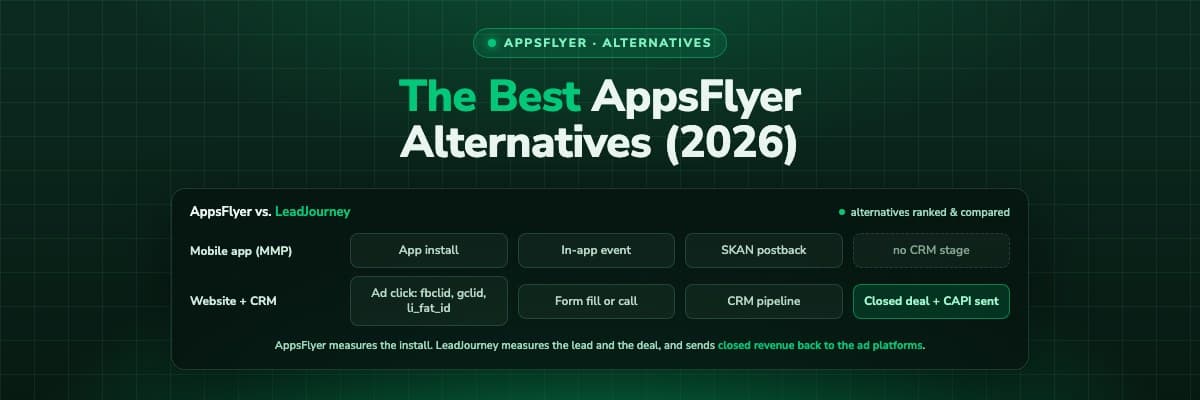
AppsFlyer is the biggest mobile measurement partner on the market, built around the app install. Seven alternatives, ranked: one for businesses whose conversions are forms, calls, deals and shop orders on the web, and six for the app itself, compared on tracking, pricing and who each is built for.Read the article10 min read Alternatives
7 Best Fibbler Alternatives in 2026
Fibbler tracks company-level LinkedIn engagement, and that is where it stops. These seven alternatives cover click-level revenue attribution across every channel.Read the article9 min read Alternatives
7 Best Ruler Analytics Alternatives in 2026
Ruler Analytics connects touchpoints to CRM revenue and is strong on phone calls, and sends revenue back to the ad platforms, but its tracking is browser-side and its price starts at $400 a month. Seven alternatives that capture click IDs server-side and feed closed deals back to the ad platforms.Read the article6 min read
CallRail alternative
Keep every call. Add the ad, the keyword and the deal behind it
LeadJourney tracks calls, forms and clicks on one journey, writes the call onto the CRM record and sends the qualified ones back to Google and Meta. Set up with a tracking expert, 30-day money-back guarantee.
30-day money-back guaranteeSetup with a tracking expert