


















BlogB2B Marketing Attribution
How Marketing Agencies Prove ROI to Clients in 2026
You generated 142 leads at €28 CPL and the client is still talking about churning, because a lead count is not revenue. How agencies connect campaign data to closed-deal revenue in the client's CRM, replace monthly PDFs with live dashboards and let AI agents surface the weekly insights.


Contents
Summarise this article with AI
Opens the page with a ready prompt in:


Nothing is sent until you pick a service.
Every agency knows the pain. You generated 142 leads at €28 CPL last month. Fantastic numbers. The client says they don't see results. They're talking about churning.
And here is the part that stings: they might be right, and you have no way of knowing. Those 142 leads could have produced eleven closed deals worth €300,000, or they could have produced two. Nothing in your reporting distinguishes those two months, so when the client says it isn't working you have no evidence either way. You are arguing about a feeling.
The numbers don't lie, but they don't tell the truth either, because they don't show revenue. Revenue is the only thing your client actually cares about. Here's how modern agencies prove ROI to clients in 2026 by connecting campaign data to actual closed-deal revenue.
Quick Summary: How Agencies Prove ROI in 2026
In short
Clients do not churn because the CPL was too high. They churn because they could not tell whether it was working, and a report full of CPL, CTR and CPM cannot answer that question. The agencies keeping retainers report closed revenue against ad spend, taken from the client's own CRM: which campaign produced which deals, at what cost per close. Three things make that possible: click IDs captured server-side so a deal can be traced back to the ad that started it, a webhook from the client's CRM so pipeline stages and deal values flow in, and per-client workspaces so a book of twenty clients is one login rather than twenty spreadsheets. Replace the monthly PDF with a live dashboard the client can open any time, and the monthly call stops being a reading exercise and becomes a strategy conversation.
Why Your Current Reports Don't Save Retainers
Reporting CPL, CTR and CPM tells the client what happened in your ad accounts. It doesn't tell them whether their business made money. Those are different questions, and only one of them is being asked in the meeting.
Clients who churn over poor reporting almost always say the same thing: 'I couldn't tell if it was working.' This isn't a perception problem to be solved with a better slide template. It's a measurement problem: the metrics you reported do not measure what they care about, so no amount of presenting them better will land.
There is a structural asymmetry underneath it. The client sees revenue every day, in their bank account and their CRM. You see clicks and form fills. When those two pictures disagree, theirs wins, because it is the one with money in it. Every month you report in ad-platform metrics is a month you are arguing from the weaker position.
The uncomfortable second possibility
Sometimes the client is right and the leads genuinely were poor. Revenue reporting protects you there too: it tells you in week three rather than in the churn call, and it turns the conversation into a shared problem instead of a dispute about your competence.
Report Revenue, Not Leads
When you can show a client: 'Our campaigns drove €142,000 in closed revenue against €32,000 in ad spend, for a 4.4x return based on your own CRM data,' the conversation changes completely.
The client isn't questioning value anymore. They're calculating expansion. And critically, the number came out of their system rather than yours, so there is nothing to dispute: you are not asking them to trust your reporting, you are reading theirs back to them with the campaign attached.
The same shift changes what you can argue for. A campaign that costs €4,800 per closed deal is a campaign you can defend cutting. A campaign at €1,200 is one you can defend scaling, and the budget increase conversation stops being a negotiation and becomes arithmetic.
The same month, reported two ways
| The old report | The revenue report | |
|---|---|---|
| Headline | 142 leads at €28 CPL | €142,000 closed revenue on €32,000 spend |
| Per campaign | CTR, CPM, CPL | Deals closed, cost per close, revenue |
| Data source | The ad platforms | The client's CRM |
| What the client can dispute | Whether the leads were any good | Very little: it is their own data |
| What the meeting is about | Justifying the retainer | Where the next €10,000 should go |
Live Dashboards Beat Monthly PDFs
Static monthly PDFs are dead, and not mainly because they look dated. The problem is the gap. A monthly report means that for roughly twenty-nine days out of thirty the client has no evidence anything is happening, and doubt fills the silence far better than a report fills the meeting.
Modern agencies share a live dashboard: one link the client can open whenever they want, showing current performance against current spend. Three things follow, and the third is the one agency owners notice first.
- Value is continuously visibleThe client checks it on a Tuesday because they were curious, sees the numbers moving, and never forms the doubt that becomes a churn conversation two months later.
- The 'where's my report?' email stopsIt stops in both directions. Nobody chases you, and you stop building a deck the night before the call.
- Reporting time goes to near zeroThe dashboard is always current, so the hours your team spent assembling twenty monthly reports go back into the work the retainer is actually paying for.
The monthly call does not disappear. It changes subject, from reading numbers aloud to deciding what to do about them, which is the part the client hired you for.
AI Agents Surface Insights Automatically
A live dashboard is passive: it answers when asked. The proactive half is an AI agent that watches the account and sends a summary of what changed, why, and what to do next, straight into Slack or an inbox.
Instead of waiting for the monthly call to surface insights, clients get fresh recommendations weekly. That does three things for an agency: it saves your team hours of account review, it raises perceived service quality (the client sees you paying attention between meetings), and it catches problems while they are still small, which is worth more than either.
Used well, the agent drafts and a human sends. The recommendation is only as good as the data underneath it, and a weekly summary built on form-fill counts is a faster route to the same wrong conclusion. Connect the CRM first, then automate the commentary.
How to Get CRM Access Without an Awkward Conversation
This is the step agencies stall on, usually for a good reason: asking a client for CRM access sounds like asking for something. Framed correctly it is the opposite, and in practice most clients agree in the same meeting.
- Ask for a webhook, not a login. You do not need access to their CRM. You need their CRM to tell your reporting when a stage changes. That is a much smaller ask and it is true.
- Name what they get. They stop having to take your word for lead quality, and they get a live view of which campaigns produce their revenue. Both are things they already wanted.
- Start with stages, not money. If deal values are a sensitive subject, begin with qualified and meeting booked. Those alone separate the campaigns producing buyers from the ones producing form fills, which is most of the value.
- Handle the messy-data objection honestly. Every CRM is messy. Stage data is usually clean enough to be useful long before revenue data is, and the reporting itself tends to be what finally motivates the sales team to fill fields in.
- Put it in the onboarding. For new clients this is a checklist item alongside ad account access, and nobody questions it. Retrofitting it to a client of three years is the harder conversation, so stop creating more of them.
One practical note: the client owns the data, and your reporting should make that obvious. Per-client workspaces with real separation are not a nice-to-have here, they are what makes the arrangement comfortable enough to say yes to.
Old vs New: The Reporting Gap That Loses Clients
The old way (loses clients)
- CPL, CTR, CPM, impressions: what the ad platform reported about itself.
- A static monthly PDF or slide deck the client opens once and forgets.
- Disconnected from CRM revenue, so the client cannot connect ad spend to any business outcome.
- Tracking that loses 30 to 40% of conversions, which makes even the platform numbers wrong.
The new way (retains retainers)
- Revenue, return on spend, qualified leads and closed deals: what the client actually cares about.
- A live dashboard the client opens any time on a shared link.
- Connected to the client's CRM, so every campaign is matched to actual closed-deal revenue.
- Server-side tracking so the conversions the pixel loses are counted.
Operational improvements
- Multi-client workspaces: every client in one platform with full data separation and one login above them.
- AI-generated weekly summaries delivered to the client's Slack or inbox automatically.
- CRM stages sent back to Meta, Google, LinkedIn and Microsoft, so the accounts optimise on the same definition of success the report uses.
A 30-Day Rollout Across the Client Book
Doing this across twenty clients at once is how it never happens. A workable sequence takes about a month and starts with one client rather than all of them.
- Week 1: pick the pilot. Not the biggest client and not the wobbliest. Pick the one with a tidy CRM and a decent relationship, because you want the first revenue report to be a good one.
- Week 1: tracking in. One script, ad accounts connected, CRM webhook live. Roughly half a day including the client's IT reply.
- Week 2: agree what 'qualified' means. In writing, with the client's sales lead. This is a conversation, not a setting, and skipping it makes every later number arguable.
- Weeks 2-3: let data accumulate, and say nothing yet. Two weeks of partial attribution shown to a client is worse than no report at all.
- Week 4: present the first revenue report. Cost per close by campaign, revenue against spend. Then ask the question you have been waiting to ask: where do you want the next €10,000?
- Weeks 4+: roll out in threes. Each new client is now a repeated process rather than a project, and the pilot's report is your pitch for the next three.
Expect one client to say no, usually for data-governance reasons rather than reluctance. Report stages for that one and revenue for the rest; a partial rollout is still most of the benefit.
How LeadJourney Works for Agencies

Every client sits in its own workspace with its own tracking, attribution models and reporting, and one overview sits above all of them, so a book of twenty clients is one login rather than twenty tabs. Client data stays separated, which is what makes the CRM conversation comfortable.
Setup per client is about 21 minutes: one script, the ad accounts connected by OAuth, and the CRM connected natively (HubSpot, Salesforce, Pipedrive, Close and more) or by webhook. Tracking runs server-side at 95%+ accuracy, so the 30 to 40% of conversions a pixel loses are counted rather than argued about.
From there the reporting is revenue-first: closed deals and cost per close per campaign, ad set and creative, with the client's pipeline stages as conversions. Atlas, the AI analyst, answers account questions in plain language and can send the weekly summary. Agency plans start at €399 a month with a 30-day money-back guarantee, and a tracking expert sets the first client up with you, so a pilot client costs you an afternoon rather than a budget line. See the marketing agencies page for the full picture.
Further Reading
Carry on with the best agency reporting software, the best marketing agency reporting tools and the true cost per lead. For the mechanics, see how to send CRM data back to Meta and Google and the agency directory.
In the glossary
FAQ
Frequently Asked Questions
The questions agencies ask about proving ROI to clients.
How do marketing agencies prove ROI to clients?
The most effective approach is connecting ad spend to closed revenue. This requires capturing click IDs server-side, storing them in the client's CRM, and tracking each lead through the pipeline to closed deal. LeadJourney automates this, giving agencies a clear report showing which campaigns produced which deals at what cost-per-close. Revenue data is harder for clients to dispute than click metrics, because it came out of their own system.
What metrics should agencies use to prove marketing ROI?
Cost-per-close and revenue per channel are the strongest ROI metrics. Cost-per-lead is easy to game and often detached from revenue. Showing a client that Campaign A produced 8 closed deals at €1,200 cost-per-close while Campaign B produced 2 deals at €4,800 cost-per-close is far more persuasive than comparing click-through rates.
How often should an agency report to clients?
Continuously, which is what a live dashboard gives you. The client opens one shared link whenever they want the current numbers, an AI summary lands in their Slack or inbox weekly with what changed and why, and the monthly call is spent on strategy instead of reading a PDF out loud. Static monthly reporting creates a month-long gap in which the client has no evidence that anything is working.
Can an agency report on revenue when the client owns the CRM?
Yes, and that is the normal case. The connection is a webhook from the client's CRM, so pipeline stage changes and deal values flow into the reporting without the agency needing access to anything else. Every client sits in its own workspace with its data kept separate, so one login covers the whole book of business without mixing accounts.
How do I ask a client for CRM access without it being awkward?
Ask for a webhook rather than a login, which is a much smaller and more accurate request: you are not asking to see their CRM, you are asking their CRM to tell your reporting when a stage changes. Frame the benefit in their terms, that they stop having to take your word for lead quality. And if deal values are sensitive, start with pipeline stages, which already separate the campaigns producing buyers from the ones producing form fills.
What if the client's CRM data is too messy for revenue reporting?
Start with pipeline stages rather than revenue. Capturing the click ID on the form and following the lead to 'qualified' or 'meeting booked' already beats a lead count, because it separates the campaigns that produce buyers from the ones that produce form fills. Deal values can be added later once the sales team is filling them in reliably, and in practice the reporting itself is often what finally gets them filled in.
Keep reading
More from the blog
 B2B Marketing Attribution
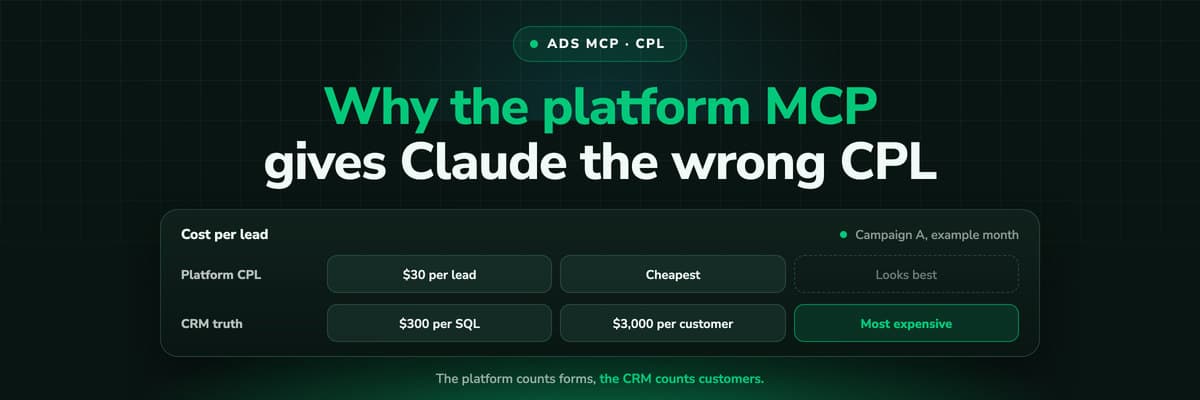
Why Your Ad Platform's MCP Gives Claude the Wrong CPL
Connect Claude to Meta or Google Ads through MCP and ask which campaign is cheapest per lead: it will answer correctly, by the platform's count. A worked example of why that campaign can be the most expensive per customer, what the platform's conversion column actually counts, and how to give Claude the CRM side.Read the article12 min read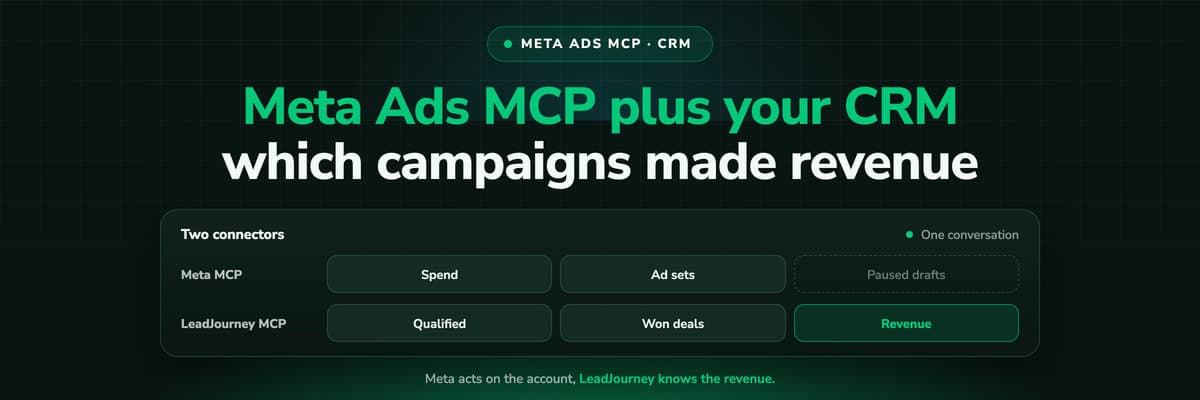 B2B Marketing Attribution
Meta Ads MCP Plus Your CRM: Which Campaigns Made Revenue
Meta's MCP server can read and draft campaigns, but it cannot see which leads closed. Put LeadJourney's MCP server in the same Claude conversation and every question can be asked on closed revenue. A worked example, the workflow step by step, and the guardrails that keep a person in charge of every change.Read the article12 min read B2B Marketing Attribution
Which Ad Copy Attracts Leads That Close
The ad copy that wins on cost per lead is often the copy that fills the CRM with people who never buy. How to measure wording on qualification rate and close rate per ad, design a copy test that can answer, and do the sample size arithmetic before you crown a winner on five deals.Read the article12 min read
Defend every retainer
Ready to show clients the revenue you drove?
LeadJourney captures click IDs server-side at 95%+ accuracy and follows every lead through the client's CRM pipeline to the closed deal, with a 21-minute setup alongside a tracking expert and a 30-day money-back guarantee.
30-day money-back guaranteeSetup with a tracking expert


